
截图
介绍
★ Starshadow Config
Beautiful config screens from plain Java classes.
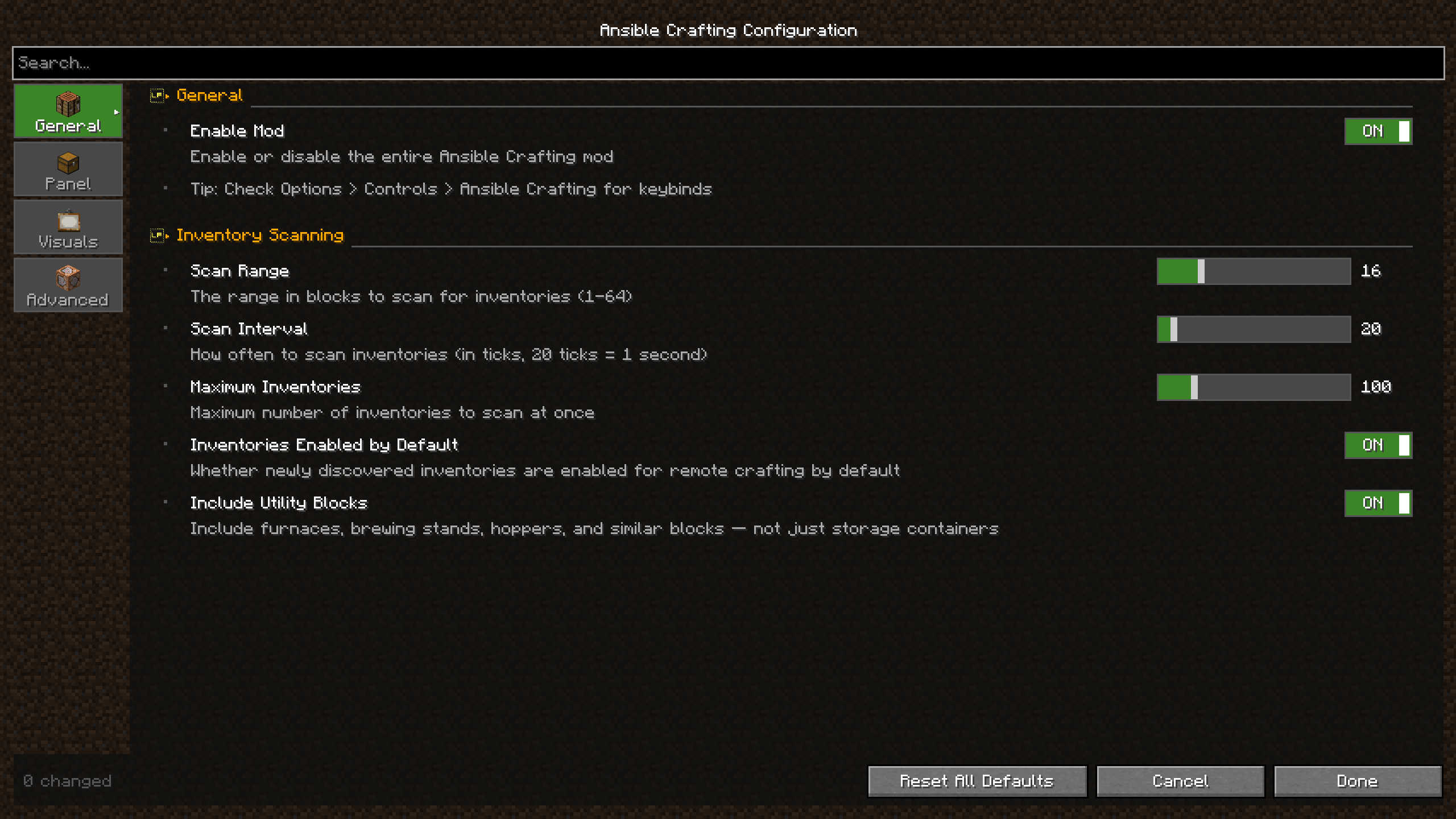
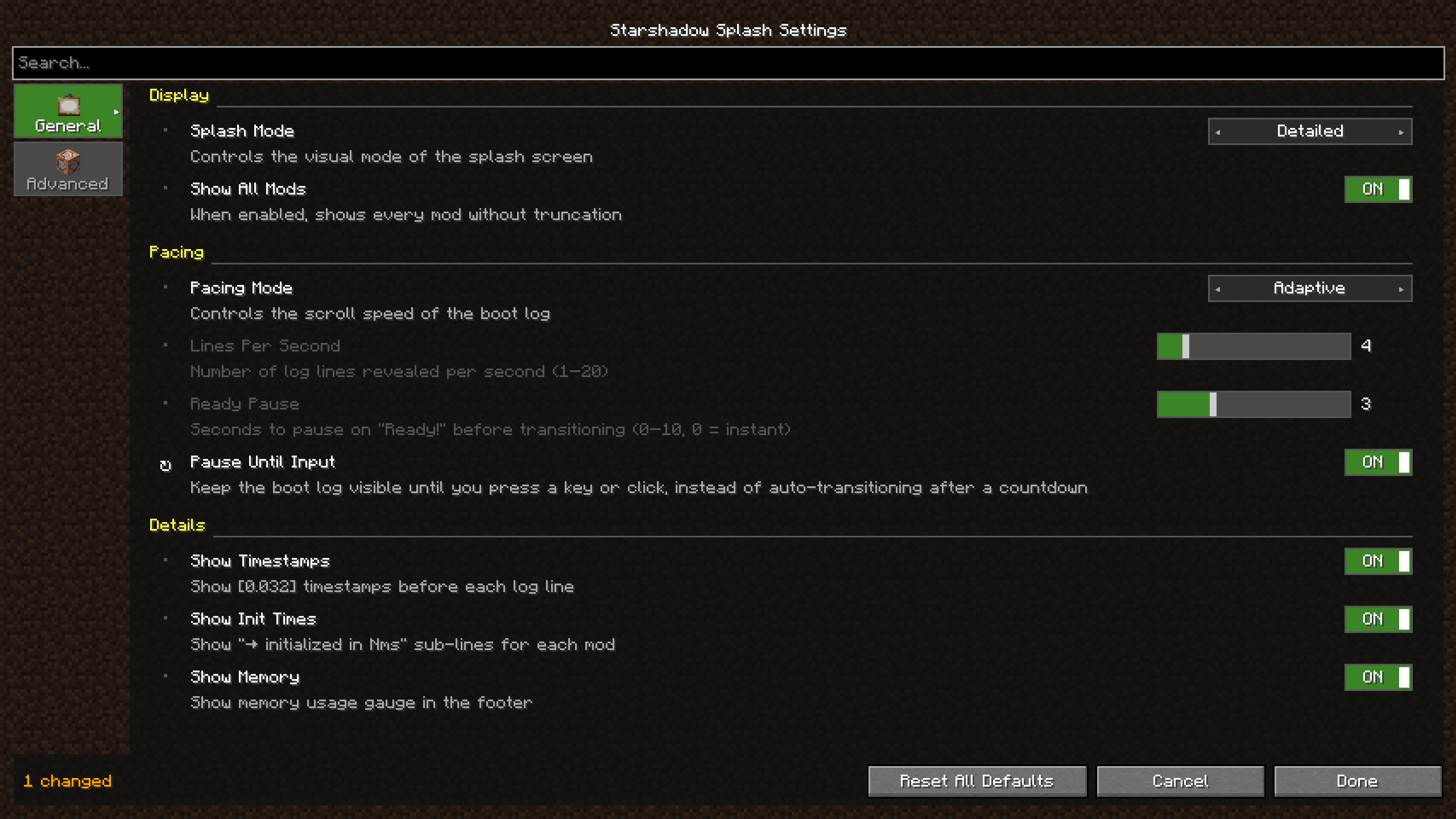
Starshadow Config is an annotation-driven configuration library for Fabric mods. Define your settings as a simple Java class, annotate the fields, and get a polished config screen — complete with tabs, sections, sliders, toggles, and enum dropdowns — with zero boilerplate UI code.
“Config screens shouldn’t require a PhD in GUI programming.”
🪄 How It Works
For Mod Developers
- Add the dependency to your
build.gradle.kts - Create a config class with annotated fields
- Done — Starshadow Config generates the entire screen
@StarConfig(modId = "mymod")
public class MyConfig {
    @Tab(id = "general", icon = "minecraft:crafting_table")
    @Section("scanning")
    @Range(min = 1, max = 64)
    @DefaultValue("16")
    private int scanRange = 16;

    @Section("display")
    @DefaultValue("true")
    private boolean showOverlay = true;
}
That’s it. No screen builder class. No widget positioning. No layout math. Just your config fields with annotations.
For Players
If a mod uses Starshadow Config, you get:
- A tabbed settings screen accessible via Mod Menu
- Clean, consistent UI across all mods that use the library
- Sliders, toggles, and dropdowns instead of raw text fields
- Reset buttons to restore defaults
✨ Features
📝 Annotation-Driven API
Annotate your config POJO and the screen builds itself:
@StarConfig— marks the class as a config@Tab— groups fields into tabs with icons@Section— organizes fields into labeled sections@Range— sets min/max for numeric fields@DefaultValue— defines the default value@EnabledWhen— conditionally enables fields based on other values@Hidden— excludes fields from the generated screen@Widget— overrides the default widget type
🔨 Fluent Builder API
Need more control? Use StarConfigBuilder for a fully programmatic approach:
StarConfigBuilder.create("mymod")
    .parent(parentScreen)
    .tab("general", tab -> tab
        .icon(Items.CRAFTING_TABLE)
        .section("scanning", section -> section
            .intSlider("scanRange", b -> b
                .range(1, 64).defaultValue(16)
                .binding(() -> config.scanRange,
                         v -> config.scanRange = v))
        )
    )
    .onSave(() -> serializer.save())
    .build();
💾 JSON Persistence
GsonConfigSerializer handles loading and saving config files as readable JSON. Files are stored in config/<mod-id>.json following Fabric conventions.
🎛️ Rich Widget Types
- Toggles for booleans
- Sliders for numbers with ranges
- Steppers for integer values
- Enum cycles for enum selections
- String fields for text input
- Description entries for informational text
🔗 Mod Menu Integration
Register your config screen with a single class:
public class MyModMenuIntegration implements ModMenuApi {
    @Override
    public ConfigScreenFactory<?> getModConfigScreenFactory() {
        return ModMenuConfigFactory.create("mymod", MyConfig.class, MyConfig::get);
    }
}
🧩 Conditional Fields
Use @EnabledWhen to create dependent settings that gray out when their condition isn’t met:
@EnabledWhen(field = "pacingMode", notEquals = "ADAPTIVE")
private int linesPerSecond = 4;
📦 Installation
For Mod Developers
Add to your build.gradle.kts:
dependencies {
    modstitchModImplementation("com.starshadow:starshadow-config:${property("starshadow_version")}")
    modstitchModImplementation("com.starshadow:starshadow-lib:${property("starshadow_version")}")
    include("com.starshadow:starshadow-config:${property("starshadow_version")}")
    include("com.starshadow:starshadow-lib:${property("starshadow_version")}")
}
For Players
Starshadow Config is bundled inside mods that use it — you typically don’t need to install it separately. If a mod requires it as an external dependency:
- Install Fabric Loader for your Minecraft version
- Install Fabric API
- Drop the Starshadow Config and Starshadow Lib
.jarfiles into yourmods/folder - Launch Minecraft
Supported: Minecraft 1.20.1 · 1.20.4 · 1.21.1 — Fabric only
🧩 Compatibility
| Mod | Compatibility |
|—–|————-|
| Fabric API | ✅ Required |
| Mod Menu | ✅ Optional — config screen registration (not needed if Starshadow Menu is installed) |
| Starshadow Menu | ✅ Optional — config screen discovery |
| Cloth Config | ✅ Can coexist — different config systems |
📋 Requirements
| Dependency | Required? |
|———–|———–|
| Fabric Loader | ✅ Yes |
| Fabric API | ✅ Yes |
| Starshadow Lib | ✅ Yes |
| Mod Menu or Starshadow Menu | Optional — either provides config screen access |
🌟 Config Made Simple
Stop writing hundreds of lines of config screen code. Starshadow Config turns your config class into a beautiful, functional settings screen — automatically.
Made with ❤️ by Ghent Starshadow
Licensed under MPL-2.0 — free to use, share, and modify.
常见问题
Starshadow Config 支持哪些 Minecraft 版本?
Starshadow Config 支持 Minecraft Java 版 1.20.1–1.20.6,共 6 个版本,可用的加载器:Fabric。下载时注意选择和你游戏版本一致的文件。
Starshadow Config 怎么安装?
先用 PCL2 或 HMCL 启动器安装对应版本的 Fabric,再把下载的 .jar 文件放进游戏目录的 mods 文件夹,重新启动游戏即可。开启了版本隔离的,mods 文件夹在 versions/版本名 下面。运行环境:客户端和服务端都要装。
Starshadow 的其他作品
查看全部 →
Brrr
**Brrr** is a curated private modpack designed for the **Computers Go Brrr** community. It strikes a balance between technical innovation, culinary exploration, and essential quality-of-life improvements, all while staying true to the vanilla spirit.

Ansible Crafting
A new mod that will allow players to craft using materials located in storages near the player not just from what's available in their inventory.

Starshadow Lib
Starshadow mods library files

Starshadow Modlist
Starshadow mod menu list
评论
登录后评论和评分