
Item Searchbar
A persistent search bar on every container screen. Matching items get a yellow highlight, everything else dims, and the query survives closing one chest and opening the next.
截图
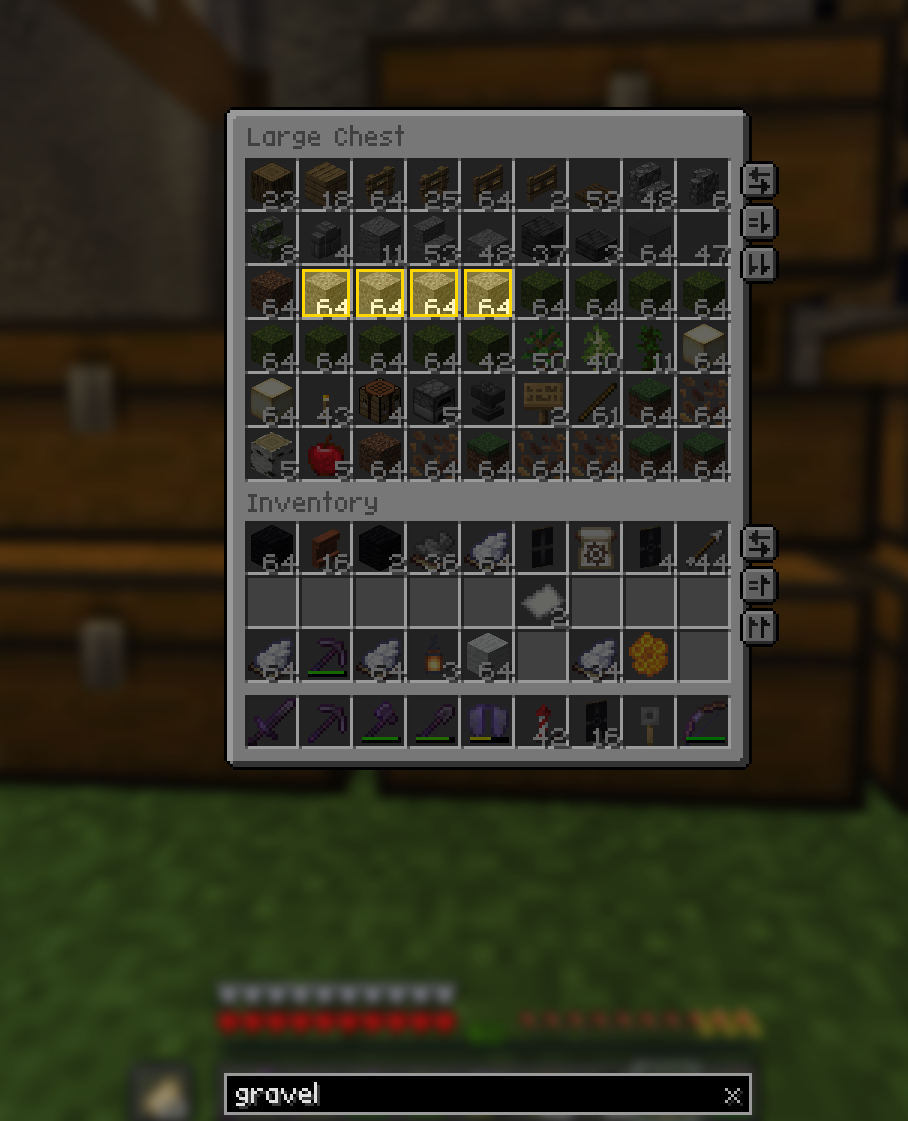
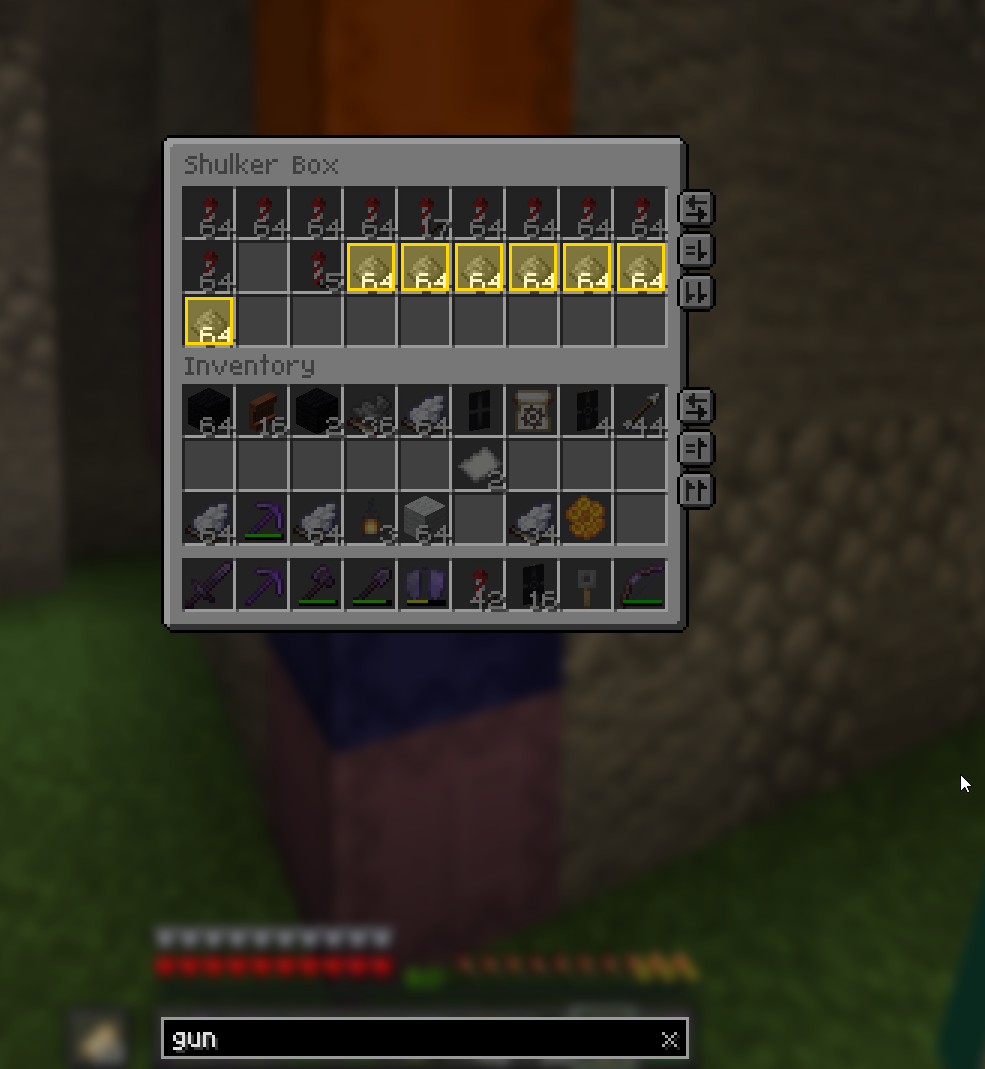
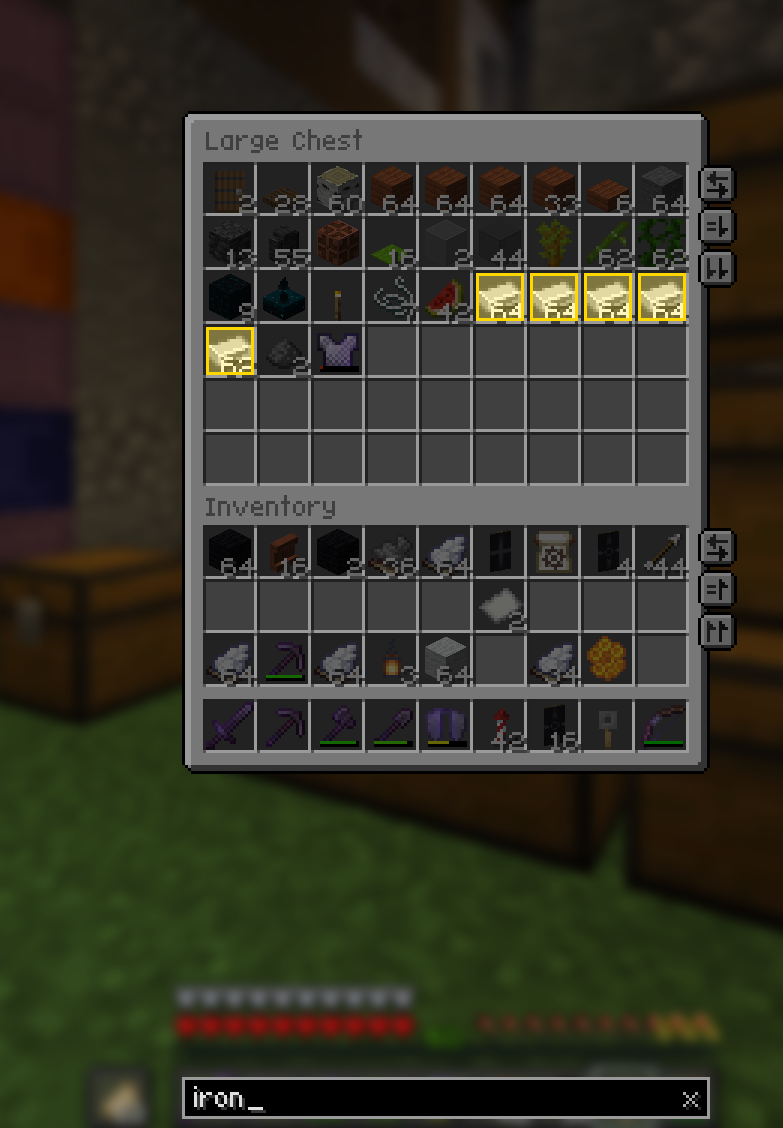
介绍
Item Searchbar
Finding one stack in a wall of double chests means opening each one and reading it.
Inventory Search puts a search bar on every container screen: type what you are
after, and matching items light up while everything else fades back.
The query sticks around. Close the chest, walk to the next one, open it — the
highlights are already there, with no retyping.
Features
- Works on every container — player inventory, chests, barrels, shulkers, ender chests, furnaces, anvil, enchanting table, brewing stand, hoppers, dispensers, villager trading, beacon, loom, smithing table, stonecutter, horse inventory, and modded screens built on the same base class.
- The query persists across screens. It is only cleared when you clear it.
- Highlights the whole screen, including the player inventory rows below a chest.
- Search operators —
@modid,#tag,!negation,"quoted phrases", and multiple terms ANDed together. - Search more than names — registry ids by default, plus optional lore, enchantments and full tooltip text.
- Fully configurable look — highlight colour and thickness, dim colour and opacity, optional fill, optional pulse, bar at the top or the bottom.
- No hard dependencies beyond Fabric API. Config is plain JSON, with a
/invsearchclient command for the common toggles. - No server install. The mod never sends a packet.
Query syntax
| Input | Meaning |
| — | — |
| stone | substring match, case-insensitive |
| stone brick | both terms must match |
| "stone brick" | one exact substring, spaces included |
| @minecraft | only items from that mod |
| #logs | only items in that item tag |
| !gunpowder | exclude matches |
An empty query renders the screen exactly like vanilla.
Controls
| Key | Action |
| — | — |
| Focus search bar | unbound by default, set it under Controls |
| Clear search | unbound by default |
| Click the bar / the x | focus / clear |
| Esc | first press unfocuses, second closes the screen |
| Enter | unfocus, keep the query |
While the bar is focused, E types a letter instead of closing the screen. When it is
not focused, hotbar keys and shift-click work exactly as in vanilla.
Commands
/invsearch toggle, /invsearch autofocus, /invsearch creative,
/invsearch clear, /invsearch reload — all client-side.
Requirements
- Fabric Loader 0.19.3 or newer
- Fabric API
Multiplayer
Safe on servers, including vanilla ones. The mod only decorates your own screen and
never sends or requires a custom packet.
Notes
- Settings live in
config/invsearch.json; the creative inventory is skipped by default because it has its own search field. - Tooltip search is off by default — it is the only expensive matching mode.
- The query is memory only and does not survive a game restart.
Made by Sebi. Licensed under MIT.
常见问题
Item Searchbar 支持哪些 Minecraft 版本?
Item Searchbar 支持 Minecraft Java 版 26.2–26.3,共 2 个版本,可用的加载器:Fabric。下载时注意选择和你游戏版本一致的文件。
Item Searchbar 怎么安装?
先用 PCL2 或 HMCL 启动器安装对应版本的 Fabric,再把下载的 .jar 文件放进游戏目录的 mods 文件夹,重新启动游戏即可。开启了版本隔离的,mods 文件夹在 versions/版本名 下面。运行环境:仅客户端。
Dev-Sebi 的其他作品
查看全部 →
Simple Block Randomizer
Randomizes which enabled hotbar slot is used on every block placement. Pick your slots once, then just click - no more scrolling between block variants mid-build.

Decorative Player Heads (Datapack)
Minecraft Decorative Heads is a datapack that enables players to craft decorative player heads using leather and carved pumpkins. Players can rename the crafted heads to any username, and the datapack automatically transforms them to display that player's

Pickup Filter
Blacklist items you never want to pick up. Blocked items are left on the ground in singleplayer and LAN; on servers they are picked up and instantly thrown back out.
评论
登录后评论和评分