
截图


介绍
Phone Mod
Have an idea for a future update? Submit your suggestion on our website and vote for your favorite ideas:
https://modvotes.m4rios.dev/
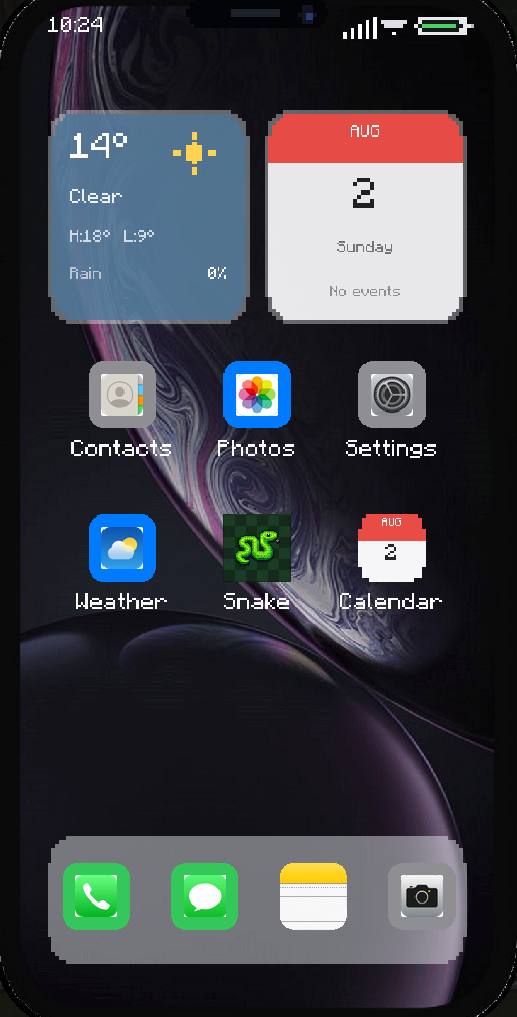
Phone Mod adds a functional smartphone to Minecraft Forge 1.16.5. Players can activate a fictional mobile network, dial private voice calls by number, exchange live messages, save contacts, notes, and calendar events, take screenshots, view their local gallery, check live world weather, play Snake, and customize the phone.
Implemented features
- Number-based voice calls between online players through Simple Voice Chat
- Six SIM networks with distinct service tiers, signal strength, and connection speed
- Messages with iMessage-style conversations, chat bubbles, validation, notifications, and server-persistent history
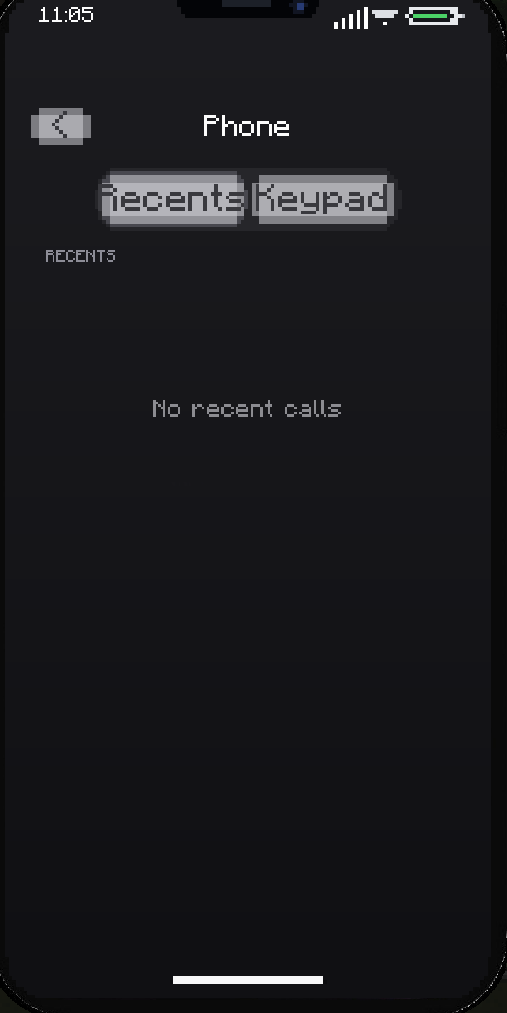
- Phone / Recents with server-persistent incoming, outgoing, missed, and failed call history
- Contacts stored persistently on the Phone item, with Call, Message, Add, and Remove actions
- Camera with a live draggable portrait viewfinder, circular shutter, front-facing player mode, latest-photo thumbnail, and Minecraft screenshot capture
- Gallery with thumbnails, pagination, refresh, and full-photo preview
- Weather app and home widget with live conditions, biome temperature, rain intensity, date, and world time
- Notes app with create, edit, delete, pagination, and server-persistent storage
- Calendar app and clickable home widget with Minecraft dates, month navigation, and private server-persistent events
- Snake game with keyboard controls, food, score, increasing speed, collision, and instant restart
- Settings for brightness, sound, and three phone skins
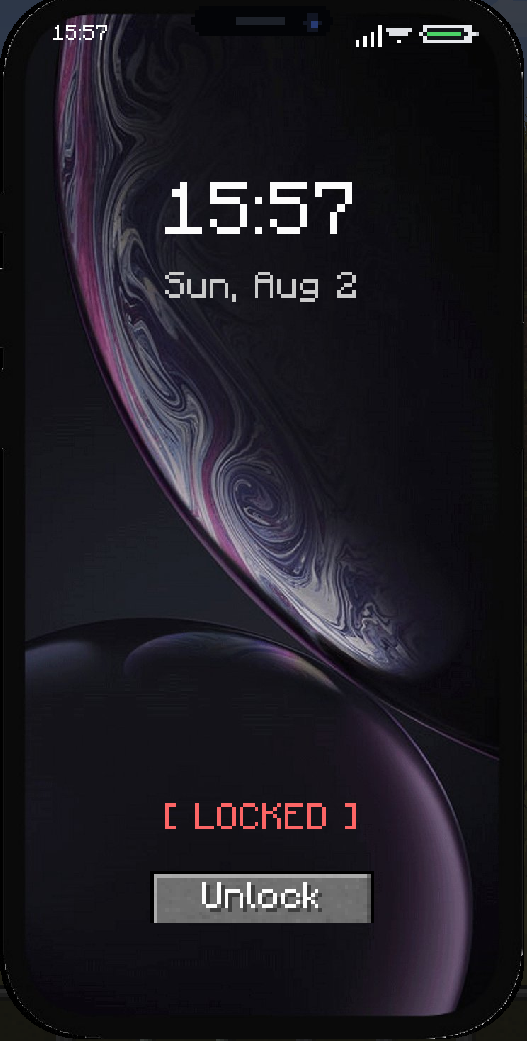
- Lock screen with date and time
- Responsive iPhone-inspired interface that adapts to the Minecraft window and GUI scale
- Main-hand and off-hand support
- Server-authoritative phone settings, calls, messages, contacts, notes, and calendar events
Requirements
- Minecraft
1.16.5 - Minecraft Forge
36.2.39or another compatible Forge 36.2.x build - Java 8
- Simple Voice Chat
forge-1.16.5-2.5.11on the server and every client
Simple Voice Chat is a required dependency. The game will reject installations where it is missing or incompatible.
Installation
- Install Minecraft Forge 1.16.5.
- Place
phonemod.jarin the server and clientmodsfolders. - Place Simple Voice Chat
forge-1.16.5-2.5.11in the samemodsfolders.
The Phone Mod JAR must be the same version on the server and all clients because its network protocol changes as features are added.
Using the phone
- Keep the Phone anywhere in your inventory.
- Press P to open it, or right-click while holding it.
- Unlock the phone.
- Select an application from the home screen.
- Press P again to close and lock the phone.
The Open / Close Phone key can be changed from Minecraft’s Controls menu.
SIM networks
Keep a Phone in your inventory and right-click a SIM item to activate its network. Every successful SIM activation assigns a new number and consumes the SIM card. The previous number is released and stops routing to that player. SIM cards are not consumed in Creative mode.
| SIM | Tier | Signal | Connection delay |
| — | — | —: | —: |
| E2 | Basic | 2/5 | 2.60 s |
| Four | Basic | 2/5 | 2.10 s |
| Nova | Standard | 3/5 | 1.50 s |
| Alfa | Standard | 3/5 | 1.10 s |
| Pulse | Premium | 4/5 | 0.65 s |
| Zen | Premium+ | 5/5 | 0.35 s |
The active provider, number, tier, and signal are shown under Settings → Mobile Network. The status-bar signal indicator also reflects the selected SIM.
Use Eject SIM on that page to deactivate service and release the current number. Ejecting does not return the consumed SIM item; activating service again requires another SIM card.
License
This project is licensed under the MIT License. See LICENSE for details.
常见问题
PixelPhone 支持哪些 Minecraft 版本?
PixelPhone 支持 Minecraft Java 版 1.16.5–1.19.4,共 6 个版本,可用的加载器:Forge。下载时注意选择和你游戏版本一致的文件。
PixelPhone 怎么安装?
先用 PCL2 或 HMCL 启动器安装对应版本的 Forge,再把下载的 .jar 文件放进游戏目录的 mods 文件夹,重新启动游戏即可。开启了版本隔离的,mods 文件夹在 versions/版本名 下面。运行环境:客户端和服务端都要装。
M4riosDev 的其他作品
查看全部 →
Roleplay Chats
FiveM-style HUD & chat mod for Minecraft

Better Rewards
Create and manage promotional codes to reward players with items. Perfect for events, giveaways, and starter bonuses. Includes anti-abuse protection and real-time statistics.
评论
登录后评论和评分