
Radiation Zones
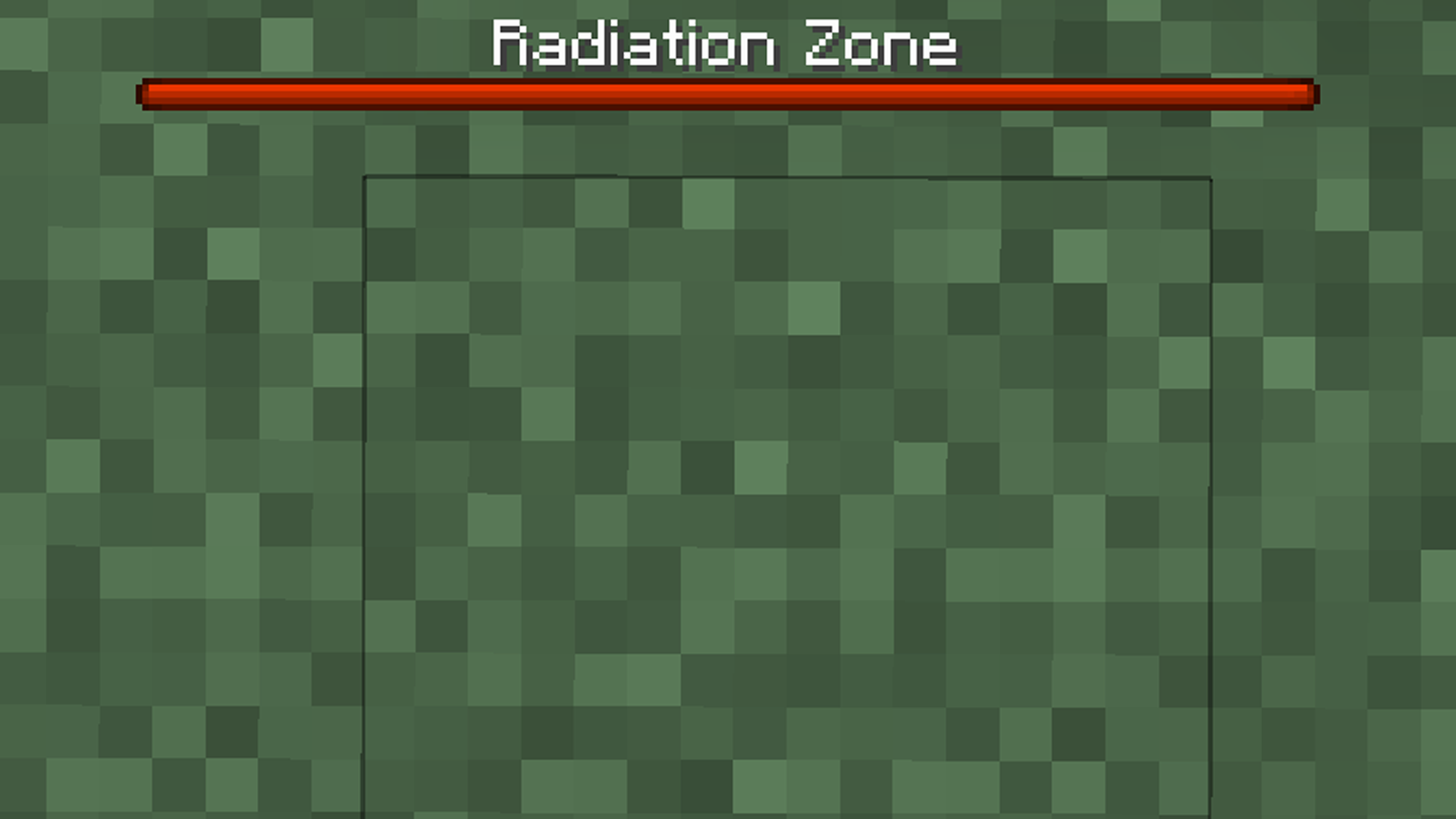
Radiation Zones adds configurable radiation zones to Minecraft. Players outside safe areas receive harmful effects unless protected by Lugol's iodine.
截图
介绍

Radiation Zones adds configurable radiation zones to Minecraft. Players outside safe areas receive harmful effects unless protected by Lugol’s iodine. Customizable with admin commands and advanced config available on Paper, Fabric, and NeoForge.


How to install?
- Ensure you are using correct version of the mod loader or plugin loader.
- Drop the downloaded mod/plugin into your mods/plugins folder.
- Launch the game. The config should create in
config/folder.
Features
- Radiation zones defined per dimension.
- Admin commands to set and clear safe zones.
- Harmful effects applied to players outside safe zones.
- Lugol’s iodine (custom effect + potion) as radiation protection.
- Configurable boss bar warning inside radiation zones.
- Configurable broadcast messages (zone entry / Lugol consumption).
- Shared gameplay concept across:
paper,fabric,neoforge.
Commands (mod/plugin)
/radiation safe <radius>– sets a safe zone in the current dimension around the command source position./radiation clear– removes the safe zone in the current dimension.
Note: commands can be disabled in configuration (enableCommands).
Configuration
- Fabric/NeoForge:
radiationzones-server.jsonin the instanceconfigdirectory. - Paper: YAML configuration in the
papermodule (config.yml,zones.yml).
Configurable areas include:
- radiation check interval,
- radiation effect list,
- Lugol settings (color, duration, recipe),
- boss bar settings,
- broadcast toggles and message templates.
Credits
- This project is a fork of CraftserveRadiation.
- The original project was released under the Apache-2.0 license.
- The original developer is Aleksander Jagiello.
License
This project is distributed under the GPL-3.0 license.
常见问题
Radiation Zones 支持哪些 Minecraft 版本?
Radiation Zones 支持 Minecraft Java 版 1.21.1,可用的加载器:Bukkit / Fabric / NeoForge / Paper / Purpur / Spigot。下载时注意选择和你游戏版本一致的文件。
Radiation Zones 怎么安装?
先用 PCL2 或 HMCL 启动器安装对应版本的 Bukkit / Fabric / NeoForge / Paper / Purpur / Spigot,再把下载的 .jar 文件放进游戏目录的 mods 文件夹,重新启动游戏即可。开启了版本隔离的,mods 文件夹在 versions/版本名 下面。运行环境:仅服务端。
FuzjaJadrowa 的其他作品
查看全部 →
Locator Bar
重新设计的 Minecraft 玩家定位栏概念。屏幕顶部的简洁清爽栏位。
Don’t Hide My Days
Simple mod that separates local difficulty and day counter in F3 menu.

Hurtborder
The barrier expands as the player takes damage.

Froggy
Mod that adds Froggy screamer into the game.
评论
登录后评论和评分