
NightVisuals ItemPhysics
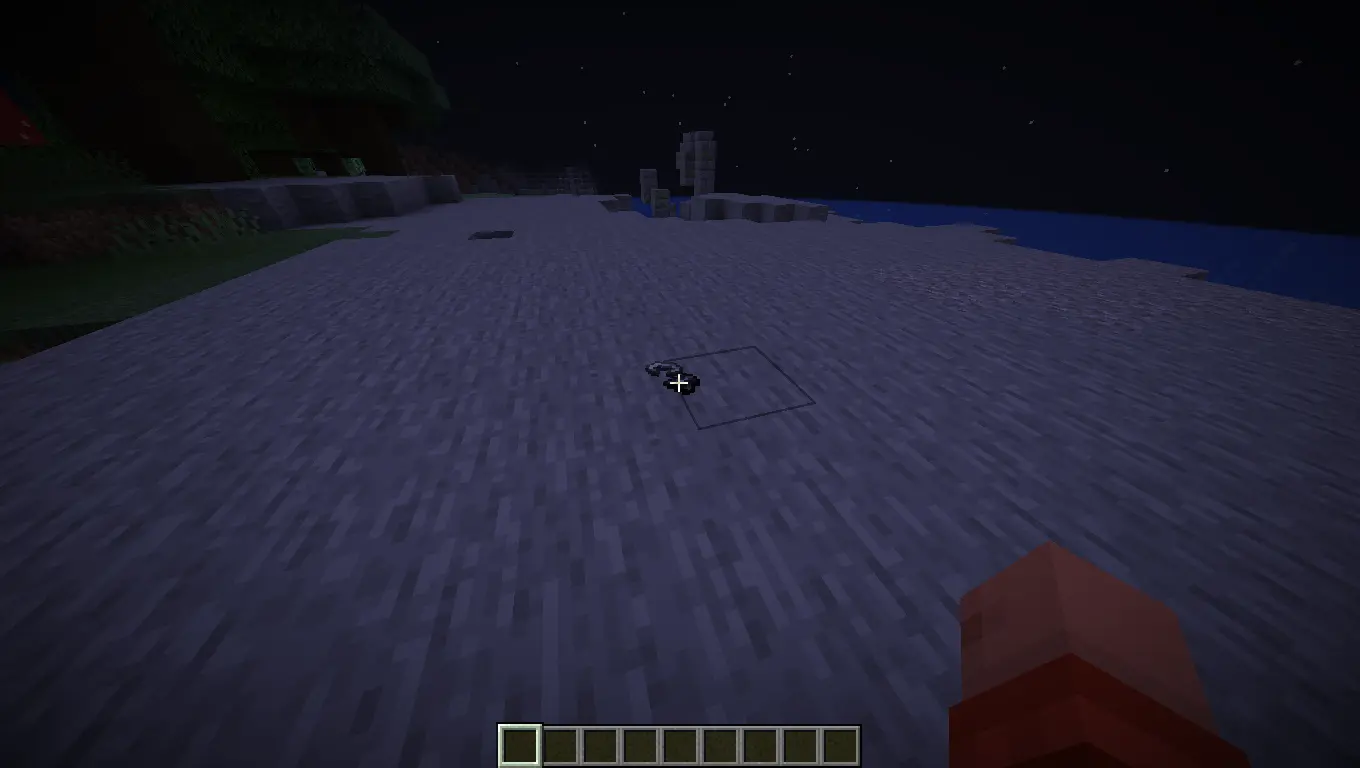
Gives dropped items realistic 3D physics, making them lay flat on the ground.
截图
介绍
REQUIREMENTS
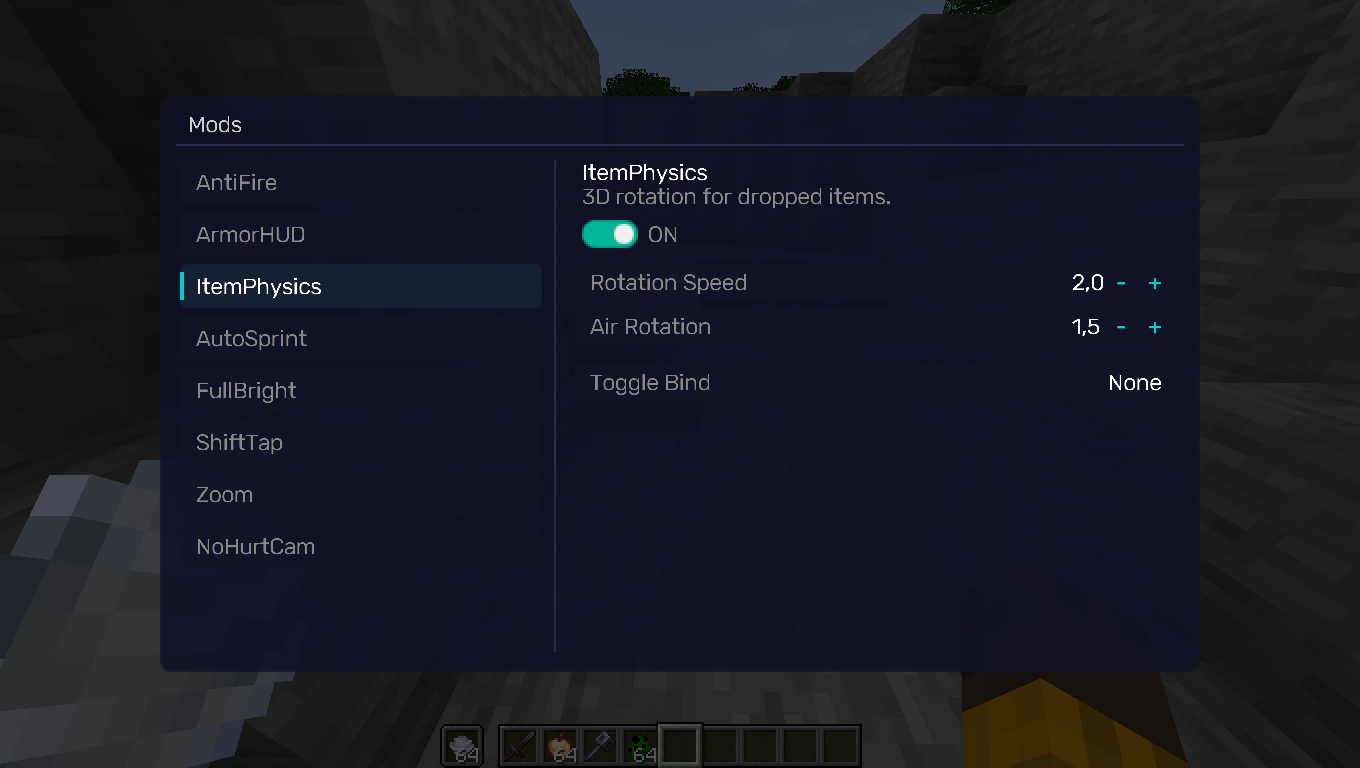
NightVisuals GUI
EN:
NightVisuals ItemPhysics is a visual modification that overhauls the vanilla item drop rendering. Instead of floating and spinning in the air as flat 2D sprites, items gain realistic 3D-like rotation and lay flat directly on the ground blocks.
Core Features
- Realistic Drop Physics: Dropped items rotate realistically based on momentum and rest flat on the ground surface.
- Toggle On/Off: Easily switch between vanilla rendering and custom physics through the NightVisuals in-game GUI menu.
- Purely Client-Side: Modifies only how entities are rendered on your screen — 100% safe for multiplayer servers and anti-cheat friendly.
- Zero Performance Impact: Optimized matrix transformations within the entity rendering pipeline ensure zero impact on your framerate.
Realistic Item Drop Physics:
Configuration
ItemPhysics toggles via the NightVisuals GUI (default key: RShift). No separate config files required.
Installation
- Install Fabric Loader and Fabric API.
- Install NightVisuals GUI (required dependency).
- Place the downloaded ItemPhysics mod
.jarfile into yourmodsfolder. - Launch the game.
RU:
NightVisuals ItemPhysics — это визуальная модификация, которая полностью перерабатывает ванильное отображение выброшенных предметов. Вместо того чтобы левитировать и крутиться в воздухе как плоские 2D-спрайты, предметы приобретают реалистичное вращение и ложатся плашмя прямо на поверхность блоков.
Основной функционал
- Реалистичная физика дропа: Выброшенные предметы вращаются с учётом инерции и аккуратно падают на землю, принимая горизонтальное положение.
- Включение/Выключение: Удобное переключение между ванильным рендером и кастомной физикой через внутриигровое меню NightVisuals GUI.
- Исключительно клиентская часть: Изменяет только отрисовку сущностей на твоём экране — абсолютно безопасно для мультиплеера и любых античитов.
- Нулевое влияние на FPS: Оптимизированные матричные трансформации внутри пайплайна рендеринга сущностей гарантируют полное отсутствие просадок производительности.
Реалистичная физика дропа предметов:
Настройка
ItemPhysics переключается через NightVisuals GUI (клавиша по умолчанию: RShift). Дополнительных конфигов нет.
Установка
- Установите Fabric Loader и Fabric API.
- Установите NightVisuals GUI (обязательная зависимость).
- Поместите скачанный файл мода ItemPhysics в папку
mods. - Запустите игру.
常见问题
NightVisuals ItemPhysics 支持哪些 Minecraft 版本?
NightVisuals ItemPhysics 支持 Minecraft Java 版 1.21.4,可用的加载器:Fabric。下载时注意选择和你游戏版本一致的文件。
NightVisuals ItemPhysics 怎么安装?
先用 PCL2 或 HMCL 启动器安装对应版本的 Fabric,再把下载的 .jar 文件放进游戏目录的 mods 文件夹,重新启动游戏即可。开启了版本隔离的,mods 文件夹在 versions/版本名 下面。运行环境:仅客户端。
NightVisuals 的其他作品
查看全部 →
NightVisuals GUI
NightVisuals GUI. This modification is used for all our free submods.
NightVisuals GUI
NightVisuals GUI. This modification is used for all our free submods.

NightVisuals FullBright
This modification adds FullBright - you'll forget about darkness forever!

NighVisuals ItemScroller
Allows you to quickly transfer items between inventories by holding Shift and dragging Left Click over them.
评论
登录后评论和评分