
NighVisuals ItemScroller
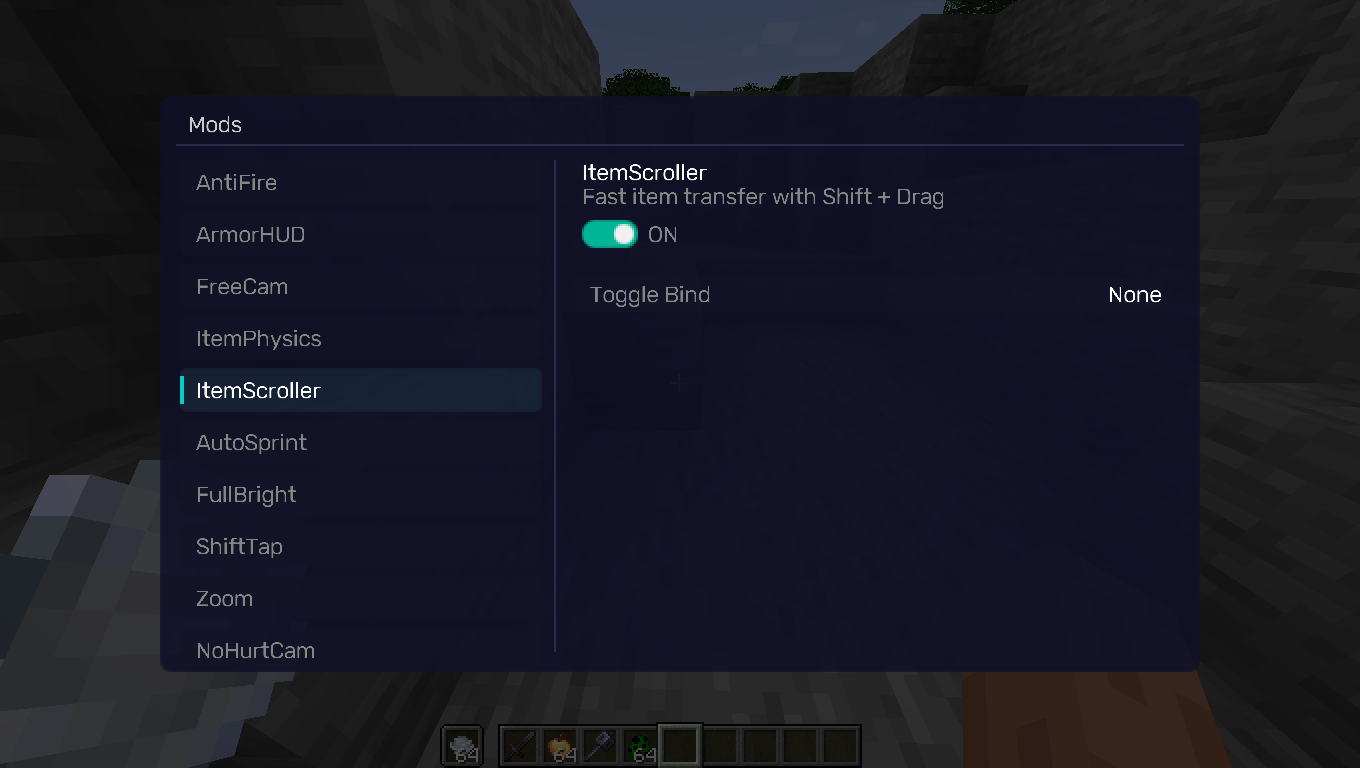
Allows you to quickly transfer items between inventories by holding Shift and dragging Left Click over them.
截图
介绍
REQUIREMENTS
NightVisuals GUI
EN:
NightVisuals ItemScroller is an inventory convenience utility that streamlines inventory management, allowing you to quickly transfer items between containers and your inventory by holding Shift and dragging your left mouse button over slots.
Core Features
- Shift + LMB Drag Transfer: Move your cursor over items while holding Shift and Left Click to sequentially transfer them between screens without needing individual clicks.
- Toggle On/Off: Easily enable or disable the inventory shortcuts through the NightVisuals in-game GUI menu.
- Client-Side Functionality: Operates entirely on the client side by utilizing standard inventory interaction mechanics. Note: Since this utility transmits interaction packets sequentially, compatibility and performance on multiplayer servers may vary depending on their specific anti-cheat configurations.
- Optimized Performance: Lightweight logic tied directly to mouse input events inside container screens, designed to run efficiently without impacting game performance.
Configuration
ItemScroller toggles via the NightVisuals GUI (default key: RShift). No separate config files required.
Installation
- Install Fabric Loader and Fabric API.
- Install NightVisuals GUI (required dependency).
- Place the downloaded ItemScroller mod
.jarfile into yourmodsfolder. - Launch the game.
RU:
NightVisuals ItemScroller — это утилита для удобного управления интерфейсом, которая упрощает менеджмент инвентаря, позволяя перекладывать предметы между сундуками и вашим инвентарём с помощью зажатия Shift и проведения ЛКМ по ячейкам.
Основной функционал
- Перенос зажатием Shift + ЛКМ: Проведите курсором с зажатыми Shift и левой кнопкой мыши по предметам, чтобы последовательно переместить их, избавляя от необходимости кликать по каждой ячейке отдельно.
- Включение/Выключение: Удобное управление функцией через внутриигровое меню NightVisuals GUI.
- Клиентская часть: Работает на стороне клиента, используя стандартные механики взаимодействия с инвентарём. Примечание: Так как модификация отправляет пакеты действий последовательно, её корректная работа на мультиплеерных серверах зависит от настроек и строгости конкретного установленного там античита.
- Оптимизированная производительность: Лёгкий код, привязанный напрямую к событиям мыши внутри окон контейнеров, разработанный для эффективной работы без влияния на общую производительность игры.
Настройка
ItemScroller переключается через NightVisuals GUI (клавиша по умолчанию: RShift). Дополнительных конфигов нет.
Установка
- Установите Fabric Loader and Fabric API.
- Установите NightVisuals GUI (обязательная зависимость).
- Поместите скачанный файл мода ItemScroller в папку
mods. - Запустите игру.
常见问题
NighVisuals ItemScroller 支持哪些 Minecraft 版本?
NighVisuals ItemScroller 支持 Minecraft Java 版 1.21.4,可用的加载器:Fabric。下载时注意选择和你游戏版本一致的文件。
NighVisuals ItemScroller 怎么安装?
先用 PCL2 或 HMCL 启动器安装对应版本的 Fabric,再把下载的 .jar 文件放进游戏目录的 mods 文件夹,重新启动游戏即可。开启了版本隔离的,mods 文件夹在 versions/版本名 下面。运行环境:仅客户端。
NightVisuals 的其他作品
查看全部 →
NightVisuals GUI
NightVisuals GUI. This modification is used for all our free submods.
NightVisuals GUI
NightVisuals GUI. This modification is used for all our free submods.

NightVisuals FullBright
This modification adds FullBright - you'll forget about darkness forever!

NightVisuals ItemPhysics
Gives dropped items realistic 3D physics, making them lay flat on the ground.
评论
登录后评论和评分