
Colored Alphabet blocks
An English letter blocks mod with dyable colors support for Minecraft.
截图
介绍
Alphabet Block Mod
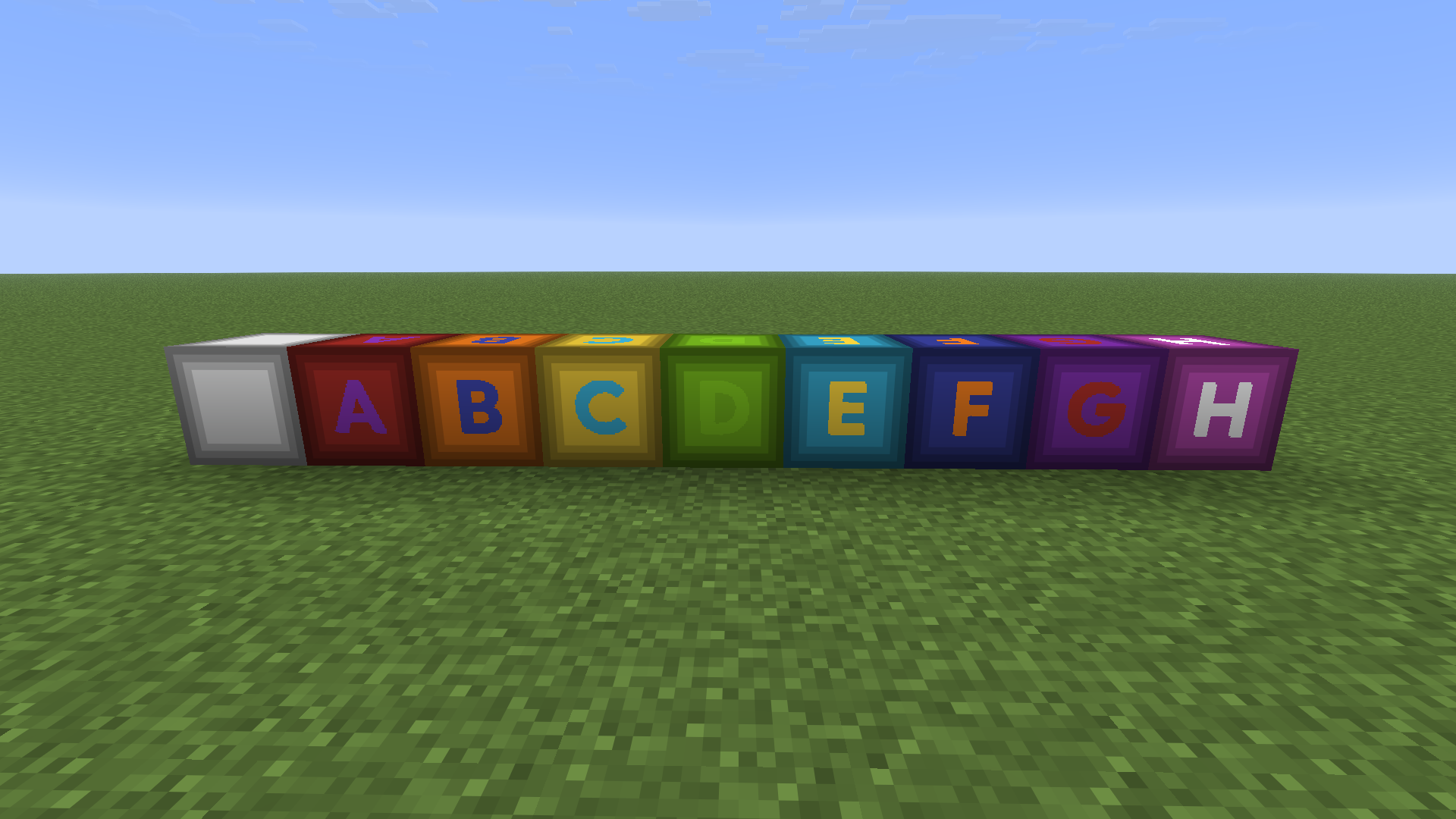
A Minecraft mod that adds beautiful, fully dyeable A-Z alphabet blocks to the game! decorating building or creating word-guessing games.
Offical fork from Thai Alphabet blocks


✨ Features
- 27 Placeable Alphabet Blocks: Includes all English letters (A-Z) and a matching empty wood block.
- Dual-Layer Dyeing System:
- Background Panel Customization: Right-click a block with any of the 16 Minecraft Dyes to dye the background wood panel.
- Glyph/Letter Customization: Sneak + Right-click a block with any dye to customize the letter color independently!
- High-Quality Cutout Rendering: Crafted using transparent cutout layers, ensuring sharp letter edges, crisp visibility, and integration with the surrounding wood texture.
- Dedicated Creative Tab: Comes with an organized custom Creative Tab containing all the letters in alphabetical order for quick access.
- Multi-Loader Support: Runs natively on Fabric, Forge, and NeoForge for Minecraft
1.21.11.
🎨 Dyeing Guide
| Action | Target | Description |
| :——————————- | :——————– | :————————————————————————— |
| Right-Click with Dye | Background Wood Panel | Colors the background panel to any of the 16 vanilla dye colors. |
| Shift + Right-Click with Dye | Glyph / Letter | Colors the character (letter) itself. _(Does not apply to the Empty Block)._ |
📥 Installation
- Make sure you have installed the mod loader of your choice:
- _(Fabric Users)_ Download and install the Fabric API for your version of Minecraft.
- Download the mod
.jarfile matching your Mod Loader and Minecraft version1.21.11. - Place the downloaded
.jarfile into your.minecraft/mods/folder. - Boot up the game and look for the Alphabet Blocks creative tab!
📝 License
This project is licensed under the Apache License 2.0.
常见问题
Colored Alphabet blocks 支持哪些 Minecraft 版本?
Colored Alphabet blocks 支持 Minecraft Java 版 1.21.1–1.21.11,共 2 个版本,可用的加载器:Fabric / Forge / NeoForge。下载时注意选择和你游戏版本一致的文件。
Colored Alphabet blocks 怎么安装?
先用 PCL2 或 HMCL 启动器安装对应版本的 Fabric / Forge / NeoForge,再把下载的 .jar 文件放进游戏目录的 mods 文件夹,重新启动游戏即可。开启了版本隔离的,mods 文件夹在 versions/版本名 下面。运行环境:客户端和服务端都要装。

评论
登录后评论和评分