
Reminders
A fabric mod for the forgetful. Stay organized and on top of your tasks in-game by setting reminders with ease.
截图
介绍



Stay organized and on top of your tasks in-game by setting reminders (and more!) with ease.
Opening the UI
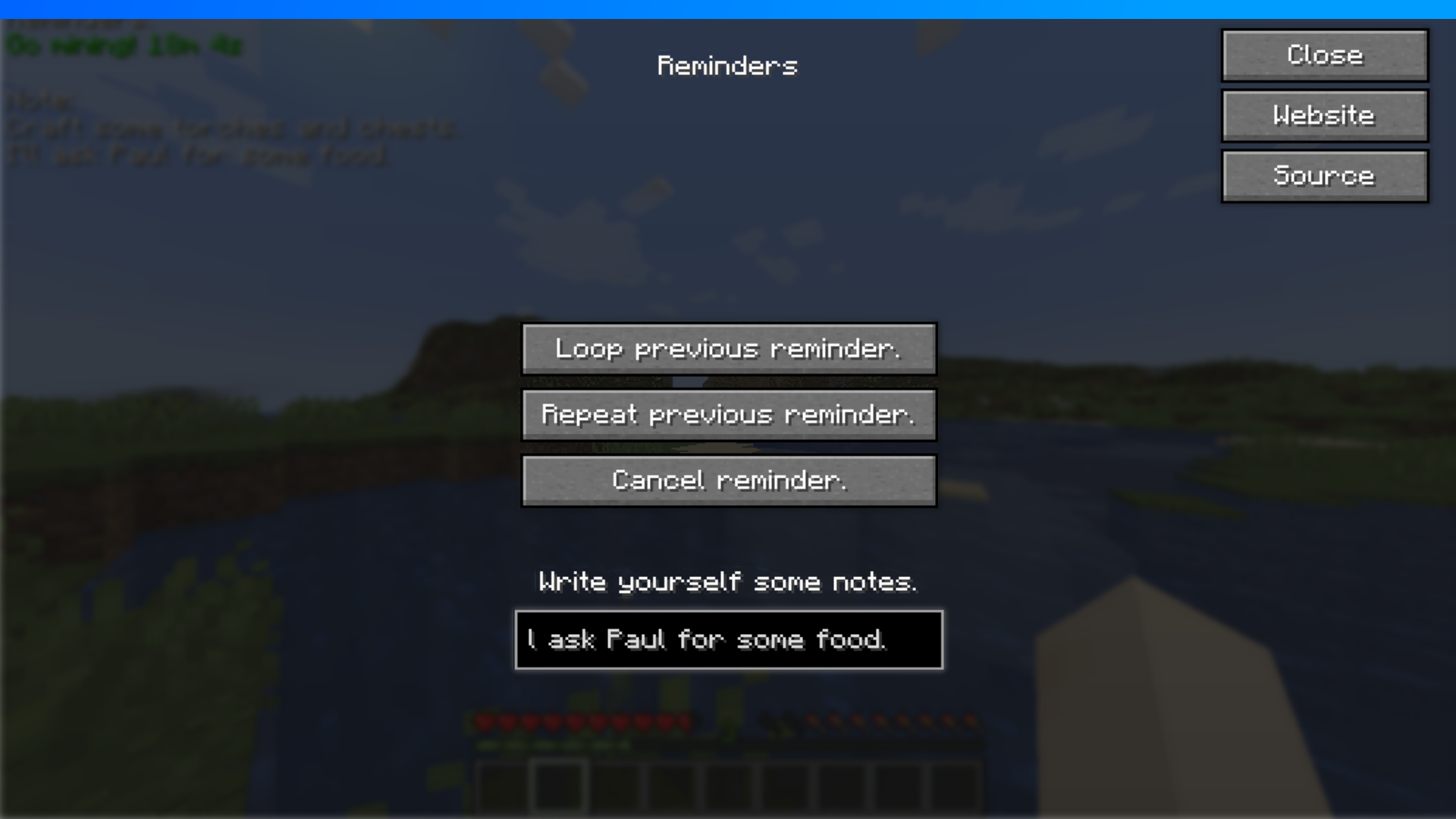
You can open the UI with either the “O” key (this can be changed in the controls) or by using the /reminders command.
Setting a reminder
- Set an initial reminder with the
/remind <seconds> <message>command. - Open the Reminders UI and pick one of the following options:
2.1 Loop previous reminder.
2.2 Repeat previous reminder.
- That’s it! If you want to cancel a reminder then use the “Cancel reminder” button in the UI.
Writing notes
- Open the Reminders UI.
- Click on the input field below the “Write yourself some notes.” text.
- Start typing, you’ll see your notes appear on the top left of your screen!
- If you want to delete these notes, then just delete everything inside the input field.
Commands
/remind <seconds> <message>– Sets a reminder with the given arguments./reminders info– Shows some information about the mod./reminders– Opens the UI.

常见问题
Reminders 支持哪些 Minecraft 版本?
Reminders 支持 Minecraft Java 版 1.19.3,可用的加载器:Fabric。下载时注意选择和你游戏版本一致的文件。
Reminders 怎么安装?
先用 PCL2 或 HMCL 启动器安装对应版本的 Fabric,再把下载的 .jar 文件放进游戏目录的 mods 文件夹,重新启动游戏即可。开启了版本隔离的,mods 文件夹在 versions/版本名 下面。运行环境:仅客户端。
chaos 的其他作品
查看全部 →
Jingle
A fabric mod to alert you when you load into a world, the title screen or wake up.

EZCoords
A fabric mod to make copying coordinates as easy as possible.

NoFabric
A fabric mod that disables that pesky client identification packet, allowing you to look like you're playing on vanilla.

Sleepless Nights
Makes sleeping impossible, forcing you to use your time wisely.
评论
登录后评论和评分