
截图
介绍


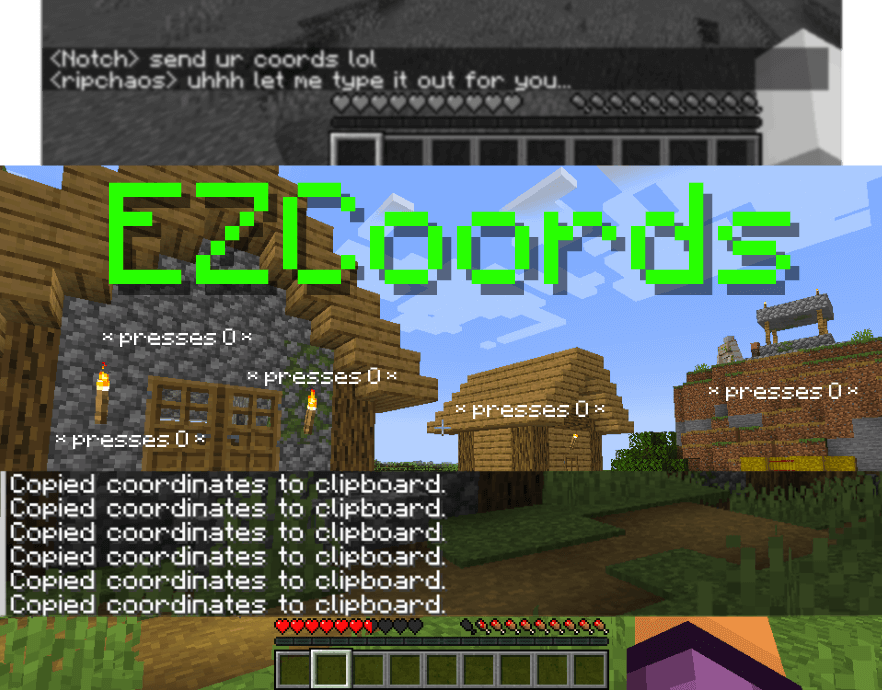
A fabric mod to make copying coordinates as easy as possible.
Usage
You can copy your current coordinates by either pressing the configurable keybind (default: “O”) or by using the /coords command.
If you want to copy the coordinates of the block you’re looking, use the configurable keybind (default “I”) or by using the /coords block command.
Config
You can access the config values with the /coords config:
command_block_mode– Copies ONLY the coordinates (X: 1, Y: 1, Z: 3 -> 1 2 3)
常见问题
EZCoords 支持哪些 Minecraft 版本?
EZCoords 支持 Minecraft Java 版 1.19.2–1.20.2,共 6 个版本,可用的加载器:Fabric。下载时注意选择和你游戏版本一致的文件。
EZCoords 怎么安装?
先用 PCL2 或 HMCL 启动器安装对应版本的 Fabric,再把下载的 .jar 文件放进游戏目录的 mods 文件夹,重新启动游戏即可。开启了版本隔离的,mods 文件夹在 versions/版本名 下面。运行环境:仅客户端。
chaos 的其他作品
查看全部 →
Jingle
A fabric mod to alert you when you load into a world, the title screen or wake up.

NoFabric
A fabric mod that disables that pesky client identification packet, allowing you to look like you're playing on vanilla.

Reminders
A fabric mod for the forgetful. Stay organized and on top of your tasks in-game by setting reminders with ease.

Sleepless Nights
Makes sleeping impossible, forcing you to use your time wisely.
评论
登录后评论和评分