MCMidi
MCMidi is a Minecraft Fabric mod that allows you to play MIDI files in-game with high-quality sound and real-time visualization.
截图
介绍
MCMidi
MCMidi is a Minecraft Fabric mod that allows you to play MIDI files in-game with high-quality sound and real-time visualization.
Features
- MIDI Playback: Play
.midior.midfiles directly within your Minecraft client. - Custom SoundFonts: Support for
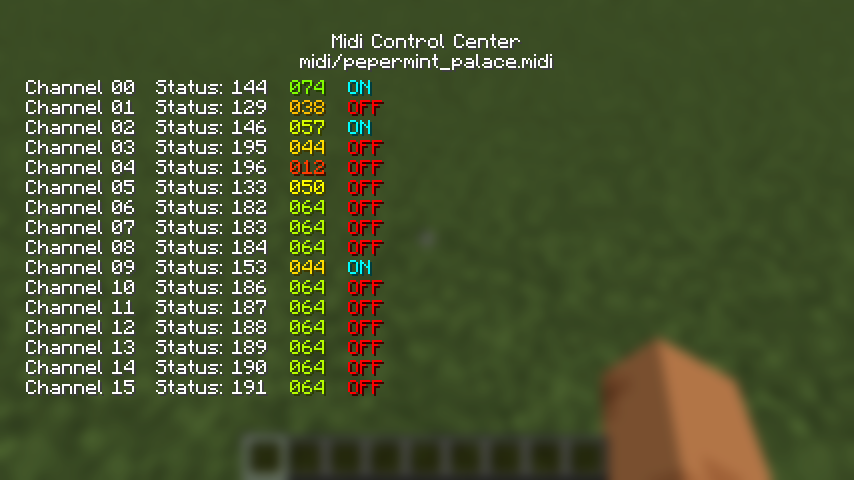
.sf2SoundFont files to customize your instrument sounds. - Real-time Visualization: A dedicated “Midi Control Center” with multiple visualization tabs:
- Detail: Real-time MIDI message log, BPM, and playback position.
- Nodes: Visual representation of active MIDI nodes. (Not implemented.)
- Piano: A virtual piano roll showing active notes.(Not implemented.)
- Waveform: Dynamic waveform visualization. (Not implemented.)
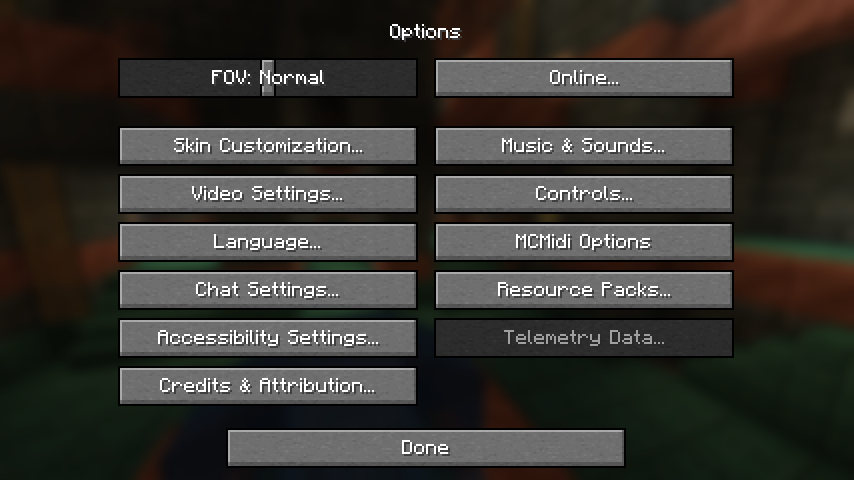
- In-Game Configuration: Integrates with Mod Menu and Cloth Config for seamless setting adjustments.
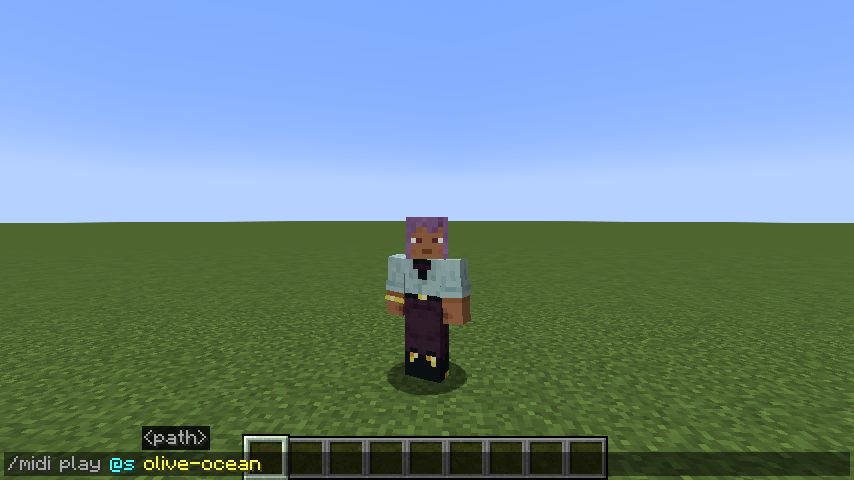
- Client-Side Commands: Quick control over playback using console commands.
Command Usage
Manage your MIDI playback using the following client-side commands:
/midi play <filename>: Plays a MIDI file from your local library./midi stop: Stops the current MIDI playback.
How to Use
- Prepare your files:
- Place your
.midior.midfiles in themidi/musics/directory within your Minecraft instance folder. - (Optional) Place your
.sf2SoundFont files in themidi/soundfonts/directory.
- Launch Minecraft: Open the Midi Control Center by pressing
,(default keybind). - Configure Settings: Open the Mod Menu from the main menu, find MCMidi, and click the gear icon to adjust volume or select a custom SoundFont.
Implemented Architecture
MCMidi is built with a focus on modularity and maintainability:
- Dependency Injection: Uses an abstracted
IConfigManagerto handle configuration without global static state. - Abstracted Tab System: Leverages
KarasunikiLib‘sITabBarandITabContentinterfaces to provide a flexible and extensible UI. - Decoupled MIDI Engine: Uses the
IMidiEngineinterface, allowing the mod to support different MIDI drivers or external devices in the future.
Dependencies
This mod requires the following libraries:
- Fabric API
- KarasunikiLib
- Cloth Config API
- Mod Menu (Optional, recommended for configuration UI)
Contribution
Contributions are welcome! If you have suggestions, bug reports, or would like to submit a pull request, please follow these steps:
- Fork this repository and create your branch from
master. - Make your changes with clear commit messages.
- Ensure your code builds and passes any existing checks.
- Submit a pull request with a description of your changes.
For major changes, please open an issue first to discuss what you would like to change.
License
This project is licensed under the MIT License. See LICENSE for details.
常见问题
MCMidi 支持哪些 Minecraft 版本?
MCMidi 支持 Minecraft Java 版 1.21.1–1.21.7,共 2 个版本,可用的加载器:Fabric。下载时注意选择和你游戏版本一致的文件。
MCMidi 怎么安装?
先用 PCL2 或 HMCL 启动器安装对应版本的 Fabric,再把下载的 .jar 文件放进游戏目录的 mods 文件夹,重新启动游戏即可。开启了版本隔离的,mods 文件夹在 versions/版本名 下面。运行环境:仅客户端。
Karasu Lab 的其他作品
查看全部 →
MojangLogoAnimation
This mod changes loading screen.

NoPlayerNameDisplay
This mod hides the player name tag. It is useful for content creators who want to hide their name in videos.

Locator Bar Plus
A client side mod. This mod can customize locator bar.

KarasunikiLib
Utility library for Karasu Lab
评论
登录后评论和评分