
Spyro’s Easter Egg Hunt
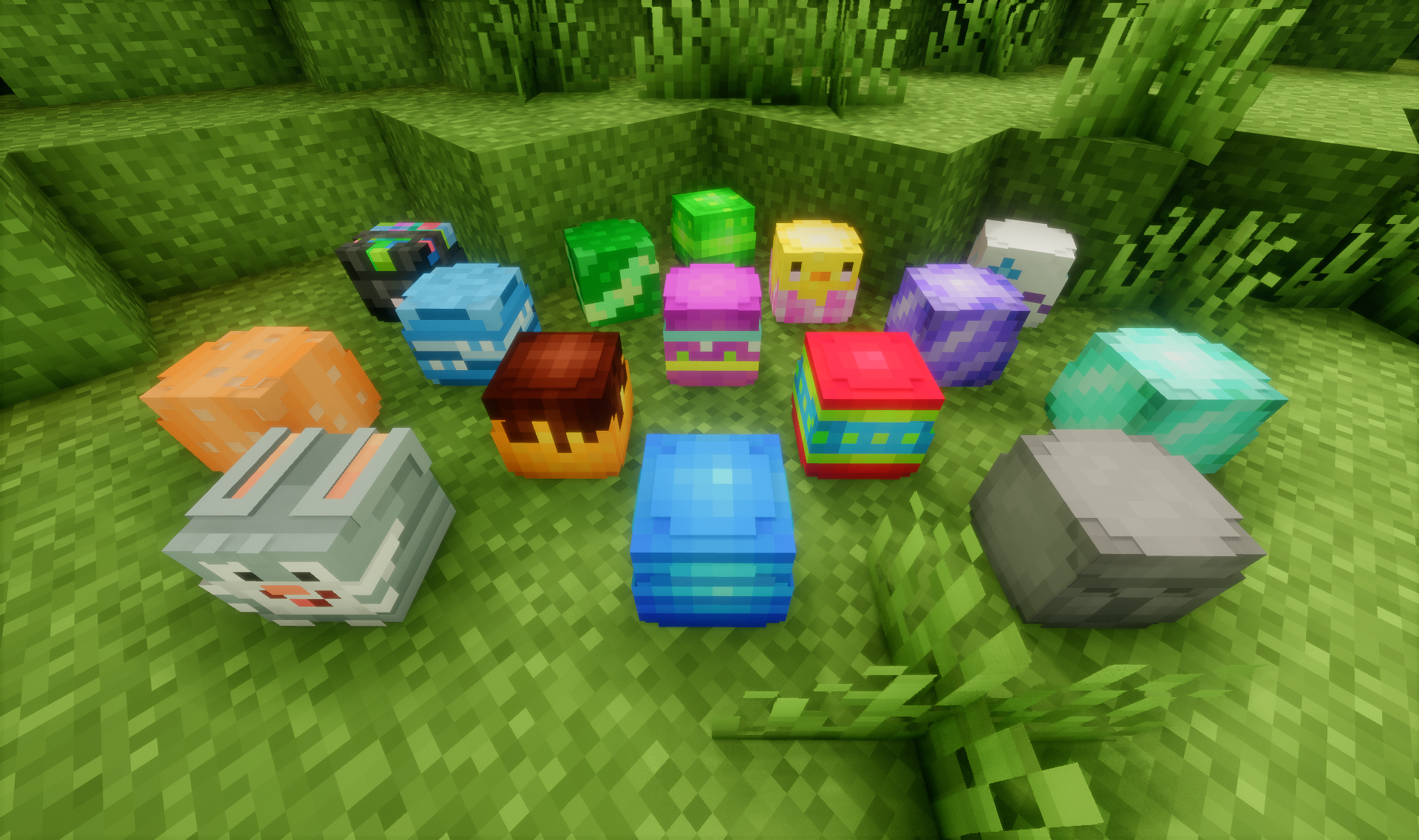
Hide colourful Easter Eggs for your friends to find! Make it a fun event for the whole server. Survival friendly and with a leaderboard.
截图
介绍

Hide colorful Easter Eggs for your friends to find.
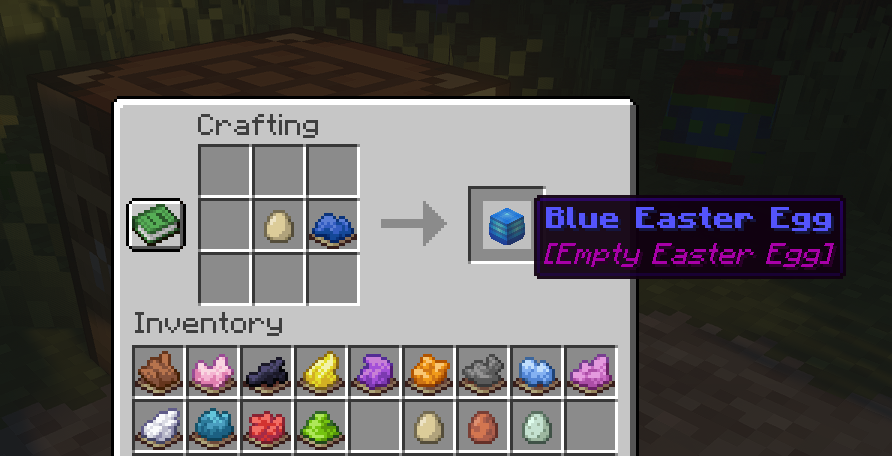
Craft Easter Eggs with one egg and any kind of dye.

Or use this command to get one egg in each color:
/function easter_eggs:get_all_eggsEaster Eggs can be placed in the world with right-click.
Placed Easter Eggs can be opened with right-click.
Placed Easter Eggs can be mined with left-click.
Settings:

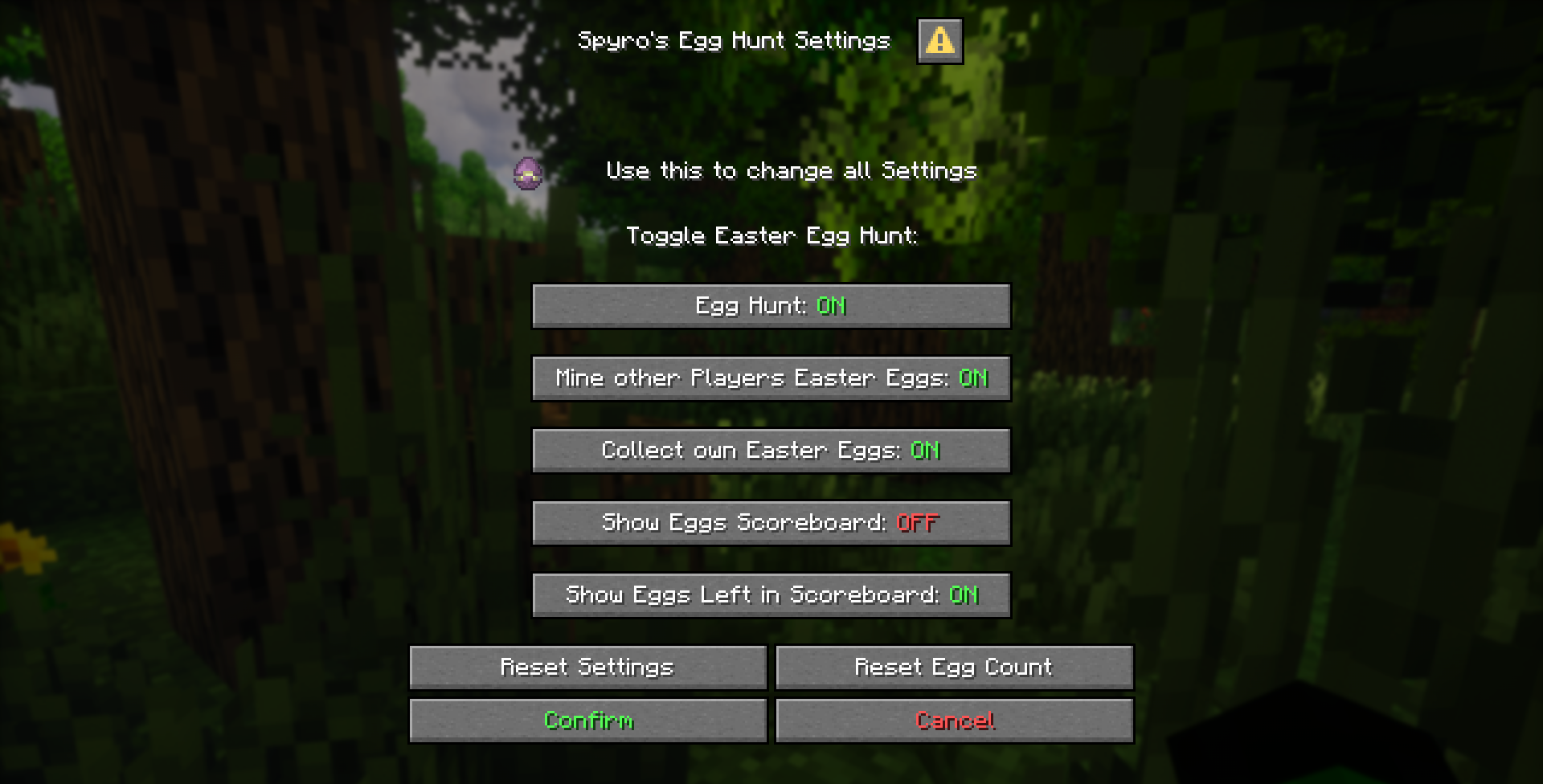
Use this command to open the settings:
/function easter_eggs:settingsEgg Hunt: (default:On)
When false, all Easter Eggs are invisible. Only the owner of an Easter Egg sees particles where it is. Easter Eggs can be placed and mined like normal. Easter Eggs can not be collected.
Mine other Players Easter Eggs: (default:Off)
When false, only the player who has placed the Easter Egg can also mine it.
Collect own Easter Eggs: (default:Off)
When false, only other players who have not placed the Easter Egg can collect it.
Show Easter Eggs Scoreboard: (default:Off)
When true, _Collected Easter Eggs Scoreboard_ is displayed.
Show Easter Eggs Left: (default:On)
When true, _Collected Easter Eggs Scoreboard_ shows how many uncollected Easter Eggs are left.
Reset Settings
Sets the settings back to default.
Reset Egg Count
Sets _Collected Easter Eggs_ from all players back to 0.
常见问题
Spyro’s Easter Egg Hunt 支持哪些 Minecraft 版本?
Spyro’s Easter Egg Hunt 支持 Minecraft Java 版 1.21.11–26.3,共 4 个版本。下载时注意选择和你游戏版本一致的文件。
Spyro’s Easter Egg Hunt 怎么安装?
新建世界时在「数据包」里把下载的 .zip 拖进去;已有的存档,把文件放进存档目录下的 datapacks 文件夹,进游戏输入 /reload 即可生效。服务器同样放在世界目录的 datapacks 里。
EtaoinShrdlu007 的其他作品
查看全部 →
Spyro’s Tools
Adds a GUI with many useful tools for building servers: Warps, player TP, effects, attributes, and much more. + Tutorial on how to customise the data pack and make it your own.

Double It Challenge
Start with one item and double it every day! On day 1 you have to collect just 1 item, on day 2 you need 2 items, and then already 4, 8, 16, 32, 64, 128, 256, 512 and after 10 days you already need over a thousand.
评论
登录后评论和评分