
Image Overlay
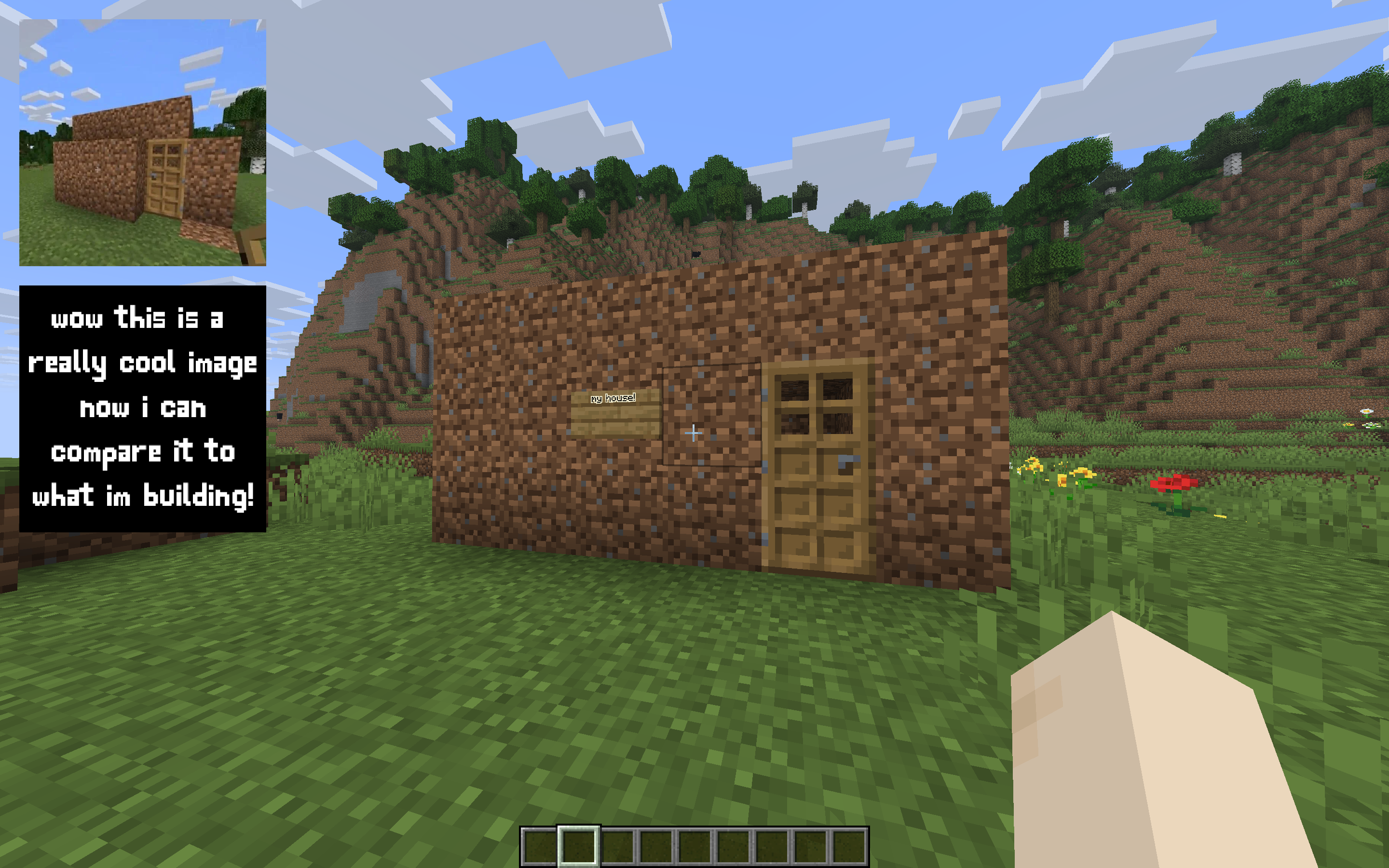
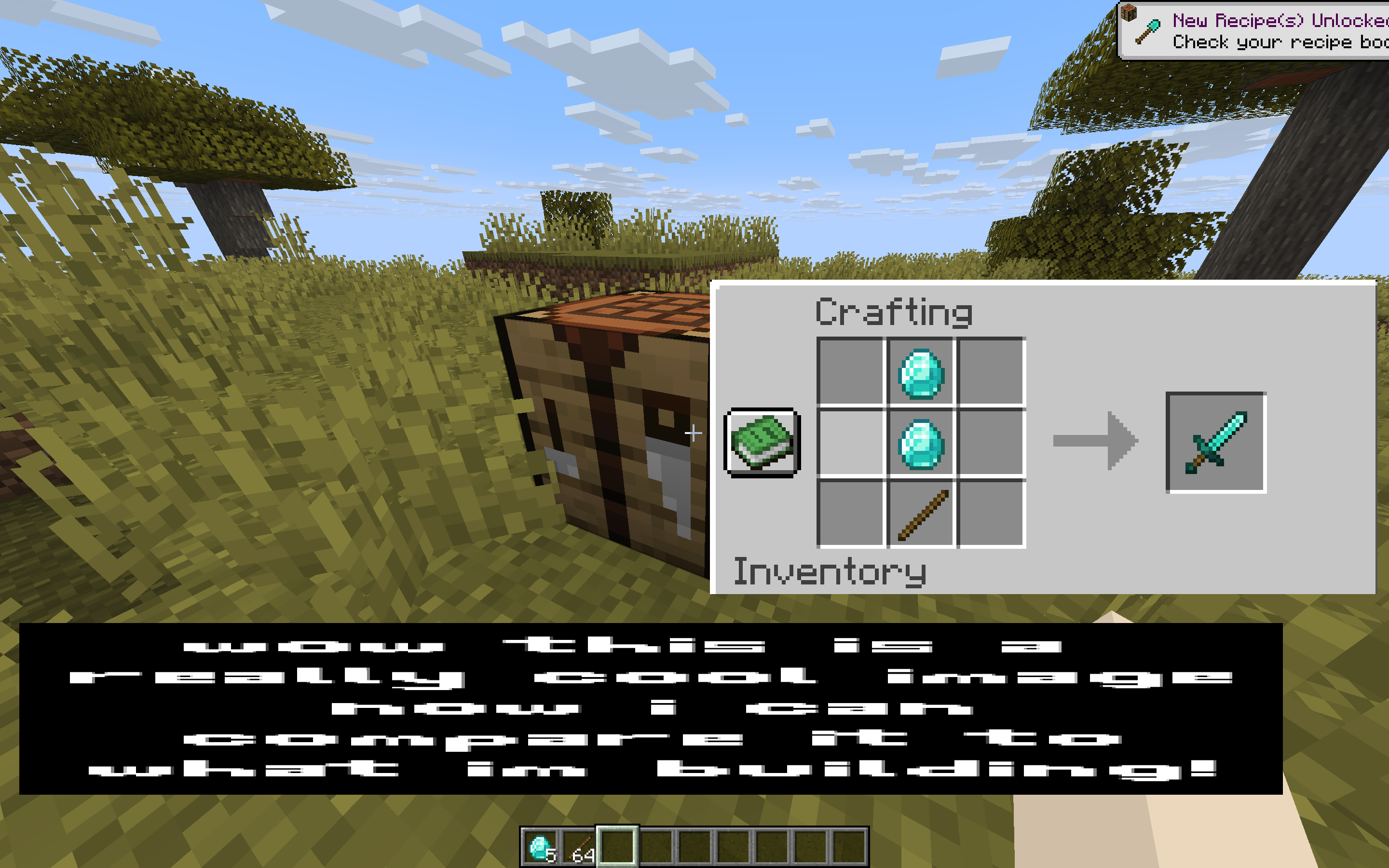
Renders up to 2 reference images on screen while playing. Inspired by Blender's reference image feature.
截图
介绍
Renders up to 2 reference images on screen while playing. Inspired by Blender’s reference image feature.
Features:
- Upload up to 10 images using URLs
- Display up to 2 images on screen at a time
- Quickly switch between uploaded images
- Customize the position and size of each image
- Settings menu made with Mod Menu and Cloth Config
Notes:
- Files are uploaded through URLs (read below)
- Minecraft is very particular about file formats, so files must be native PNG files (not just renamed JPG or other)
How to Upload Files:
As mentioned previously, files are uploaded through URLs. The most efficient way I’ve found to do this is to go to imgur, upload your image(s), wait for it to say “Upload Complete”, then right click the image and click “Copy Image Address” (do NOT click “Copy Link”), then paste that into the URL field in this mod’s settings. Note: To open the config menu, you will need Mod Menu and Cloth Config API installed.
Summary:
- Upload to imgur
- Wait for “Upload Complete” banner
- Right click – “Copy Image Address”
- Paste into settings
常见问题
Image Overlay 支持哪些 Minecraft 版本?
Image Overlay 支持 Minecraft Java 版 1.21.6–26.2,共 10 个版本,可用的加载器:Fabric。下载时注意选择和你游戏版本一致的文件。
Image Overlay 怎么安装?
先用 PCL2 或 HMCL 启动器安装对应版本的 Fabric,再把下载的 .jar 文件放进游戏目录的 mods 文件夹,重新启动游戏即可。开启了版本隔离的,mods 文件夹在 versions/版本名 下面。运行环境:仅客户端。
wildbeast42 的其他作品
查看全部 →
SettingsManagerLib
A simple, easy-to-set-up config library using YACL and Mod Menu to create simple or complex config menus
SettingsManagerLib
A simple, easy-to-set-up config library using YACL and Mod Menu to create simple or complex config menus

Block HightlightFX
A simple visual mod that spices up your game with custom colorful block highlights and outlines!
CrosshairFX
A simple visual mod that spices up your game with custom crosshair colors & shapes!
评论
登录后评论和评分