
Points At
Player-directed in-world arrows with chat messages to point friends to looking at something. Styled after SS13
截图


介绍
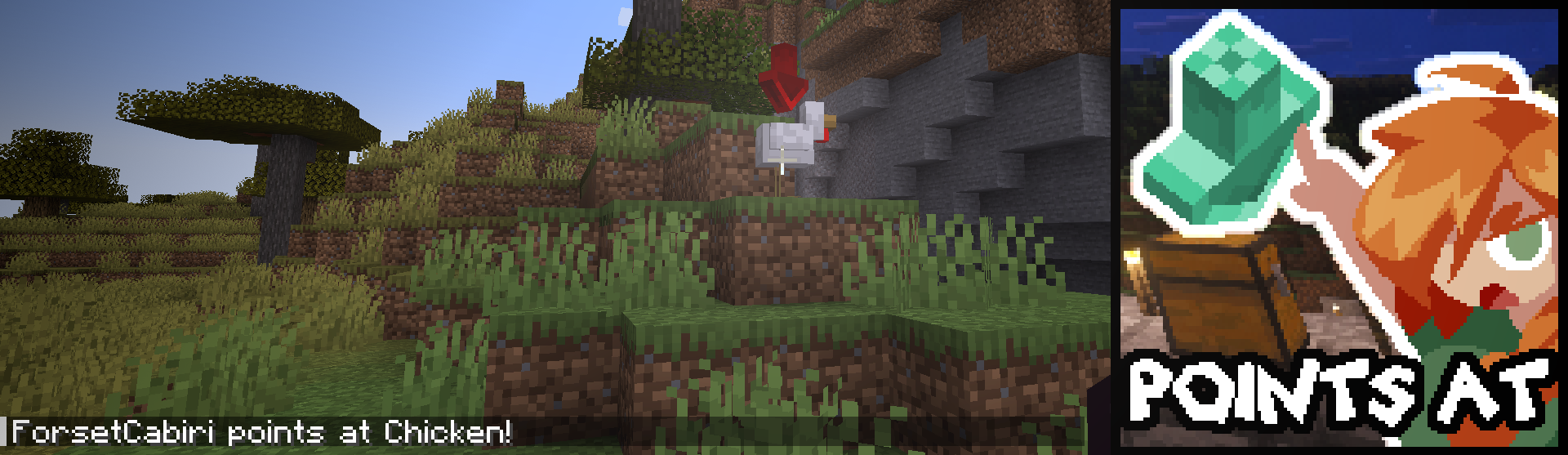
Points At is a multiplayer-focused utility and somewhat comedic mod to make giving directions to nearby players easier. Rather than simply gesturing the player in animation, it throws a large and much harder to miss arrow to your crosshair target, while announcing said target in chat to players in your line of sight. It’s styled after SS13/Space Station 13, up to even including compressing repeats in chat.
The default hotkey is [H], and can be changed any time.
You can change the color of arrows you send by simply going into your client configuration and changing the hex code in the lifetime setting. It will update and sync in real-time for everybody on the server!
Available for 1.20.1 Forge/Neoforge, and 1.21.1 Neoforge.
Free to use in any modpack or server that does not have a content paywall.
If you have issues, either add me on Discord (forsetcabiri) or send an email ([email protected]).
常见问题
Points At 支持哪些 Minecraft 版本?
Points At 支持 Minecraft Java 版 1.20.1–1.21.1,共 2 个版本,可用的加载器:Forge / NeoForge。下载时注意选择和你游戏版本一致的文件。
Points At 怎么安装?
先用 PCL2 或 HMCL 启动器安装对应版本的 Forge / NeoForge,再把下载的 .jar 文件放进游戏目录的 mods 文件夹,重新启动游戏即可。开启了版本隔离的,mods 文件夹在 versions/版本名 下面。运行环境:客户端和服务端都要装。

评论
登录后评论和评分