
Structure Advancements
A Datapack that adds advancement (goals) to all structure visits (excluding Structure-like features)
截图
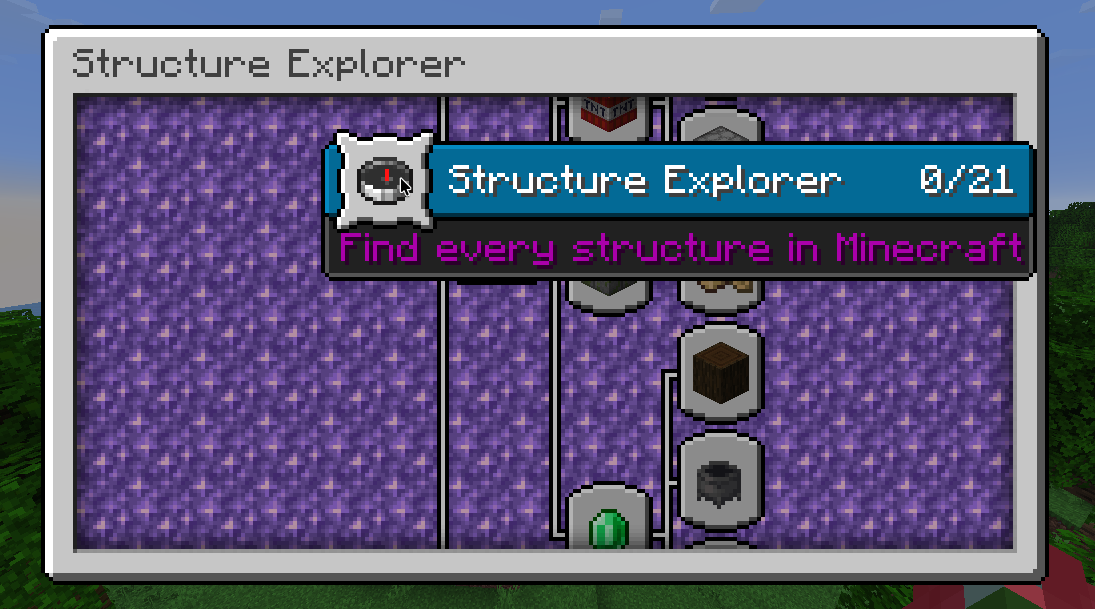
介绍
Structure Advancements: A Datapack That Adds Advancement to All Structure Visits
Structure Advancements a simple datapack that adds custom structure visit advancements to the game, Just like vanilla advancements like Those were the days, A terrible fortress and Minecraft: Trial(s) Edition. And I acknowledge that some advancements overlap and this is by design™
This pack excludes structure-like features, Some notable ones are Desert Wells and Monster Room (a.k.a Dungeons) because visit detection can’t be done reliably for them. Couriway’s video (timestamp) cheats by having a command / action triggers that that gives him the goal. Which breaks vanilla immersion which is why i decide to not include them in this datapack.

This pack adds no reward for the advancements on purpose as i think this datapack should be treated as a tracker rather than a progression ladder. But if you disagree with this, let me know as i may change it!
Watch Aspect30’s Video Here!
Additional Infos:
This datapack is made for Aspect30’s YouTube video, taken some inspiration from Couriway’s “How Fast Can I find ALL 24 Minecraft Structures?” video.
THIS IS **NOT THE EXACT DATAPACK THAT COURIWAY USES OR AN ATTEMPT AT RECREATION, THIS IS A REMAKE FROM THE GROUND UP WITH MY FRIEND’S VIDEO IN MIND.**
Version split due to added structures or datapack format changes, Make sure you select the correct version. The game may say that its broken or incompatible, but as long as the advancements are added in the advancement screen, it’s working.
This datapack is datagen’d!, Please let me know if there are issues with the datapack in the issue tracker
常见问题
Structure Advancements 支持哪些 Minecraft 版本?
Structure Advancements 支持 Minecraft Java 版 1.14–26.3,共 48 个版本。下载时注意选择和你游戏版本一致的文件。
Structure Advancements 怎么安装?
新建世界时在「数据包」里把下载的 .zip 拖进去;已有的存档,把文件放进存档目录下的 datapacks 文件夹,进游戏输入 /reload 即可生效。服务器同样放在世界目录的 datapacks 里。
Aeroshide 的其他作品
查看全部 →
OfflineLAN
一个模组,可在“对局域网开放”/“多人游戏”菜单中添加开关,用于关闭集成服务器的在线模式

Rose Bush
My custom fabric library for common bindings and backend

SpecSpoof
Modify your hardware configuration strings in the F3 Menu with FPS Spoofer built in!

BoostedExperience
Set a custom multiplier for experience gains (for the lazy people out there, including me)
评论
登录后评论和评分