
SpecSpoof
Modify your hardware configuration strings in the F3 Menu with FPS Spoofer built in!
截图
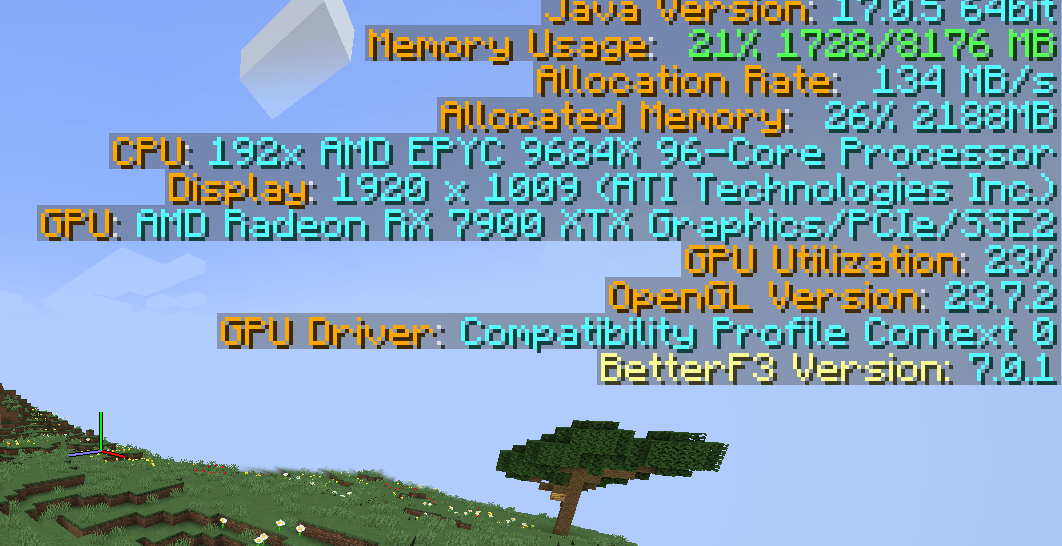
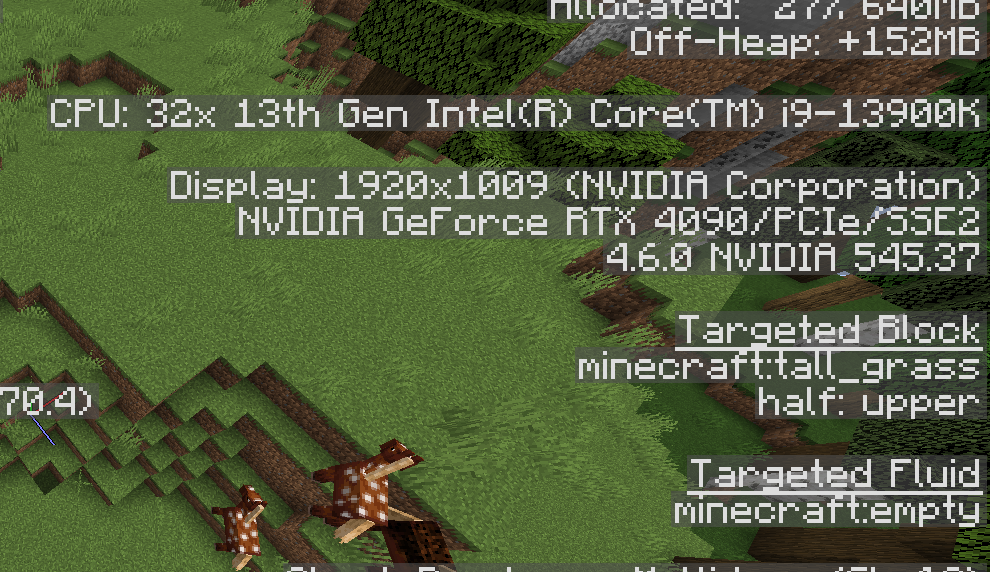
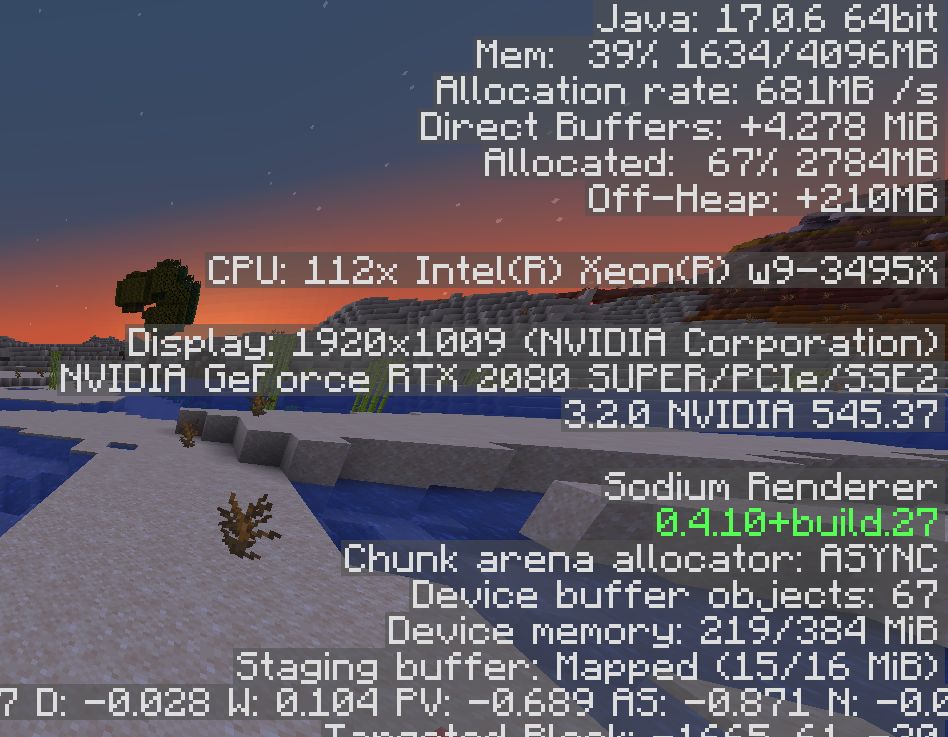

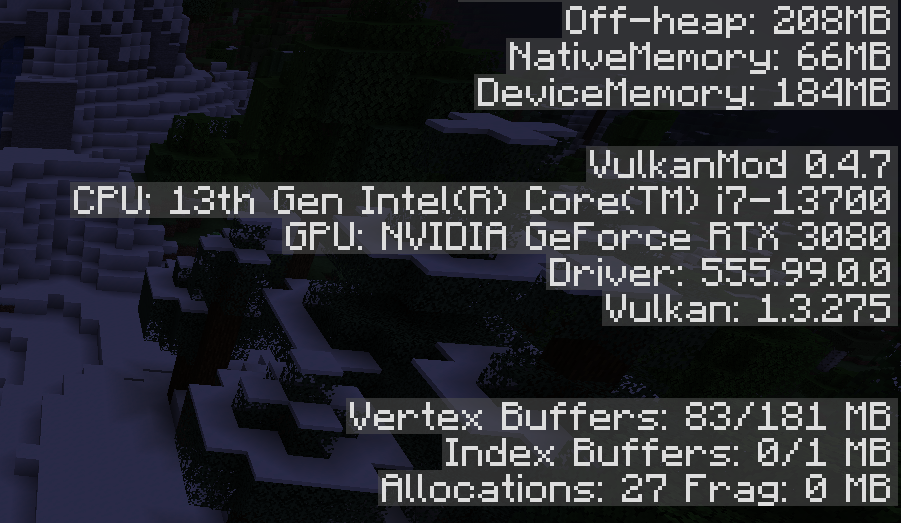
介绍
SpecSpoof: A fabric mod to modify the hardware string in the F3 menu!
SpecSpoof is a Fabric mod that allows you to modify the hardware string displayed in the F3 menu. With this mod, you can customize the hardware information shown in the F3 menu to your liking. Whether you want to show off your (fraud) high-end hardware or keep your specs private. Now depends on Roselib!
Compatibility
This mod should be highly compatible with other mods, but if you find any incompatibilities or bugs, just open up an issue in the GitHub repo. I’ll probably try to implement a workaround.
Additional Infos:
ModMenu is recommended for easier config modification!
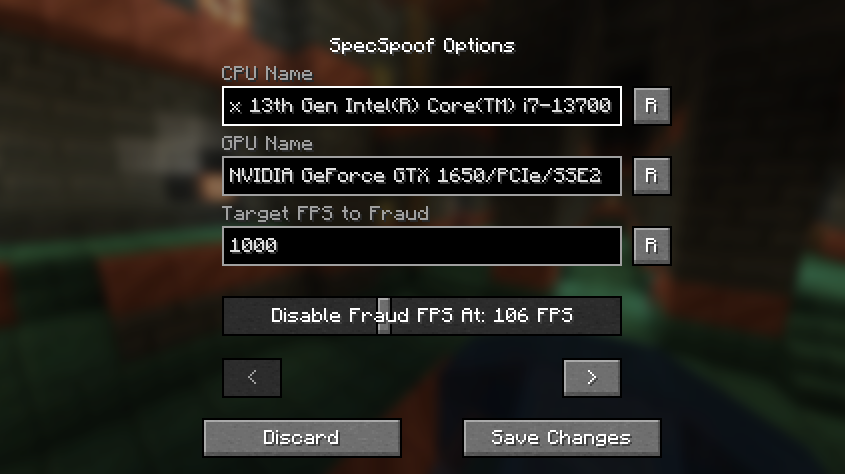
All options should be straightforward, so go nuts!
JSON Instructions (for legacy versions):
Quick Documentation JSON:
{
  "CPU": "your cpu name", //desired fake CPU name
  "GPU": ""your gpu name", // desired fake GPU name
  "FPS": 1000, // desired FPS to be faked as
  "disableFPSThreshold": 100 // The FPS Threshold for the fake fps to be deactivated, you see, to make it more believable, if your frames are dipping, the fps should actually reflect to that. imagine saying you have 1000 fps but your game runs like a slideshow, that just wouldn't work. (set to 999999 if you don't want this feature, set to 0 if you want to always fake your FPS)
  "GPUVendor": "the vendor", // This is what shows in the brackets right beside your resolution, you might want to change this to your desired GPU brand if you want to make it believable.
  "GPUDriver": "the driver" // This is the GPU driver string, which shows below the GPU string, you should also change this if you want to make your fake GPU believable.
}
The formatting is also your choice, you can make it actually believable or just put random nonsense on the string.
Examples:
{
  "CPU": "112x Intel(R) Xeon(R) w9-3495X",
  "GPU": "NVIDIA GeForce RTX 2080 SUPER/PCIe/SSE2",
  "FPS": 3400,
  "disableFPSThreshold": 100
  "GPUVendor": "NVIDIA Corporation",
  "GPUDriver": "3.2.0 NVIDIA 531.37"
}
{
"CPU": "Rose Flowers",
"GPU": "Pigeons",
"FPS": 10,
"disableFPSThreshold": 0
"GPUVendor": "Eggs Inc",
"GPUDriver": "1.2 months"
}常见问题
SpecSpoof 支持哪些 Minecraft 版本?
SpecSpoof 支持 Minecraft Java 版 1.14–26.3,共 46 个版本,可用的加载器:Fabric。下载时注意选择和你游戏版本一致的文件。
SpecSpoof 怎么安装?
先用 PCL2 或 HMCL 启动器安装对应版本的 Fabric,再把下载的 .jar 文件放进游戏目录的 mods 文件夹,重新启动游戏即可。开启了版本隔离的,mods 文件夹在 versions/版本名 下面。运行环境:仅客户端。
Aeroshide 的其他作品
查看全部 →
OfflineLAN
A mod that adds a toggle in the "Open To Lan" / "Multiplayer" menu to disable online-mode on the integrated server

Rose Bush
My custom fabric library for common bindings and backend

BoostedExperience
Set a custom multiplier for experience gains (for the lazy people out there, including me)

Riptide Outside Water
Lets the player use the Riptide Enchantment on tridents outside of water with fair-play configurable settings
评论
登录后评论和评分