
MineZ Help Menu
作者:Blombix Team
The Minecraft mod created to make playing and understanding MineZ's mechanics easier
截图
介绍
中文介绍正在准备中,下面暂时显示原文。
MineZ Help Mod for Shotbow MineZ Server

### Project Unachieved!
We are in the process of migrating to the new version of MC (1.21.10).
What does MineZ Help Menu offer?
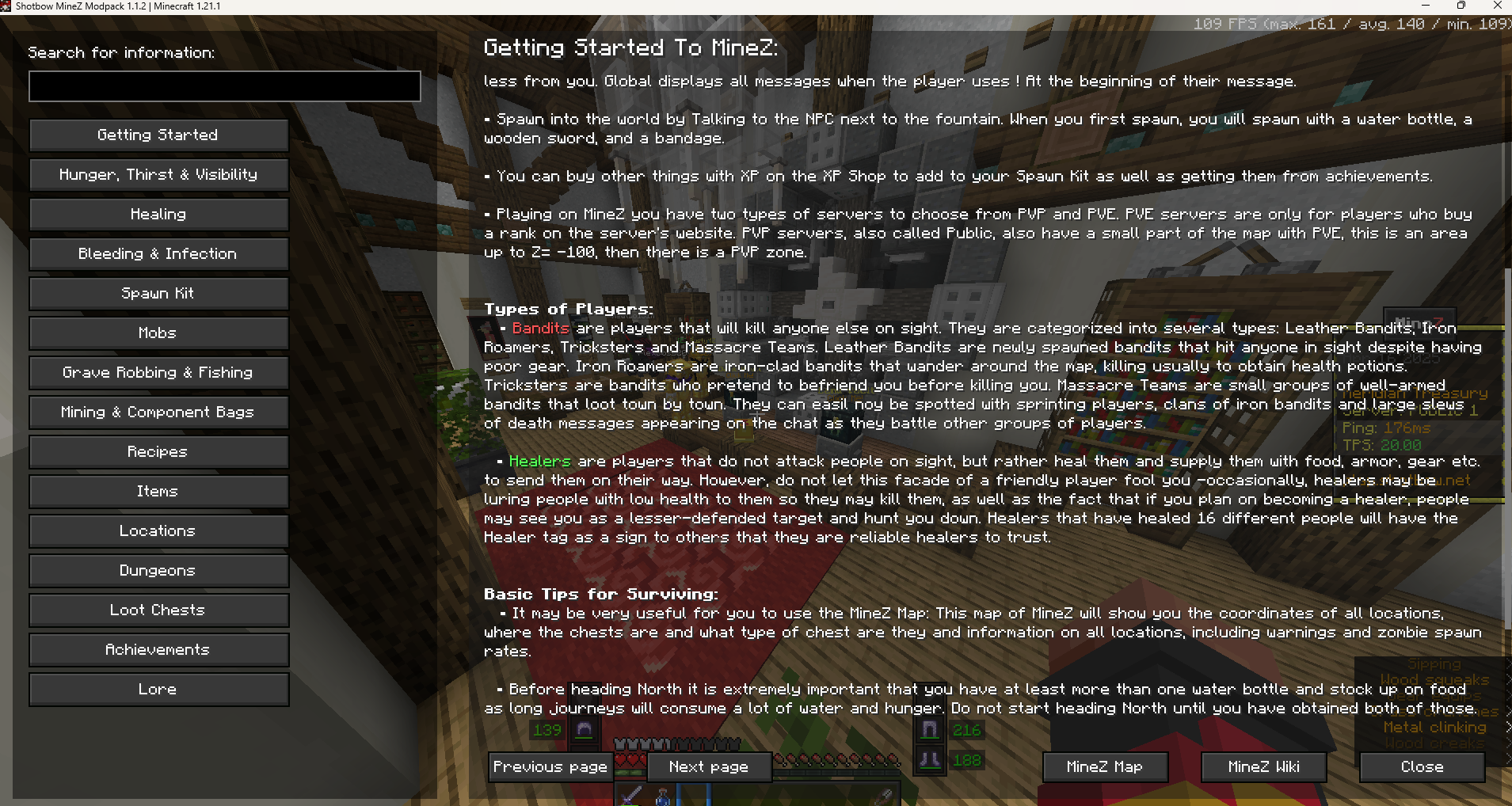
- Each of the key mechanics of MineZ thoroughly explained
- MineZ’s mobs’ and bosses’ behavior described
- Loot Tables for each of the chest rarity, tier of fishing and grave digging
- Table with information about all kinds of food (Hunger, Saturation, Thirst, Item stack)
- Adds information about the level of hydration provided by food to the item’s description
- built-in resourcepack made to show the correct path to take in some dungeons
- custom textures for various items such as for ex. fresh water or bags
- fully compatible and built-in the Shotbow MineZ Modpack
Soon more:
- BankViewer
- Navigator (shows you the best way to travel between set locations)
- Automatic Distant Horizons switcher for spawn and dungeons
Information about Mod
This mod has been approved by the Shotbow.net’s Staff team and fully complies with its the server’s rules, however it has not been created nor maintained by them.
常见问题
MineZ Help Menu 支持哪些 Minecraft 版本?
MineZ Help Menu 支持 Minecraft Java 版 1.21.1–1.21.10,共 10 个版本,可用的加载器:Fabric。下载时注意选择和你游戏版本一致的文件。
MineZ Help Menu 怎么安装?
先用 PCL2 或 HMCL 启动器安装对应版本的 Fabric,再把下载的 .jar 文件放进游戏目录的 mods 文件夹,重新启动游戏即可。开启了版本隔离的,mods 文件夹在 versions/版本名 下面。运行环境:仅客户端。


评论
登录后评论和评分