
EZ Timer
Very easy to use timer. Start, pause and reset is all you really need. | Using FuseBox API
截图
介绍
EZ Timer


 )
 )

As FuseBox still is in early development, it currently is directly implemented into this pack. This may change in the future. FuseBox serves as the backend for this pack.
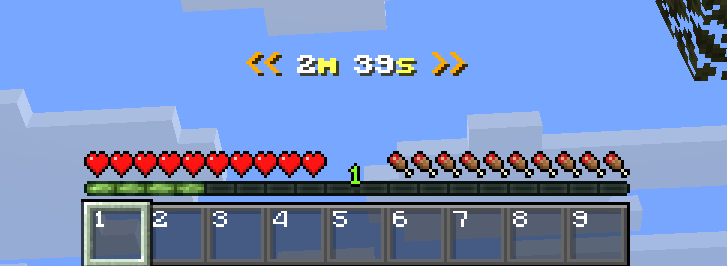
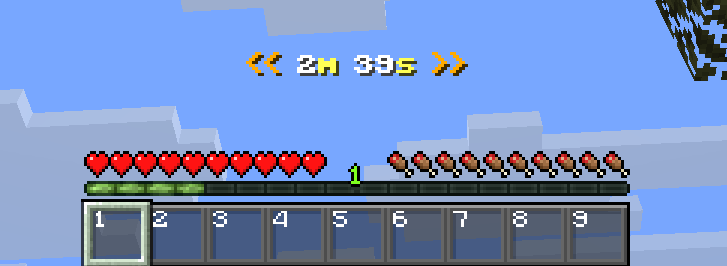
This is the easiest-to-use timer available. When opening the world with this pack enabled for the first time, a paused timer will appear in everyones actionbar.
There are 3 actions you can take:
To start the timer:
/trigger startTo pause the timer:
/trigger pauseTo reset the timer:
/trigger resetIt’s as easy as that!
Example of how it would look ingame:
常见问题
EZ Timer 支持哪些 Minecraft 版本?
EZ Timer 支持 Minecraft Java 版 1.21.8–26.3,共 9 个版本,可用的加载器:Fabric / Forge / NeoForge / Quilt。下载时注意选择和你游戏版本一致的文件。
EZ Timer 怎么安装?
新建世界时在「数据包」里把下载的 .zip 拖进去;已有的存档,把文件放进存档目录下的 datapacks 文件夹,进游戏输入 /reload 即可生效。服务器同样放在世界目录的 datapacks 里。
Bombastiko 的其他作品
查看全部 →
Player Size Changer
Change your size between 5 different sizes. Each one of them also changes other attributes like health or range accordingly.

One Way Glider
Spawn Elytra | Set a spawn where every player will receive a one way glider with which he can fly until touching the ground outside of the spawn island.
One Way Glider
Spawn Elytra | Set a spawn where every player will receive a one way glider with which he can fly until touching the ground outside of the spawn island.

Join Play Time
When a player joins, they receive a 'Welcome Back' title along with their total time played on the server.
评论
登录后评论和评分