
Let Me See See (Your Code)
This mod allows player export java codes of any block/item/class in game and item rendering image.
截图
介绍
Let Me See See (Your Code)
This mod adds four items to exports java codes of any class and item rendering.
Exproted code include mixin or patch or other modified parts.Can not exports inner classes. You can exprot top level class that contains inner classes.
The mod give out .class file as default. If you set the path of IntellJ IDEA (or other software can open .class file) or java decompiler, this mod can give out .java file and display decompiled java code in game.
Items Introducing
 Scanner
 have no gui, and you an only right click block to use it for now. Scanning item is planning.
Scan a block will detect and export following classes (if exist):
- The Block class;
- The Block Item class;
- The Block Entity class;
- The Block Entity Renderer class;
You can view these classes in Exproted Classes Data Base Item or in .minecraft/let\_me\_see\_see/(package of class)/(class name).class.
 Retriever
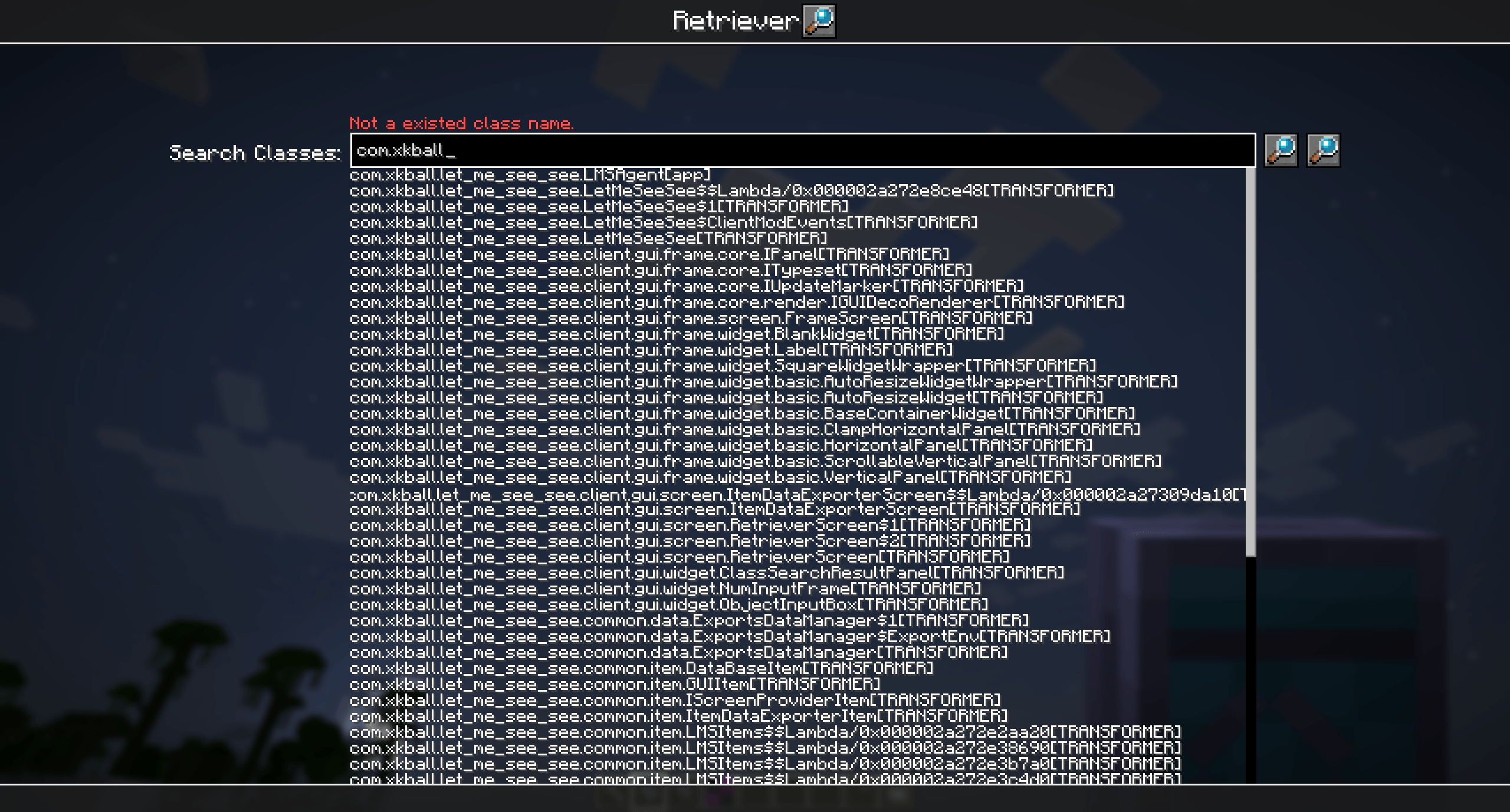
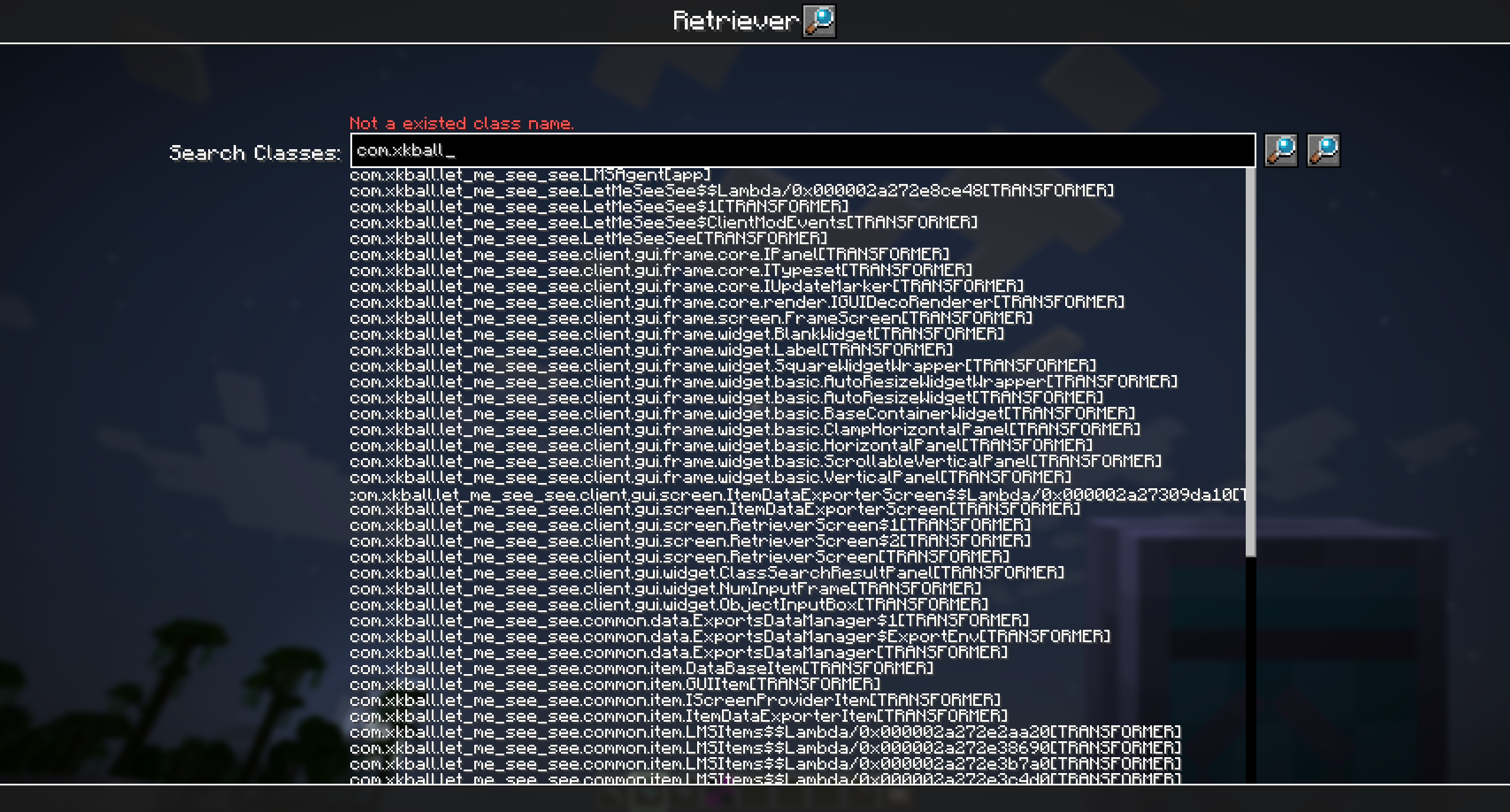
Right click to open a searcher of all loaded classes. Search result contains inner class and lambda or some other generated class, but you can only export top level class.
The search bar ignore word case. Double click any search result to fast complete search bar.
If search bar is filled with the full name of a class(Must Contains class loader name, because different class loader can load homonymous classes), click the first button after search bar can exprot the class.
Click the second button after search bar to re-scan loaded classes.
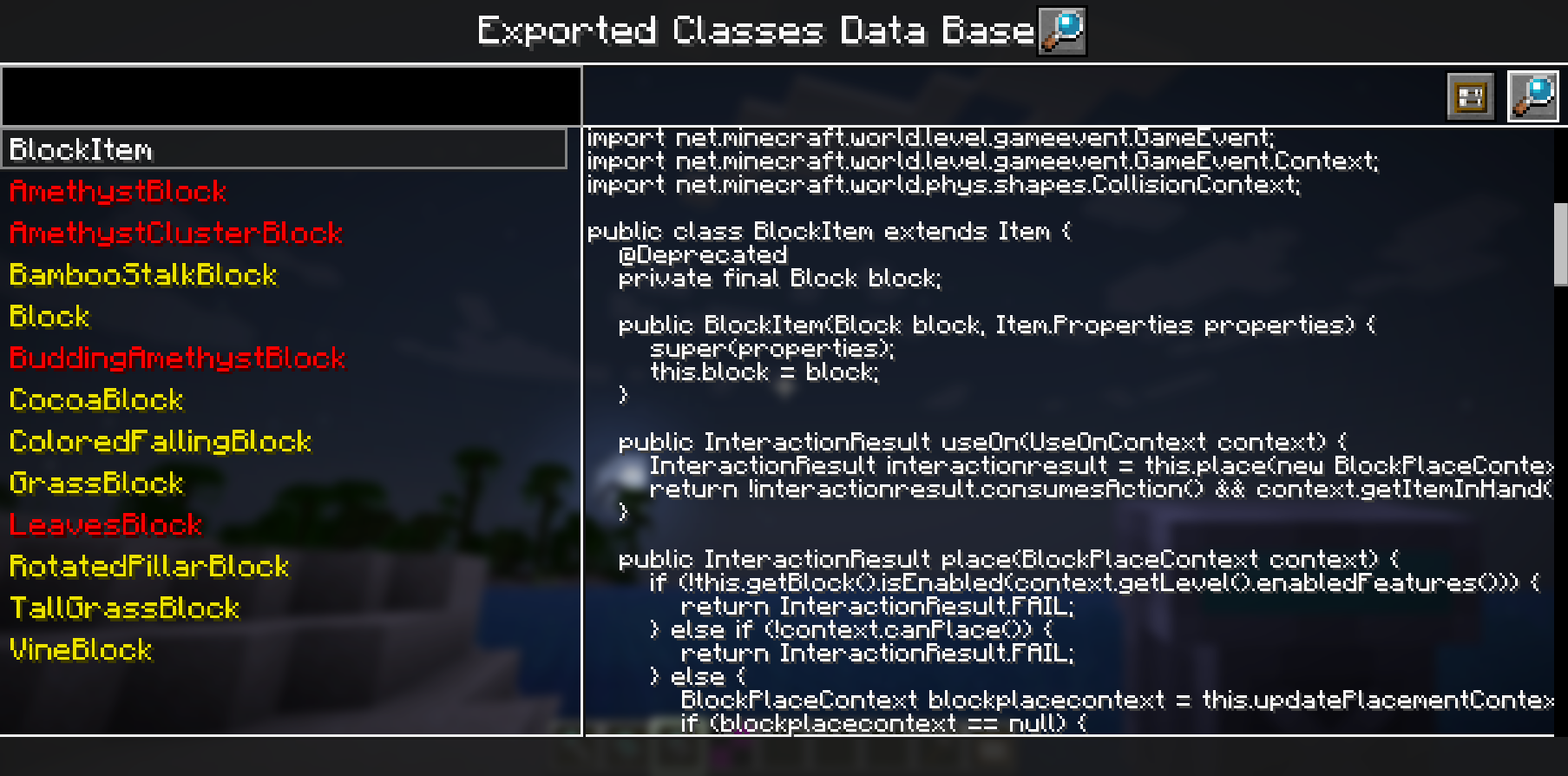
 Exported Classes Data Base

Left panel have a search bar for all exported classes, and listed below are those classes. White class name means it was exported in current game session. Yellow name represent it was exported in past game session. Red name means mod list has changed since export. Relaunch game and change mod list may cause changing of class content.
Upper Right have two buttons for open .class file in IDEA and export class again. Right panel will display decomplied java code after select a class in left side.
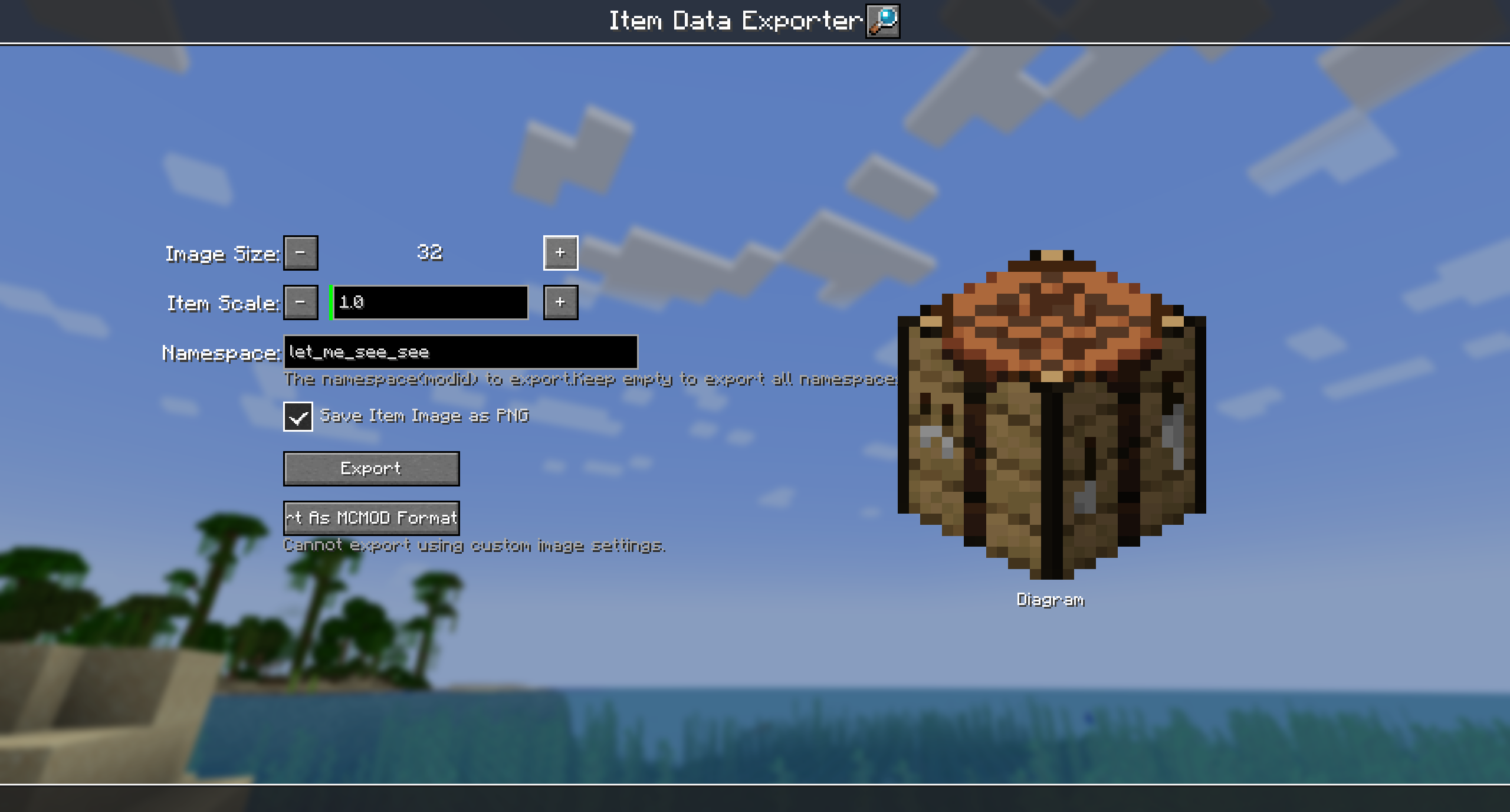
Item Data Exporter
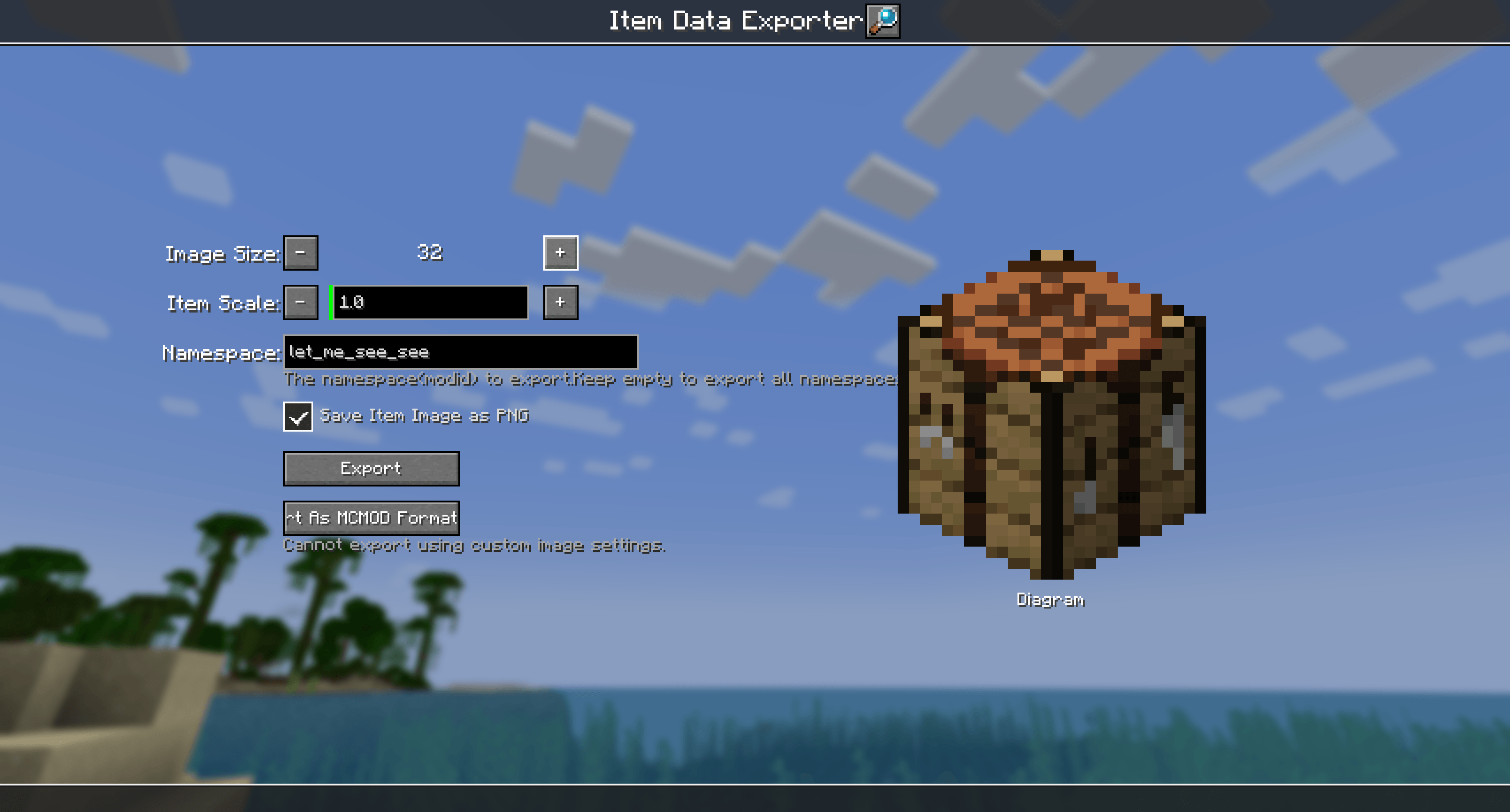
Export some item data and items rendering by render like them in gui.
Exported image files under .minecraft/let\_me\_see\_see/\_data/(namespace)/(item name).png
Exported item data files under minecraft/let\_me\_see\_see/(namespace).json
Class Explorer
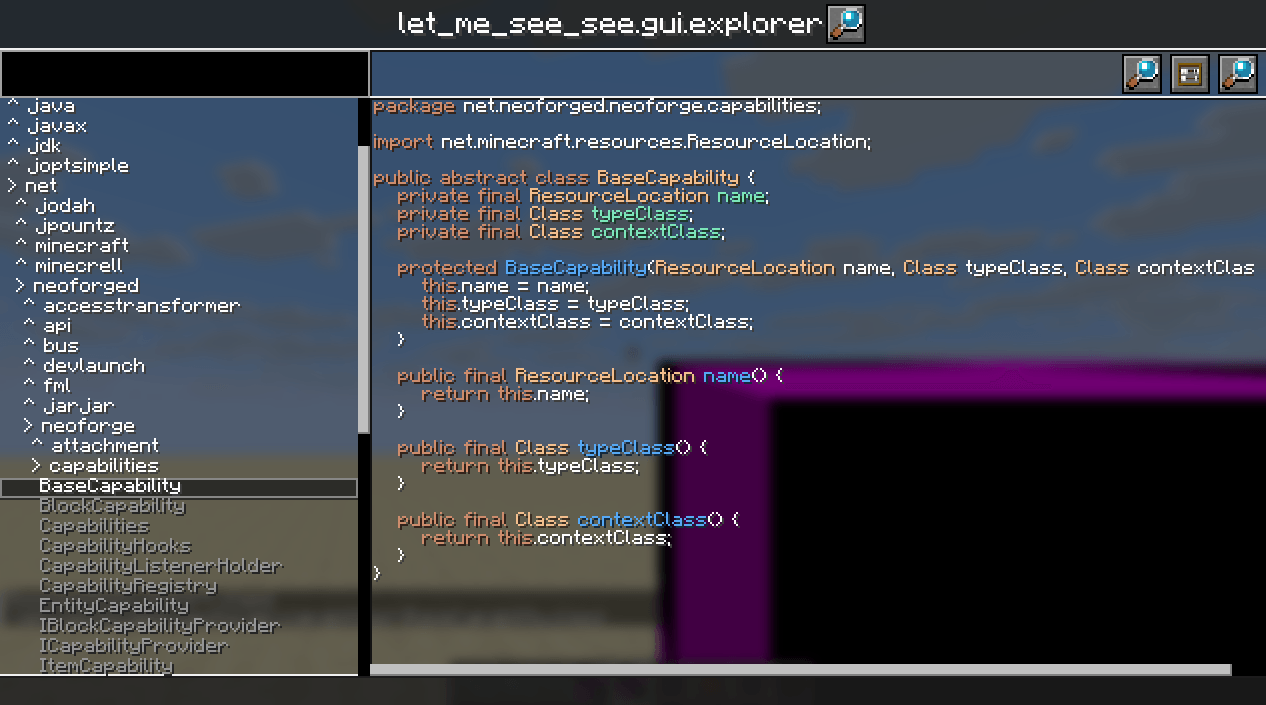
Enhanced Retriever and Exported Classes Data Base. You can find all loaded top level classes. Double-click to decompile it.
常见问题
Let Me See See (Your Code) 支持哪些 Minecraft 版本?
Let Me See See (Your Code) 支持 Minecraft Java 版 1.21.1–26.1.2,共 4 个版本,可用的加载器:NeoForge。下载时注意选择和你游戏版本一致的文件。
Let Me See See (Your Code) 怎么安装?
先用 PCL2 或 HMCL 启动器安装对应版本的 NeoForge,再把下载的 .jar 文件放进游戏目录的 mods 文件夹,重新启动游戏即可。开启了版本隔离的,mods 文件夹在 versions/版本名 下面。运行环境:客户端和服务端都要装。
xkball 的其他作品
查看全部 →
Power Screenshot
添加客户端指令 /screenshot,可拍摄高分辨率普通、全景、天空盒和 GIF 截图。

xkball’s Auto Translate
使用 AI 或 Google 翻译来翻译物品提示和 FTB 任务。
Create: Blueprint Void
让投影建造器也能使用结构虚空方块!

Shoot Screen
Make your game screen look like a screenshot.
评论
登录后评论和评分