Craftable Uncraftable Objects [CUO]
Craft Anything You Can't Craft It In Your Vanilla Minecraft!
截图
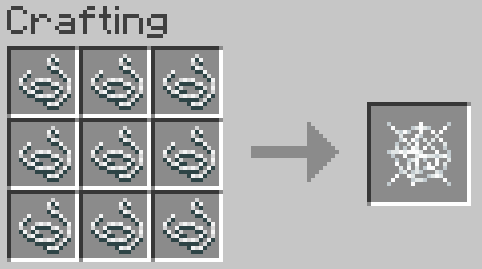
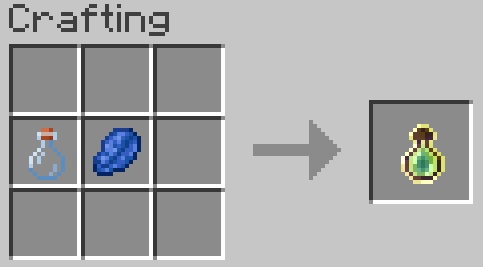
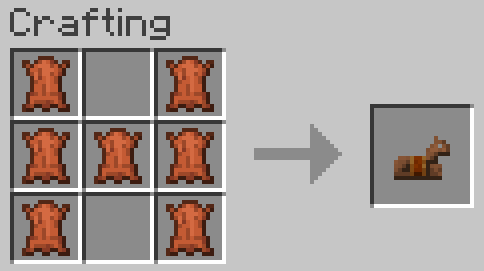
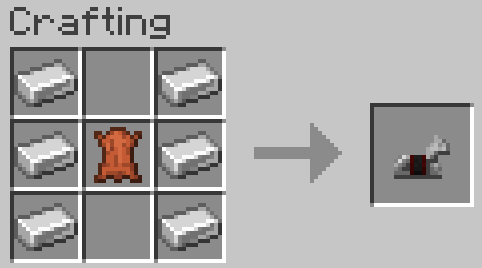
介绍
A Minecraft Project that adds crafting recipes for normally uncraftable items in Survival mode, along with custom advancements for a more rewarding experience.
✨ Features
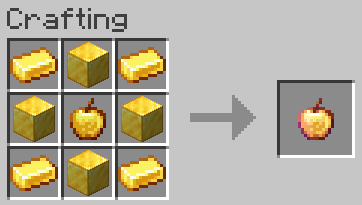
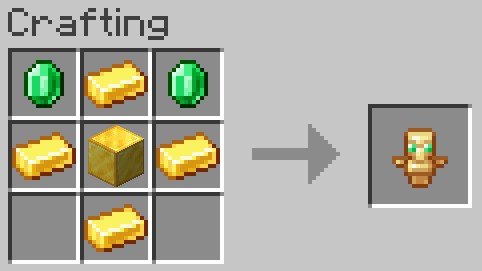
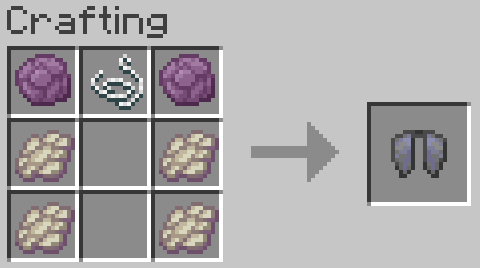
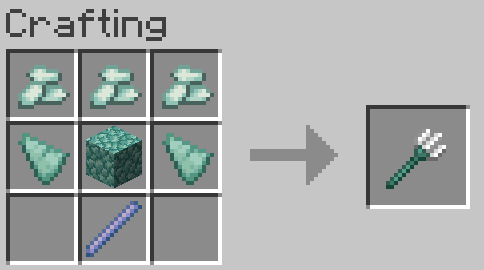
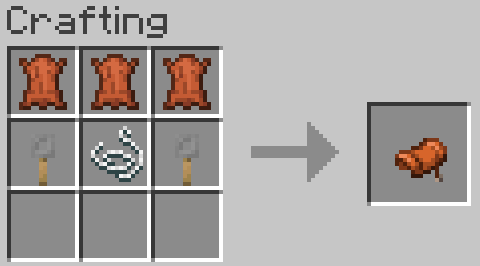
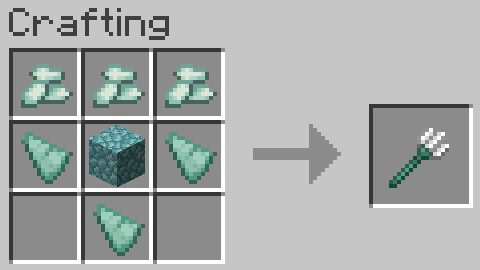
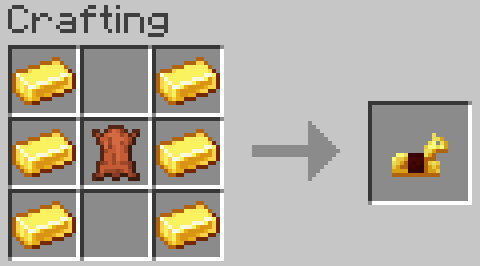
– New Crafting Recipes: Craft items like the Enchanted Golden Apple, Totem of Undying, Trident, Horse Armors, Chainmail Armor, and more.
– Custom Advancements: Unique rewards for crafting special items.
– Wide Compatibility: Supports Minecraft Java Edition from version 1.13.x up to the latest snapshots.
📜 Recipes
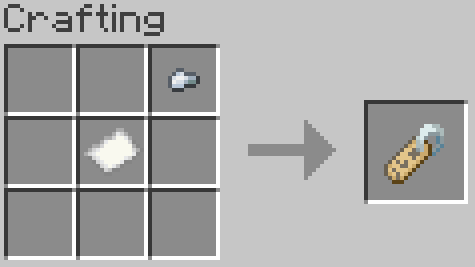
All recipes are in Gallery section.
🏆 Advancements
1. Not Enough Recycling!
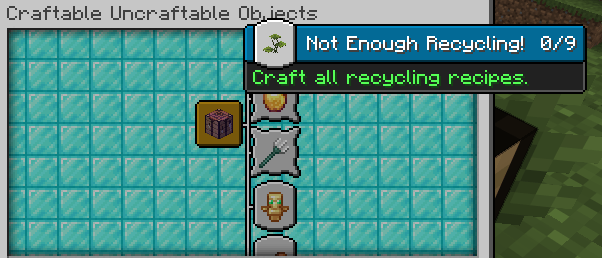
You will get this Advancement when you craft all Recycling recipes.
2. Who Enchanting Armor Those Days?
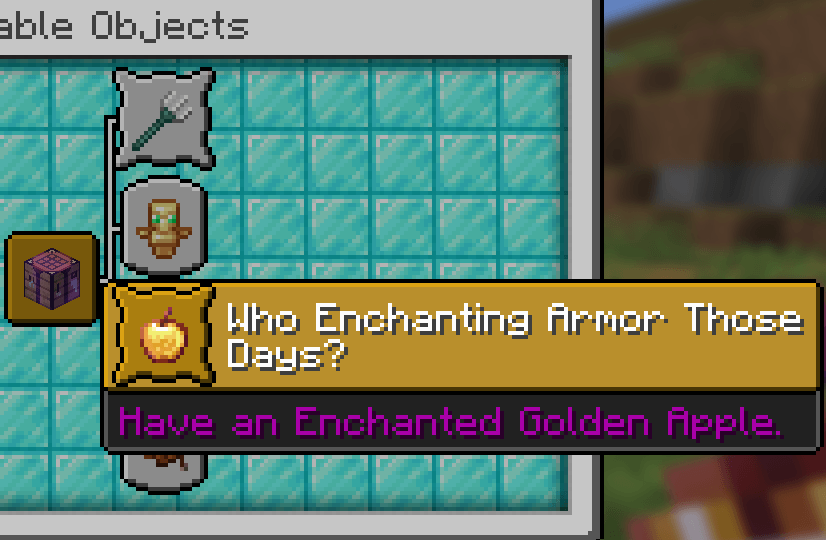
You will get this Advancement when you craft or have an Enchanted Golden Apple.
3. Forget Die.
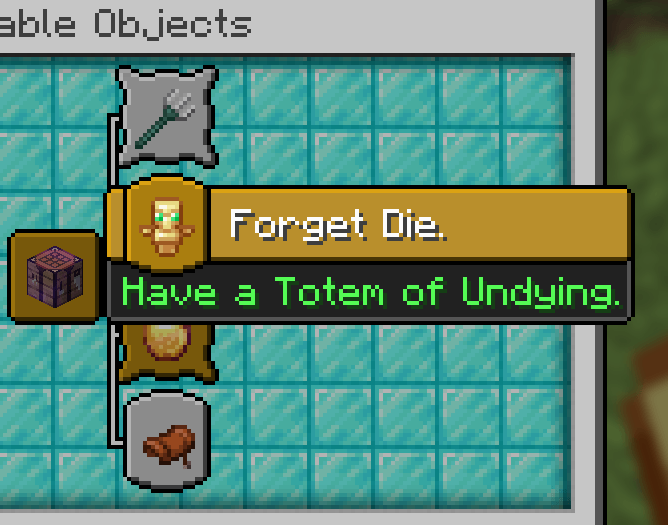
You will get this Advancement when you craft or have a Totem of Undying.
4. Water Weapon.
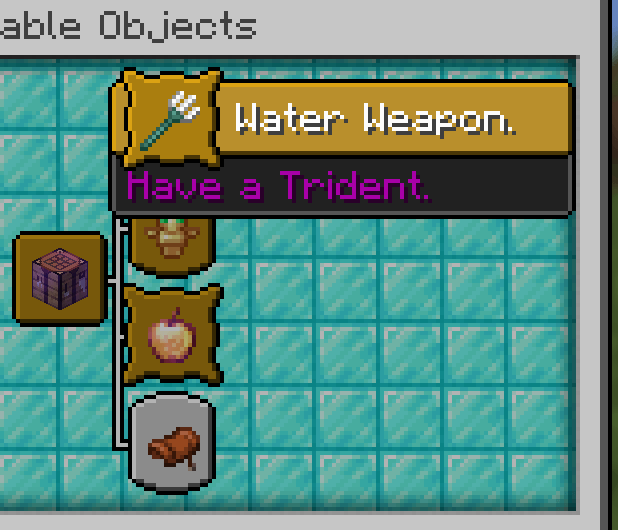
You will get this Advancement when you craft or have a Trident.
5. It’s Time to Take a Horse.
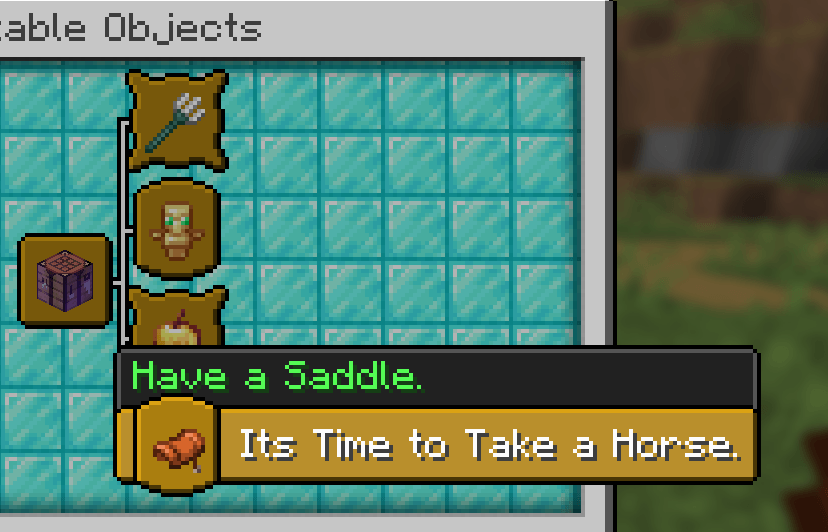
You will get this Advancement when you craft or have a Saddle.
6. WoW
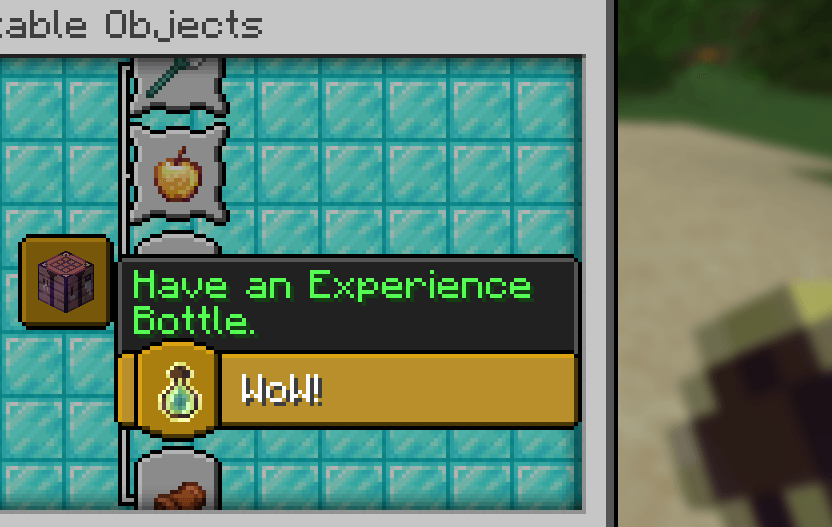
You will get this Advancement when you craft or have an Experience Bottle.
🗒️ News & Updates
See the latest News about my Projects:
Note: To recive the latest versions of the Project, go to the CUO Modrinth Project page.
📂 Source Code & Issues
GitLab (Source Code)
GitLab (Issues)
Installation 🗂️
Linux:
World that already exists:
1. Go to this location “~/.minecraft/saves/” (Make sure you are showing the hidden folders and files by pressing Left Ctrl + H).
2. Choose the world folder you want to put the Data Pack into it.
3. Open datapacks folder, then put the data pack.zip in the datapacks folder.
4. Reload the world by /reload command or by Quit the world and rejoin it.
New World:
1. Open Minecraft, then click on “Singleplayer”.
2. Click on “Create New World”, then click “More World Options…”.
3. Click on “Data Packs” button, then drag the data pack file into Minecraft.
4. Click “Done” and “Create New World”.
MacOS:
World that already exists:
1. Go to this location “~/Library/Application Support/minecraft/saves/”.
2. Choose the world folder you want to put the Data Pack into it.
3. Open datapacks folder, then put the data pack.zip in the datapacks folder.
4. Reload the world by /reload command or by Quit the world and rejoin it.
New World:
1. Open Minecraft, then click on “Singleplayer”.
2. Click on “Create New World”, then click “More World Options…”.
3. Click on “Data Packs” button, then drag the data pack file into Minecraft.
4. Click “Done” and “Create New World”.
Windows:
World that already exists:
1. Press Win + R, then type %appdata%, then press Enter.
2. Open “Roaming” folder, then “.minecraft” folder, then open “saves” (Make sure you are showing the hidden folders and files by pressing Left Ctrl + Left Shift + period).
4. Choose the world folder you want to put the Data Pack into it.
5. Open datapacks folder, then put the data pack.zip in the datapacks folder.
6. Reload the world by /reload command or by Quit the world and rejoin it.
New World:
1. Open Minecraft, then click on “Singleplayer”.
2. Click on “Create New World”, then click “More World Options…”.
3. Click on “Data Packs” button, then drag the data pack file into Minecraft.
4. Click “Done” and “Create New World”.
📂 Deletion
Linux:
- Go to this location “~/.minecraft/saves/” (Make sure you are showing the hidden folders and files by pressing Left Ctrl + H).
- Find the world folder that you put the Data Pack into it.
- Open datapacks folder, then remove the data pack.zip in the datapacks folder.
- Reload the world by /reload command or by quit the world and rejoin it.
MacOS:
- Go to this location “~/Library/Application Support/minecraft/saves/”.
- Find the world folder that you put the Data Pack into it.
- Open datapacks folder, then remove the data pack.zip in the datapacks folder.
- Reload the world by /reload command or by quit the world and rejoin it.
Windows:
- Press Win + R, then type %appdata%, then press Enter.
- Open “Roaming” folder, then “.minecraft” folder, then open “saves” (Make sure you are showing the hidden folders and files by pressing Left Ctrl + Left Shift + period).
- Find the world folder that you put the Data Pack into it.
- Open datapacks folder, then remove the data pack.zip in the datapacks folder.
- Reload the world by /reload command or by Quit the world and rejoin it.
Enjoy!
常见问题
Craftable Uncraftable Objects [CUO] 支持哪些 Minecraft 版本?
Craftable Uncraftable Objects [CUO] 支持 Minecraft Java 版 1.13–26.3,共 51 个版本。下载时注意选择和你游戏版本一致的文件。
Craftable Uncraftable Objects [CUO] 怎么安装?
新建世界时在「数据包」里把下载的 .zip 拖进去;已有的存档,把文件放进存档目录下的 datapacks 文件夹,进游戏输入 /reload 即可生效。服务器同样放在世界目录的 datapacks 里。

评论
登录后评论和评分