
OpenFlares – Flare Guns!
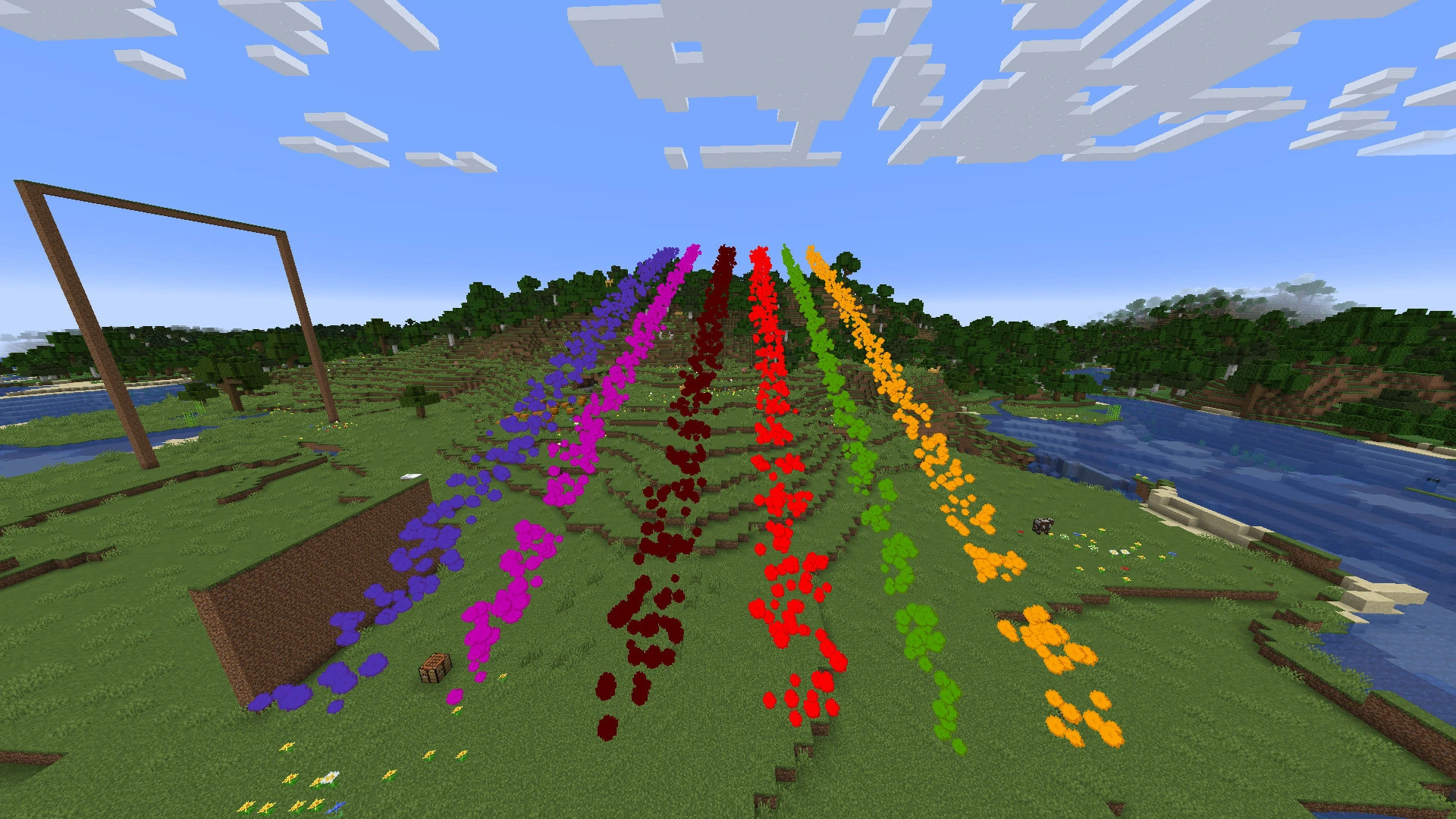
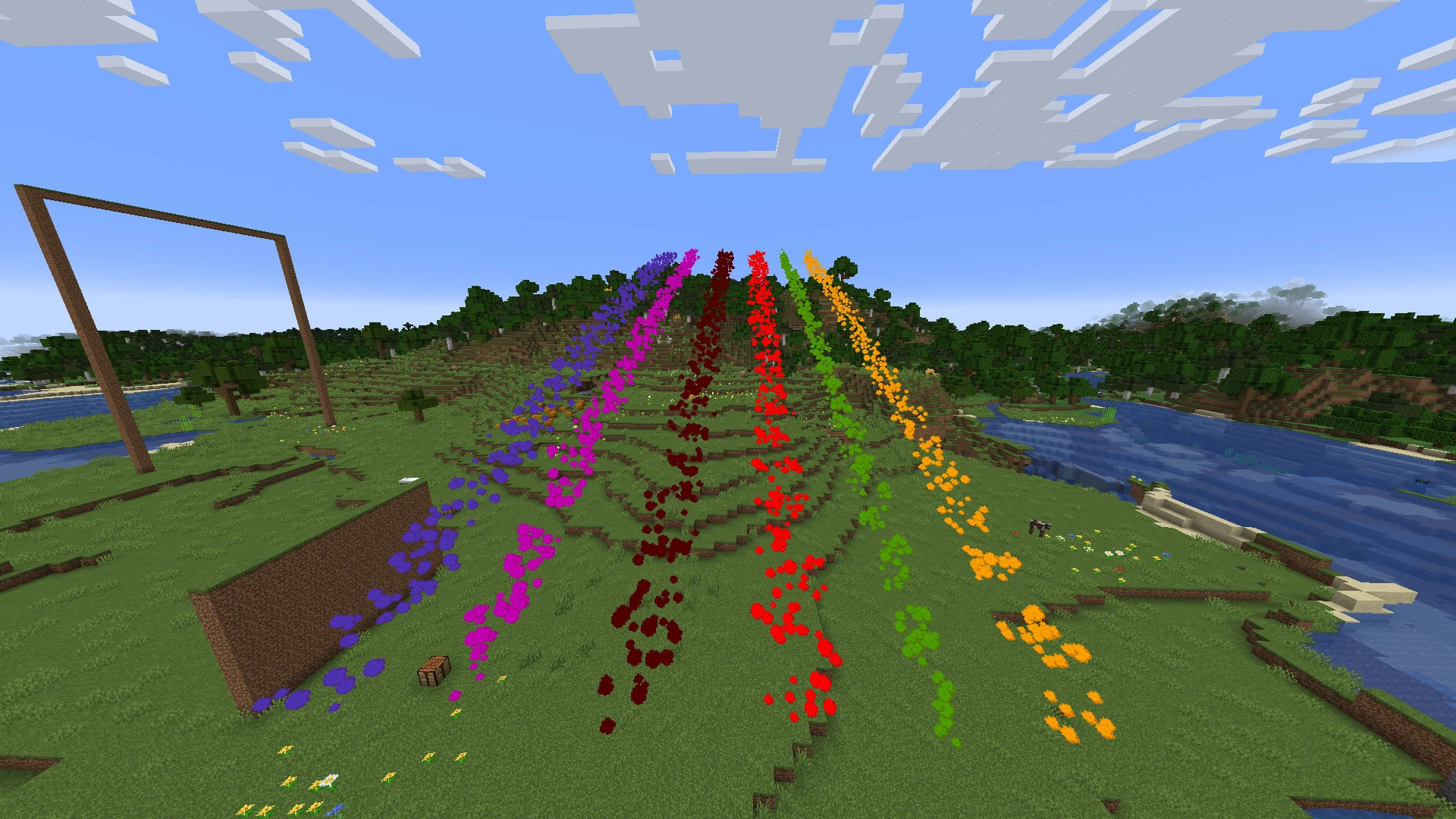
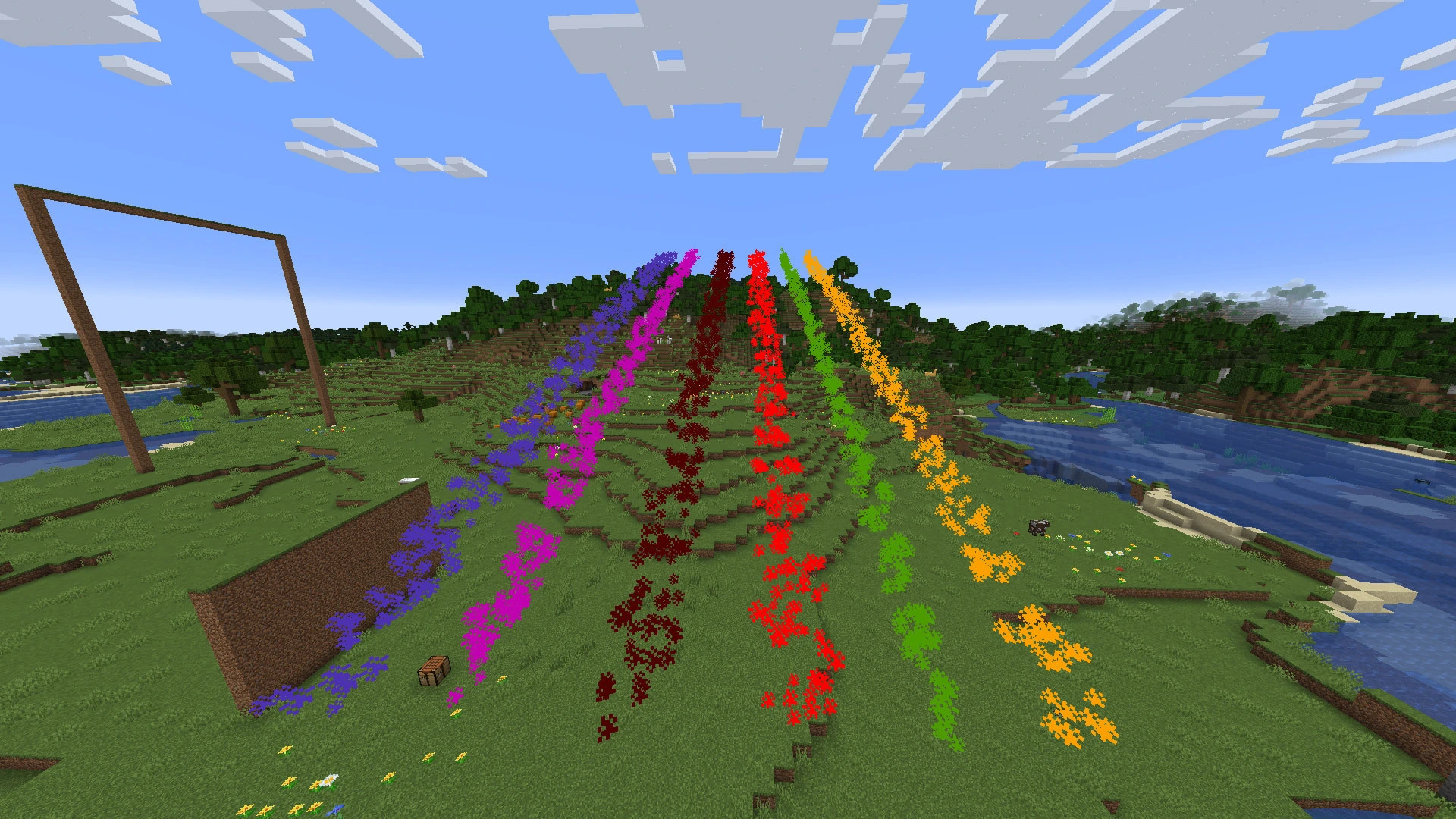
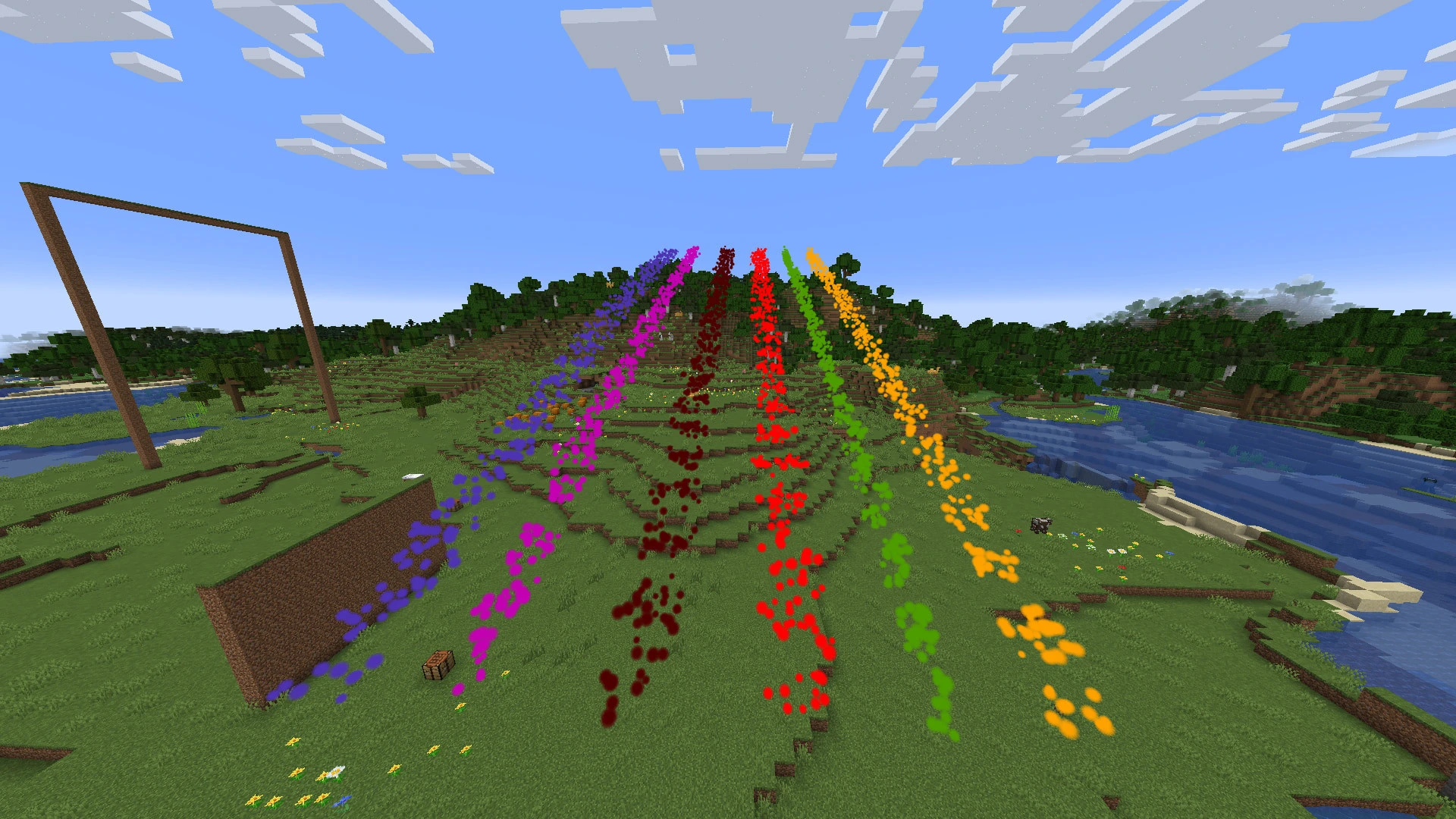
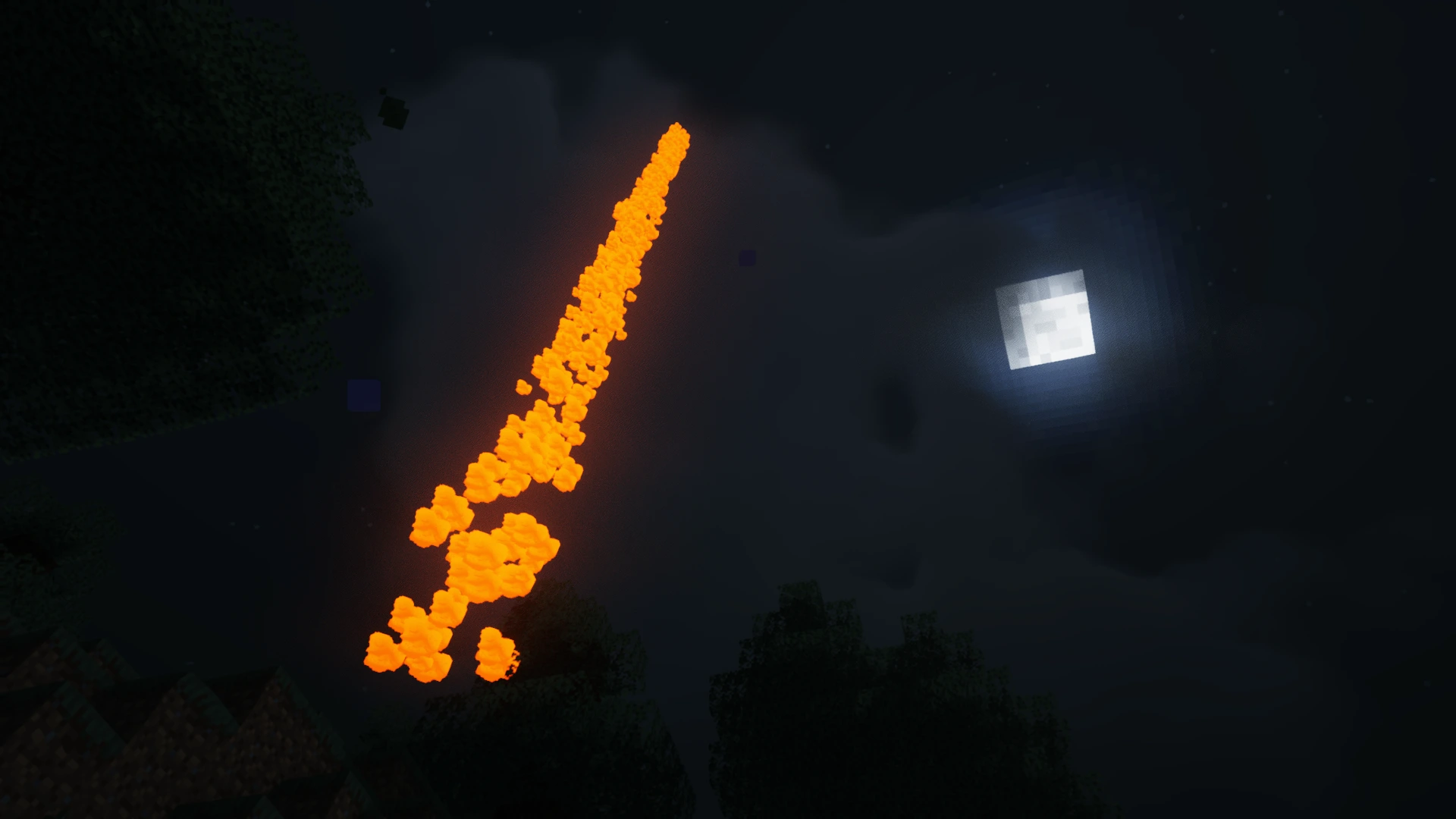
Flare guns! Survival and multiplayer friendly. Now with an innovative LOD-based renderer for seeing flare smoke from even beyond the vanilla chunk render distance :D
截图
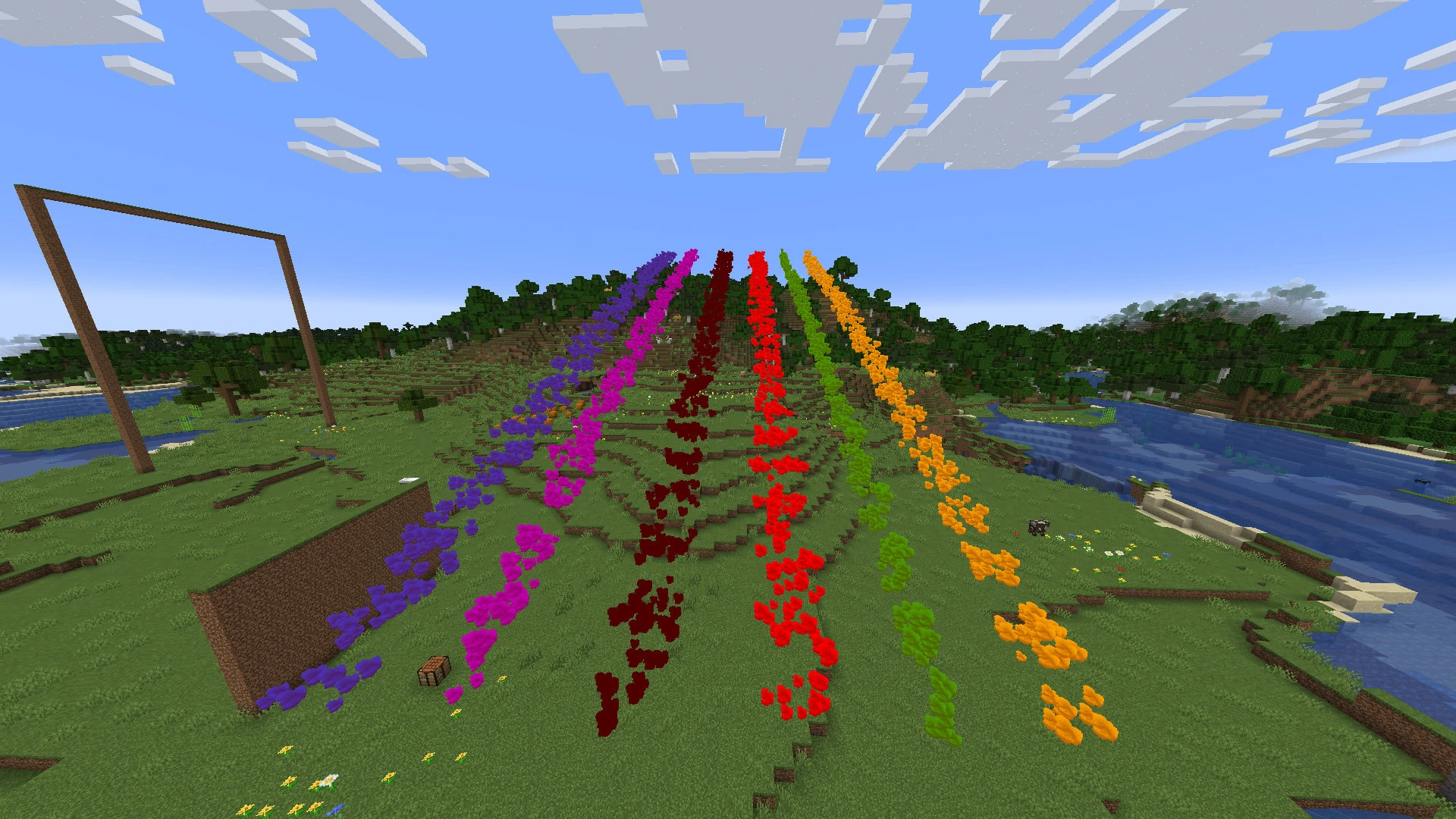
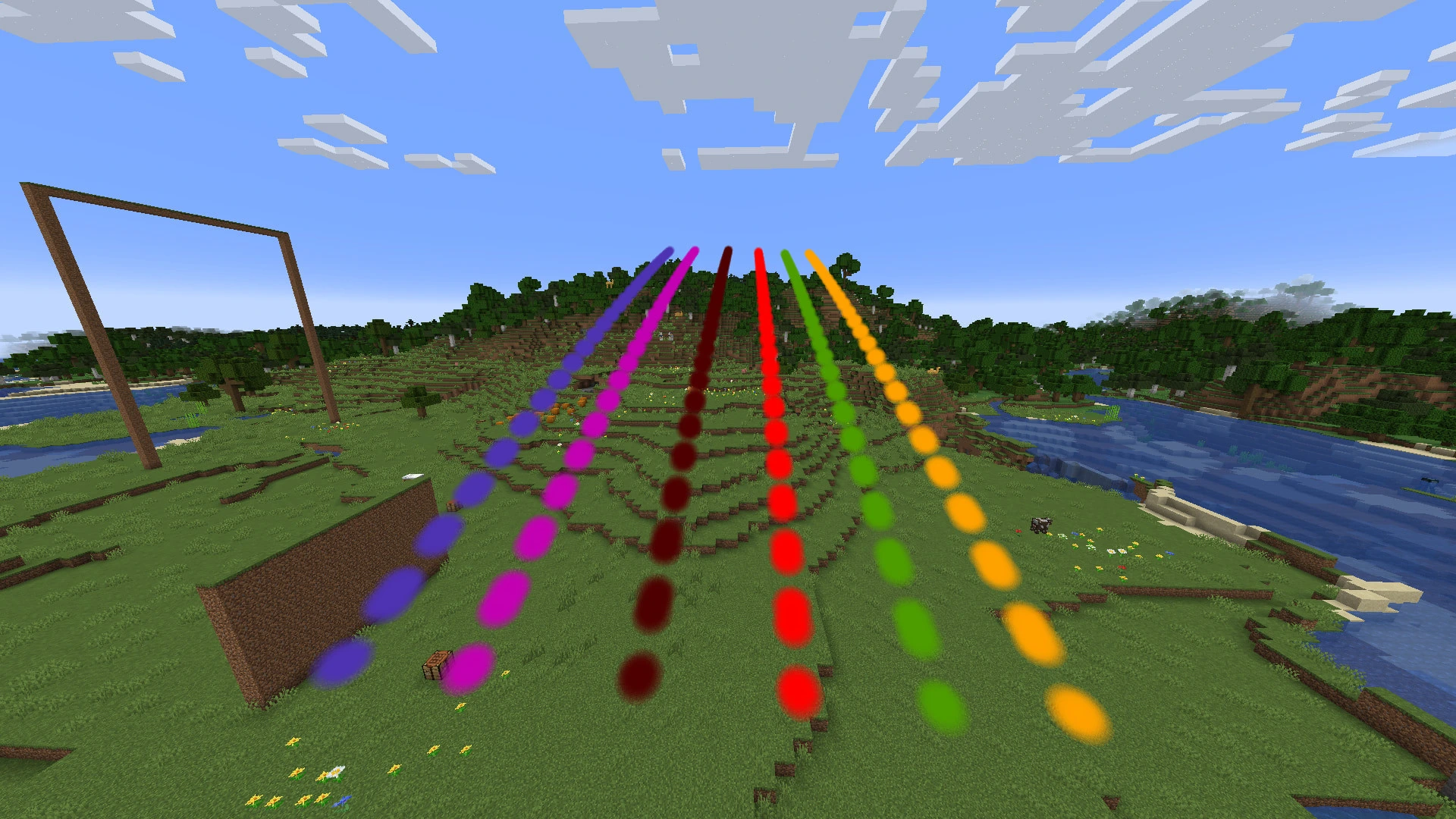
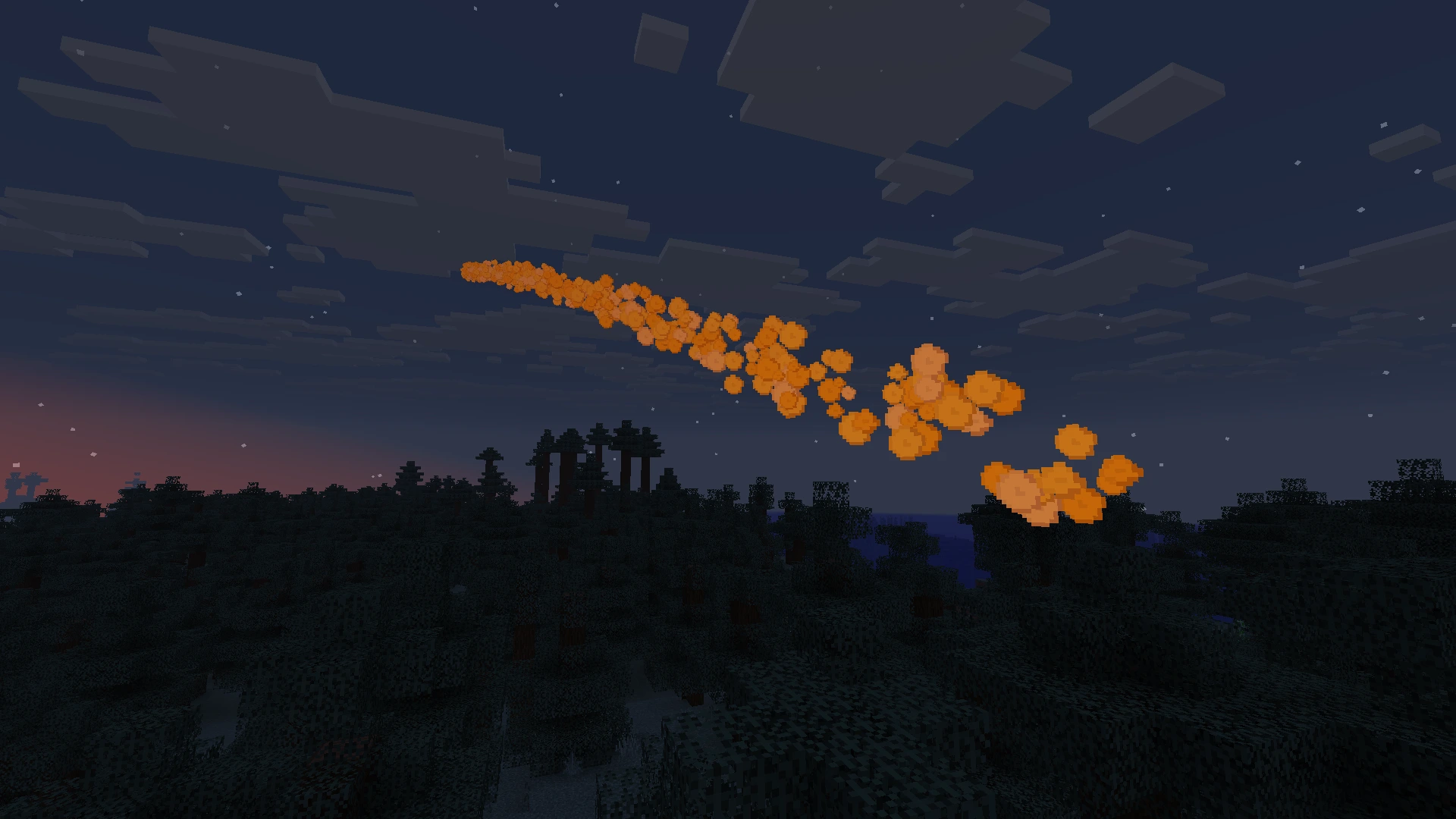
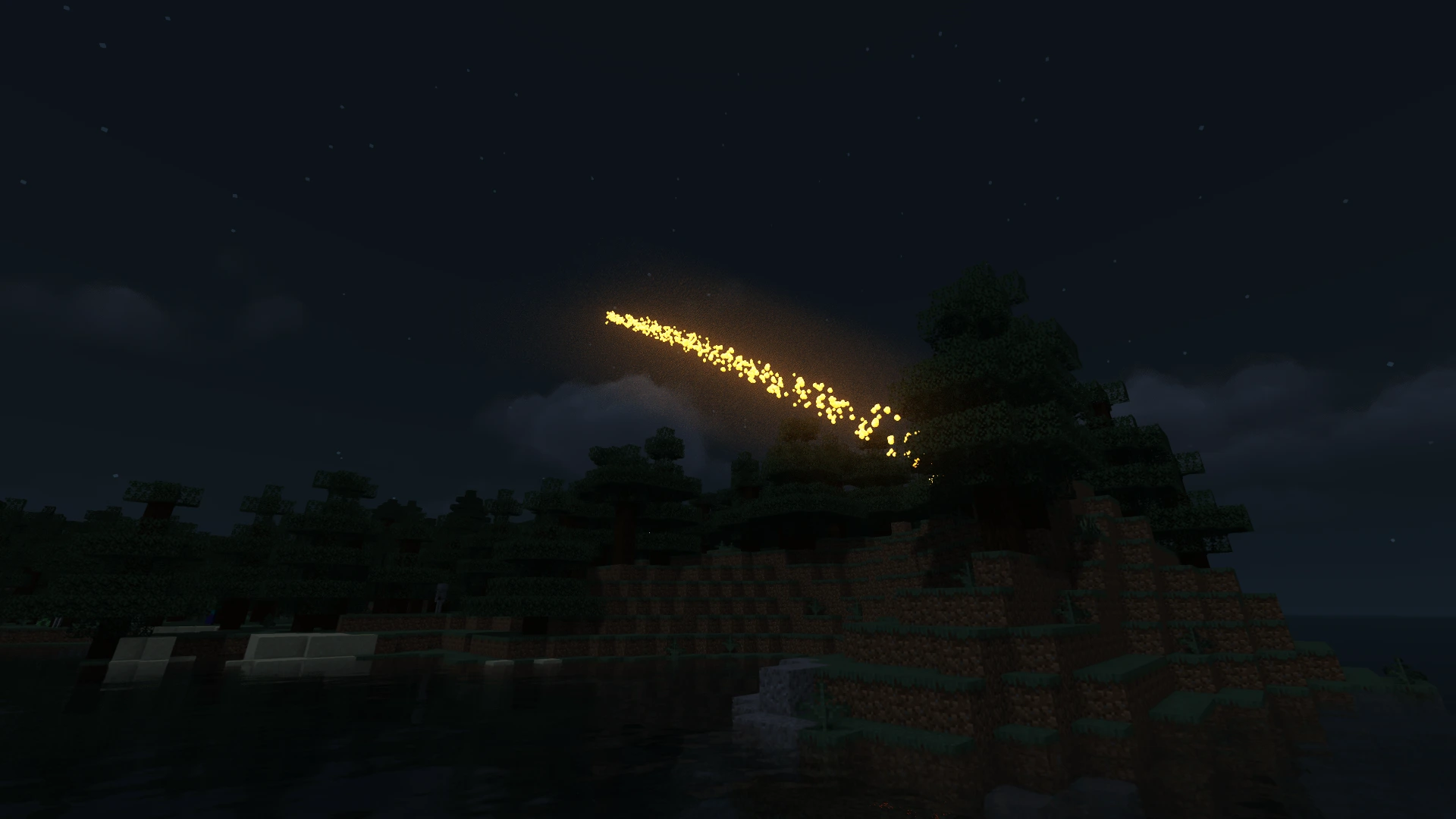
介绍
OpenFlares adds a configurable, multiplayer-ready flare gun system to Minecraft. Load colored cartridges, fire server-authoritative flare projectiles, and leave dense smoke trails that can remain visible far beyond vanilla chunk render distance when the server allows it.
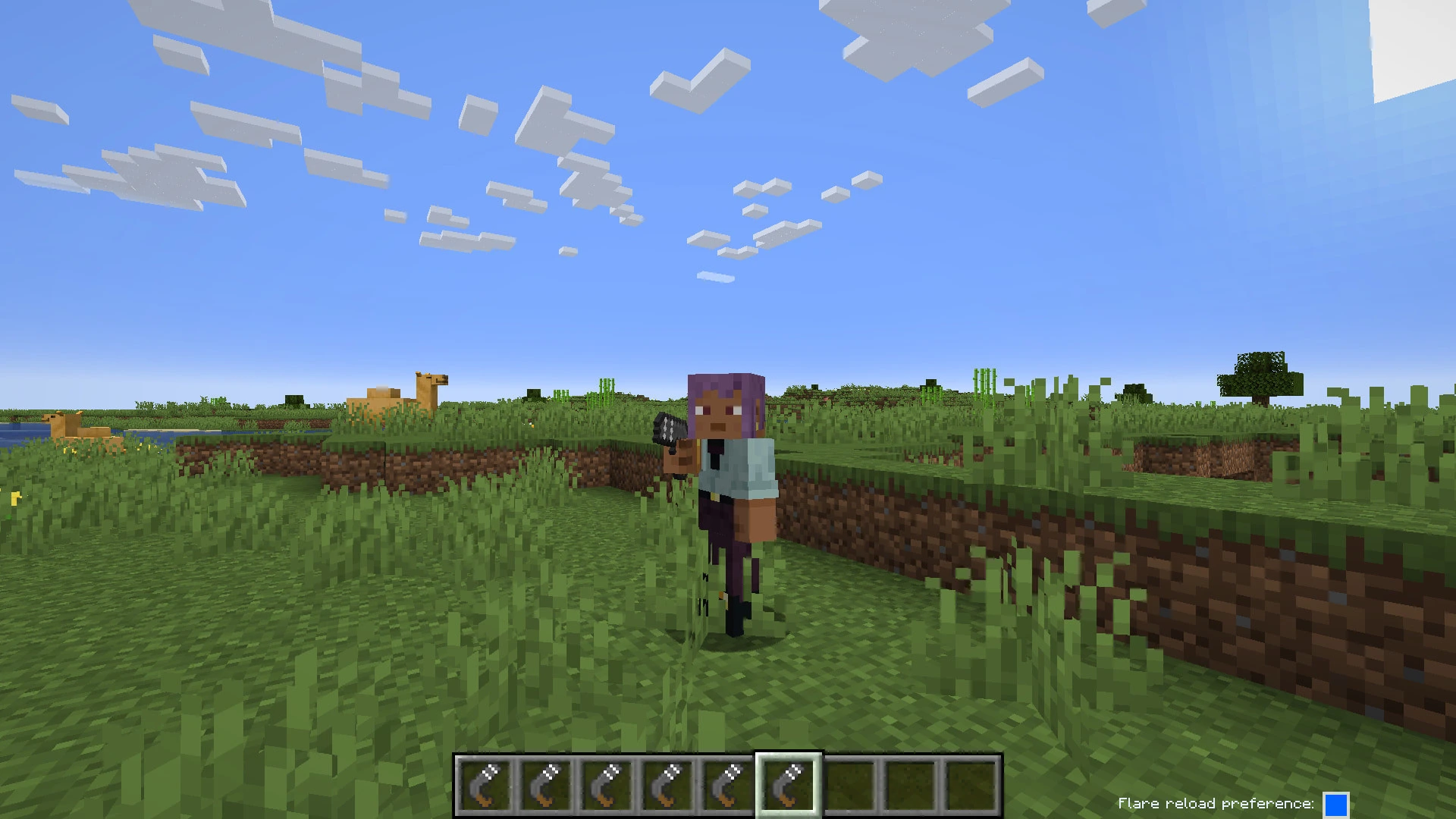
Fire a flare gun loaded with yellow, green, red, black, purple, or blue cartridges. The server simulates the flare projectile, publishes smoke clouds to clients, and controls the gameplay-facing limits. Clients render the smoke with configurable visual styles, optional long-distance smoke, and accessibility settings for players who need clearer color identification.
Feature Highlights
- Flare gun item with empty and colored flare cartridges.
- Yellow, green, red, black, purple, and blue flare colors.
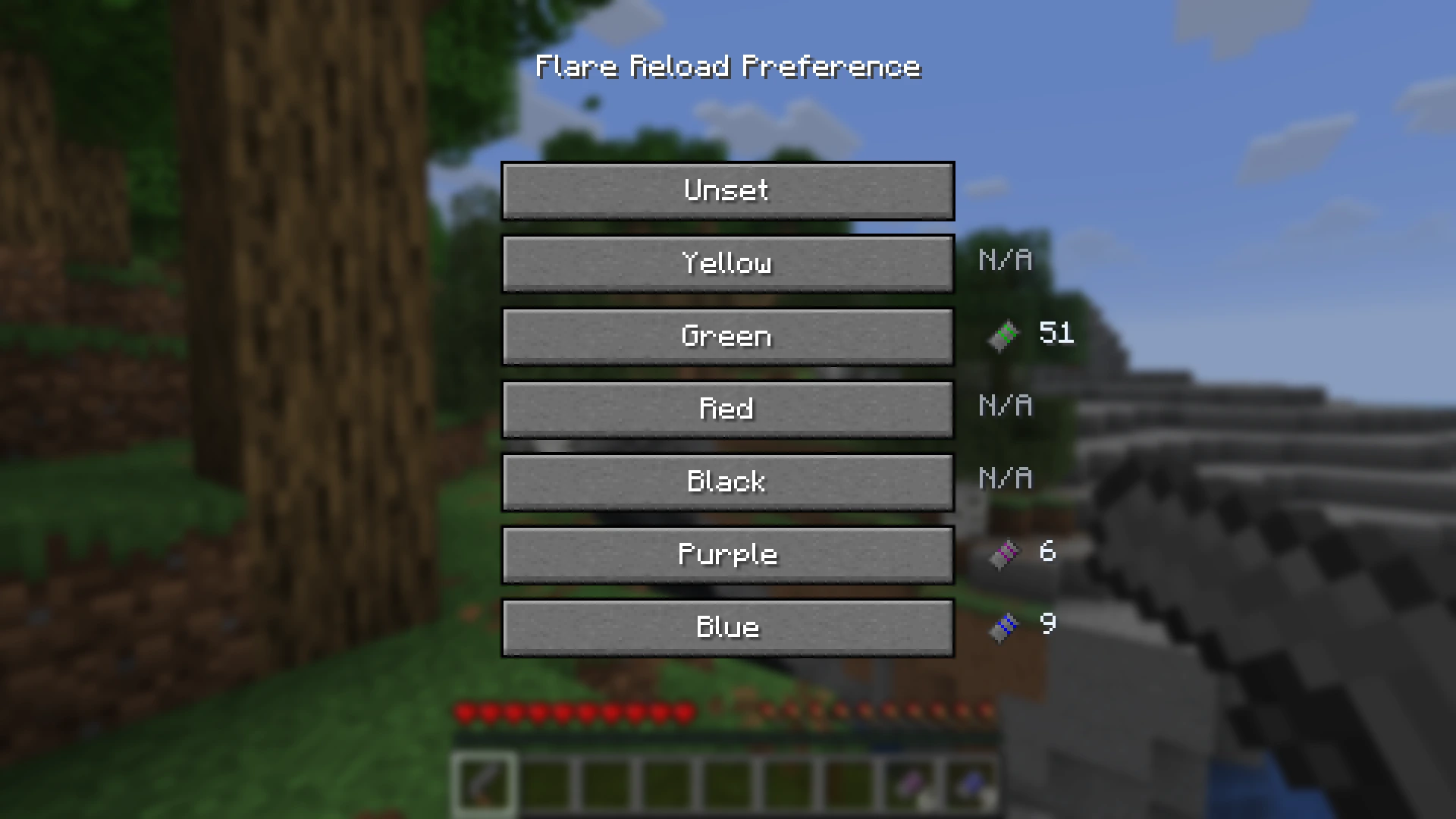
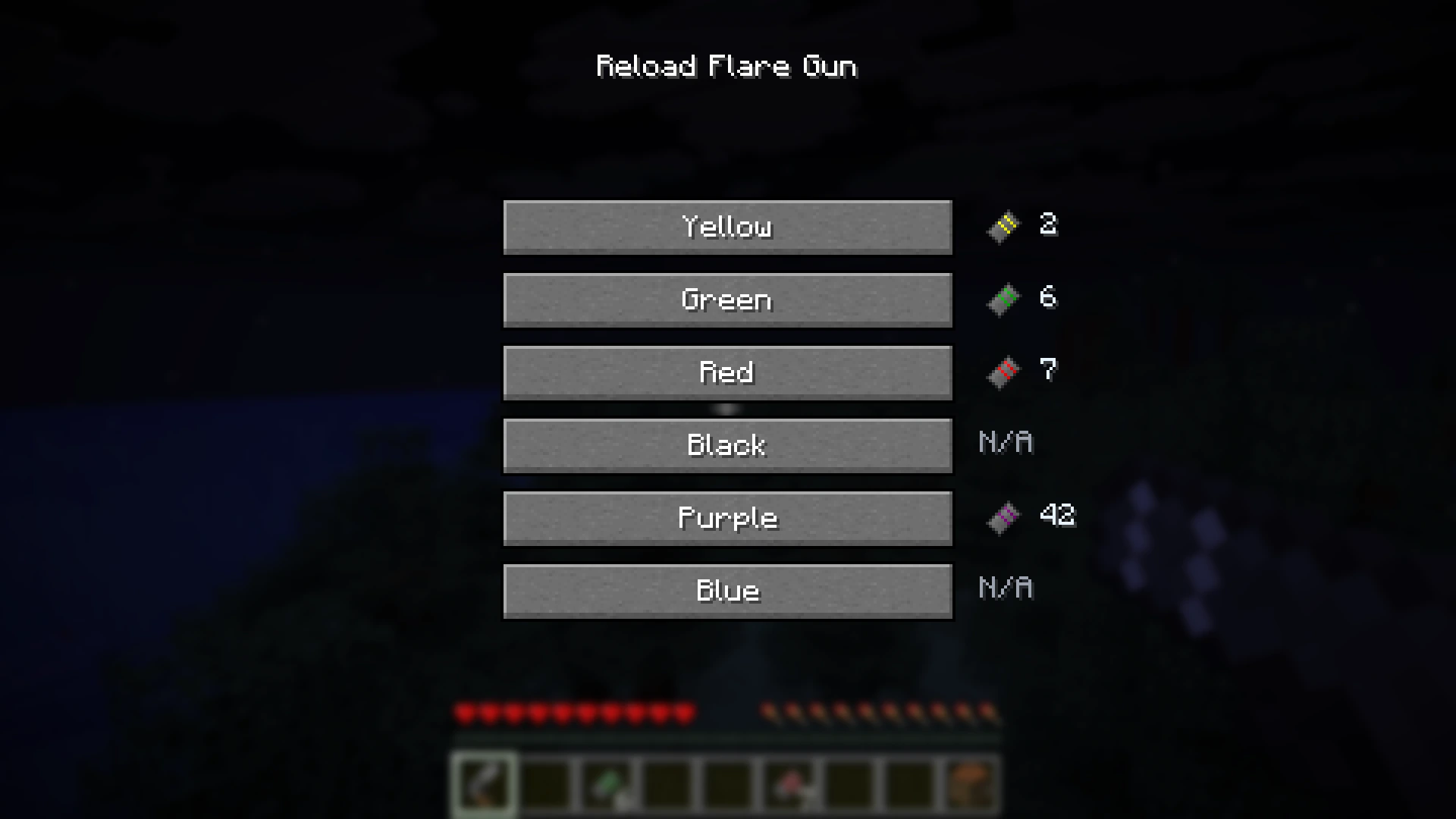
- Loading, unloading, firing, and reload-preference controls.
- Crafting recipes for the flare gun, empty cartridges, and colored cartridges.
- Server-authoritative flare projectile travel, limits, collision behavior, and smoke publication.
- Configurable projectile speed, gravity, drag, maximum distance, flight timeout, hit damage, smoke lifetime, smoke opacity, and smoke size.
- Long-distance 3D flare smoke that can render beyond vanilla chunk render distance when enabled by the client and allowed by the server.
- Server-side far-smoke line-of-sight occlusion, so distant smoke can be hidden by opaque terrain even if the obstruction is outside the player’s chunk render distance all the while transparent blocks such as glass remain see-through.
- Adaptive far-smoke occlusion budgets for ray checks and optional missing-chunk loading.
- Client-side stable smoke colors, enabled by default, to reduce lighting, view-angle, and background color shifts.
- Optional color-blind accessibility label that names the flare smoke color the player is looking at.
- Optional background behind accessibility labels for extra readability.
- Fabric Mod Menu and NeoForge mod-list config screens.
- Separate client-side and server-side config screens.
/openflares reload servercommand for op-level config reloads.
Smoke Renderer Options
The server selects the smoke renderer and syncs that choice to clients.
| Renderer |Description |
| ————————————– |———————————————————————————————————————- |
| Friday’s Vanilla+ Textures |Default renderer. Uses FridayNextWeek’s color-specific texture sets, with a dedicated look for each flare color. |
| Friday’s Vanilla+ Textures #2 |Uses FridayNextWeek’s generic Vanilla+ smoke frames for a softer vanilla-style sequence. |
| Minecraft Smoke Textures |Uses vanilla Minecraft smoke particle frames while keeping OpenFlares distance, occlusion, and far-rendering behavior. |
| OpenFlares Particles (Spherical) |Dense, clean OpenFlares spherical particle smoke. |
| OpenFlares Particles (Spherical-Bumpy) |Rougher spherical OpenFlares smoke using Arrowstorm_1000’s CC-BY-SA-4.0 bumpy smoke texture. |
| OpenFlares Billboards |Stylized layered billboard smoke with a broad silhouette. |
Accessibility
OpenFlares includes smoke readability options intended to help players identify flare colors in difficult lighting or when color perception varies between players.
- Stable smoke colors are enabled by default.
- Black flare smoke is rendered as pure black.
- The optional smoke color label can be off, a pop-up label, or a persistent label.
- When multiple flare colors are under the crosshair, the label can show the closest color or list all visible colors from closest to farthest.
- The label position and text scale are configurable independently from the flare gun reload-preference overlay.
Configuration
OpenFlares writes two TOML config files:
| File |Side |Purpose |
| ———————– |—— |————————————————————————————————— |
| open_flares-client.toml |Client |Local smoke rendering, overlays, and accessibility settings. |
| open_flares-server.toml |Server |Flare gun behavior, projectile simulation, smoke behavior, network limits, and far-smoke occlusion. |
In single player and locally hosted worlds, the server-side config screen edits the server settings for worlds hosted from that Minecraft install. On dedicated servers, edit open_flares-server.toml on the server host, then run /openflares reload server as an operator to reload and sync the settings.
Supported Targets
| Minecraft |Fabric |NeoForge |
| ——— |——— |——— |
| 1.21.1 |Supported |Supported |
| 1.21.11 |Supported |Supported |
| 26.1.2 |Supported |Supported |
| 26.2 |Supported |Supported |
Runtime Dependencies
Install the OpenFlares jar that matches both your Minecraft version and your loader.
| Loader |Dependencies |
| ——– |—————————————————— |
| Fabric |Fabric Loader, Fabric API, and Fabric Language Kotlin. |
| NeoForge |NeoForge and Kotlin for Forge. |
For multiplayer, install OpenFlares on the server and on every client that wants to use or see OpenFlares content.
License And Credits
OpenFlares code, documentation, build logic, translations, data files, and UI definitions are licensed under AGPL-3.0-or-later.
Most original OpenFlares art, audio and texture assets are licensed under CC-BY-SA-4.0 unless stated otherwise. New original OpenFlares assets use CC-BY-SA-4.0 by default unless their file-level metadata documents a different license.
Some visual and sound assets use their own licenses. See CREDITS.md, COPYRIGHT.md, and REUSE.toml in the source-code repository for the authoritative asset credits and license metadata.
Contributor submitted assets:
| Author |Asset(s) |License |
| ————— |——————————- |———— |
| Arrowstorm_1000 |flare_smoke_spherical_bumpy.png |CC-BY-SA-4.0 |
External asset credits recorded in REUSE.toml:
| Author |Asset(s) |License |
| ————– |———————————————————————————— |——— |
| FridayNextWeek |Friday’s Vanilla+ smoke texture frames in textures/particle/fridays_vanilla_plus/ |ARR |
| SpringySpringo |flare_gun_reloading_2.ogg, source: https://opengameart.org/content/gun-reload-sounds |CC0-1.0 |
| MidFag |flare_gun_fire.ogg, source: https://opengameart.org/content/steampiston |CC-BY-3.0 |
常见问题
OpenFlares – Flare Guns! 支持哪些 Minecraft 版本?
OpenFlares – Flare Guns! 支持 Minecraft Java 版 1.21–26.2,共 5 个版本,可用的加载器:Fabric / NeoForge。下载时注意选择和你游戏版本一致的文件。
OpenFlares – Flare Guns! 怎么安装?
先用 PCL2 或 HMCL 启动器安装对应版本的 Fabric / NeoForge,再把下载的 .jar 文件放进游戏目录的 mods 文件夹,重新启动游戏即可。开启了版本隔离的,mods 文件夹在 versions/版本名 下面。运行环境:客户端和服务端都要装。
oggvik 的其他作品
查看全部 →
Hear the Wind
Client-side wind ambience for fast airborne movement.

Revive Through Grass! [PlayerRevive add-on]
Interact with a downed teammate through server-approved, non-solid blocks such as grass, tall grass, and flowers, without allowing revival through walls.

Fullscreen Tweaks
Expands Minecraft's window settings with native and borderless fullscreen modes, customizable focus-loss behavior, and independent loading-screen options — including staying minimized until the game finishes launching!
Fullscreen Tweaks
Expands Minecraft's window settings with native and borderless fullscreen modes, customizable focus-loss behavior, and independent loading-screen options — including staying minimized until the game finishes launching!
评论
登录后评论和评分