
Reload server.properties
Adds a command to reload server.properties without restarting. Supports Forge & Fabric.
介绍
How to Use
Use the command /properties reload to reload the server.properties file (requires permission level 2 or higher). You will see a report of which properties were changed, and which are unsupported.
Supported Properties
As of 1.18, the following properties are supported:
allow-flightallow-netherbroadcast-console-to-opsbroadcast-rcon-to-opsdifficultyenable-command-blockenable-jmx-monitoringenable-queryenable-rconenable-statusenforce-whitelist[ When enabled, it will kick non-whitelisted players even if the whitelist is disabled. This is consistent with Minecraft’s existing inconsistency (for ex./deopcommand will do the same). ]entity-broadcast-range-percentageforce-gamemode[ Only affects players who login after the change. Use/defaultgamemodeto set game mode for all online players. ]function-permission-level[ Only takes place after reloading resource packs using/reload]gamemode[ Only affects players who login after the change. Use/defaultgamemodeto set game mode for all online players. ]hardcore[ The heart icon and respawn menu will only update for players who login after the change, but respawning itself works as expected. ]max-players[ Only affects players who try to login after the change. ]max-world-sizemotdnetwork-compression-threshold[ Only affects players who login after the change. When changed while a player is logging in, it might cause the connection to be setup incorrectly and cause errors. Be careful. ]online-mode[ Only affects players who login after the change. ]op-permission-level[ Works the same as editingserver.propertiesand restarting, i.e. it only applies to users/op‘d after the change and does not affect existing operators. ]player-idle-timeoutprevent-proxy-connections[ Only affects players who login after the change. ]pvpquery.portrcon.password[ Any currently connected RCON clients will be disconnected. ]rcon.port[ Any currently connected RCON clients will be disconnected. ]require-resource-pack[ Only affects players who login after the change. ]resource-pack[ Only affects players who login after the change. ]resource-pack-prompt[ Only affects players who login after the change. ]resource-pack-sha1[ Only affects players who login after the change. ]simulation-distancespawn-animalsspawn-monstersspawn-npcsspawn-protectionview-distancewhite-list
Unsupported Properties
generate-structuresgenerator-settingslevel-namelevel-seedlevel-typemax-tick-timerate-limitresource-pack-hash[ Useresource-pack-sha1instead. ]server-ipserver-portsnooper-enabledsync-chunk-writestext-filtering-configuse-native-transport
Installation
The mod only works on dedicated servers. The following mod loaders are supported:
- Fabric (note: this mod does not require Fabric API)
- Forge
After you install the mod loader of your choice, download the mod and place the .jar file into the mods folder of your server.
常见问题
Reload server.properties 支持哪些 Minecraft 版本?
Reload server.properties 支持 Minecraft Java 版 1.17.1–1.18.2,共 4 个版本,可用的加载器:Fabric / Forge。下载时注意选择和你游戏版本一致的文件。
Reload server.properties 怎么安装?
先用 PCL2 或 HMCL 启动器安装对应版本的 Fabric / Forge,再把下载的 .jar 文件放进游戏目录的 mods 文件夹,重新启动游戏即可。开启了版本隔离的,mods 文件夹在 versions/版本名 下面。运行环境:仅服务端。
chylex 的其他作品
查看全部 →
Custom Window Title
客户端模组,可修改窗口标题(支持特殊占位符)和窗口图标。支持 Forge 和 Fabric】【。

Hardcore Ender Expansion
彻底重做末地,新增大量可探索区域、可挑战的Boss和可获取的奖励。

Better Sprinting
控制疾跑、潜行和飞行的新方式。
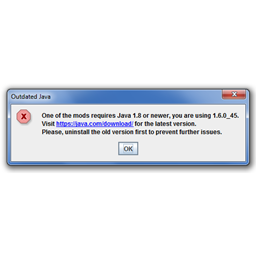
Java Version Checker
如果用户使用的是过时的 Java 版本,会发出提醒。适用于无法在 Java 6 或 7 上运行的整合包。
评论
登录后评论和评分