
Unified Legacy Settings
This mod adds native setting options to Legacy4J's menus for various mods.
截图
介绍




Native Legacy4J Mod Settings
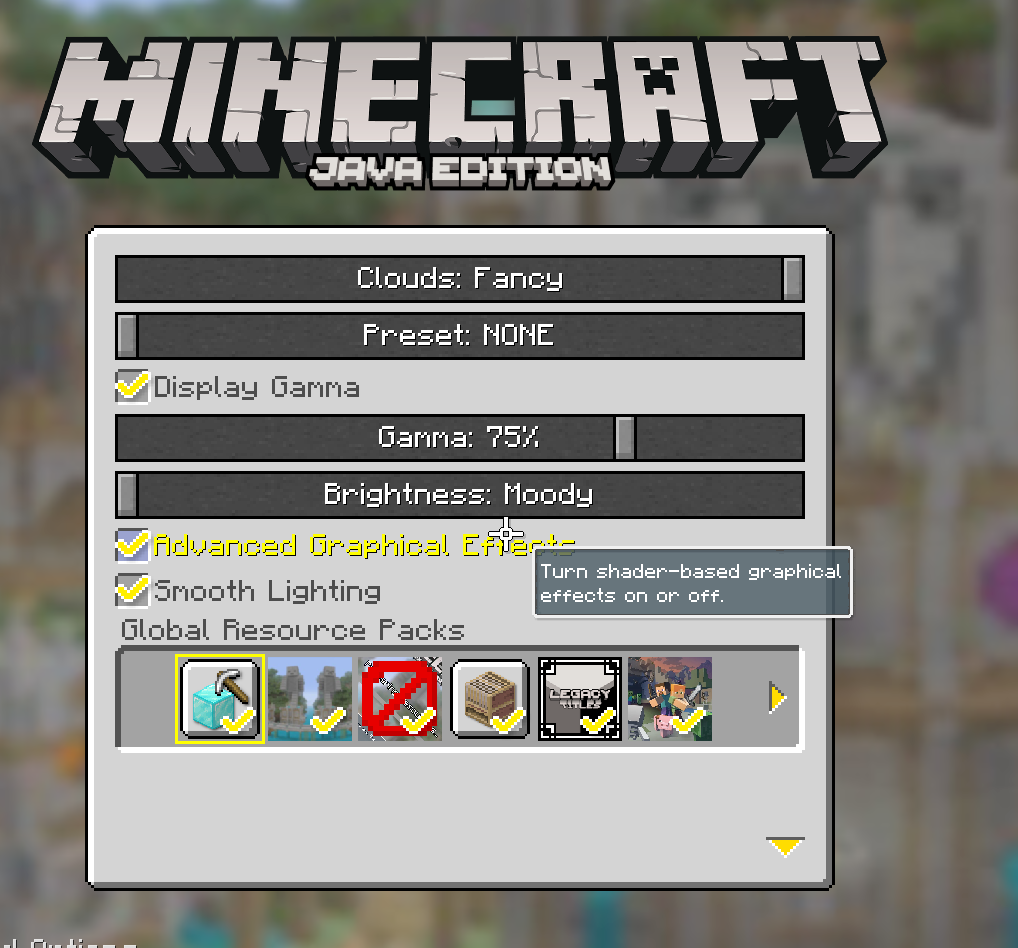
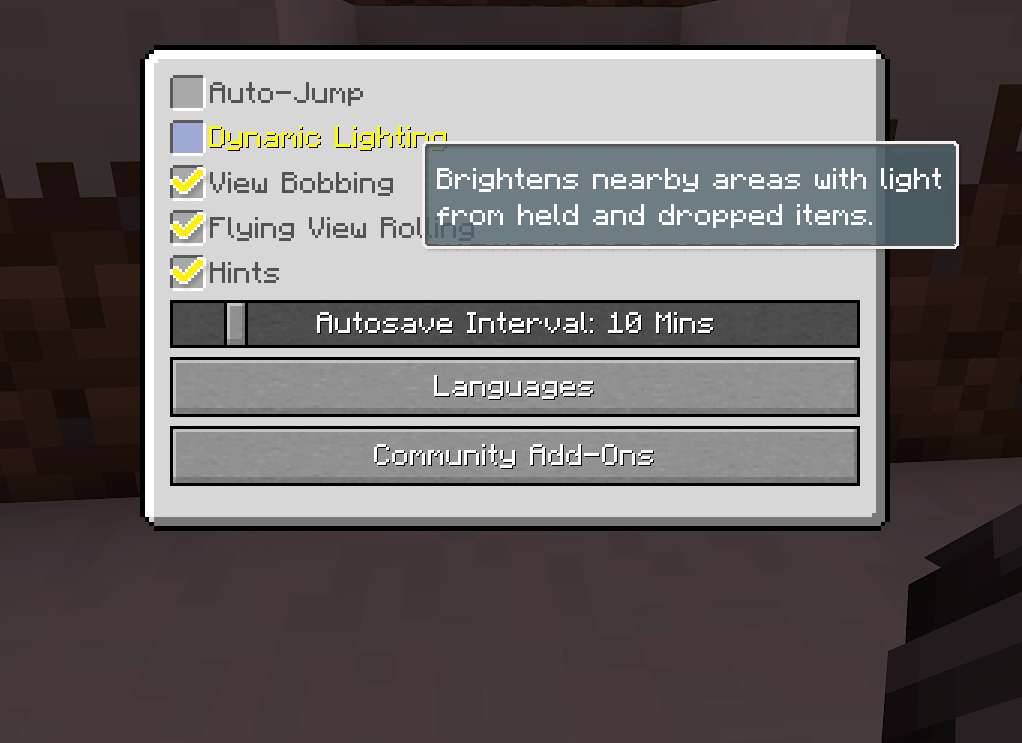
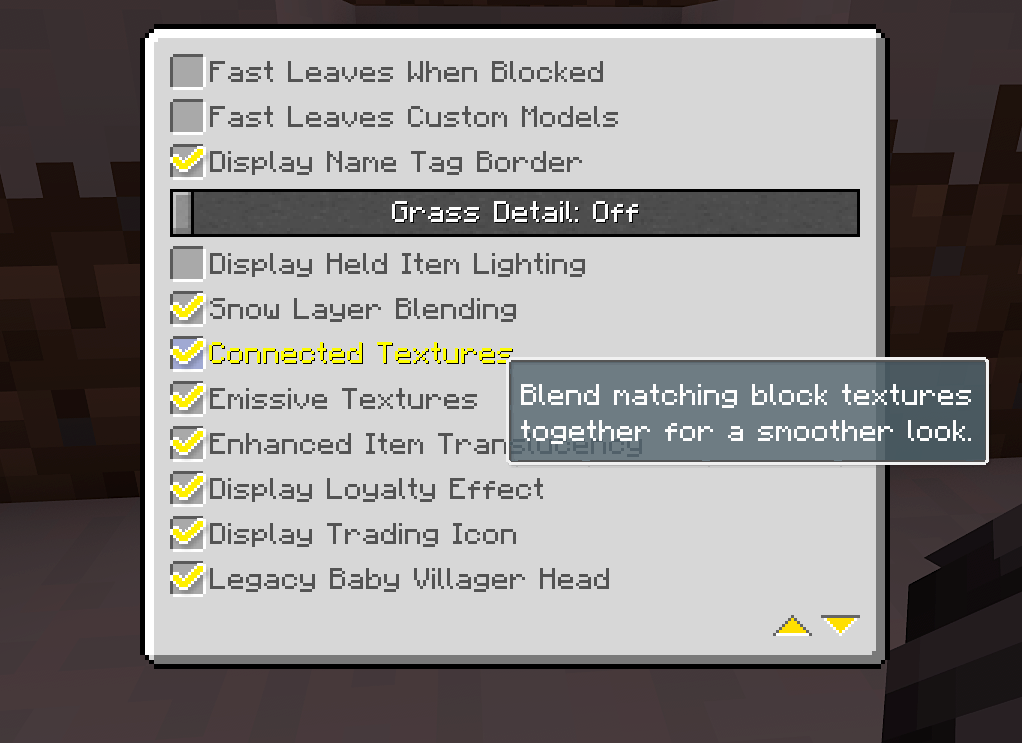
Unified Legacy Settings adds supported mod options directly into the Legacy4J settings menus. Setting names and descriptions are styled to match the original LCE interface
and options.


| Setting | Mod Required |
|—|—|
| Advanced Graphical Effects | Iris |
| Extended Render Distance | Bobby |

| Setting | Mod Required |
|—|—|
| Grass Detail | LambdaBetterGrass |
| Snow Layer Blending | LambdaBetterGrass |
| Connected Textures | Continuity |
| Emissive Textures | Continuity |
| Third-Person Animations | Not Enough Animations |

| Setting | Mod Required |
|—|—|
| Dynamic Lighting | LambDynamicLights |
| Zoom | Zoomify |
| Locator Compass | Locator Lodestones |
| Minimap | Xaero’s Minimap |

| Setting | Mod Required |
|—|—|
| Presence Footsteps | Presence Footsteps |

| Setting | Mod Required |
|—|—|
| Chat Portraits | Chat Heads |
| Take Screenshot on Achievement | Advancement Screenshot |
More mods to be supported in the future…

You can tweak things through Mod Menu → Unified Legacy Settings → Config
or the Unified Legacy Settings entry in Legacy4J’s Advanced User Interface
screen.

Everything listed under Supported Mods is optional. The following are required:
Mod Menu is optional and only needed for the Mod Menu config shortcut.
Not affiliated with the Legacy4J developers · MIT License
常见问题
Unified Legacy Settings 支持哪些 Minecraft 版本?
Unified Legacy Settings 支持 Minecraft Java 版 1.21.1–26.2,共 5 个版本,可用的加载器:Fabric。下载时注意选择和你游戏版本一致的文件。
Unified Legacy Settings 怎么安装?
先用 PCL2 或 HMCL 启动器安装对应版本的 Fabric,再把下载的 .jar 文件放进游戏目录的 mods 文件夹,重新启动游戏即可。开启了版本隔离的,mods 文件夹在 versions/版本名 下面。运行环境:仅客户端。
mtxCore 的其他作品
查看全部 →
Mod Menu Filter
ModMenu Filter 是 Mod Menu 的扩展,可帮助你整理、分类和查找模组

Hide Minimega Leaderboards
This mod removes the "Leaderboards" added by Minimega button from the Legacy4J title screen.
Raftbound
Core mod for the Raftbound modpack
评论
登录后评论和评分