
UI Keybinds
Adds shortcuts to navigate the UI buttons — without a mouse!
截图
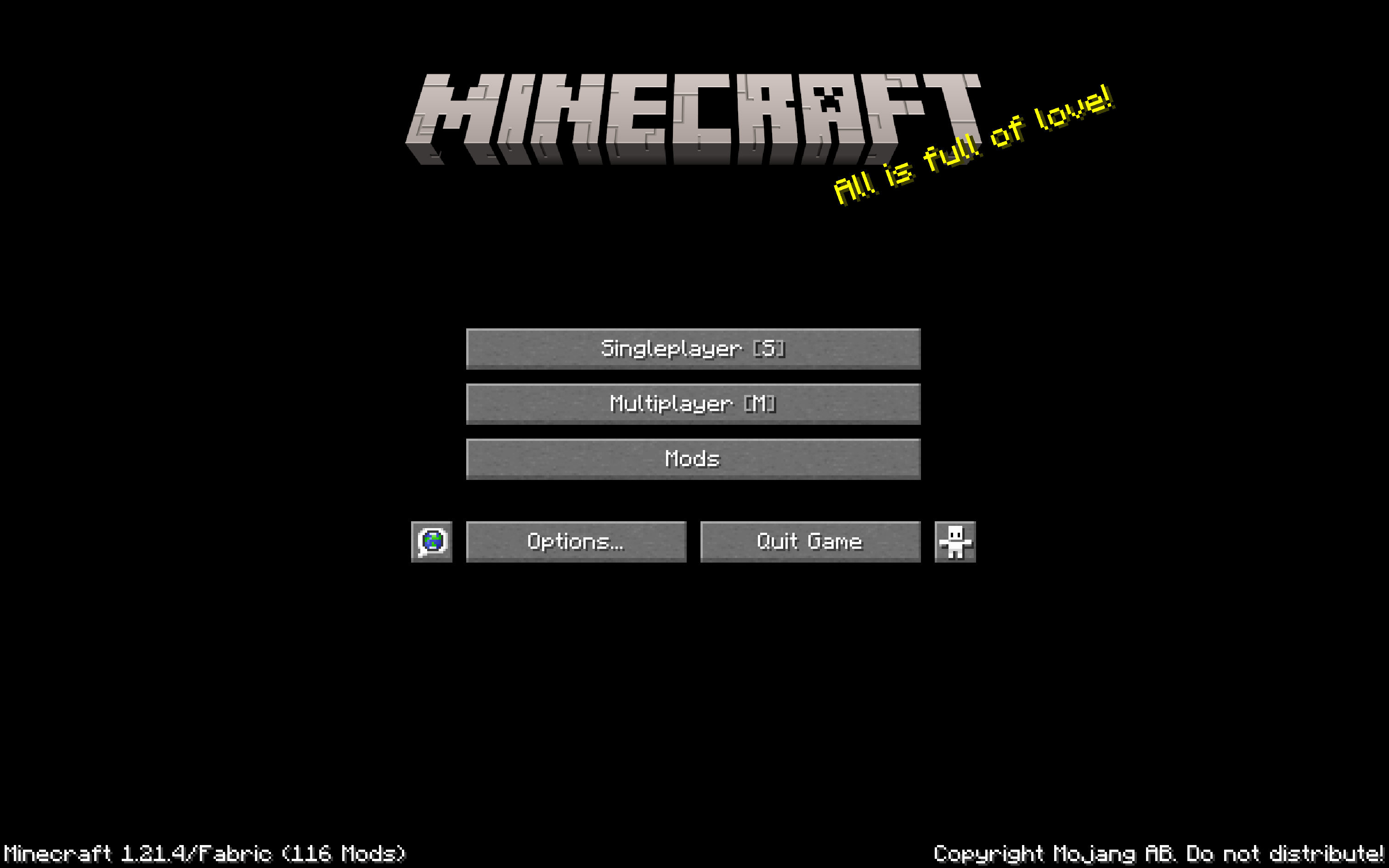
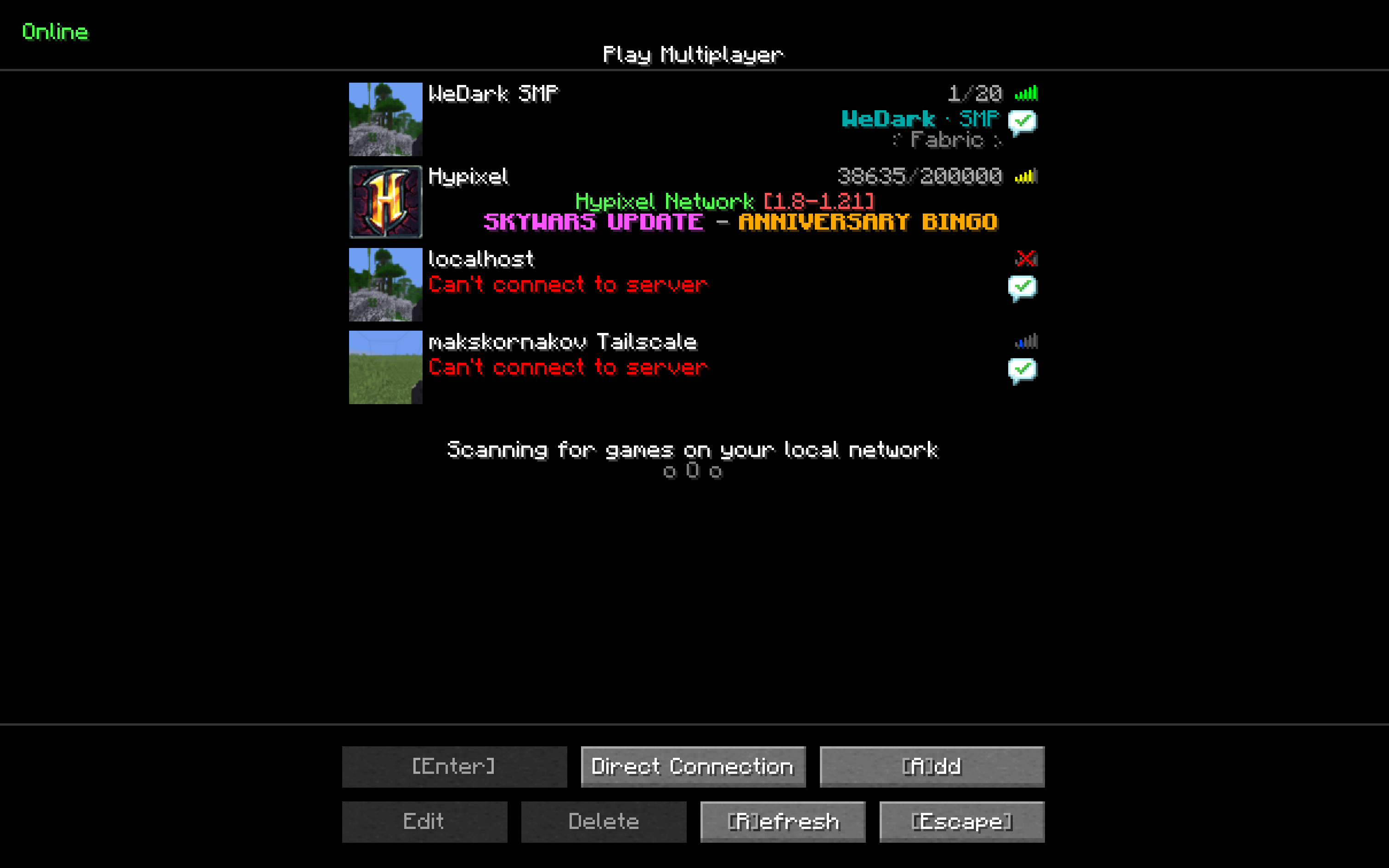
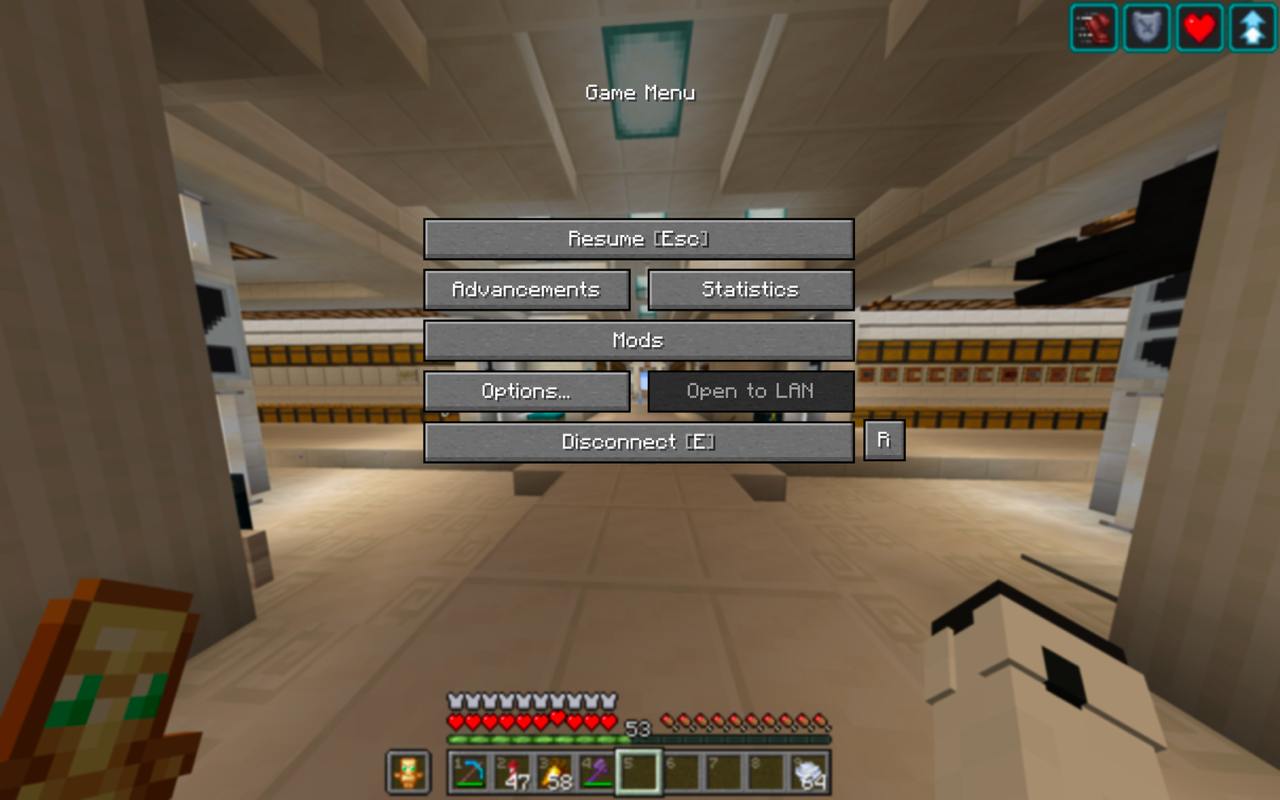
介绍
The killer feature is the ability to use the UI with keyboard only, with no pain.
E.g. MM on Title Screen joins the first server in your multiplayer list.
Keybinds
There are currently the following keybinds:
- Main Menu
Sto open the World Selection ScreenMto open the Server Selection ScreenMMto join the first server in your server list- World Selection Screen
- _Searchbox is automatically selected when opening screen so you can start typing immidiately_
Enterto join the top-most world on the search list- Server Selection Screen
Mto join the first server in the server listAto add new serverDto open the direct connect screen (not implemented yet)1-9to join the corresponding server in the server list- Server Disconnect Screen
ESCto return to Server Selection ScreenRto reconnect to the server- Creative Menu
Tabto automatically switch to the search page and automatically select textboxTabwhen you have the textbox selected to clear it
Im open to suggestions for more keybinds!
Resource Pack
This mod comes with a built-in resource pack that shows keybinds in the UI
Why can’t I rebind these keys in controls?
This mod does not use the minecraft keybinding system, so as to prevent conflicts (ex. S to open world selection screen would block movement backwards).
You can code a ModMenu integration for user config — I’ll accept PRs for that as soon as possible.
Contributing
I’m open to suggestions for more keybinds!
If you are a developer wanting to contribute, or you’ve found a bug — please open an issue here
Feel free to open Pull Requests!
This is an updated fork of https://modrinth.com/mod/better-ui-keybinds
常见问题
UI Keybinds 支持哪些 Minecraft 版本?
UI Keybinds 支持 Minecraft Java 版 1.21.3–1.21.11,共 9 个版本,可用的加载器:Fabric。下载时注意选择和你游戏版本一致的文件。
UI Keybinds 怎么安装?
先用 PCL2 或 HMCL 启动器安装对应版本的 Fabric,再把下载的 .jar 文件放进游戏目录的 mods 文件夹,重新启动游戏即可。开启了版本隔离的,mods 文件夹在 versions/版本名 下面。运行环境:仅客户端。
artginzburg 的其他作品
查看全部 →
Insomnia Notifier
Shows phantom risk — as a vanilla effect icon.
Insomnia Notifier
Shows phantom risk — as a vanilla effect icon.

Max Level Info
See enchantment & potion level — Sharpness II / V, or Bad Omen I / V

Colored Enchantment Names
Each item type has a color — Armor / Weapon / Trident
评论
登录后评论和评分