TechFull Emeralds
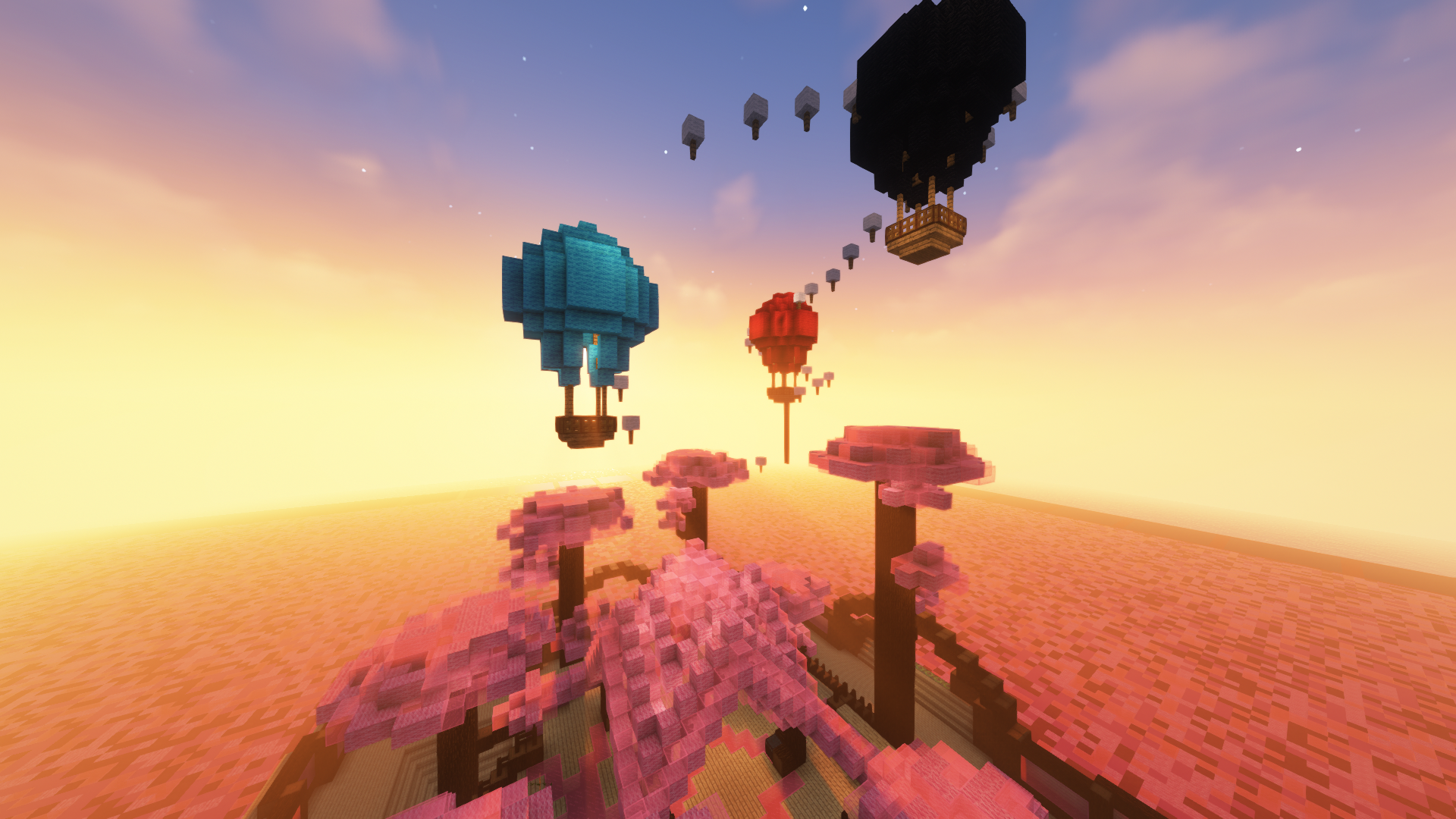
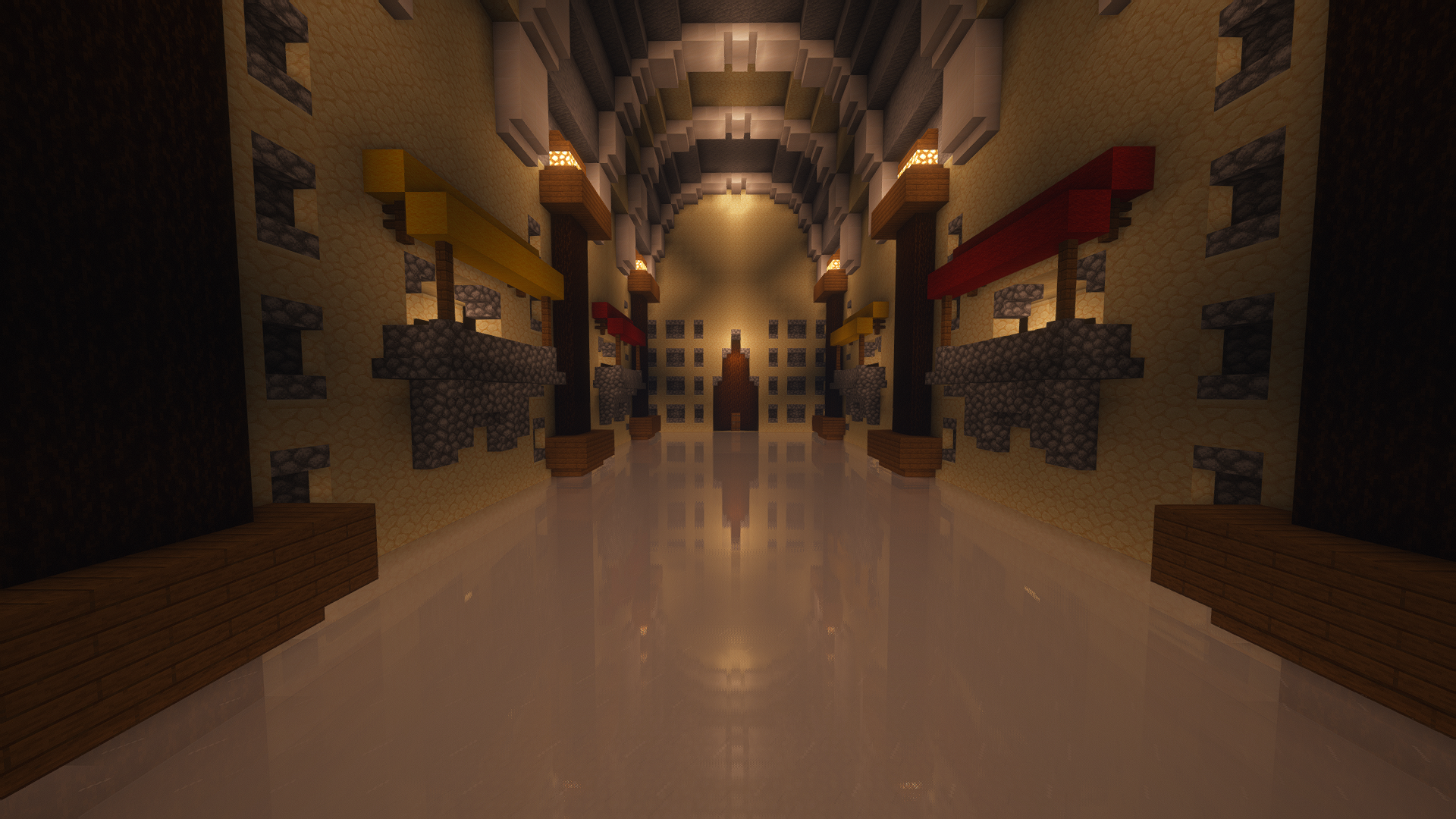
TechFull Emeralds is a shader inspired by the complementary shader, the shader is compatible with the TechFull x32 texture pack. This shader offers a complete immersion to be able to play with reflections of a very high quality. For a better immersion it i
截图
介绍
Installation
– First you need to install either “Optifine” or the “Iris” mod to be able to load shaderpacks. (Choose Iris if you are confused)
– Then you need to launch the game, and get to the Shaderpacks/Shaders menu in Video Settings.
– Open the shaderpacks folder by clicking the button in the menu.
– Download TechFull Emeralds and put it in the shaderpacks folder. (Please don’t unzip the file)
– Get back in the game, and choose Reimagined in the shaderpacks menu. (Refresh the menu if it doesn’t appear)
Performance, gameplay, beauty, compatibility; It will try to provide you with the most issueless experience possible within limitations of the shader pipeline. It runs reasonably fast, supports almost every GPU and driver, works well with mods that no one thought a shader pack could be compatible with, fixes problems that no other shader packs addressed before, doesn’t disturb you with excessive effects, and most importantly, it looks good according to the users.
常见问题
TechFull Emeralds 支持哪些 Minecraft 版本?
TechFull Emeralds 支持 Minecraft Java 版 1.12.2–1.16.5,共 5 个版本。下载时注意选择和你游戏版本一致的文件。
TechFull Emeralds 怎么安装?
光影需要先装 Iris 或 OptiFine。把下载的 .zip 文件(不用解压)放进游戏目录的 shaderpacks 文件夹,进游戏后在「选项 → 视频设置 → 光影包」里选中它。光影对显卡要求较高,卡顿可以调低光影设置或渲染距离。
naligator 的其他作品
查看全部 →
Technocraft
Placed several accelerator blocks and walked on them to move you very quickly ... Why not join the lost world? Discover a new murky dimension with new minerals, new enemies and new structures ... But if you like basic Minecraft TNT then you will love th
Better Universe
Better Universe is a minecraft mod in 1.19.2 under forge allowing the player to discover several planets, notably Mars and Mercury, in order to discover new construction possibilities with futuristic technology.
Neo Phone
Neo Phone is a mod adding a cell phone to the day, with an integrated market, a compass and applications all more different than useful, Neo Phone is the mod to try if you are looking for a different approach to minecraft.
You’re a Wizzard
MAKE YOUR WAND: Start your magical journey by making your own unique wand. Choose from a variety of wand woods to create the perfect instrument for your spellcasting adventures. Meet mythical creatures in your world and put your new magical abilities to th
评论
登录后评论和评分