
EarthShade
EarthShade EarthShade is a modern realistc shader pack for iris/optifine which has very good overworld,the nether and end are still a work in progress,(still has visual bugs please support my project)
截图


介绍
Earthshade is a shaderpack made for Minecraft: Java Edition. It’s atmospheric, colorful, and designed to give Minecraft a more natural and cinematic look. This shader includes realtime shadows, atmospheric scattering, volumetric clouds, ambient occlusion, custom lighting, enhanced water, and improved skies. Additional effects include parallax mapping, reflections, bloom, temporal anti-aliasing, custom sun and moon rendering, and more.
INSTALLATION
Download and install Iris Shaders or OptiFine
Download Earthshade
Put the shaderpack inside .minecraft\shaderpacks
Launch Minecraft
Open Options → Video Settings → Shader Packs
Select Earthshade
This is still a work in progress,and voxel gi is untested.
常见问题
EarthShade 支持哪些 Minecraft 版本?
EarthShade 支持 Minecraft Java 版 1.21–1.21.11,共 12 个版本,可用的加载器:Iris / OptiFine。下载时注意选择和你游戏版本一致的文件。
EarthShade 怎么安装?
光影需要先装 Iris / OptiFine。把下载的 .zip 文件(不用解压)放进游戏目录的 shaderpacks 文件夹,进游戏后在「选项 → 视频设置 → 光影包」里选中它。光影对显卡要求较高,卡顿可以调低光影设置或渲染距离。
earthball1235 的其他作品
查看全部 →
ANTI AFK wobblemod
it randomly looks at blocks and looks back basically undetectabale for smps
Auto Keybind Changer
it changes keybinds based on which server u play. gng i dont know if it works bcz i only tested it in one server and also i only use one keybind for everything so i really dont know so please tell me .
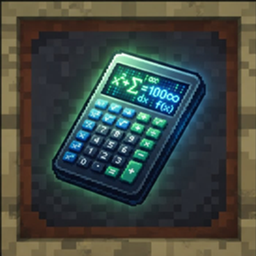
Caculatortooltip
A fully GUI-driven Minecraft calculator and utility toolkit — no chat commands. Expression calculator, storage/crafting/portal/farm math, custom functions, and live held-item variables.
Anti afk wooblemod
it randomly looks at blocks and looks human like. anti afk mod
评论
登录后评论和评分