
截图


介绍
retroview


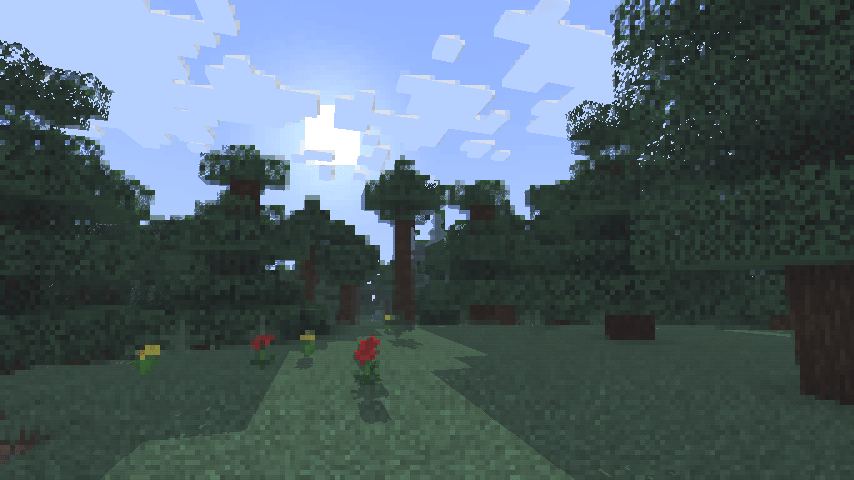
A simple, lightweight, retro-style shader pack for Minecraft!
What does it add?
retroview instantly transforms your Minecraft world with a classic retro screen look, giving everything that retro, pixelated, console feel. It’s pure visual nostalgia layered right on top of vanilla (or your favorite resource packs). No new blocks, no new mechanics. Just a charming retro filter that makes every world feel fresh and different.
Key Features
- Extremely lightweight: Runs smoothly even on lower-end PCs
- Easy installation through Iris
- Works perfectly with vanilla Minecraft and most resource packs
- Supports all Minecraft versions
Why would you want this?
If you’re craving a fun, nostalgic twist on Minecraft, retroview is perfect for you.
Great for:
- Reliving that classic gaming vibe
- Taking cool retro-style screenshots or videos
- Making your survival or creative worlds feel unique and charming
- Just wanting a light, no-fuss visual change that still feels 100% like Minecraft
Created as a simple passion project to bring retro vibes back to modern Minecraft.
Compatibility
- Requires the Iris shader mod
- Tested on Minecraft 1.16.5 – 26.3
Download
retroview is available to download on Modrinth and Curseforge.
Made by project516
常见问题
retroview 支持哪些 Minecraft 版本?
retroview 支持 Minecraft Java 版 1.16.5–26.3,共 35 个版本,可用的加载器:Iris。下载时注意选择和你游戏版本一致的文件。
retroview 怎么安装?
光影需要先装 Iris。把下载的 .zip 文件(不用解压)放进游戏目录的 shaderpacks 文件夹,进游戏后在「选项 → 视频设置 → 光影包」里选中它。光影对显卡要求较高,卡顿可以调低光影设置或渲染距离。
评论
登录后评论和评分