Pocky Shaders
A cosy, natural shader pack for Iris: soft shadows, living water and foliage, juicy sunrises and weather you can feel.
介绍
Pocky Shaders
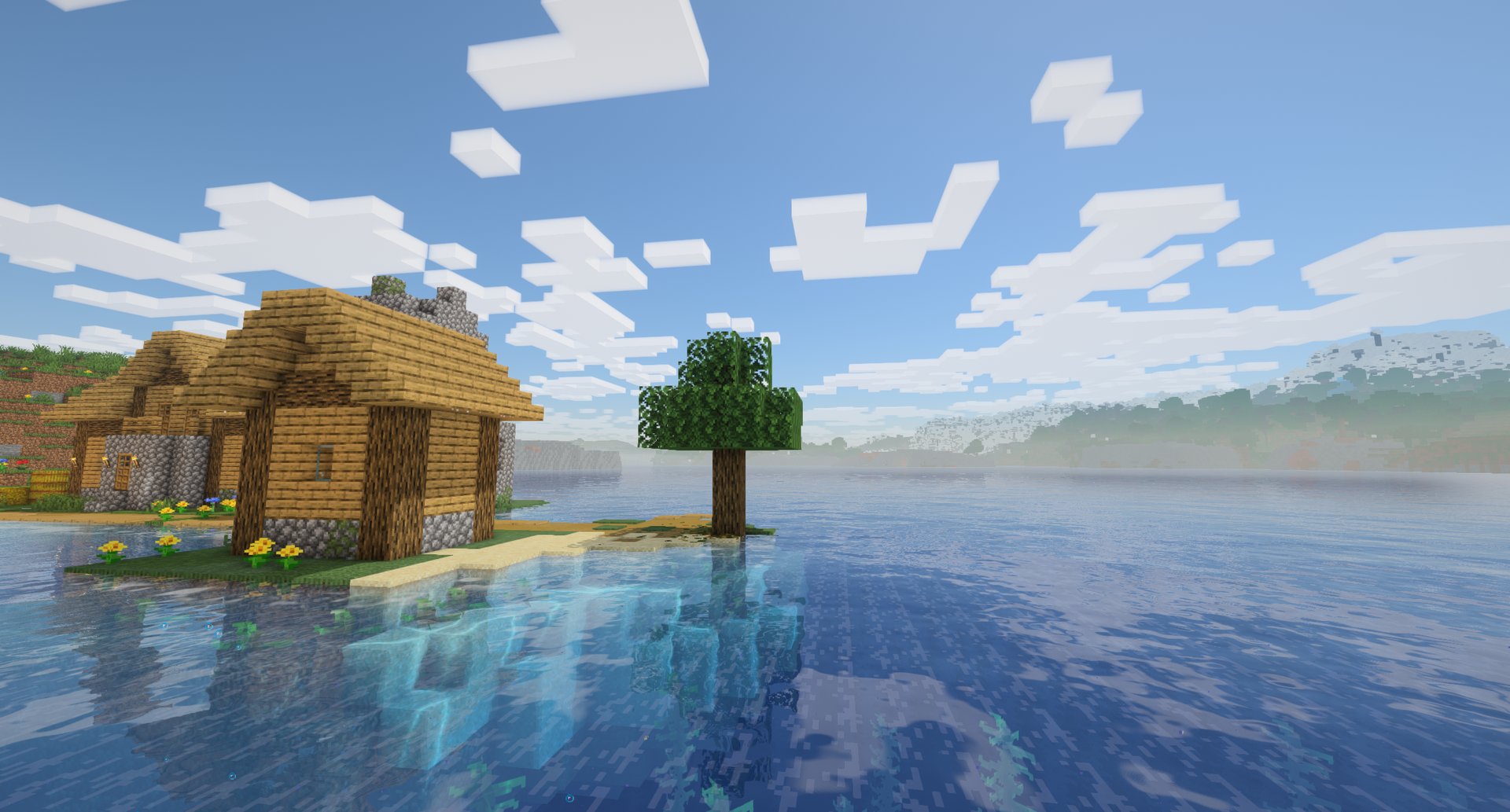
A cosy, natural shader pack for Iris – soft shadows, living water and foliage, juicy sunrises and weather you can feel, while the game still looks like Minecraft. Shows the weather of my rain, snow and leaves mods.
📦 Requires Iris (with Sodium) or Oculus · Minecraft 1.20.1 – 26.3 · put the zip into shaderpacks
✨ Features
- ☀️ Natural light – a physically based sky, a warm low sun, soft coloured shadows with crisp pixel edges, and
colours close to vanilla at noon instead of a repainted world. - 🌅 Juicy sunrises and sunsets on both sides of the sky, a pink dawn with a morning haze, a soft moonlit night.
- ☁️ Vanilla-shaped clouds with volume – the game’s own cloud pattern as lit 3D cubes that cast shadows; size and
height adjustable. - 🌊 Living water – refraction, reflections of the world and sky, sun glitter, caustics, shore foam, foaming
waterfalls, lamp light glowing in the water, a darker sea far from the shore. - 🌾 Waving grass and leaves with light shining through them – also the leaves, flowers, saplings and crops of
other mods, which join through the game’s block tags. - ⛈️ Weather you can feel – a grey overcast in rain, dark thunderstorms with lightning lighting the clouds, wet
ground with puddle patches, rainbows after rain, mist in valleys and swamps. - 🔥 Warm block light – flickering torches, glowing lava that looks hot, caves that follow the game’s Brightness
setting. - 🔭 Distant Horizons support – distant land and water shaded like the near world, with shadows and haze.
- 🎚️ Four quality presets – Low, Medium, High, Ultra on the Profile button, and every effect on its own switch in
the shader pack settings.
💞 Looks best with my visual mods
The mods hand their weather to the pack themselves while it is on – no extra mod needed (their Minecraft 1.21.1 versions; elsewhere the pack shows vanilla weather). Shader pack authors can read it too: the data format.
 ✅ Petrichor: Rain & Storms (1.7.0 or newer) – drizzles, downpours and storms set the sky, light and fog; sun showers, rainbows and wet ground follow its rain; puddles stay still with pixel rain rings; its lightning lights the clouds.
 ✅ Hoarfrost: Snow & Blizzards (1.4.0 or newer) – blizzards stay bright, not dark: the haze closes in with the storm’s visibility and gusts, and the flakes and snow cover take on the pack’s light.
 ✅ Rustling Leaves (2.6.0 or newer) – grass and crowns sway with the same gust waves that blow the leaves; leaves and litter are shaded like the blocks around them.
 ✅ Turbo for Distant Horizons – the distant land fills in fast, and the pack gives it shadows, water and haze.
🎮 Controls
Iris’ own keys: K turns the shaders on and off, R reloads them, O opens the shader pack list.
⚙️ Configuration
Video Settings > Shader Packs > Pocky Shaders > Shader Pack Settings: the quality preset (Profile) and every effect
(lighting, nature, water, sky, weather, post-processing), each on its own switch or slider. Weather from Pocky Mods
there turns the link to the mods above off.
🤝 Compatibility
 ✅ Iris (required) – the pack runs on Iris; its options are in the Iris shader pack menu.
 ✅ Oculus – the Forge port of Iris for Minecraft 1.20.1 runs the pack too; blocks of other mods sway there only if listed by name (Oculus has no block tags).
 ✅ Sodium – required by Iris, works.
 ✅ Distant Horizons (optional) – LOD terrain and water are lit, shadowed and fogged by the pack.
 ✅ Colorwheel (optional) – with Create and other Flywheel mods, contraptions, water wheels, cogs and trains are drawn by Colorwheel with the pack’s light and shadows, so they stay fast and still look like the world around them.
📥 Installation
- Install Iris (with Sodium) for your Minecraft version, 1.20.1 to 26.3 – or
Oculus on Forge 1.20.1. - Put the zip into the
shaderpacksfolder of your game – do not unzip it. - Video Settings > Shader Packs: pick Pocky Shaders.
Coming from the old Pocky Shaders mod (1.x)? Remove pocky_shaders-*.jar from mods; the shaderpacks/Pocky Shaders
folder it installed can be deleted.
📸 Screenshots
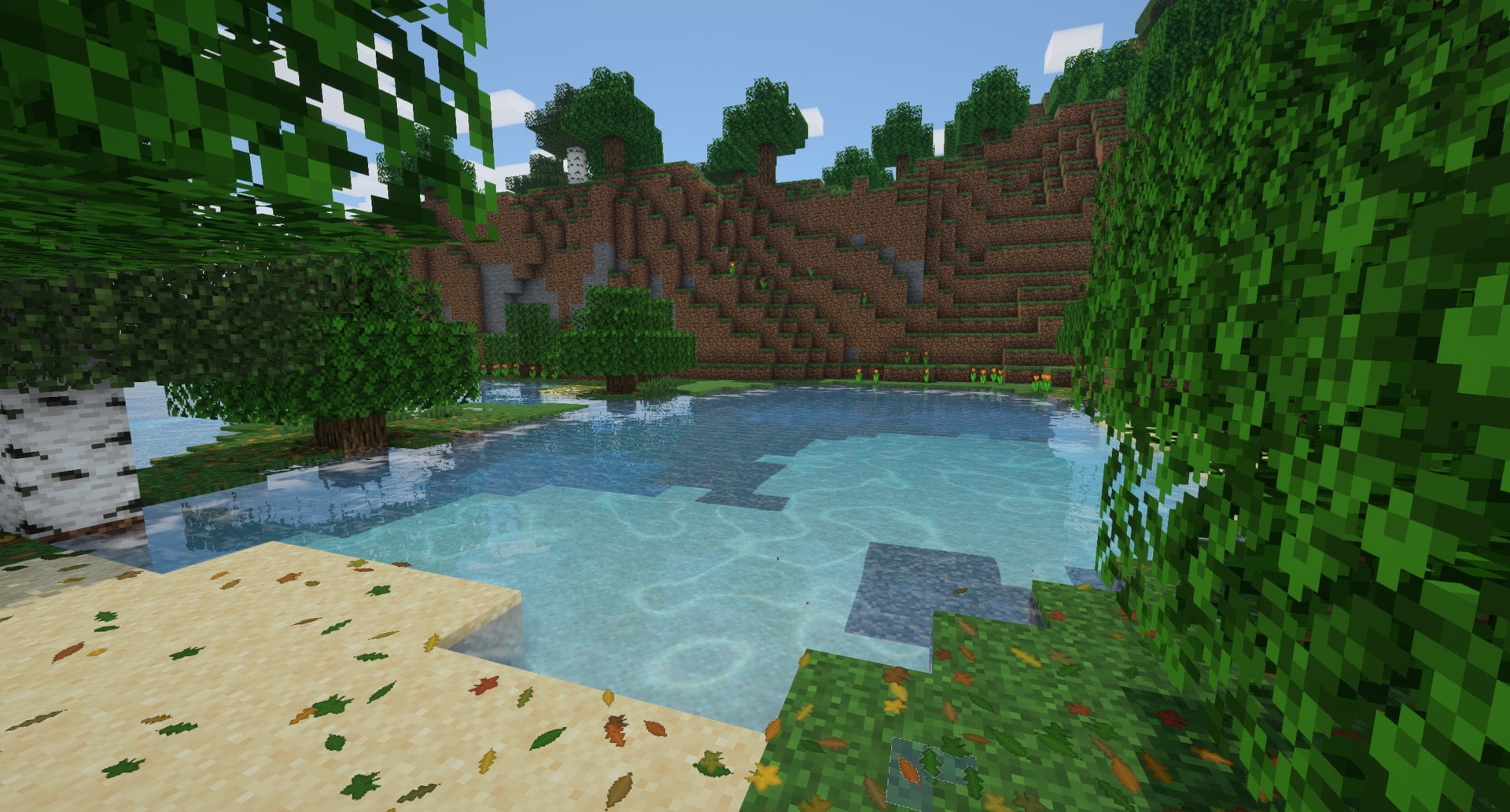
Caustics in a forest pond, with Rustling Leaves
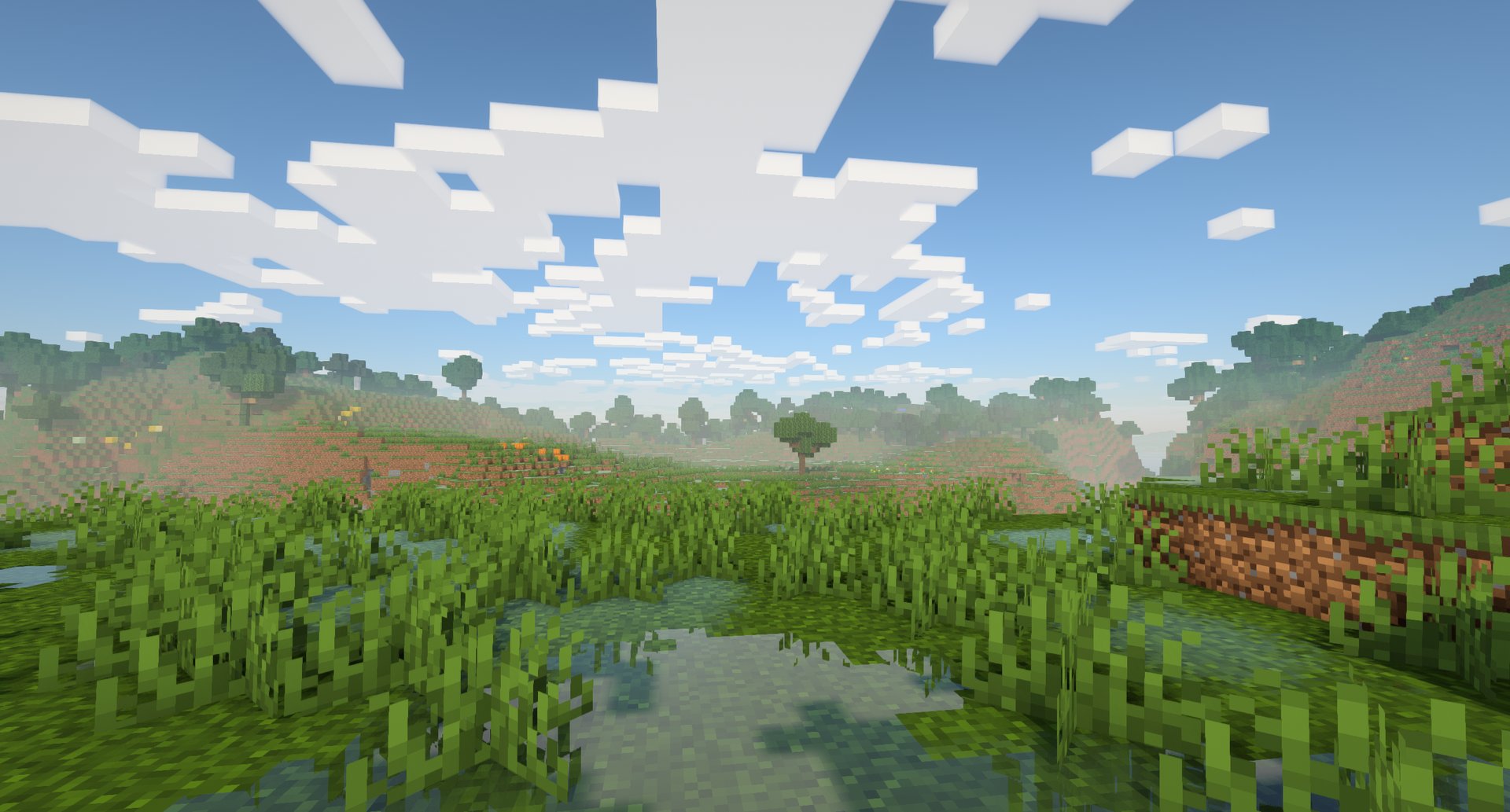
A wet meadow on a clear morning
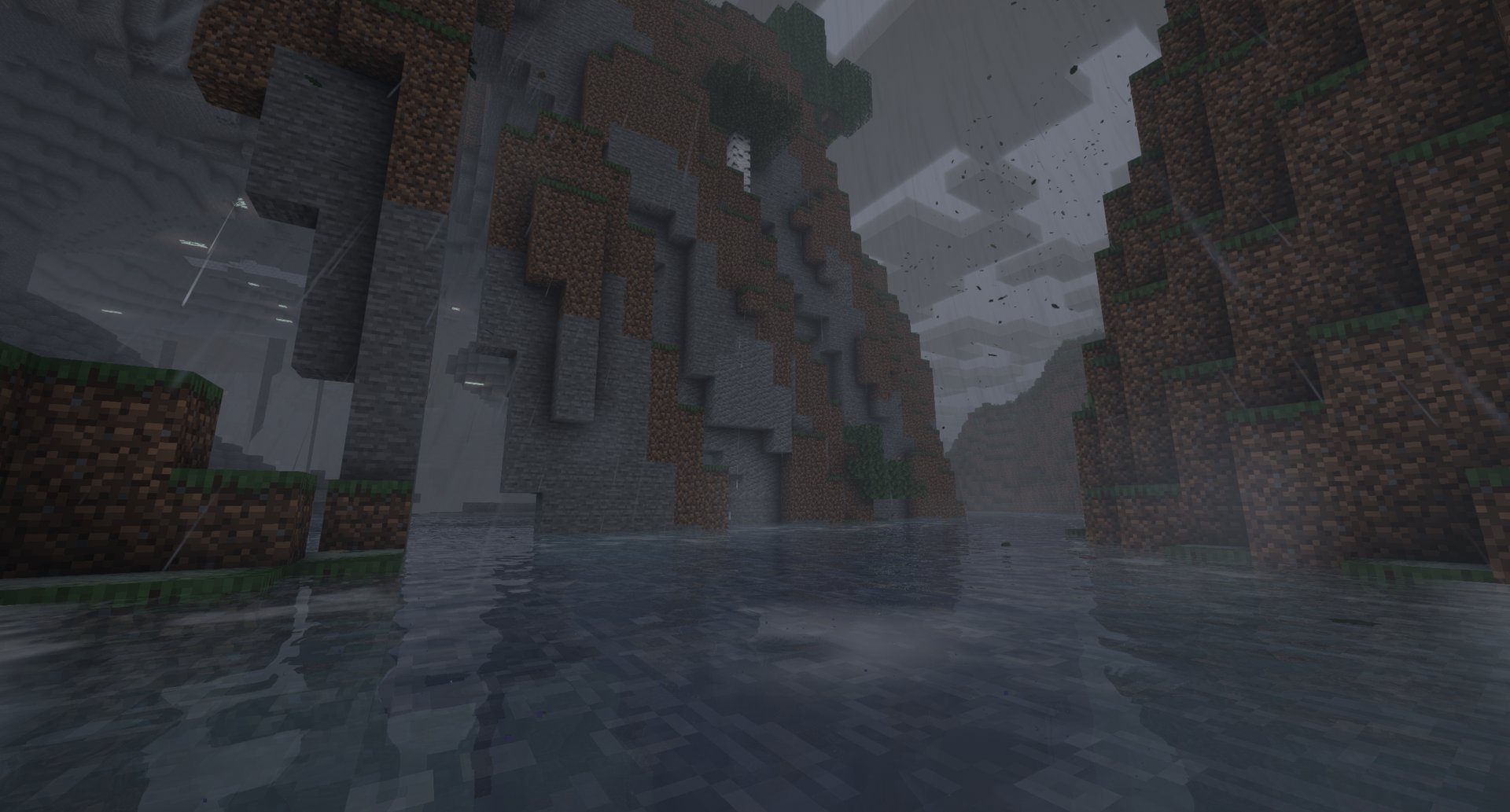
A thunderstorm over a river canyon, with Petrichor
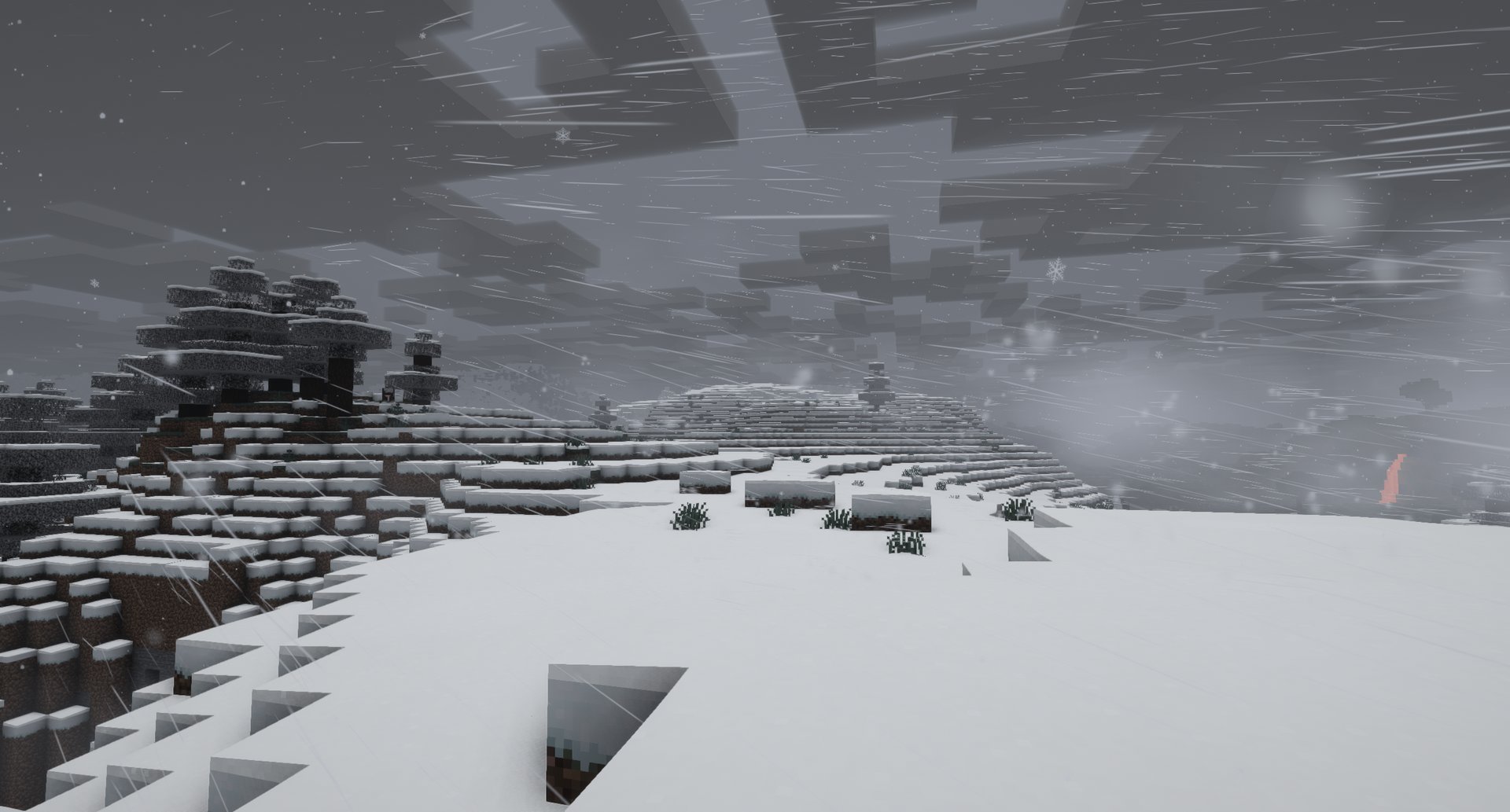
A blizzard in the snowy taiga, with Hoarfrost
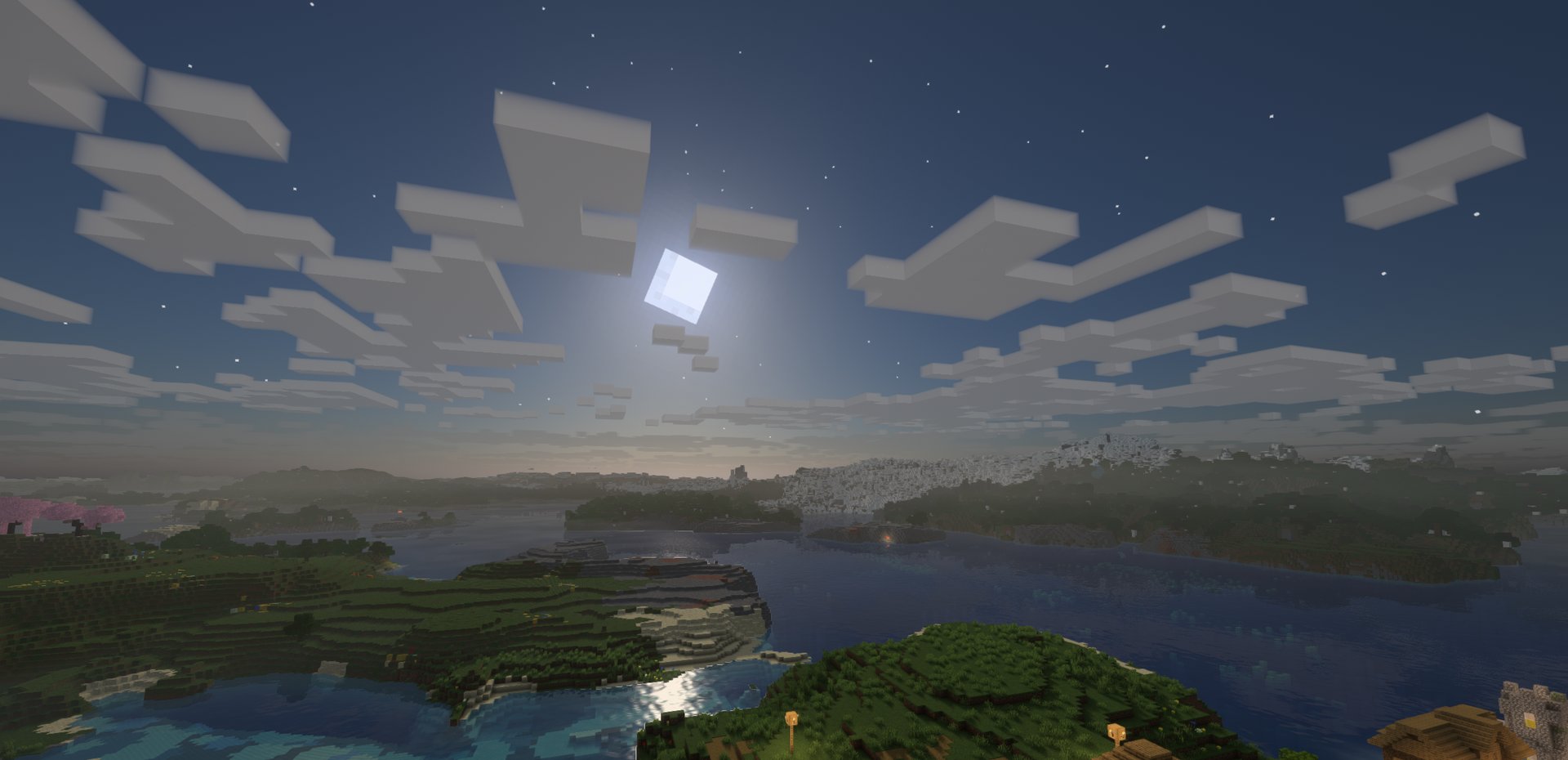
A moonlit night over the coast
💛 Credits
Made by Pocky · source code · released under the MIT license.
More mods by Pocky
🌦️ Weather & nature
Hoarfrost: Snow & Blizzards – seven kinds of snowfall, a living wind and soft snow on the land
Petrichor: Rain & Storms – realistic rain, puddles, drips and branching lightning
Rustling Leaves – falling leaves and leaf piles you can wade through and rake, client-side
💡 Light
 Lumen Rigs – aimable spotlights and floodlights with colored light and visible beams
 Neon Glowsticks – throwable glowsticks that bounce, roll and light up the dark
🎨 Graphics & performance
Turbo for Distant Horizons – Distant Horizons terrain generated several times faster
⚔️ Gear & gameplay
 Holy Staff – a healing staff with three skills and flying heal numbers
 Rancher’s Vacpack – a Slime Rancher vacuum gun for items and small mobs
🔮 Magic
 HexTale – hextech magic to research, distil and bind with runes, inspired by Arcane and Thaumcraft
⚡ Tech & energy
 Mekanism Advanced Generators – nine tiers of solar panels, big solar generators, cubes and cables for Mekanism
🛠️ Server tools
 Inventory Backups – inventory and ender chest backups with one-click restore for admins
常见问题
Pocky Shaders 支持哪些 Minecraft 版本?
Pocky Shaders 支持 Minecraft Java 版 1.20.1–26.3,共 23 个版本,可用的加载器:Iris。下载时注意选择和你游戏版本一致的文件。
Pocky Shaders 怎么安装?
光影需要先装 Iris。把下载的 .zip 文件(不用解压)放进游戏目录的 shaderpacks 文件夹,进游戏后在「选项 → 视频设置 → 光影包」里选中它。光影对显卡要求较高,卡顿可以调低光影设置或渲染距离。
评论
登录后评论和评分