Naruto Shaders
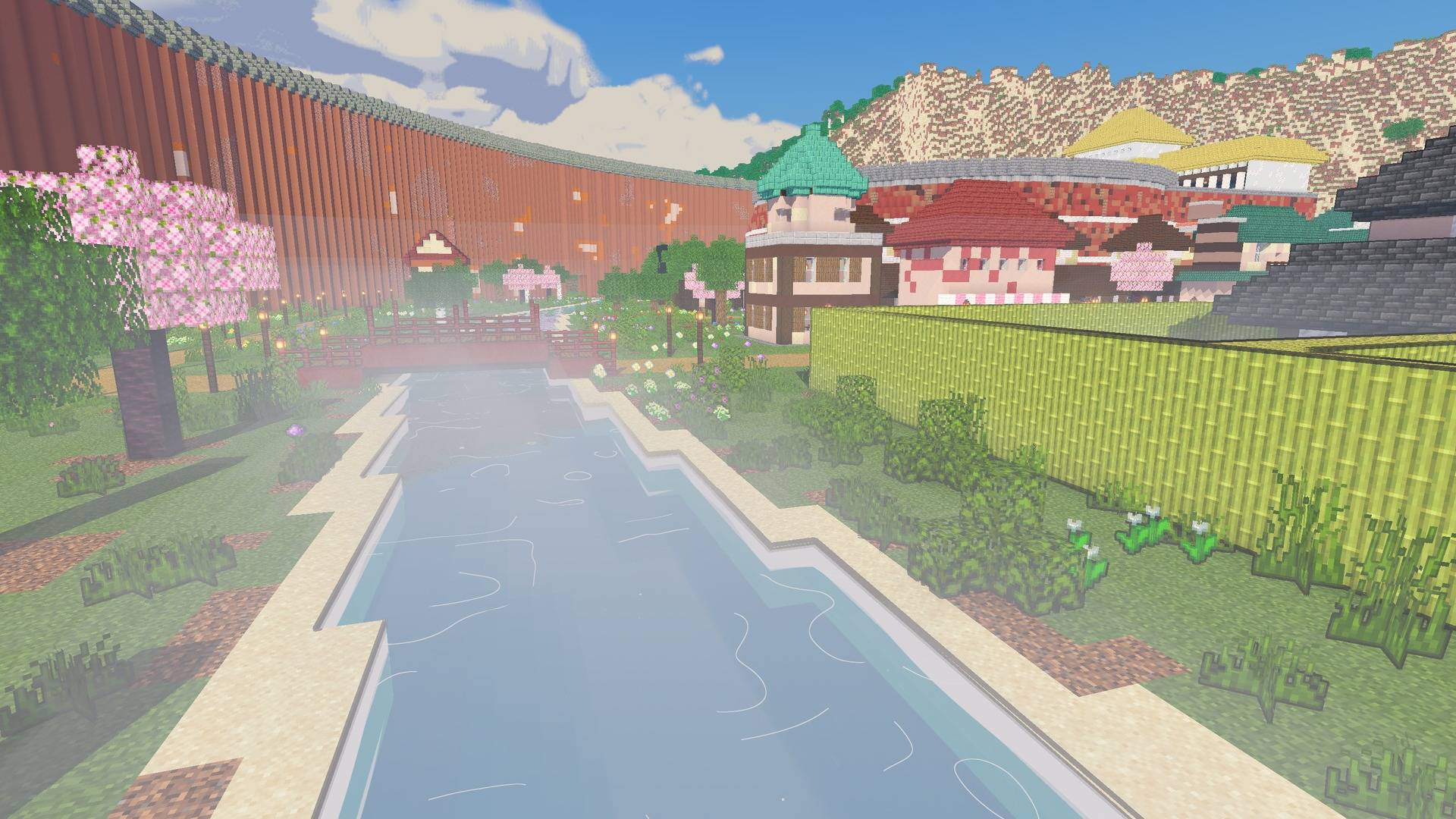
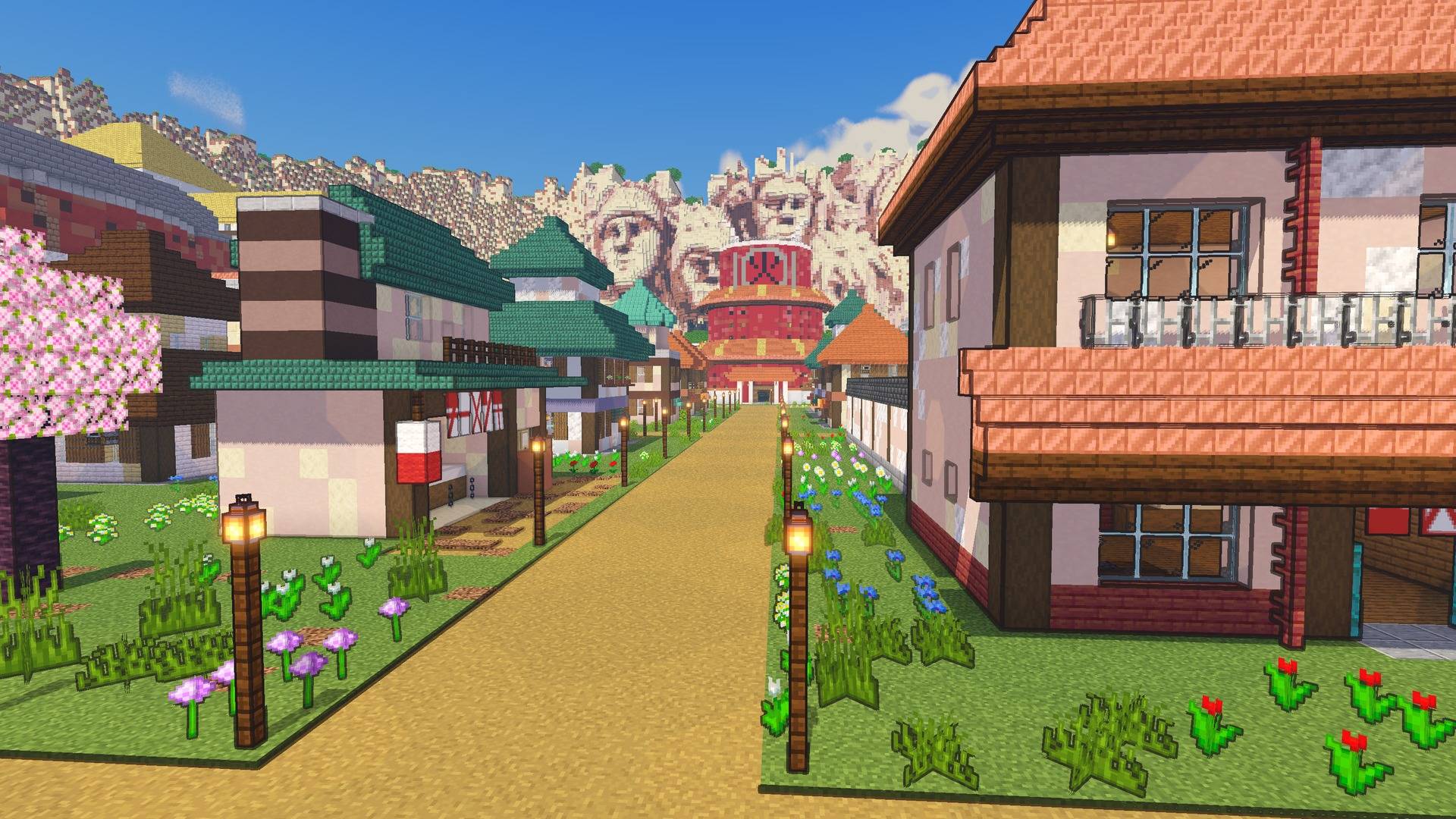
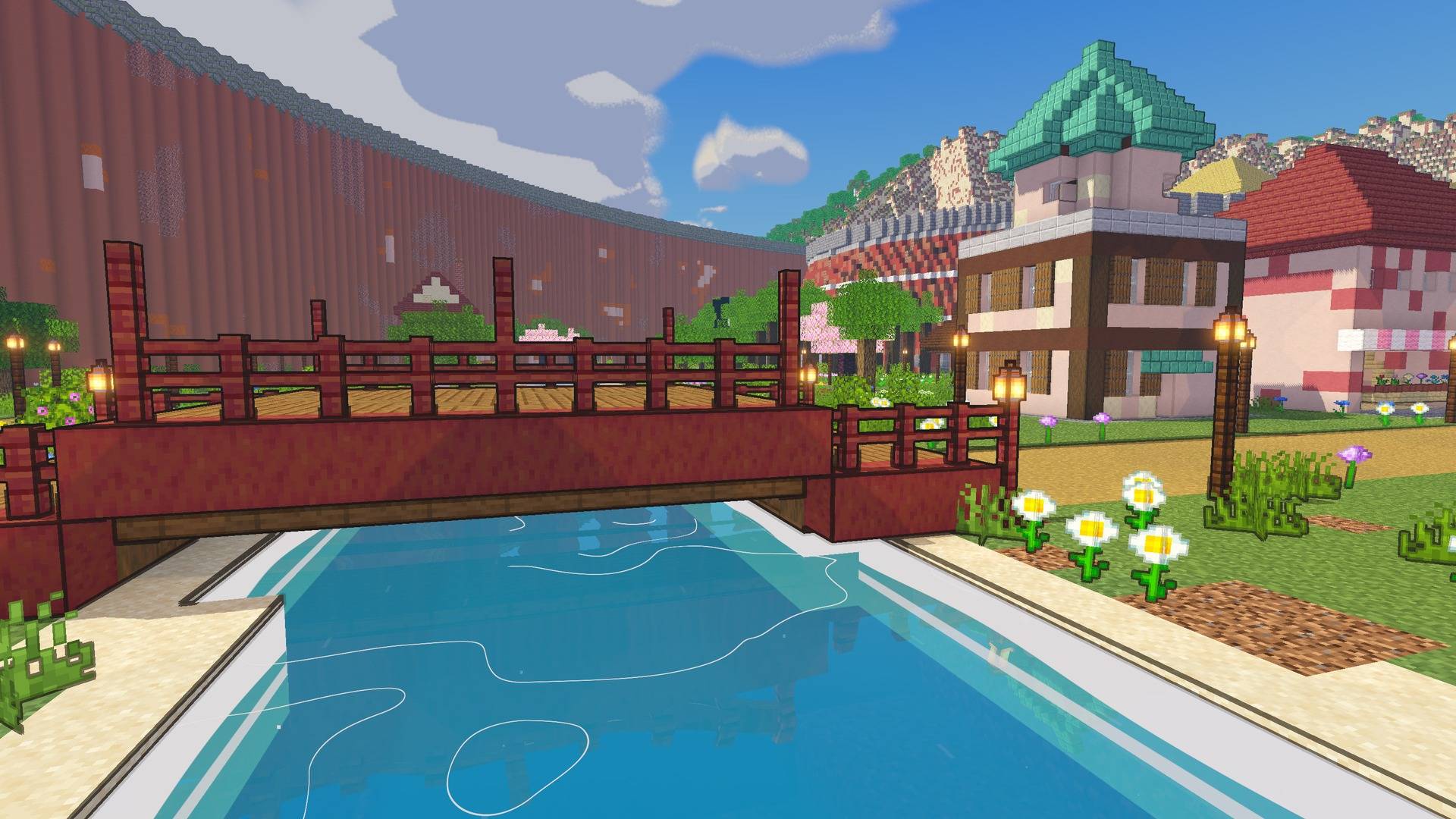
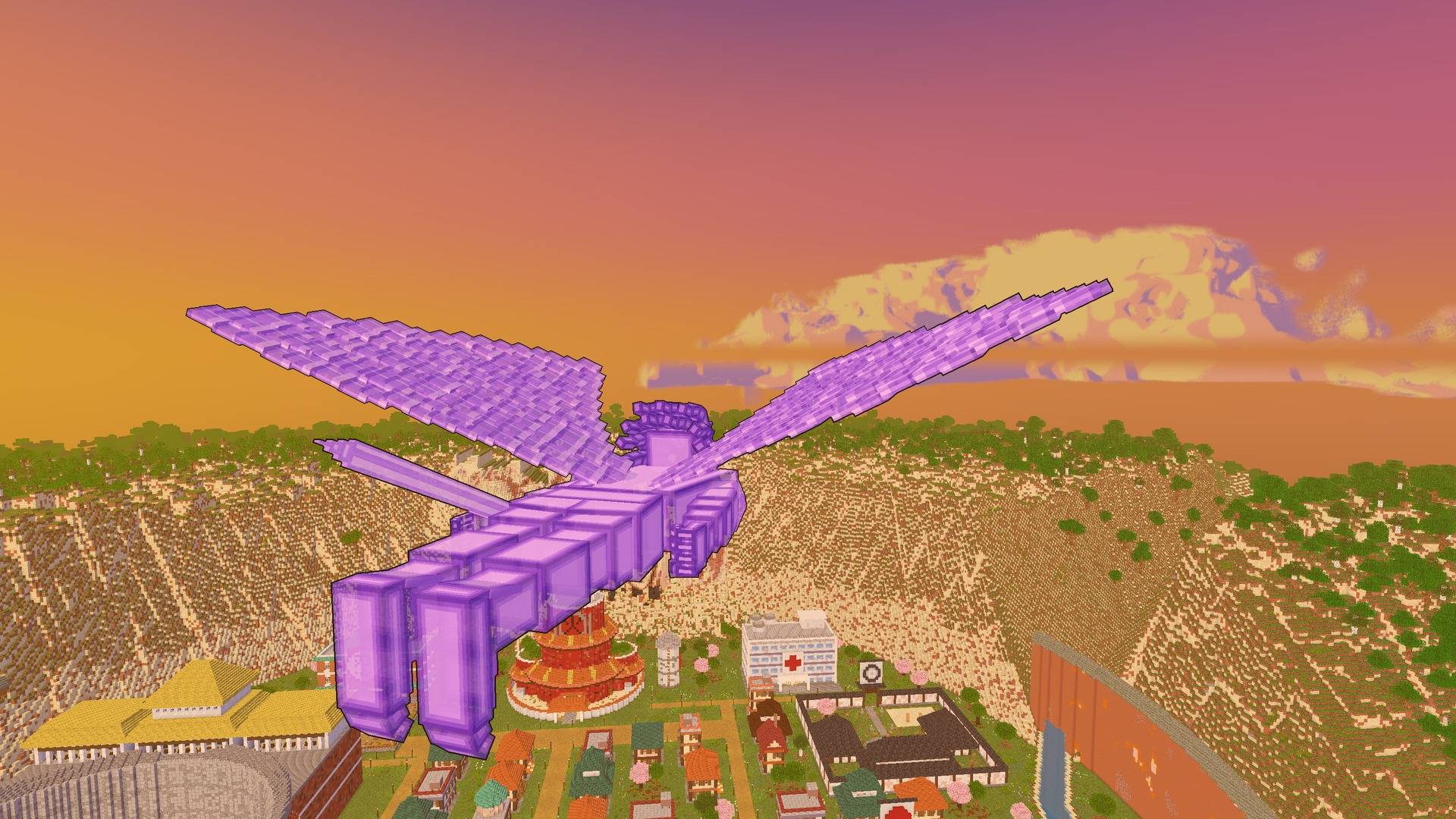
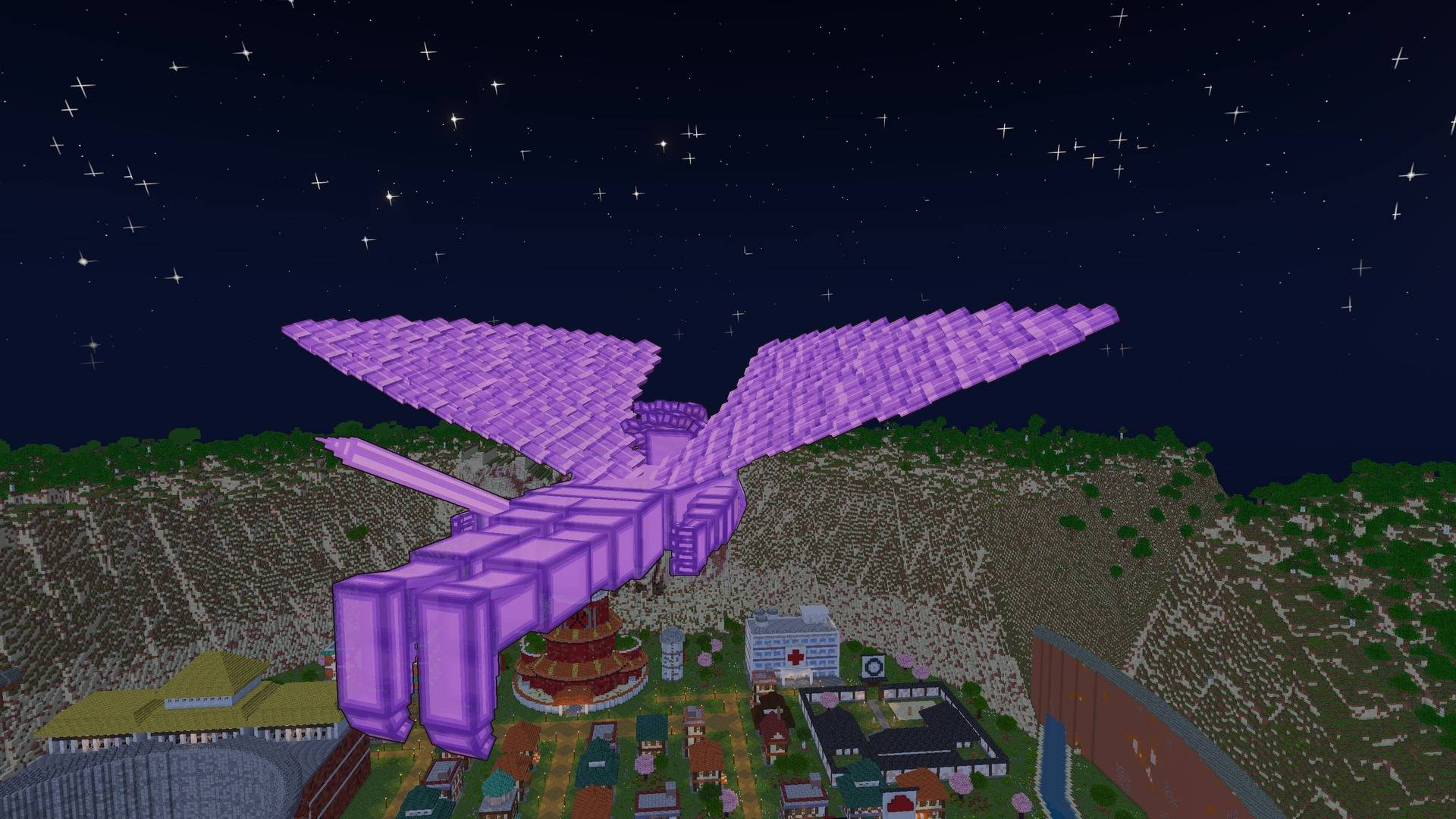
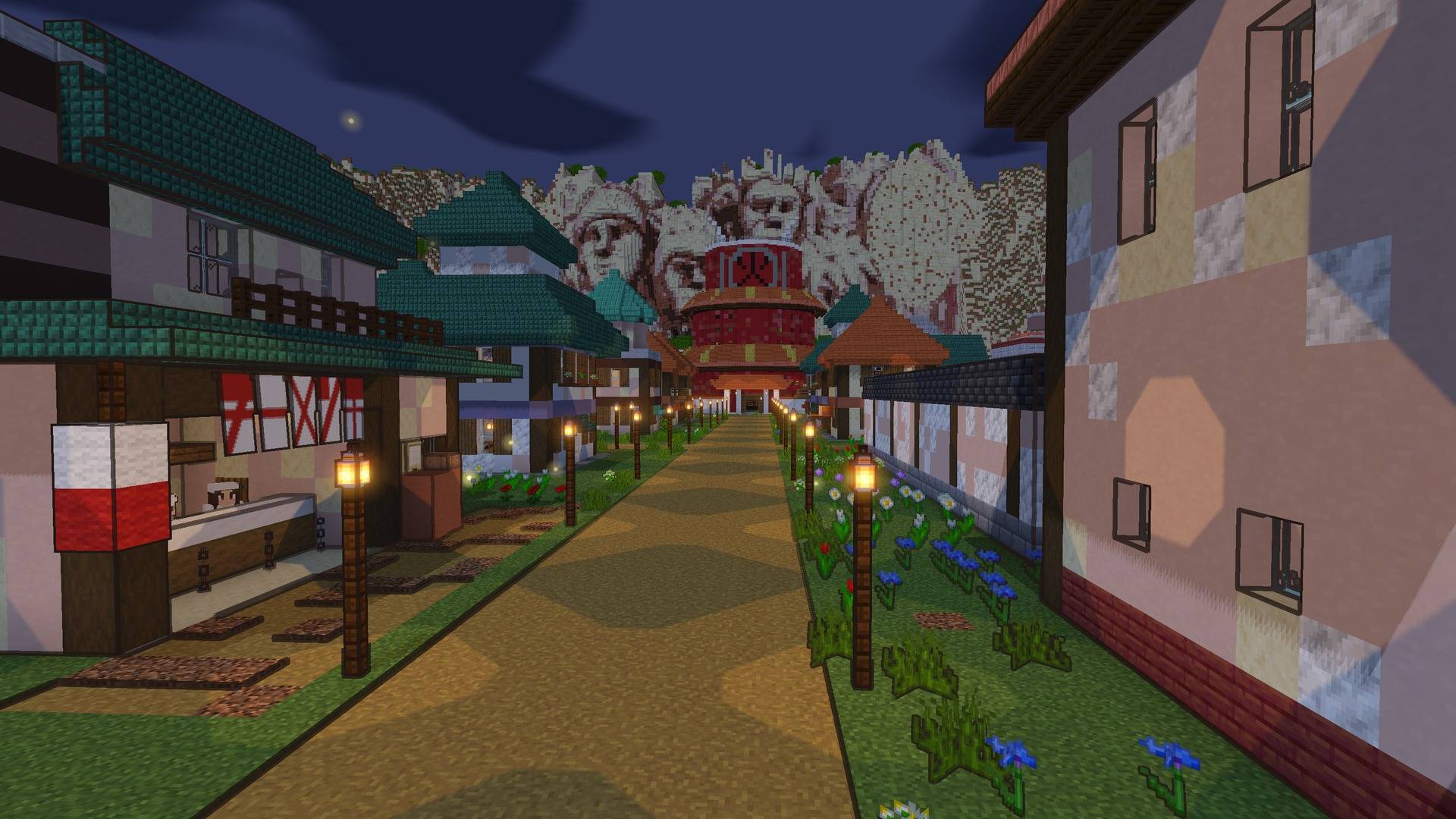
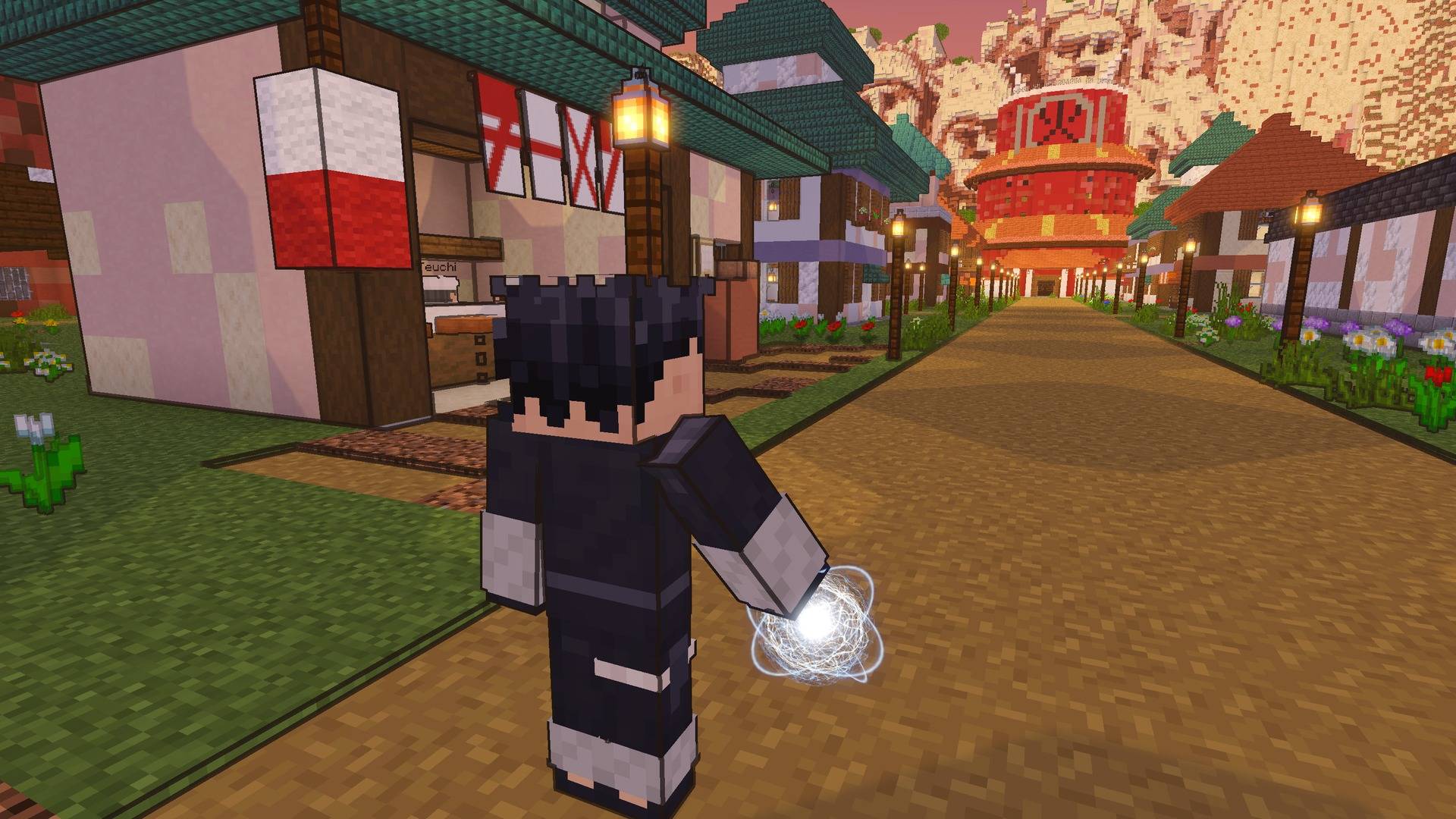
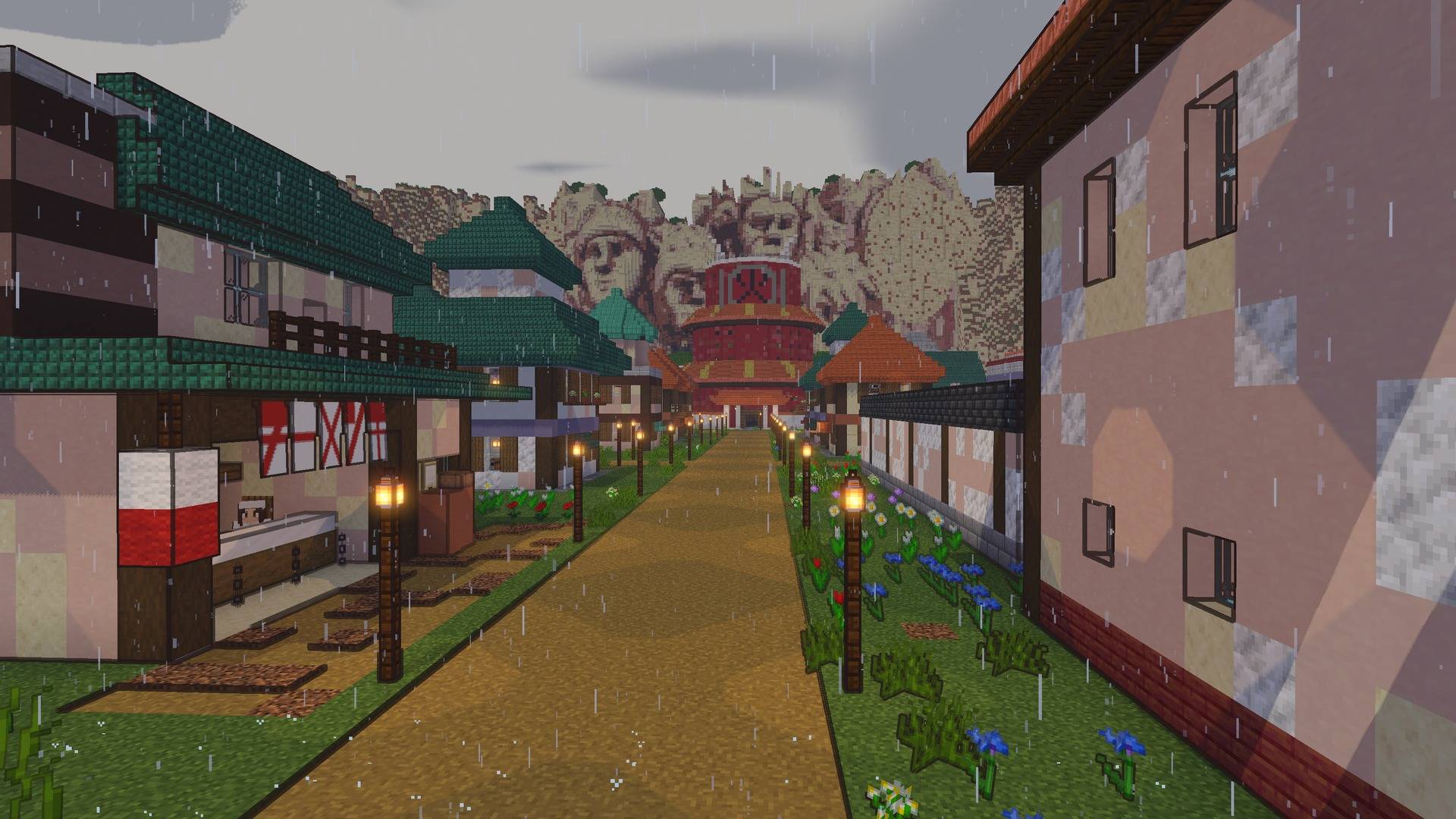
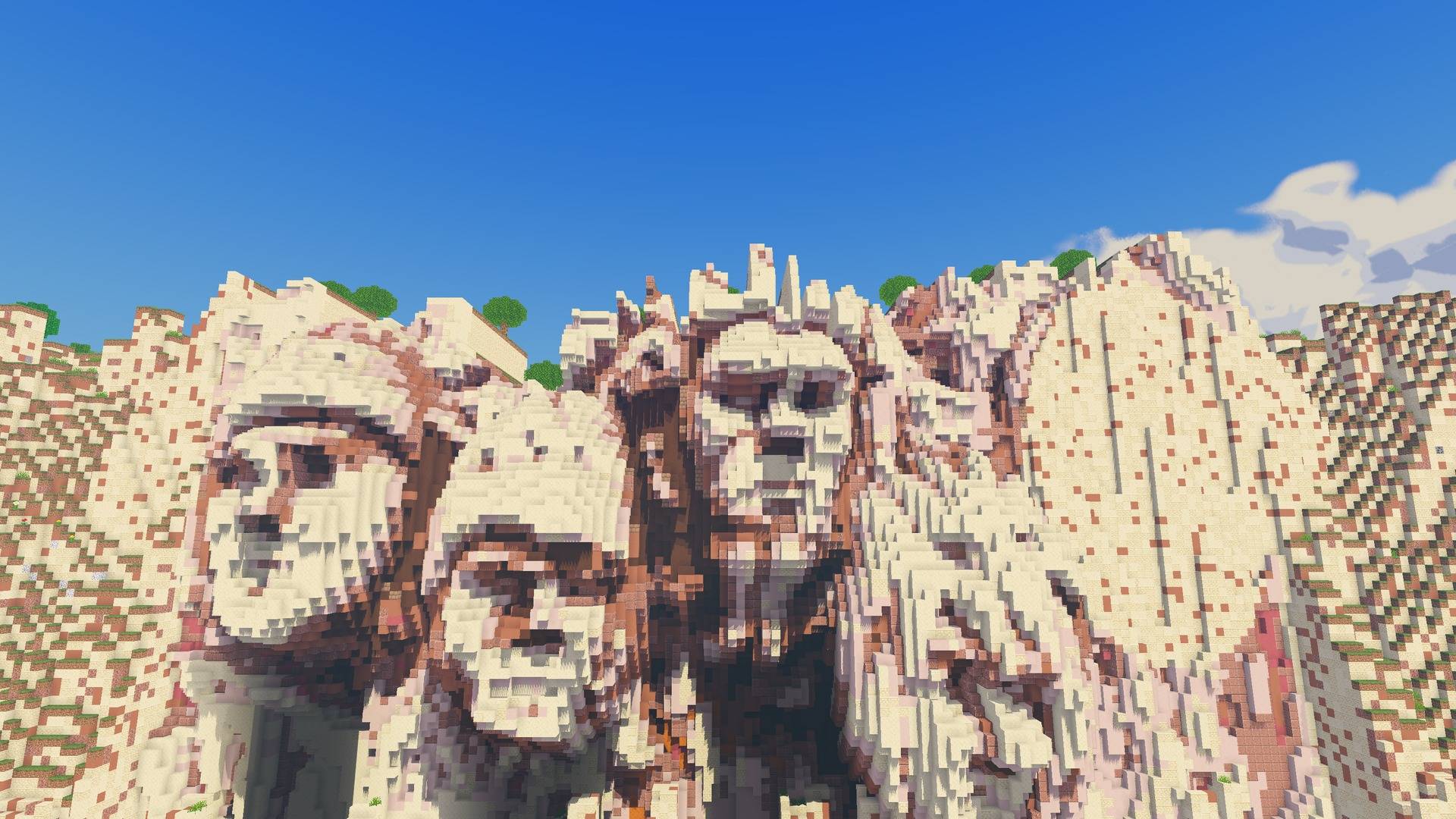
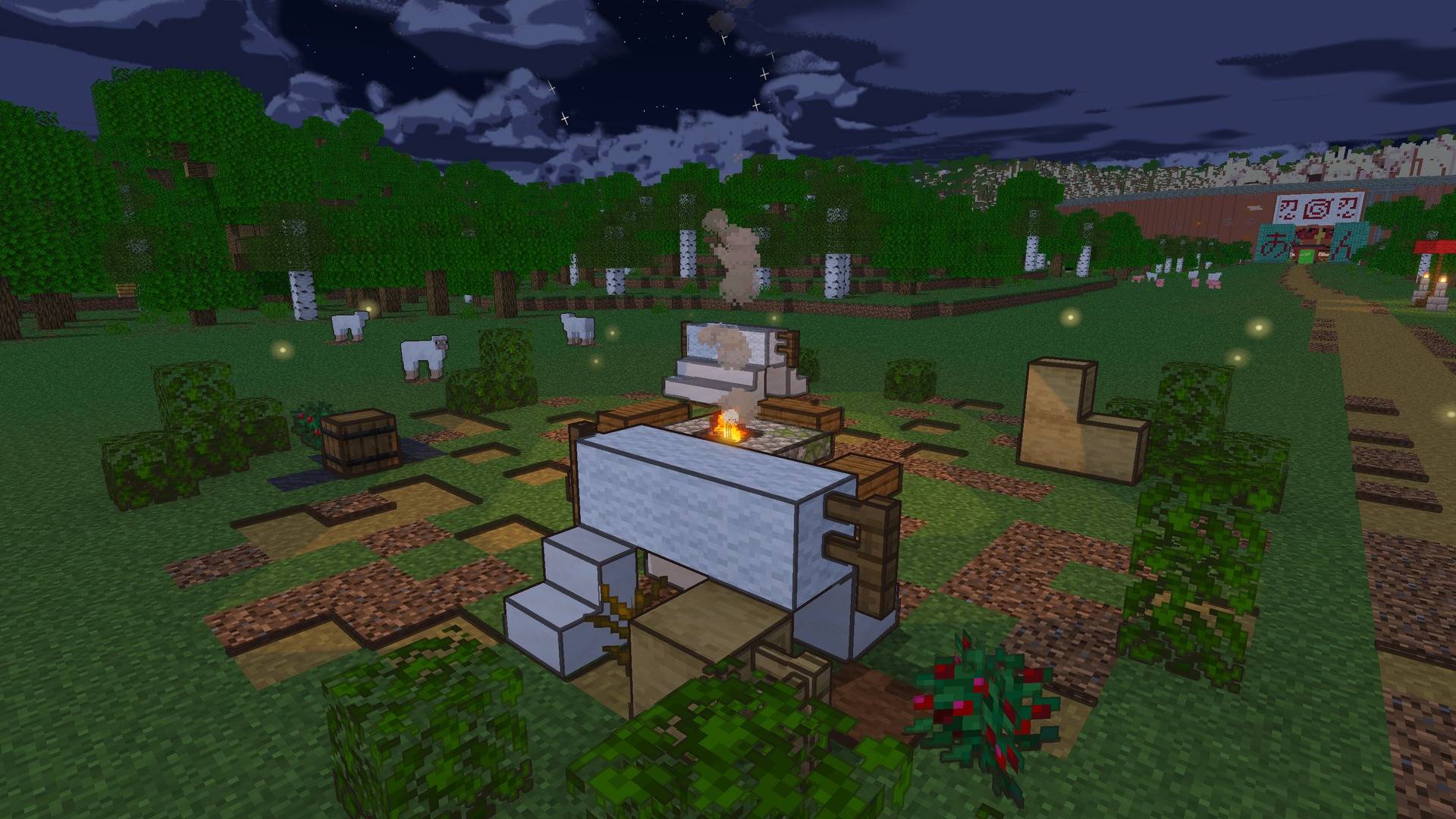
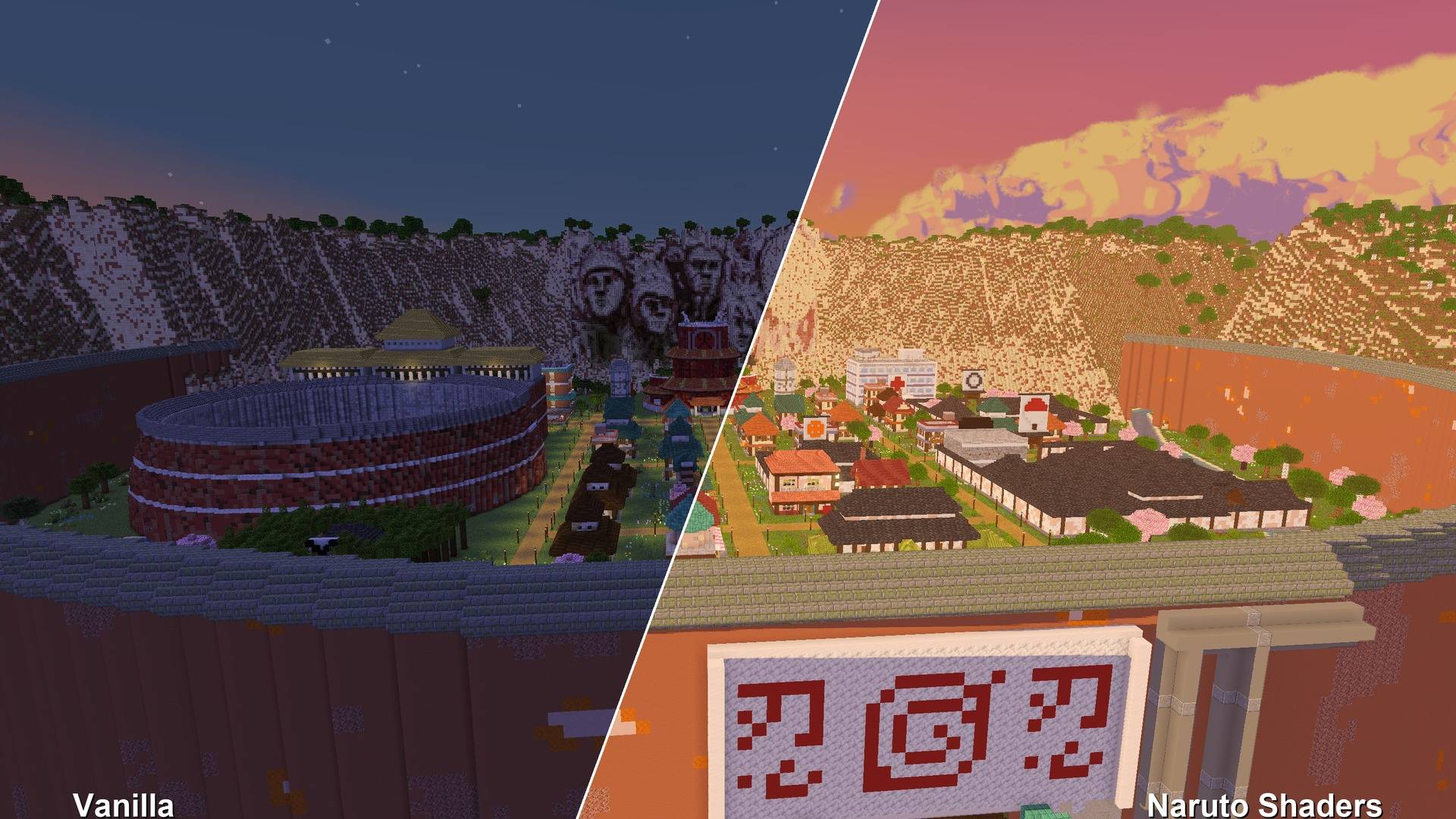
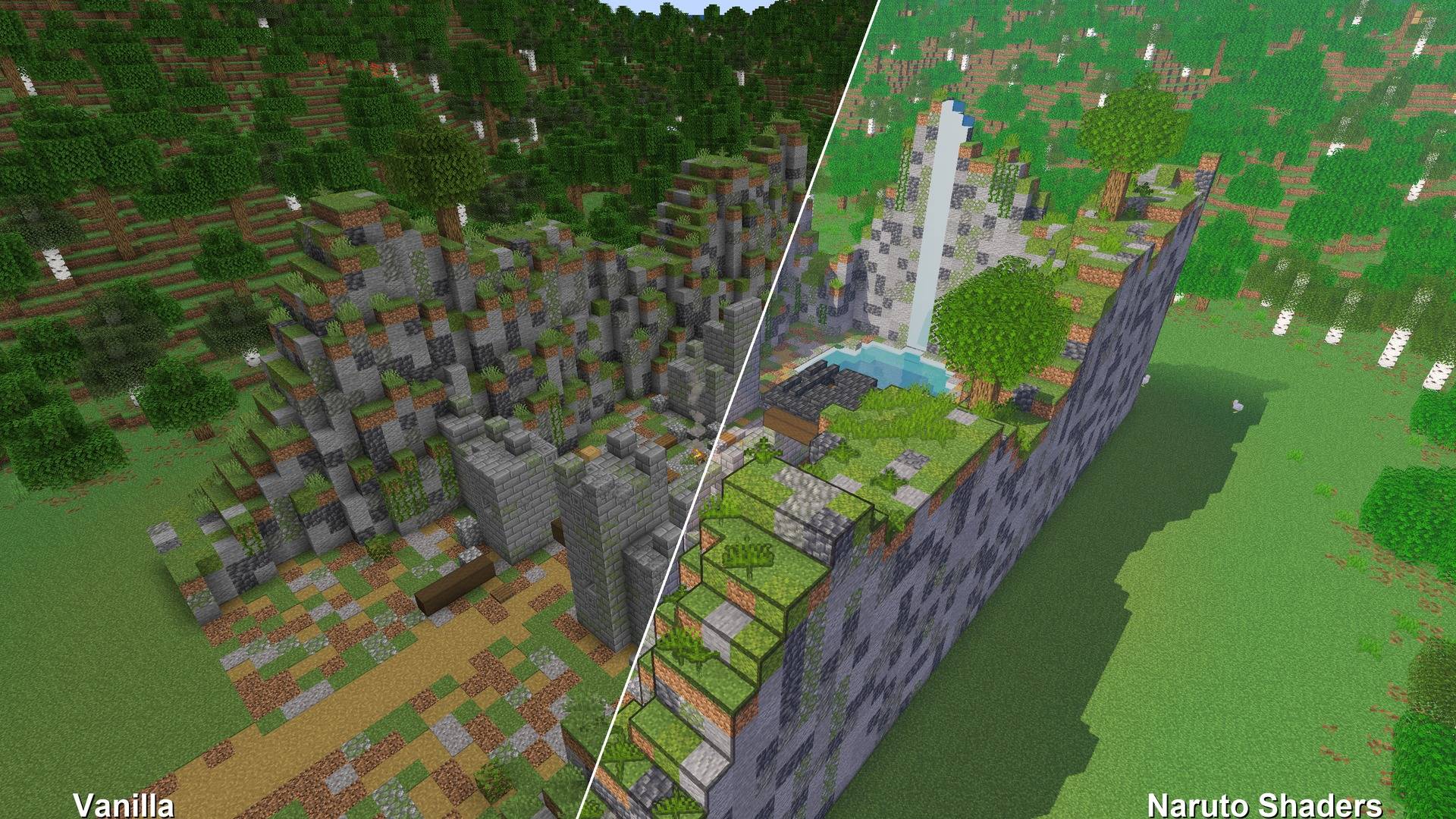
Make Minecraft look like an episode of Naruto Shippuden: cel shading, ink outlines, painted sunsets, starry nights and glowing jutsu. Made for the Naruto Shippuden mod.
截图
介绍
Naruto Shaders
Make Minecraft look like an episode of Naruto Shippuden.
Naruto Shaders is an anime-style shader pack, made to go with the Naruto Shippuden mod. It works with any world, with or without the mod.
Features
- Cel shading. Light falls in flat bands, like a drawn frame. Shade is tinted cool blue and violet, never black.
- Ink outlines. Bold manga lines (the default) or subtle ones around shapes only. You can also turn them off.
- Painted anime sky. Clean gradients, big painted clouds, strong orange and pink sunsets, and deep blue nights full of stars.
- Crisp cel shadows, plus a rim of light around characters, like an anime backlight.
- Glowing jutsu. Rasengan, Chidori and other chakra, plus fire, lanterns and lava, all glow.
- Soft distance haze. Far land fades into the sky, like a painted background.
- Anime water. Teal depth bands, drifting white wave lines, foam along the shore, and reflections of the world around it.
- Living world. Fireflies drifting low over the grass at night.
- Weather. Anime rain streaks, dark thunderstorms with lightning flashes, and soft morning mist lying low over rivers and lakes.
- Anime night sky. Twinkling stars of different sizes, a soft Milky Way, and a big glowing moon.
- Painted light shafts from the low sun through clouds and trees.
- Waving grass, flowers and leaves.
- Their own looks for the Nether and the End.
- Distant Horizons support. Far terrain gets the same style.
- Manga Mode. Black and white, with screentone.
Settings
Open Video Settings → Shader Packs → Naruto Shaders → Shader Pack Settings:
- Profile: Potato, Low, Medium, High or Ultra
- Outlines: Off, Subtle or Bold, plus Outline Width
- Light Bands: how many steps between shade and full sun
- Shadow Colour and Shadow Brightness
- Rim Light, Colour, Glow and Distance Haze
- Waving Plants and Manga Mode
- Sun Angle, Shadow Quality and Shadow Distance
Requirements
- Minecraft 26.3
- Iris (Fabric or NeoForge)
- Optional: Distant Horizons
Using Sodium? Use the latest Sodium beta for 26.3. With the regular Sodium release your character can turn invisible in the inventory and in menus while shaders are on.
Install
- Install Iris.
- Put the zip in
.minecraft/shaderpacks(don’t unzip it). - In game, go to Video Settings → Shader Packs, pick Naruto Shaders, and click Apply.
Credits
- FishyHard, creator
Showing it in videos, streams and screenshots is welcome. Please don’t re-upload it or publish edited versions without permission.
常见问题
Naruto Shaders 支持哪些 Minecraft 版本?
Naruto Shaders 支持 Minecraft Java 版 26.3,可用的加载器:Iris。下载时注意选择和你游戏版本一致的文件。
Naruto Shaders 怎么安装?
光影需要先装 Iris。把下载的 .zip 文件(不用解压)放进游戏目录的 shaderpacks 文件夹,进游戏后在「选项 → 视频设置 → 光影包」里选中它。光影对显卡要求较高,卡顿可以调低光影设置或渲染距离。
FishyHard 的其他作品
查看全部 →
Naruto Shippuden
以日本动漫《火影忍者疾风传》为基础的模组

Naruto Shippuden Animations
《火影忍者疾风传》主题模组附加内容

Naruto Shippuden by FishyHard
火影忍者疾风传模组的官方Minecraft服务器整合包

Portal Gun Totality 1.21-26.3 [Fabric & NeoForge]
1.7.10 和 1.12.2 上有很多传送枪模组,但新版本几乎没有。这款模组为 Fabric 和 NeoForge 1.21–26.3 带来了可透视的传送门、无加载画面的传送体验、7 种枪械、炮塔和长落靴。
评论
登录后评论和评分