
MaxRealstic Shader
Ultra-realistic Minecraft shader with animated foliage, dynamic water, realistic lighting, cinematic skies, and optimized performance.
介绍
MaxRealstic Shader
Subscribe on Youtube
Youtube
Transform your Minecraft world with MaxRealstic Shader, a high-quality shader pack designed to deliver stunning visuals while maintaining smooth gameplay. Experience realistic lighting, vibrant colors, immersive weather, dynamic shadows, animated vegetation, and beautifully animated water that bring every biome to life.
Whether you’re exploring vast landscapes, building detailed creations, recording cinematic videos, or simply enjoying survival mode, MaxRealstic Shader provides a visually immersive experience without sacrificing performance.
Features
-
🌞 Realistic lighting and dynamic sunlight
-
🌅 Beautiful sunrise and sunset colors
-
🌙 Realistic moon with a star-filled night sky
-
☁️ Enhanced clouds and atmospheric fog
-
🌊 Crystal-clear animated water with reflections
-
🌳 Waving trees, leaves, flowers, and grass
-
🌼 Natural wind animation for vegetation
-
💡 Improved shadows and ambient lighting
-
✨ Bloom and color enhancement
-
🌧️ Improved rain and weather effects
-
🔥 Warm torch and lantern lighting
-
🎥 Perfect for screenshots, videos, and cinematic gameplay
-
🎮 Optimized for smooth FPS on a wide range of hardware
Compatibility
-
Minecraft Java Edition
-
Iris Shaders
-
OptiFine (supported versions, if applicable)
Performance
MaxRealstic Shader has been designed to provide an excellent balance between realistic graphics and smooth performance. Multiple quality settings allow players with different hardware configurations to enjoy the shader.
Installation
-
Install Iris Shaders or OptiFine.
-
Download the latest version of MaxRealstic Shader.
-
Place the shader ZIP file into your Minecraft
shaderpacksfolder. -
Launch Minecraft and enable the shader from the Video Settings menu.
Feedback
Found a bug or have a suggestion? Your feedback helps improve MaxRealstic Shader. Report issues and share ideas for future updates.
Thank you for downloading MaxRealstic Shader. Enjoy a more realistic Minecraft experience!
常见问题
MaxRealstic Shader 支持哪些 Minecraft 版本?
MaxRealstic Shader 支持 Minecraft Java 版 1.18.2–26.2,共 29 个版本,可用的加载器:Iris / OptiFine。下载时注意选择和你游戏版本一致的文件。
MaxRealstic Shader 怎么安装?
光影需要先装 Iris / OptiFine。把下载的 .zip 文件(不用解压)放进游戏目录的 shaderpacks 文件夹,进游戏后在「选项 → 视频设置 → 光影包」里选中它。光影对显卡要求较高,卡顿可以调低光影设置或渲染距离。
TaeVersePlayz 的其他作品
查看全部 →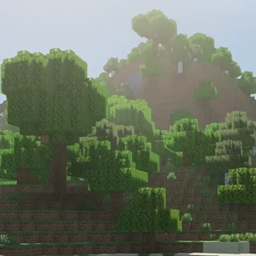
Realistic Vibes
A lightweight Iris shaderpack with BSL-inspired water, dynamic sunlight, and volumetric night fog.
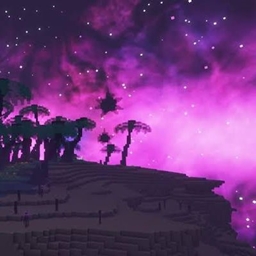
EclipseShader
A modern Minecraft shader focused on realistic lighting, vibrant colors, dynamic shadows, volumetric clouds, cinematic skies, and high performance for immersive gameplay.
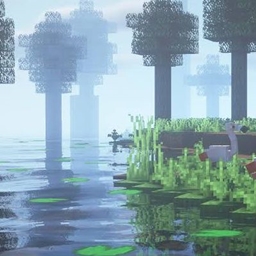
RealisticRemake
A lightweight realistic shader with soft mist, sun shadows, god rays, and swaying leaves — built for smooth performance on modest GPUs.
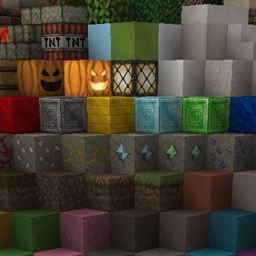
HolaBlocks
A detailed medieval-style Minecraft resource pack featuring realistic textures, enhanced block detail, improved materials, and immersive visuals
评论
登录后评论和评分