
截图

介绍
🦜 Kuki Shader
Welcome to Kuki Shader, a custom-tailored shader pack designed to bring a fresh, vibrant, and atmospheric look to your Minecraft worlds! Inspired by my beloved pet cockatiel, Kuki, this shader focuses on clean visuals, beautiful lighting, and smooth performance.
✨ Features
Vibrant Atmosphere: Brighter daylight and cozy torch lighting.
Performance Friendly: Optimized to run smoothly without lagging your game.
Custom Vibe: Tailored to give your survival worlds a unique and lively aesthetic.
📥 How to Install
Download the shader file.
Place it inside your shaderpacks folder.
Launch Minecraft, go to Video Settings > Shader Packs, and select Kuki Shader.
Enjoy the new look of your world!
🌟 Kuki Shader (Unofficial(as a mod official) – V2 Update
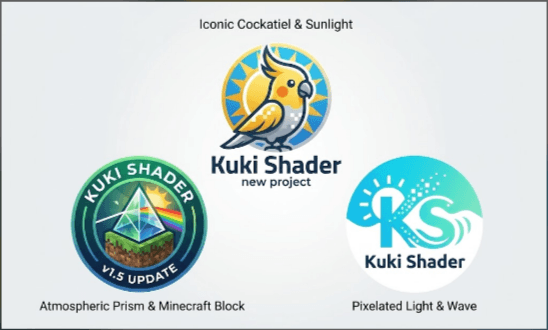
⚠️ IMPORTANT NOTE (About Logos): We have created 3 brand new, custom concept logos for this project! To check out all three unique designs, please look at the Images tab at the top of the project page.
📖 About the Project
Kuki Shader is an unofficial, meticulously crafted shader pack designed to completely transform your Minecraft visual experience into a vibrant, atmospheric, and highly aesthetic world. Inspired by my adorable pet cockatiel, Kuki, this project aims to take your survival adventures and building sessions to the next level with stunning lighting and clean visuals.
Following our previous progress, the V2 Update is officially here, bringing refined visual enhancements, improved lighting balance, and even better performance stability for your Minecraft worlds!
✨ Key Features & V2 Update Highlights
Vibrant & Bright Daytime Atmosphere: Replaces standard, dull daylight with an energetic, crystal-clear, and eye-catching radiance that makes every biome pop.
Cozy Torch Lighting: Carefully tuned light sources (such as torches, lanterns, and glowing blocks) to emit a warm, soft, and inviting glow that reduces eye strain during long mining sessions or nighttime exploration.
Optimized Performance: Built with performance in mind. V2 features a cleaner code structure to ensure a smooth, lag-free gameplay experience, even on low-to-mid-range PC setups.
Modern Version Compatibility: Fully compatible with popular Java versions including Minecraft 1.20.1 and 1.21.1. Works seamlessly with major shader loaders like Iris and OptiFine.
🎨 Discover Our 3 New Project Logos (Check the Images Tab!)
To celebrate the updates and give the project a fresh identity, we’ve designed 3 distinct project logos reflecting the core spirit of Kuki Shader:
Iconic Cockatiel & Sunlight: A vibrant showcase combining Kuki’s signature look with a radiant sun theme.
Atmospheric Prism & Minecraft Block: A detailed concept highlighting atmospheric light refractions and classic block aesthetics.
Pixelated Light & Wave: A modern, minimalist blend of pixel art and smooth light waves.
Head over to the Images tab above to see all three logos in high resolution!
📥 Installation Guide
Ensure you have a compatible shader loader installed (Iris or OptiFine for your specific Minecraft version).
Download the latest Kuki-Shader V2 .zip file from the Files tab.
Place the downloaded .zip file directly into your Minecraft instance’s shaderpacks folder.
Launch Minecraft, navigate to Video Settings > Shader Packs, select Kuki Shader from the list, and enjoy your newly transformed world!
If you enjoy this shader pack, please don’t forget to Favorite, Download, and leave feedback to support future updates! Thank you for playing!
(Shader by Capt Tatsu)
I give my Respect
常见问题
Kuki- Shader (Updated As New Project) 支持哪些 Minecraft 版本?
Kuki- Shader (Updated As New Project) 支持 Minecraft Java 版 1.20.1–1.21.1,共 2 个版本,可用的加载器:Canvas / Iris / OptiFine。下载时注意选择和你游戏版本一致的文件。
Kuki- Shader (Updated As New Project) 怎么安装?
光影需要先装 Canvas / Iris / OptiFine。把下载的 .zip 文件(不用解压)放进游戏目录的 shaderpacks 文件夹,进游戏后在「选项 → 视频设置 → 光影包」里选中它。光影对显卡要求较高,卡顿可以调低光影设置或渲染距离。
评论
登录后评论和评分