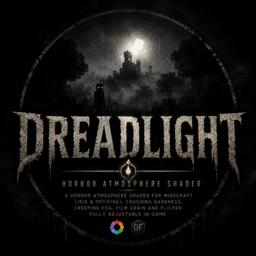
Dreadlight – Horror Atmosphere Shader
A horror atmosphere shader for Minecraft (Iris & OptiFine): crushing darkness, creeping fog, film grain and flicker. Fully adjustable in-game.
截图

介绍
Dreadlight turns your world into somewhere you don’t want to be alone.
A lightweight horror shader for Minecraft, compatible with Iris and OptiFine. It crushes ambient lighting so torches and lava become your only real lifeline, wraps distant terrain in a suffocating fog, and layers film grain, subtle chromatic aberration and an unstable light flicker on top for a found-footage kind of dread.
Features
- Crushed ambient lighting — real darkness, not just dim
- Creeping fog that swallows the horizon
- Film grain + chromatic aberration for an unsettling look
- Tightening vignette
- Occasional flicker, like a torch about to die
- Every value adjustable in-game (Shader Options): fog density, grain, darkness, vignette, flicker
No heavy shadows or GPU cost — just pure, oppressive atmosphere. Perfect for horror maps, atmospheric survival worlds, and creepy let’s-plays.
常见问题
Dreadlight – Horror Atmosphere Shader 支持哪些 Minecraft 版本?
Dreadlight – Horror Atmosphere Shader 支持 Minecraft Java 版 1.18.2–1.21.11,共 25 个版本,可用的加载器:Iris / OptiFine。下载时注意选择和你游戏版本一致的文件。
Dreadlight – Horror Atmosphere Shader 怎么安装?
光影需要先装 Iris / OptiFine。把下载的 .zip 文件(不用解压)放进游戏目录的 shaderpacks 文件夹,进游戏后在「选项 → 视频设置 → 光影包」里选中它。光影对显卡要求较高,卡顿可以调低光影设置或渲染距离。

评论
登录后评论和评分