
截图
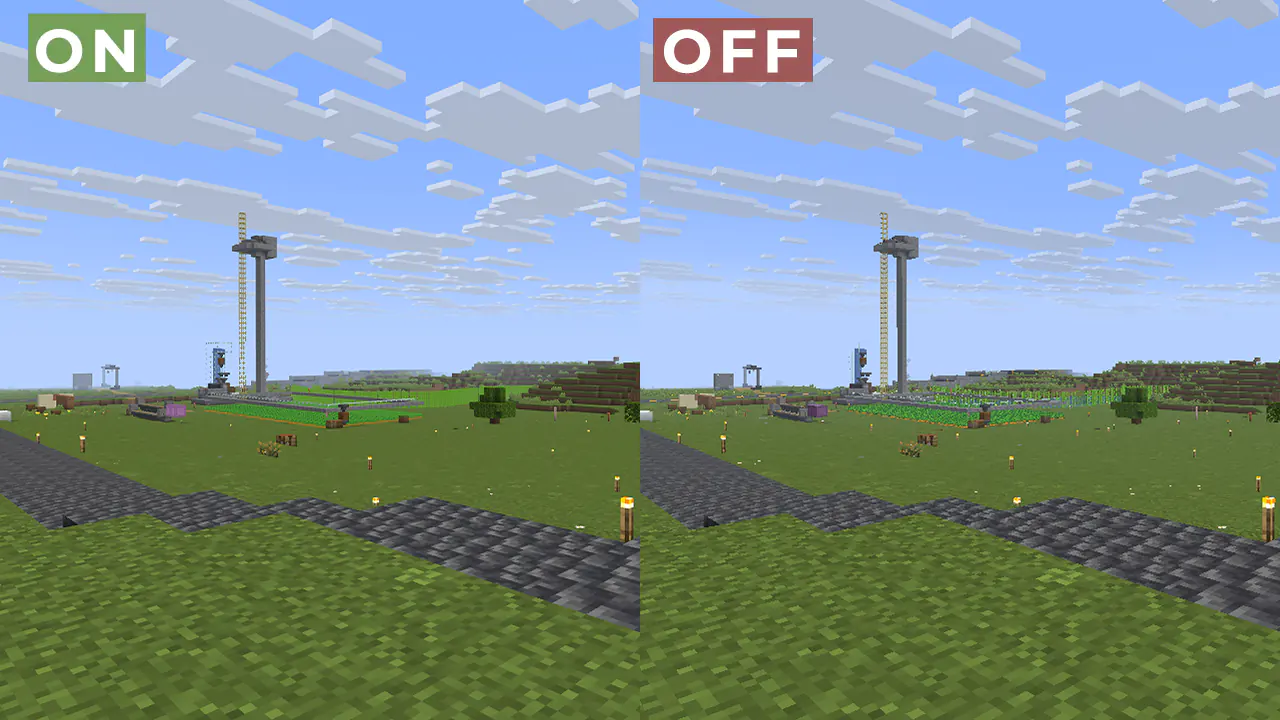
介绍
中文介绍正在准备中,下面暂时显示原文。
ABOUT:
Fix aliasing on textures and object boundaries. It is designed to smooth out visual artifacts. It has two modes: FXAA and TAA. The first mode is faster, while the second is more accurate. There is also support for Distant Horizons.
Example 1: OFF/ON
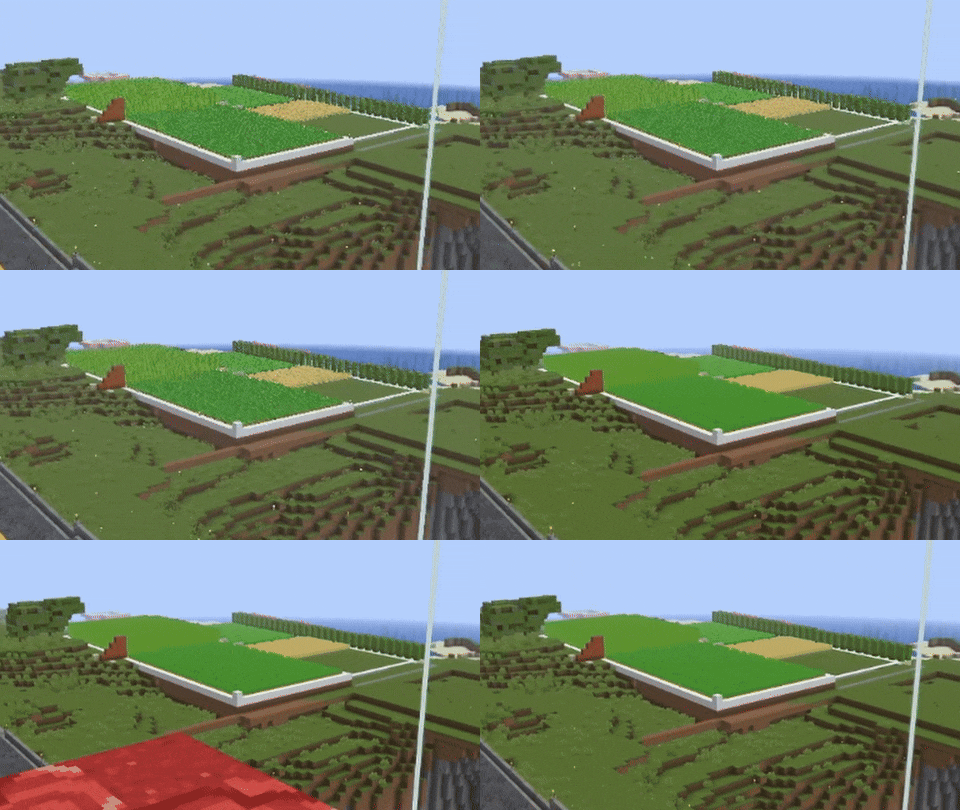
When turned off, the image ripples and everything twitches, when turned on, the artifacts disappear.
Example 2:
FAQ:
How is it different from other projects?
- Fog support for all versions, new method FXAA and better performance than TAA Project.
What is the difference between FXAA and TAA?
- FXAA is a simple and fast post-filter that blurs sharp edges, while TAA uses data from previous frames to produce a smoother image, especially when there is movement.
Part of the code, namely the implementation of TAA, was taken from TAA Project, so the license is MPL-2.0.
LoLip_p 的其他作品
查看全部 →
Cursed Fog
by LoLip_p
Creepy, tense shaders that will tickle your nerves.
258.9万
1 个月前
Modrinth · CurseForge
Body Camera Shader
by LoLip_p
Body camera effect
249.6万
6 天前
CurseForge

Body Camera
by LoLip_p
Adds a body camera effect
149.6万
6 天前
Modrinth

BVS – Best Vanilla Shader
by LoLip_p
Very Simple and Best shader for You!
70.2万
2 个月前
Modrinth
评论
登录后评论和评分