Actendium Shaders
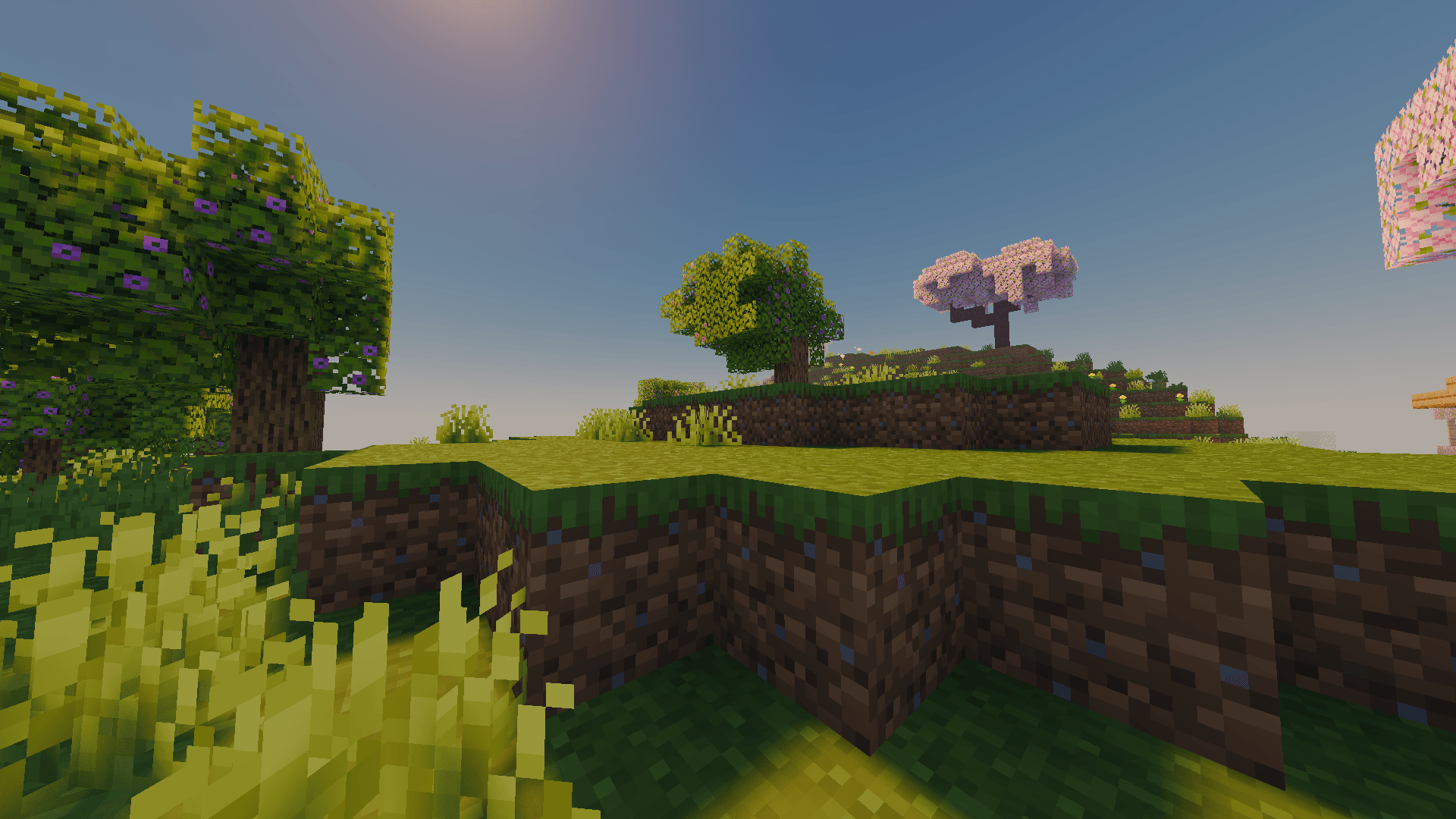
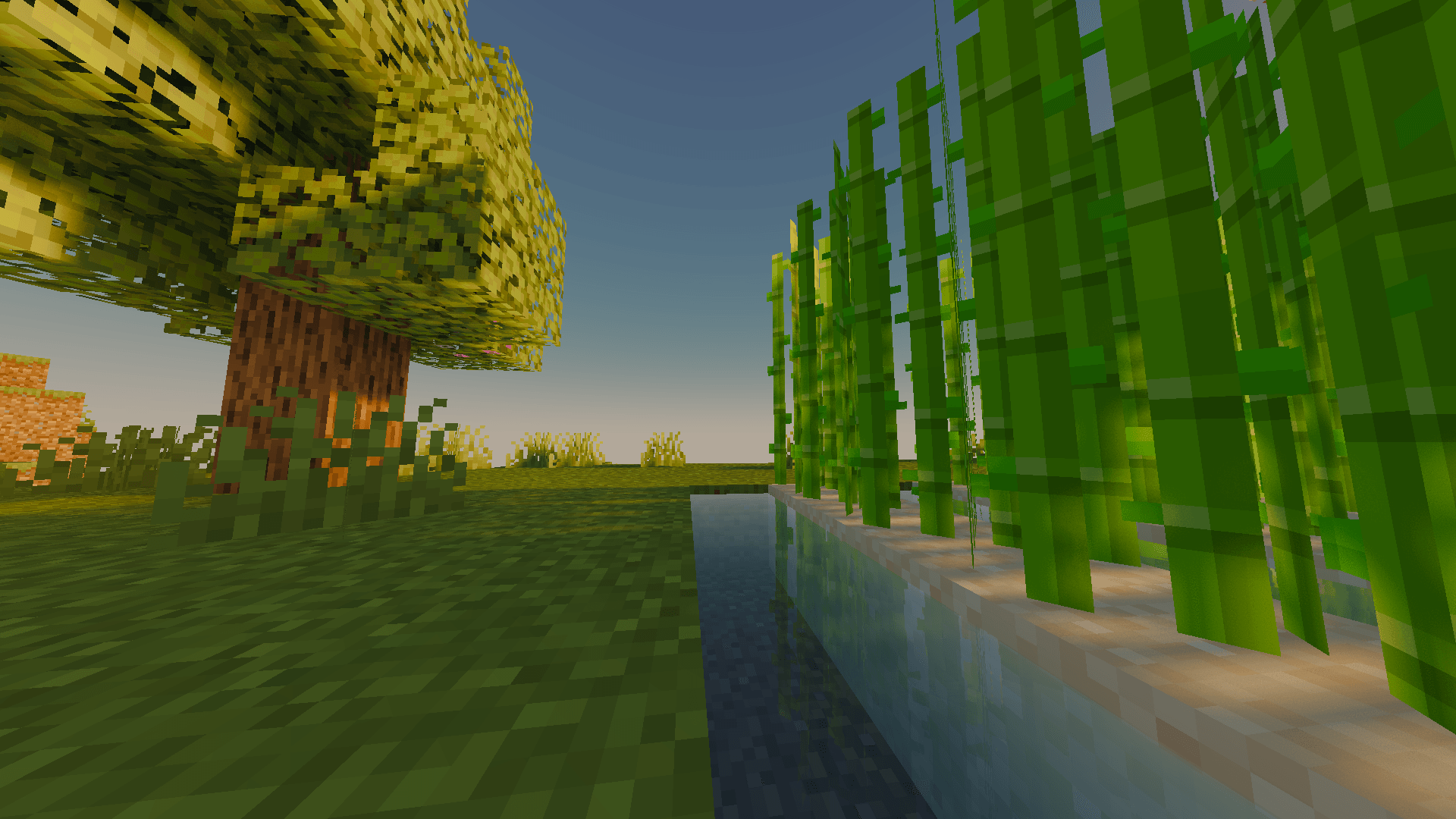
Actendium Shader is a lightweight, vibrant Minecraft shader designed for smooth performance on lower-end PCs. It features bright saturated colors, subtle PBR reflections, and stunning visuals without lagging your game!
截图


介绍
Actendium Shaders
Welcome to Actendium Shaders! Are you looking for a custom Minecraft shader that makes your game look breathtakingly gorgeous without destroying your frame rates? Look no further! Actendium is a specially crafted, lightweight shader designed to deliver top-tier visual upgrades while being exceptionally friendly to lower-end PCs and integrated graphics.
✨ Key Features:
-
Vibrant & Saturated Color Tones: Actendium brings a lively, warm, and eye-catching aesthetic to the blocky world. Every forest, ocean, and sunset pops out with rich and cheerful colors that make exploration an absolute joy.
-
Lightweight & High Performance: Built from the ground up with smart optimization, this shader ensures you don’t have to sacrifice your smoothness for beauty. Enjoy fluid gameplay even on modest hardware configurations.
-
Subtle PBR & Clean Reflections: Experience realistic light interactions and depth! The shader adds subtle PBR (Physically Based Rendering) elements and pleasant, non-intrusive reflections to water and surfaces, keeping things immersive yet smooth.
-
Advanced Scaling & Customization: Fully compatible with performance-boosting features like temporal upscaling, allowing you to easily tweak your settings to strike the ultimate balance between crisp graphics and high FPS.
Whether you are building massive structures or just wandering around surviving the night, Actendium Shaders transforms your everyday Minecraft experience into a cinematic adventure. Download it today, tweak your settings, and enjoy a vibrant new look for your world!
常见问题
Actendium Shaders 支持哪些 Minecraft 版本?
Actendium Shaders 支持 Minecraft Java 版 1.21.11–26.2,共 5 个版本,可用的加载器:Iris。下载时注意选择和你游戏版本一致的文件。
Actendium Shaders 怎么安装?
光影需要先装 Iris。把下载的 .zip 文件(不用解压)放进游戏目录的 shaderpacks 文件夹,进游戏后在「选项 → 视频设置 → 光影包」里选中它。光影对显卡要求较高,卡顿可以调低光影设置或渲染距离。
Aerixium 的其他作品
查看全部 →
AerixiumSFA Shaders
AerixiumSFA is a performance-optimized shader pack for Minecraft, offering crisp, vibrant visuals, realistic lighting, and 3D parallax. Get cinematic graphics with clean, smooth gameplay.
AerixiumSFA Ultra Shader
AerixiumSFA Ultra is a high-performance Minecraft shader delivering great lighting and 30-40 FPS on light PCs, with even better visuals on dedicated GPUs!
AerixiumSFA PTGI
AerixiumSFA PTGI is an extreme path-tracing Minecraft shader built for photorealistic global illumination, stunning reflections, and ultimate ray-traced visuals. 🔥
评论
登录后评论和评分