
Zarba Respack
A resourcepack based on Rainbowpixel, it has a datepack of Rainbowpixel.It also has redstone display.
截图
介绍
Attention: This resourcepack will stop updating from April 2025 due to the encryption of the RainbowPixel
Zarba Respack
A resoucepack based on RainbowPixel
| Resourcepack | Latest Ver. | Minecraft Ver. | Optifine |
| :-: | :-: | :-: | :-: |
| Zarba Base | 1.2 | 1.21.3 | Required |
| Zarba GUI | 2.0 | 1.21.x | Not required |
| Zarba 3D | 1.0 | 1.21.x | Not required |
| Minecraft Ver. | Zarba Base | Zarba GUI | Zarba 3D |
| :-: | :-: | :-: | :-: |
| 1.21.x | Available | Available | Available |



Dedicated to players who enjoy using the Rainbowpixel Resourcepack
#
How to import Zarba Resourcepack
- Open your Minecraft
- Click
Option - Click
Resource Packs - Drag the Zarba Resourcepack into the window or click
Open Pack Folderand copy the Zarba Resourcepack to that folder.
Notes
- They are avalible at Zecoar Modpack (EX)
- Zarba Base require Optifine, if you are using Fabric, please install Optifabric or any mods that can instead of Optifabric.
————————————————————————————————————————————————————
注意:该材质包从2025年4月起停止更新,原因是彩虹像素被加密
Zarba 材质包
一款基于 彩虹像素 的材质包
| 材质包 | 最新版本 | 我的世界版本 | Optifine |
| :-: | :-: | :-: | :-: |
| Zarba Base | 1.2 | 1.21.3 | 需要 |
| Zarba GUI | 2.0 | 1.21.x | 不需要 |
| Zarba 3D | 1.0 | 1.21.x | 不需要 |
| Minecraft Ver. | Zarba Base | Zarba GUI | Zarba 3D |
| :-: | :-: | :-: | :-: |
| 1.21.x | 可用 | 可用 | 可用 |



献给喜欢使用 彩虹像素 的玩家
#
怎么导入 Zarba 材质包
- 打开您的我的世界
- 单击
选项 - 单击
资源包 - 将 Zarba 材质包拖入窗口或者单击
打开包文件夹并将 Zarba 材质包复制到该文件夹
备注
- 他们已在 Zecoar Modpack (EX) 中可用
- Zarba Base需要Optifine, 如果您正在使用Fabric请安装Optifabric或者其他可以替代Optifabric的模组
常见问题
Zarba Respack 支持哪些 Minecraft 版本?
Zarba Respack 支持 Minecraft Java 版 1.21–1.21.4,共 5 个版本。下载时注意选择和你游戏版本一致的文件。
Zarba Respack 怎么安装?
把下载的 .zip 文件(不用解压)放进游戏目录的 resourcepacks 文件夹,进游戏后在「选项 → 资源包」里把它移到右边启用。
JfengHxiangV 的其他作品
查看全部 →
Infinite Workshop: Legends of Wonderland
Embark on the ultimate adventure, where alchemy, infinite power, intricate machinery, and the mysteries of the Twilight Forest await.

Zecoar Modpack
A Minecraft Modpack, you can have a good time in this new Minecraft, it is a vanilla modpack, the gameplay has not been modified.
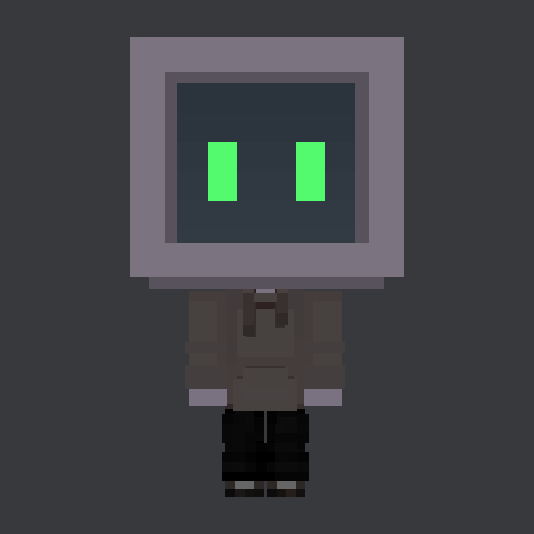
Kin Agent
Robots play with you in the game, play like friends in your world.

Zecoar Modpack EX
A Minecraft Modpack, you can have a good time in this new Minecraft, it is a modified modpack, if you want to play the unmodified version, you can know about Zecoar Modpack.
评论
登录后评论和评分