
wippy pack
作者:b1urs
A custom PvP resource pack designed to optimize your gameplay visuals. It features a clean, textured red-and-black theme for a sleek look in your menus.
截图
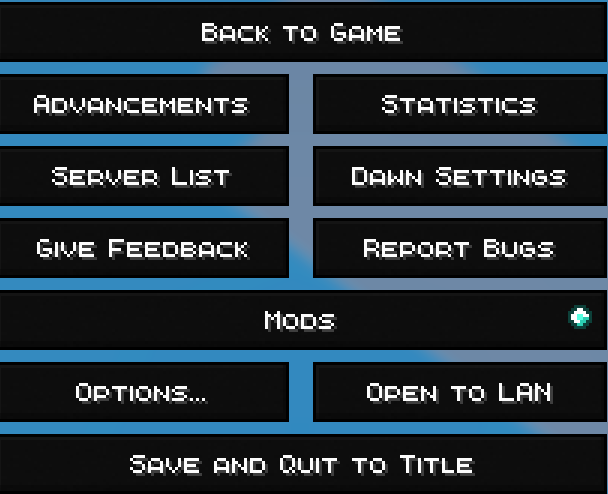
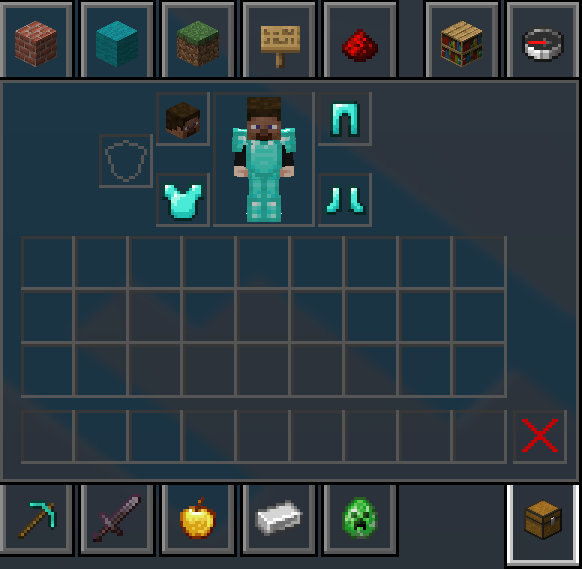


介绍
中文介绍正在准备中,下面暂时显示原文。
About the Pack
A custom PvP resource pack designed to optimize your gameplay visuals. It now features a clean, textured red-and-black theme for a sleek look in your menus.
Features
- PvP Numbers: Replaces traditional Roman numerals with clean, standard numbers (e.g., Sharpness 5 instead of Sharpness V, Protection 4 instead of Protection IV) for instant readability during combat.
- Custom Hit Sounds: Crisp, alternative audio effects for satisfying combat feedback.
- Clean UI: Includes a custom red-to-black gradient menu icon.
Installation
- Download the
.zipfile from Modrinth. - Launch Minecraft, navigate to Options > Resource Packs, and click Open Pack Folder.
- Drag and drop the downloaded
.zipfile directly into the folder. - Move the pack over to the “Selected” side in-game and you are ready to queue up!
常见问题
wippy pack 支持哪些 Minecraft 版本?
wippy pack 支持 Minecraft Java 版 1.18–1.18.2,共 3 个版本。下载时注意选择和你游戏版本一致的文件。
wippy pack 怎么安装?
把下载的 .zip 文件(不用解压)放进游戏目录的 resourcepacks 文件夹,进游戏后在「选项 → 资源包」里把它移到右边启用。
评论
登录后评论和评分