
截图





介绍
Requirements

- Optifine is required. or for Fabric CIT Resewn Continuation
- The item form works in vanilla. However, some of the leather enchanted textures are a bit bugged when using Optifine or CIT Resawn.
Notes
- Suggestions and tips are welcome. I am not the best Pixel-Artist, and I think some of my textures are lacking in shading quality. PlanetMinecraft
- Textures and designs are still works in progress, and some may change at any time in the future, especially the ones that got “tmp” in their texture.
- I already have ideas for a lot of the enchantments, but if you have ideas for how some enchantments should be done, or how some combination of enchantments would look like or even enchantments that aren’t compatible with each other, like different types of protection on one armor piece. Please let me know.
Features
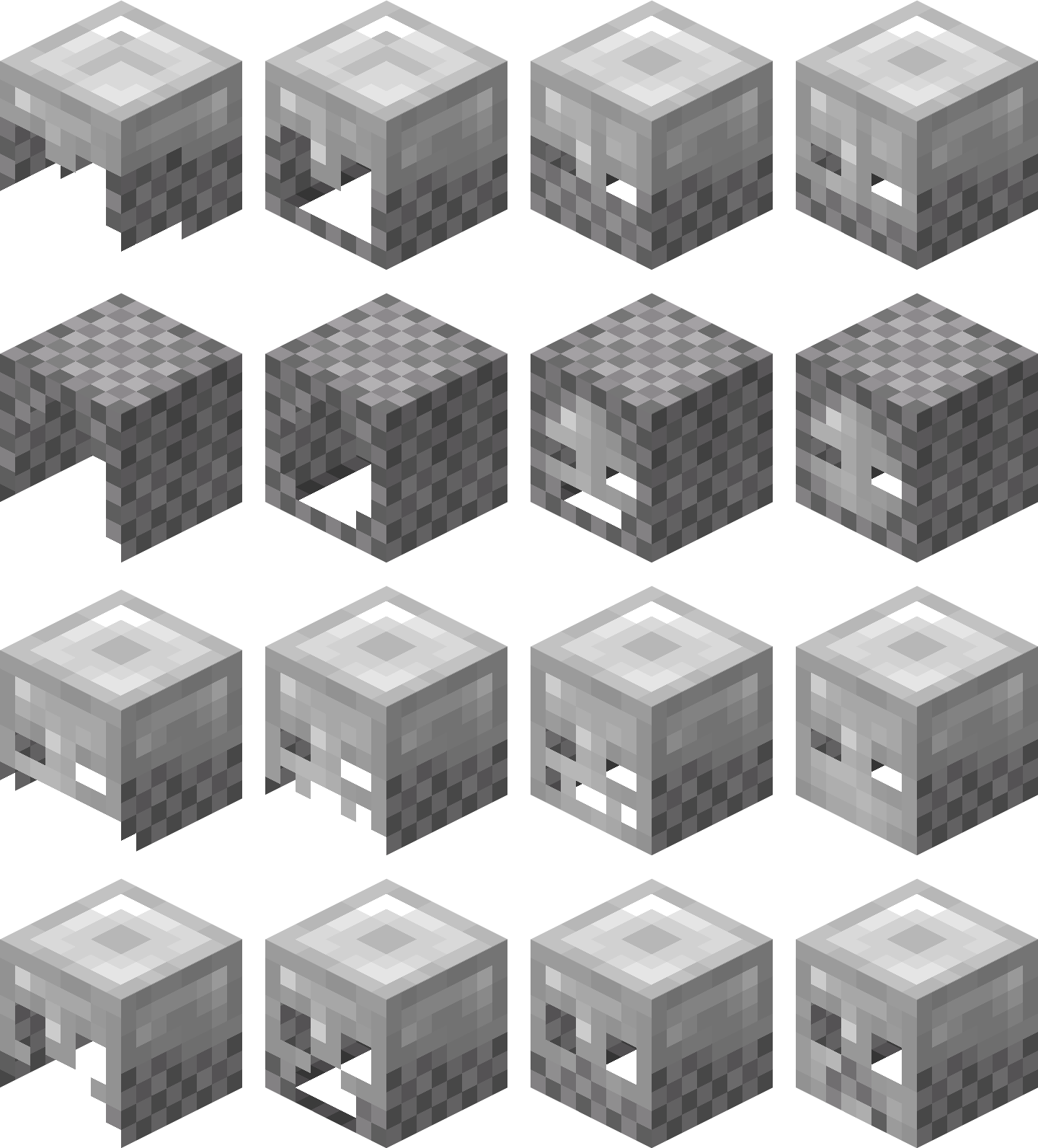
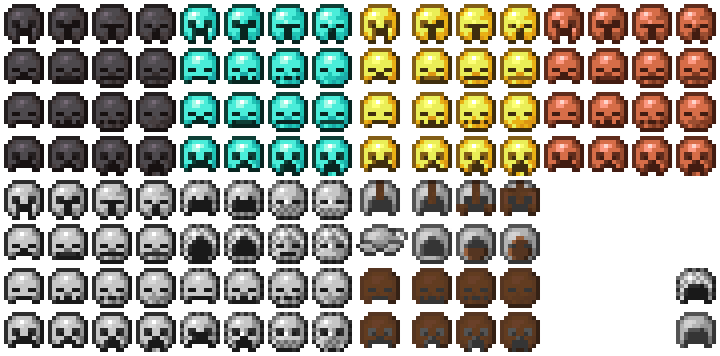
Gives textures to armor when it has specific enchantments. So far, it adds textures to the following enchantments: ( Protection level 1-4, projectile protection level 1-4, fire protection level 1-4, blast protection level 1-4 ) . Available for helmets from all materials, except turule for now.

Inspiration & Credits
So this is me 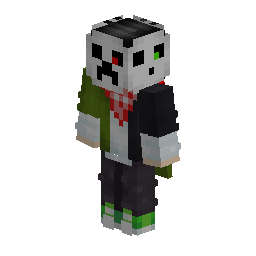 creative skin right? Anyway, even though I look awesome, i look silly with a helmet on
 . so long story short, I had the idea to make a Visual Enchantments texture pack, so the blast protection matches my skin.
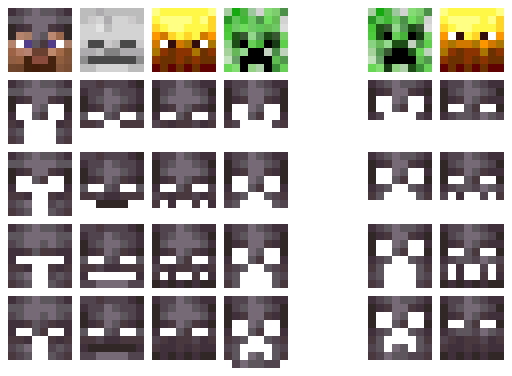
The idea was simple: make normal protection more like a knight and make the rest more like the mob they resemble the most, so I ended up with player/knight, skeleton, blaze, and creeper. so it went from this to this

So I started working on the texture pack, but dropped it for a year because of a lack of design choices and my cluelessness about how I am supposed to make this pack work. but when I finally got back to it, I realized the blaze and creeper eyes don’t match the height of Steve’s eyes. So I redesigned them

And thank god i didn’t delete the old ones because I still look silly with the redesign  . So I’ll just re-add them with renaming. I’ll call them alt textures for now.
Credits
Chainmail
When it was time to work on chainmail, there was no way I would work with that ugly texture, and it happened that I already stumbled upon a nice redesign that influenced mine a lot. ( Better Chainmail ) By NovaAndOver . The design was great even though it was messy in some places and was made with 88 colors, not including the leather. I managed to make a tweaked version using vanilla colors only, with only 7 colors and 4 for the leather.
Leather
Protection 4 leather overlay is partially inspired by boxing headgear. The shape is fully inspired by ( Reinforced Leather Armor ) by itsGespa & InfernalStudios.
Items icons
While I created all the items’ textures myself, I’ve used ( png Minecraft texture creator ) to generate the code that made it work in vanilla.
Netherite Helmet
- Protection: Gradually changing the texture into a Knight’s helmet.


- Projectile Protection: Gradually changing the texture into a Skeleton face.


- Fire Protection: Gradually changing the texture into a Blaze face.


- Blast Protection: Gradually changing the texture into a Creeper face.


Others
- Work In Progress
Future Plans
Future plans are arranged based on priority and how easy/hard the feature is to implement ( some are already in progress, but not fully ready )
- Add alt textures
- Add compatibility with launchers other than Optifine ( if possible )
- Add protection textures to the rest of the armor sets
- Add textures for the rest of the enchantments
- Add Bedrock prot ( if possible )
I have a lot more plans, but let’s not go overboard in case I never manage to do them.
常见问题
Visual Enchants 支持哪些 Minecraft 版本?
Visual Enchants 支持 Minecraft Java 版 26.1.2–26.2,共 2 个版本。下载时注意选择和你游戏版本一致的文件。
Visual Enchants 怎么安装?
把下载的 .zip 文件(不用解压)放进游戏目录的 resourcepacks 文件夹,进游戏后在「选项 → 资源包」里把它移到右边启用。
3laaalmassad 的其他作品
查看全部 →
Better Spawners Top
This texture pack retextures the top of the spawner. Also, the pack adds a few splash texts I am experimenting with for a new texture pack.

Better Helmets
Change the item texture of helmets to be more accurate compared to the model, and remove the overlay of leather armor
评论
登录后评论和评分