
Villager Armor Stands (VAS)
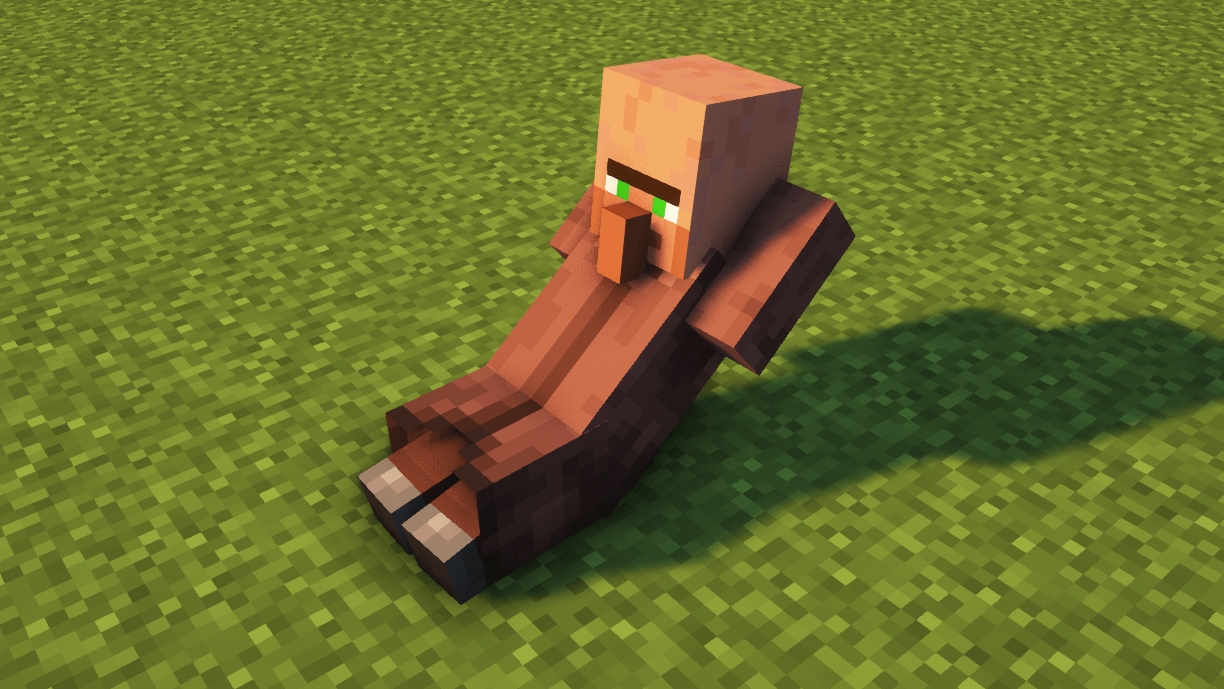
I have changed the texture of the Armor Stands to look like villagers doing different tasks like sleeping, training, laying down or even being dead. The models are animated to make them realistic.
截图


介绍
In this project, I have changed the texture of the Armor Stands to look like villagers doing different tasks like sleeping, training, laying down or even being dead.
The models are animated to make them realistic. Some villagers have a breathing animation (such as the sleeping villager or the bowing villager), or villagers doing a workout do the full movement (such as push-ups or sit-ups). Dead villagers have no animation for obvious reasons.
OPTIFINE IS REQUIRED BUT, IF YOU PLAY WITH SODIUM, YOU CAN USE A CEM MOD INSTEAD
To see each villager, you have to tag the armor stand with the following tags:
- Tag “Villager”: Randomly put one of the following villager skins.
- Tag “Villager1”: Dead villager 1
- Tag “Villager2”: Dead villager 2
- Tag “Villager3”: Dead villager 3
- Tag “Villager4”: (Animated) Villager sitting sleeping.
- Tag “Villager5”: (Animated) Villager doing push ups, exercise.
- Tag “Villager6”: (Animated) Head down sad villager.
- Tag “Villager7”: (Animated) Villager doing crunches, exercise.
I have tried this texture packs with the most famous shaders and I have not found any problem. If you have any review or suggestion you can leave it in the comments. Thank you.
The use of this texture pack for personal use is only allowed, sharing it with third parties or using it for advertising or profit-making purposes is prohibited. All rights reserved.
It is forbidden to upload videos featuring my texture pack to YouTube, Instagram, TikTok or other platforms without my consent.
Any questions or proposals, you can send an email to [email protected].
常见问题
Villager Armor Stands (VAS) 支持哪些 Minecraft 版本?
Villager Armor Stands (VAS) 支持 Minecraft Java 版 1.20–1.21.4,共 7 个版本。下载时注意选择和你游戏版本一致的文件。
Villager Armor Stands (VAS) 怎么安装?
把下载的 .zip 文件(不用解压)放进游戏目录的 resourcepacks 文件夹,进游戏后在「选项 → 资源包」里把它移到右边启用。

评论
登录后评论和评分