Veinbound
A 64x64 vanilla-style Minecraft resource pack that overhauls ores, Deepslate ores, Nether ores, and Ancient Debris for Java Edition 26.2.
截图
介绍
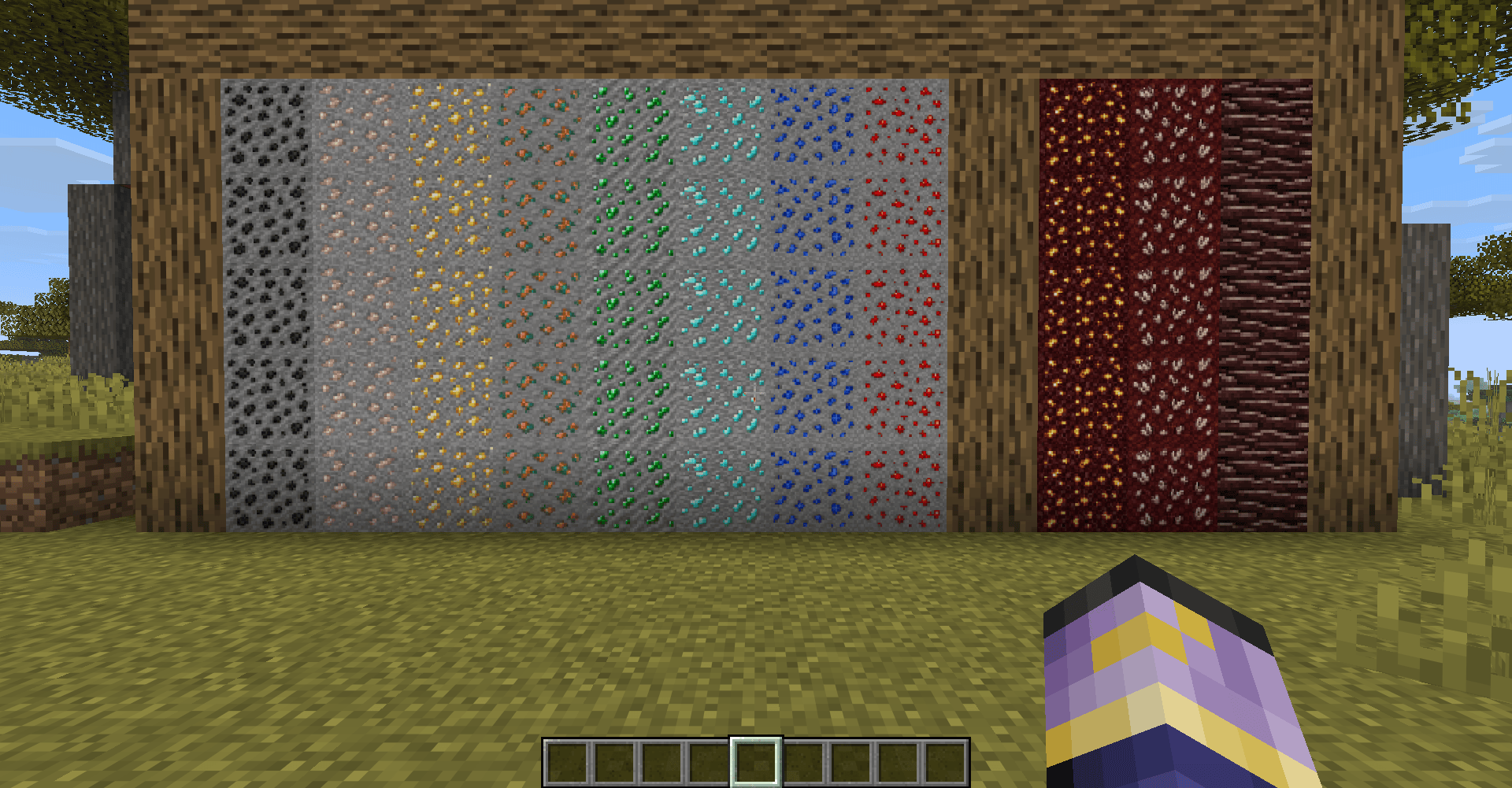
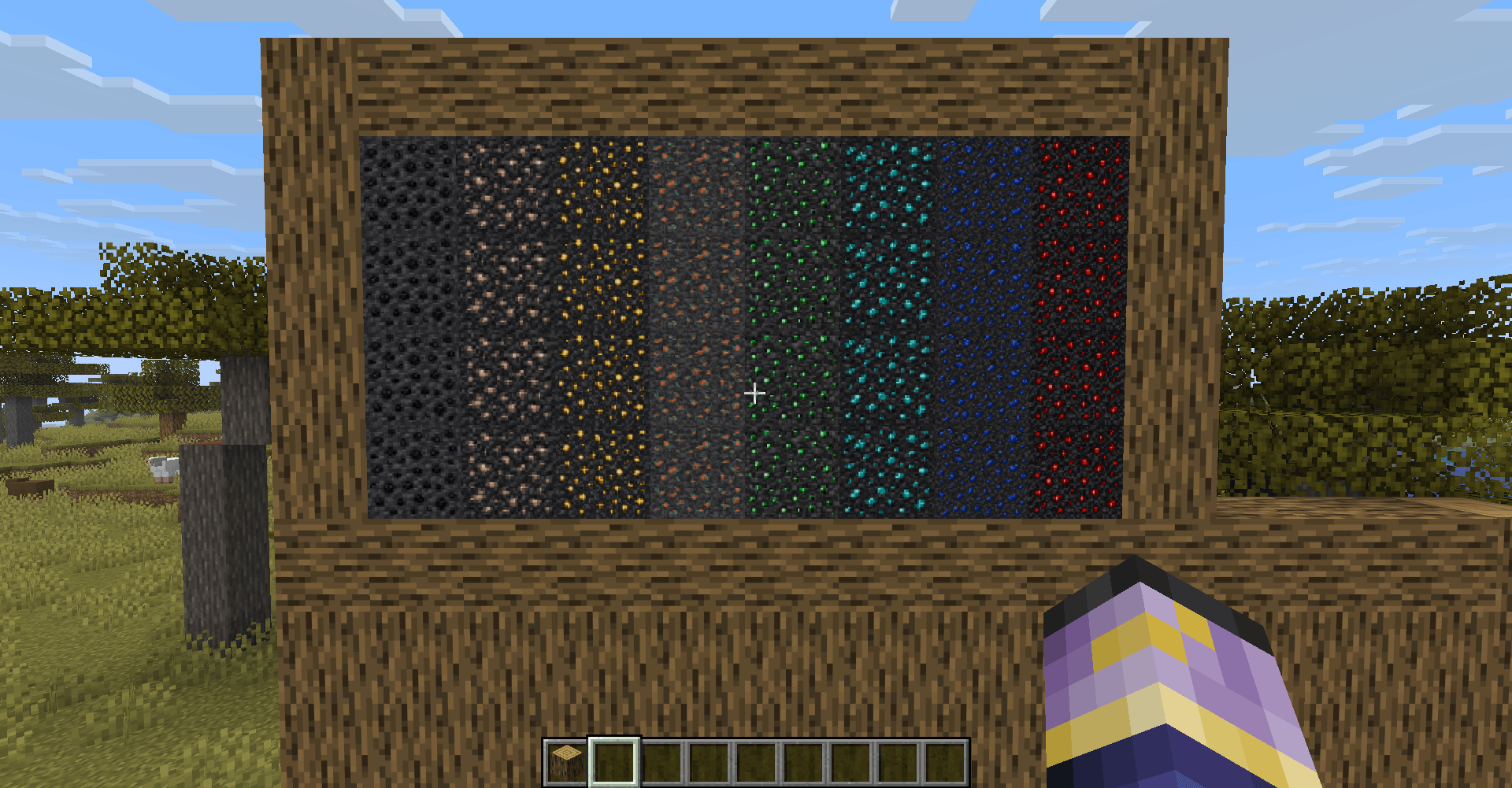
Veinbound is a 64×64 Minecraft resource pack focused entirely on making ores look more detailed, distinctive, and satisfying to mine while keeping the familiar vanilla Minecraft style.
Every ore has been redesigned from the ground up with high-resolution pixel art, including separate textures for Stone and Deepslate so each ore naturally blends into its surrounding block.
Features
• 64×64 high-resolution ore textures
• Vanilla-inspired Minecraft art style
• Coal Ore
• Iron Ore
• Copper Ore
• Gold Ore
• Redstone Ore
• Lapis Lazuli Ore
• Diamond Ore
• Emerald Ore
• Deepslate variants for all eight overworld ores
• Nether Gold Ore
• Nether Quartz Ore
• Ancient Debris with separate top and side textures
Stone and Deepslate
Veinbound does not simply reuse the same background for every ore. Stone ores use a lighter stone palette, while Deepslate ores use a darker Deepslate palette. This helps the ore blend naturally into the block it generates in and keeps both variants visually consistent.
Why Veinbound?
If you like vanilla Minecraft but want ores with more detail and personality, Veinbound is designed for that exact experience. The goal is not to completely change Minecraft’s visual identity. Instead, it keeps the original feel while giving one of the most important parts of mining a significant visual upgrade.
The pack is intentionally ore-focused. Everything outside the included ore textures remains untouched.
Compatibility
Minecraft Java Edition 26.2
64×64 resolution
Resource Pack
Made for players looking for a high-resolution Minecraft ore texture pack, vanilla-style resource pack, better ore textures, improved Deepslate ores, and a cleaner visual upgrade without changing the rest of the game.
常见问题
Veinbound 支持哪些 Minecraft 版本?
Veinbound 支持 Minecraft Java 版 26.2。下载时注意选择和你游戏版本一致的文件。
Veinbound 怎么安装?
把下载的 .zip 文件(不用解压)放进游戏目录的 resourcepacks 文件夹,进游戏后在「选项 → 资源包」里把它移到右边启用。
AshenThread 的其他作品
查看全部 →
Better Water Animation
一个轻量级的 64x 动画水资源包,适用于 Minecraft Java 版

VanillaFlux
Performance and worldgen focused modpack.
VanillaFlux
Performance and worldgen focused modpack.

Better Fire Animation
A complete fire animation overhaul with bigger flames, smoother animation, and richer visual detail.
评论
登录后评论和评分