
截图

介绍
Vanillia Music Player
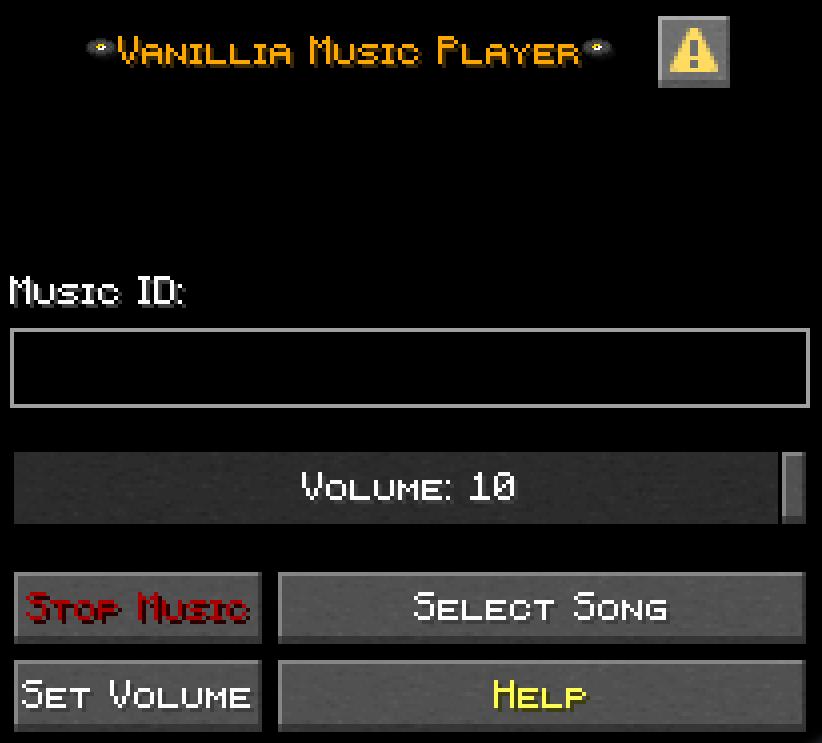
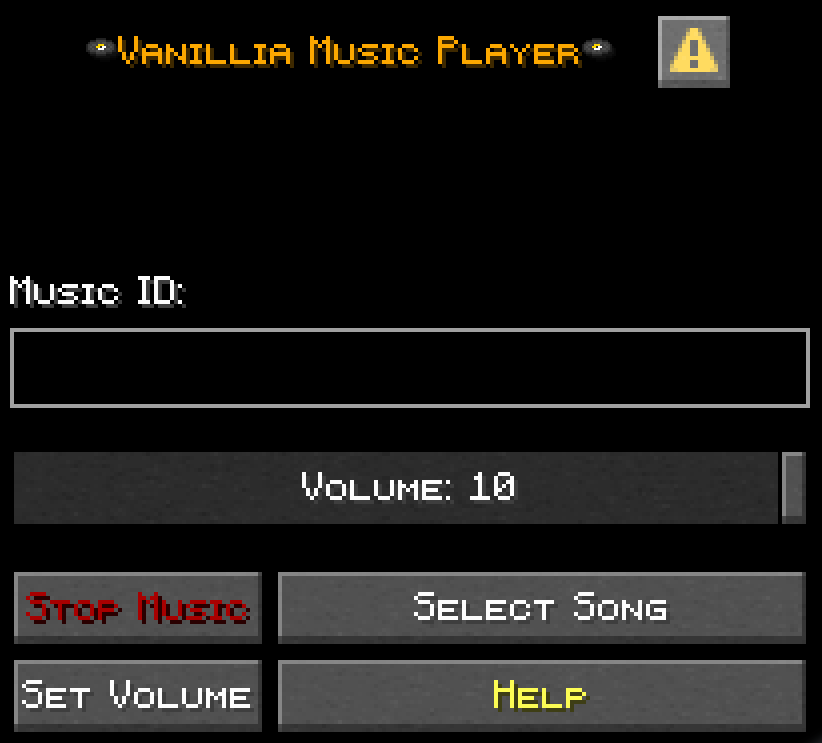
Vanillia Music Player is a simple Recourcepack driven music player built into the pause screen.
Features:
- A dedicated “Music” button in the pause screen
- Volume control
- 100 song per recourcepack support
Music Player Menu
README.txt
–Guide to Adding Custom Music to the Recourcepack–
To add your own custom music go to assets\music\sounds\ then add your own music and title them all different numbers from 1 to 100,
The title will be the ID of that song, each recourcepack supports 100 songs, songs must be saved as .ogg files,
You can use a website to convert from other formats to .ogg,
There are 7 songs in the pack as a template I got from some playlist you can delete them and add your own instead.
–Guide to Adding Custom Labels to the Recourcepack–
A label is the text that shows up in your actionbar when you start playing music,
It is found in assets\music\lang. Each language is a different lang file,
The provided example is for en_us (English US) so you must make a different version for each language,
Here is the wiki for language files, you can find the names of the languages there https://minecraft.wiki/w/Language,
The template songs are labeled there with their names but you can swap them and the question marks with the names of your music.
License
The Datapack is All Rights Reserved.
You may use the Recourcepack template to create your own Vanillia Music Player music pack
You have permission to post your own Vanillia Music Player music pack but you must give me 35% of the total profit of the project, you must give me credit in the pack’s page, you may not delete README.txt
SINGLEPLAYER ONLY
常见问题
Vanillia Music Player 支持哪些 Minecraft 版本?
Vanillia Music Player 支持 Minecraft Java 版 1.21.9–26.2,共 7 个版本。下载时注意选择和你游戏版本一致的文件。
Vanillia Music Player 怎么安装?
把下载的 .zip 文件(不用解压)放进游戏目录的 resourcepacks 文件夹,进游戏后在「选项 → 资源包」里把它移到右边启用。
HeavyArtilleryTank 的其他作品
查看全部 →
TNT extension
添加一些全新的爆炸物
TNT extension
添加一些新的爆炸物

Animated Bolt Action Guns
Turns crossbows into animated bolt action rifles!

Better recipes
A datapack wich adds a few quality of life recipes
评论
登录后评论和评分