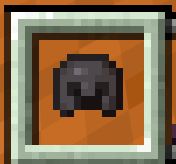
Transparent Vanilla Hotbar(DARK)
Make the hotbar fully clean and support the "Default Dark Mode" Pack
截图


介绍
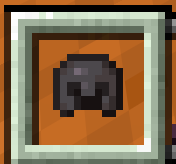
Transparent Vanilla Hotbar is a tiny UI resource pack that makes hotbar slots transparent, leaving only a clean frame around them.
It helps you see more of the world while keeping the vanilla-style borders and support the “Default Dark Mode” resource pack.
_If your are using “Default Dark Mode” Resource Packs, please move my resource pack “Transparent Vanilla Hotbar” above it, Otherwise, it won’t work._
Features:
• Turns hotbar slots into clear, see‑through frames
• Keeps the original gray border so the slot layout is still easy to read
• Nice for minimal UIs, screenshots, and players who like a cleaner screen
• Very lightweight: only edits the slot textures, no gameplay changes
License / Permissions:
•The Hotbar texture in this pack is my own edit of the vanilla asset.
•Do not re‑upload this pack to other sites.
•You may use it in videos or modpacks; a credit link is appreciated but not required.
常见问题
Transparent Vanilla Hotbar(DARK) 支持哪些 Minecraft 版本?
Transparent Vanilla Hotbar(DARK) 支持 Minecraft Java 版 1.21–26.2,共 16 个版本。下载时注意选择和你游戏版本一致的文件。
Transparent Vanilla Hotbar(DARK) 怎么安装?
把下载的 .zip 文件(不用解压)放进游戏目录的 resourcepacks 文件夹,进游戏后在「选项 → 资源包」里把它移到右边启用。
HenryTT6666 的其他作品
查看全部 →
low fire and no smoke
让火焰更低一些,并移除烟雾。
Transparent Vanilla Hotbar
Make the hotbar grid completely transparent and Vanilla-like

Clean Vanilla Hotbar
Make the hotbar fully clean and Vanilla-like
Transparent Vanilla Hotbar
Make the hotbar grid completely transparent and Vanilla-like
评论
登录后评论和评分