
Translations for Disable Dimensions
Official translations for the Disable Dimensions data pack/mod.
介绍
Translations for Disable Dimensions
Official translations for the Disable Dimensions data pack/mod. Contributions for improving existing translations or adding new languages are very welcome!
Supported translations
Deutsch (Deutschland)by @nwrenger (Author)Español (México)by @Ferbook3000 (Contributor)
The default fallback strings are provided directly in the data pack commands, so en_us.json is intentionally not included.
As you can see, not many translations are available yet. Therefore, I encourage you to contribute your own translation if you are a native speaker (or at the quality of one). I won’t accept AI generated translations!
Adding a Translation
- Go to the repository
- Duplicate
resourcepack/assets/disable_dimensions/lang/de_de.json - Rename it to your Minecraft language code (e.g.
fr_fr.json,es_mx.json) - Translate the values appropriately
- Open a PR on the repository
Updating a Translation
- Keep every key from the source file, even if a value has not been translated yet.
- Preserve placeholders such as
%1$s,%2$s, and%3$sexactly. - Preserve the formatting expectations: short labels should stay short, and tooltip text should be clear in chat UI.
- Use UTF-8 JSON without comments or trailing commas.
- If a phrase sounds awkward because of placeholder order, reorder the placeholders instead of changing or removing them.
Key Reference
General
| Key | Description |
| ———————————————- | ——————————————————— |
| disable_dimensions.description.resource_pack | Shown as the resource pack description |
| disable_dimensions.description.data_pack | Shown as the datapack description |
| disable_dimensions.status.now | Word for “now”, used inline in status messages |
| disable_dimensions.enabled | Word for “enabled” |
| disable_dimensions.disabled | Word for “disabled” |
| disable_dimensions.title_by_author | Header pattern — %1$s = pack name, %2$s = author name |
About Screen
| Key | Description |
| —————————————– | ——————————————- |
| disable_dimensions.about.other_projects | Intro text before the author’s website link |
| disable_dimensions.about.issue_prefix | Intro text before the issue tracker link |
| disable_dimensions.about.issue_link | Clickable link label for the issue tracker |
| disable_dimensions.about.config | Intro text before the config command |
Actions (buttons)
| Key | Description |
| —————————————- | ——————————————- |
| disable_dimensions.action.add | Label for add buttons |
| disable_dimensions.action.edit | Label for edit buttons |
| disable_dimensions.action.toggle | Label for toggle buttons |
| disable_dimensions.action.toggle.hover | Tooltip shown when hovering a toggle button |
| disable_dimensions.action.reset | Label for reset buttons |
| disable_dimensions.action.replace | Label for replace buttons |
| disable_dimensions.action.remove | Label for remove buttons |
Config — General
| Key | Description |
| ————————————————– | ————————————— |
| disable_dimensions.config.title | Title of the config screen |
| disable_dimensions.config.hover.add_dimension | Tooltip for the add dimension button |
| disable_dimensions.config.hover.reset_dimensions | Tooltip for the reset dimensions button |
Config — World Spawn
| Key | Description |
| —————————————————– | ———————————————- |
| disable_dimensions.config.world_spawn.label | Label shown before the world spawn coordinates |
| disable_dimensions.config.world_spawn.hover.replace | Tooltip for the replace spawn button |
Config — Reset / Repair Notices
| Key | Description |
| ———————————————- | —————————————————————————————— |
| disable_dimensions.config.reset.title | Title shown when the config has been reset |
| disable_dimensions.config.reset.description | Description shown when the config was reset because it was missing, empty, or incompatible |
| disable_dimensions.config.repair.title | Title shown when the config has been updated |
| disable_dimensions.config.repair.description | Description shown when missing default fields were added |
Config — Dimension Entry
| Key | Description |
| ———————————————————- | ——————————————————————————————————————————————————- |
| disable_dimensions.config.dimension.hover.remove | Tooltip for the remove dimension button |
| disable_dimensions.config.dimension.status.label | Label for the dimension status field |
| disable_dimensions.config.dimension.status.pattern | Status pattern — %1$s = dimension name, %2$s = “disable_dimensions.status.now”, %3$s = “disable_dimensions.enabled”/”disable_dimensions.disabled” |
| disable_dimensions.config.dimension.message.label | Label for the block message field |
| disable_dimensions.config.dimension.message.hover.edit | Tooltip for the edit message button |
| disable_dimensions.config.dimension.conditions.label | Label for the conditions list |
| disable_dimensions.config.dimension.conditions.hover.add | Tooltip for the add condition button |
Config — Condition Entry
| Key | Description |
| —————————————————— | —————————————————————————————————————————————————– |
| disable_dimensions.config.condition.hover.remove | Tooltip for the remove condition button |
| disable_dimensions.config.condition.status.label | Label for the condition’s status override field |
| disable_dimensions.config.condition.status.pattern | Status pattern — %1$s = “disable_dimensions.config.condition.status.following”, %2$s = “disable_dimensions.enabled”/”disable_dimensions.disabled” |
| disable_dimensions.config.condition.status.following | Phrase used as %1$s in the condition status pattern |
| disable_dimensions.config.condition.trigger.label | Label for the trigger field |
| disable_dimensions.config.condition.hover.edit | Tooltip for the edit trigger button |
常见问题
Translations for Disable Dimensions 支持哪些 Minecraft 版本?
Translations for Disable Dimensions 支持 Minecraft Java 版 1.21–26.3,共 17 个版本。下载时注意选择和你游戏版本一致的文件。
Translations for Disable Dimensions 怎么安装?
把下载的 .zip 文件(不用解压)放进游戏目录的 resourcepacks 文件夹,进游戏后在「选项 → 资源包」里把它移到右边启用。
nwrenger 的其他作品
查看全部 →
Disable Dimensions
一种难以破坏且抗恶意破坏的方案,可阻止玩家进入下界、末地及其他自定义维度;还可按维度设置条件。

Improved Happy Ghast
让玩家可以打造一只不会乱跑、速度更快、体型更小且不会发出声音的快乐恶魂,还能收到伤害提示,并在生存模式中使用物品将它召回。
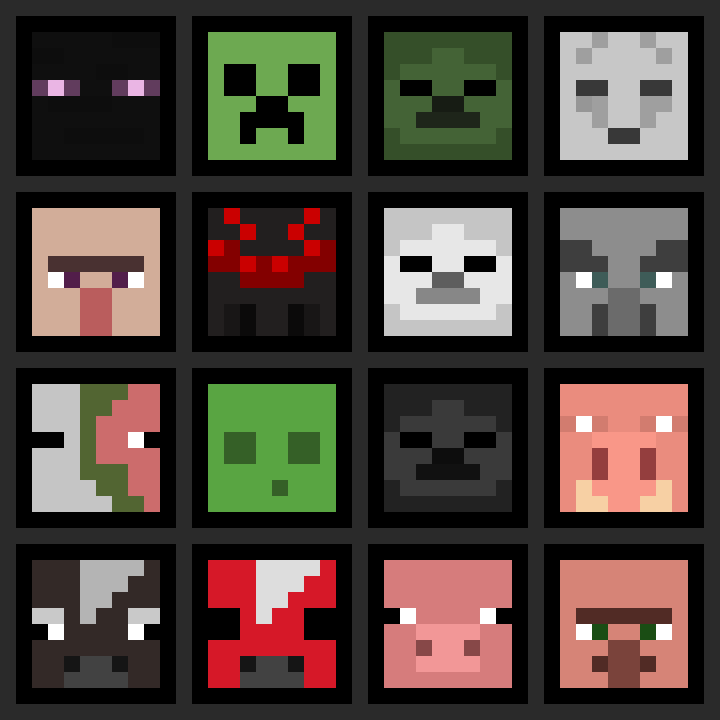
More Heads
让生存模式玩家也能合理获取生物头颅和玩家头颅:通过特定的锄头掉落机制,避免污染刷怪场,并保留原版的游戏进度。

Dynamic Performance
轻量且保留原版体验的性能模组,可根据服务器负载动态调整视距、模拟距离和生物上限。
评论
登录后评论和评分