Animated! Tokyo Ghoul
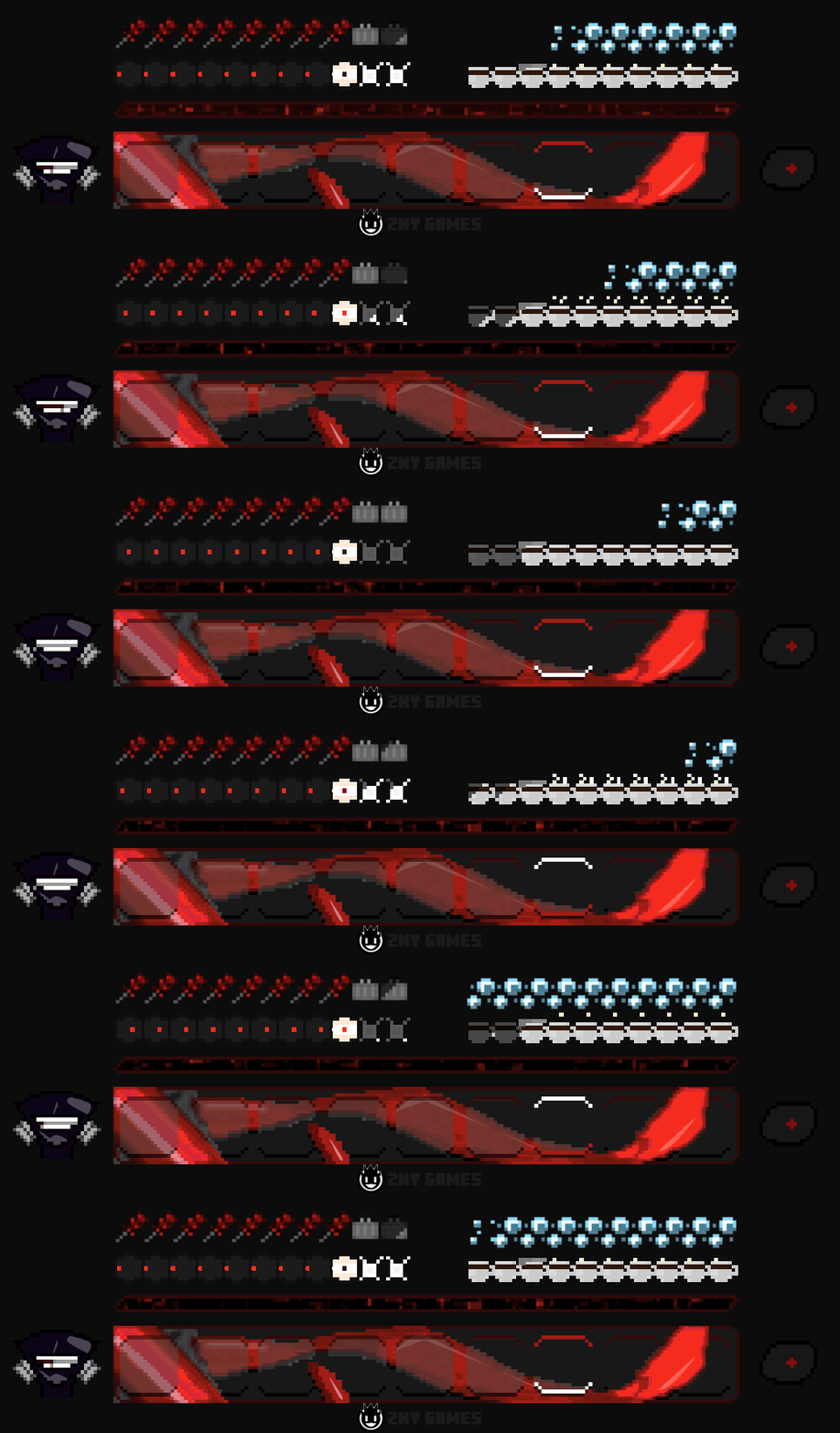
In this texture pack all hotbar graphics have been completely reworked and animated!
截图


介绍


I’m super excited to introduce you to my brand new texture pack: Tokyo Ghoul!
🗒|DESCRIPTION
Welcome!
I’m super excited to introduce you to my brand new texture pack: Tokyo Ghoul!
In this texture pack all hotbar graphics have been completely reworked and animated.
No loader is required!
If you’re a fan of Tokyo Ghoul, i hope you’ll love this pack!
If you like the pack, I would be very happy about a subscription!
New! with this pack:
- animated hotbar

🎞|TRAILER
💬|SOCIAL
(っ^▿^)۶🍸🌟🍺٩(˘◡˘ )
DISCORD ▶️ visit me!
Hey,
We invite you to join our Discord community where you can connect with fellow players, share your ideas, and report any bugs you encounter. Whether you have suggestions for improving the hotbar or need support with any issues, our community is here to help. Let’s build, explore, and create together!


🖼|EXAMPLE


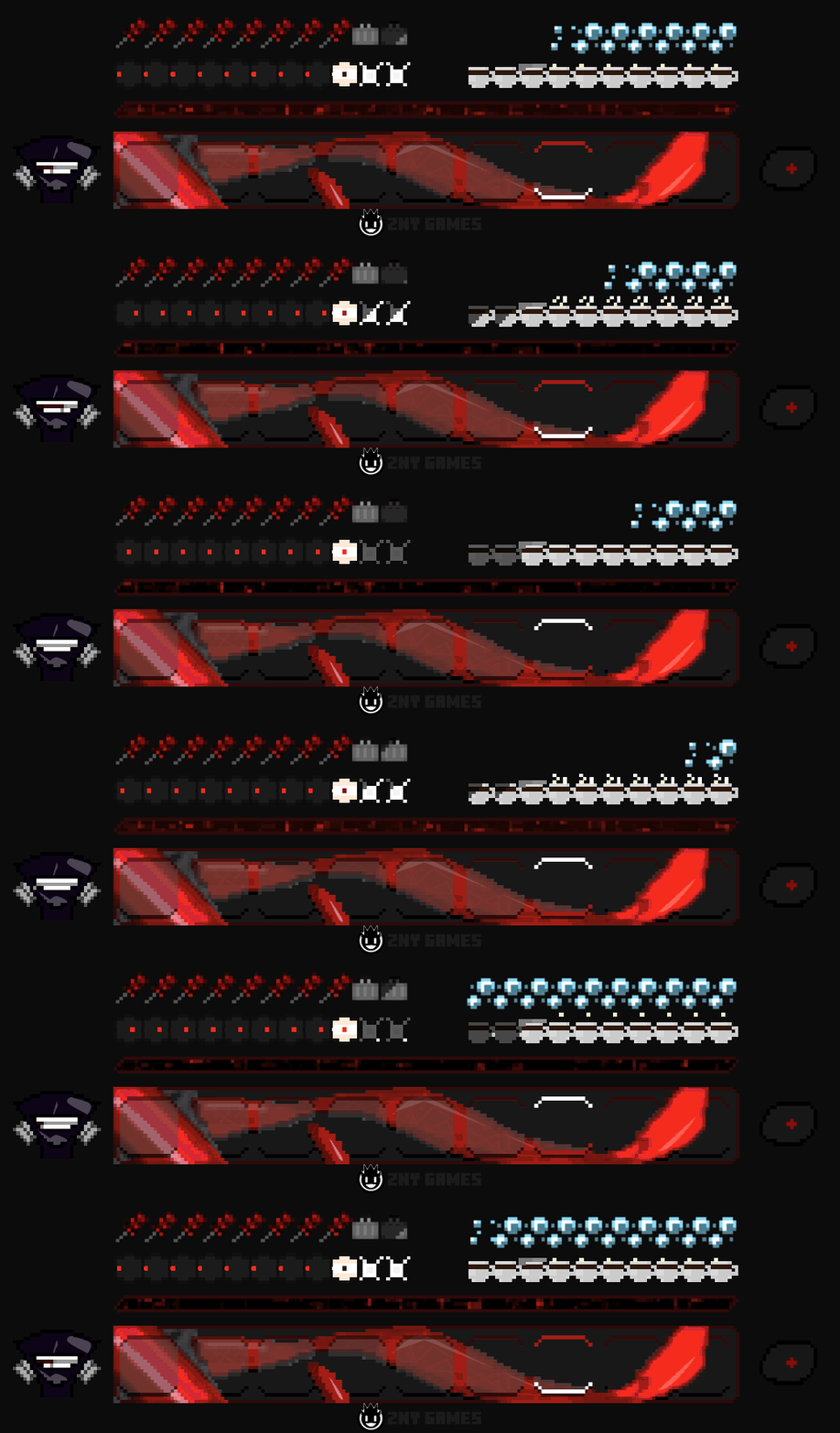

- The armor bar: a suitcase from the ccg with the matching weapon

- The health bar: the eye of Ken Kaneki

- The hunger bar: an animated cup from the anteiku cafe

- The air bar: bubbles

- The XP bar: Here I found the effect fitting

- The hotbar: here I tried to put kagune with a slight animation

- Cool down: the red eye of Ken

- The left hand: the mask of ken animated
more examples in the picture gallery above ⬆️
🛈 |INSTALL
Note: If you encounter any issues, make sure that the texture pack is compatible with your version of Minecraft, and that you have followed all of the steps correctly.
VANILLA
- Open Minecraft: Launch Minecraft and click on the “Options” button.
- Go to the “Resource Packs” section: In the options menu, select “Resource Packs” to open the resource packs screen.
- Move the texture pack to the correct location: Locate the folder where your Minecraft resource packs are stored. The default location is usually in the “resourcepacks” folder under your Minecraft game directory. Move the downloaded .zip file to this folder.
- Select the texture pack in Minecraft: Back in the resource packs screen, select the texture pack that you just moved to the resource packs folder. The texture pack should now be listed in the “Selected Resource Packs” section.
- Apply the changes: Click on the “Done” button to apply the changes and enable the texture pack.
- Enjoy the new texture pack: Start a new game or load a saved game, and the new texture pack should now be in effect.
🔗|BEDROCK VERSION


🔗|FABRIC VERSION

💖| THX!
See you in the next pack!

常见问题
Animated! Tokyo Ghoul 支持哪些 Minecraft 版本?
Animated! Tokyo Ghoul 支持 Minecraft Java 版 1.20.4–1.21.4,共 5 个版本。下载时注意选择和你游戏版本一致的文件。
Animated! Tokyo Ghoul 怎么安装?
把下载的 .zip 文件(不用解压)放进游戏目录的 resourcepacks 文件夹,进游戏后在「选项 → 资源包」里把它移到右边启用。
znygames 的其他作品
查看全部 →
Winter Pack
This texture pack gives Minecraft a wintery atmosphere and enhances the player experience.

One Piece
Get ready to set sail on an adventure with this One Piece themed texture pack.

Chainsaw Man – Fabric
I tried to represent and animate elements from the anime "chainsaw man", aiming to capture its essence in the hotbar.

Tokyo Ghoul – Fabric
This pack brings the dark and captivating world of Tokyo Ghoul to Minecraft, with completely reworked animated hotbar graphics and a unique aesthetic that fans of the series will love.
评论
登录后评论和评分