
介绍
中文介绍正在准备中,下面暂时显示原文。
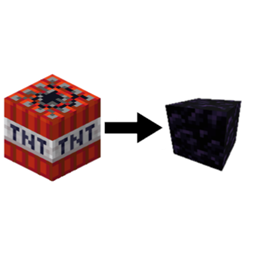
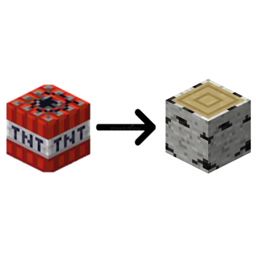
(This template only works with 2 textured blocks)
Steps:
- Move the template folder (found in files tab) to your desktop.
- Extract it
- Choose to delete the pack.png file (inside the extracted template folder) or make your own.
- Go to the minecraft game directory>versions>(any release (not one from a modloader), (1.14+))>open the jar file with an unzip program>assets>minecraft>textures>block>(your blocks side/top texture)>Copy that to clipboard
- Go to the extracted templates folder>assets>minecraft>textures>block>Paste the png file into there. And then if you put a top file in there then name it “tnt_top” if it was a side texture then name it “tnt_side” Repeat this until you have both textures in the block folder with names “tnt_top” and “tnt_side”
- Go to the main zip folder, delete everything inside and put in the stuff from the extracted one.
in the end it should look like
BirchLogTNTResourcePack.zip
├── assets
│ └── minecraft
│ └── textures
│ └── block
│ └── tnt_side.png
│ │──tnt_top.png
├── pack.mcmeta
└── pack.png (optional)
常见问题
TNT Disguise Template (For 1-2 textured blocks) 支持哪些 Minecraft 版本?
TNT Disguise Template (For 1-2 textured blocks) 支持 Minecraft Java 版 1.14–1.21,共 32 个版本。下载时注意选择和你游戏版本一致的文件。
TNT Disguise Template (For 1-2 textured blocks) 怎么安装?
把下载的 .zip 文件(不用解压)放进游戏目录的 resourcepacks 文件夹,进游戏后在「选项 → 资源包」里把它移到右边启用。
评论
登录后评论和评分