
🎨 The MS Paint (16K) Resource Pack
A revolutionary visual overhaul created with cutting-edge Microsoft Paint technology and a very shaky mouse hand. Experience Minecraft like never before (and probably never again).
截图


介绍
📦 About the Project
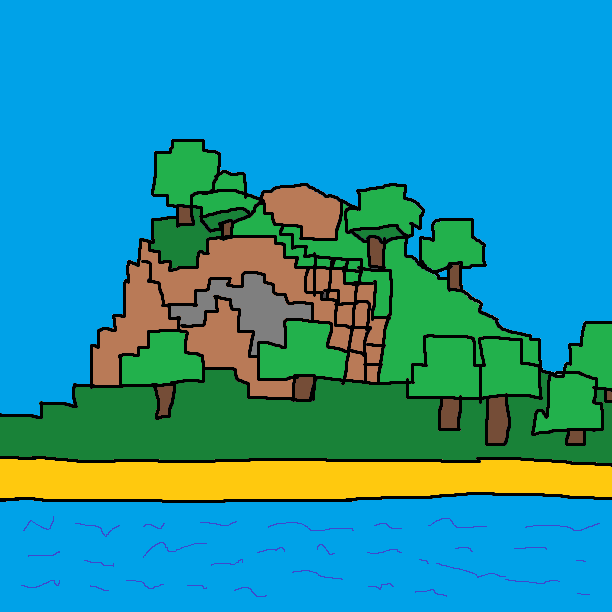
Have you ever wondered what Minecraft would look like if the textures were drawn by someone who just discovered what a “Paint Bucket” tool does? No? Well, I did it anyway.
This resource pack replaces standard textures with _enhanced_ versions, stripped of unnecessary things like shading, depth, and common sense. It’s raw, it’s bright, and it’s 100% made in MS Paint.
#
✨ Key Features:
Hand-Crafted Masterpieces: No filters, no AI, just the 1px Pencil tool and pure inspiration.
Next-Gen GUI: A user interface so _beautiful_ it might make your eyes water.
Authentic Fonts: If you can read the menu, you’re a legend.
Realistic Mobs: Creepers and Pigs have never looked more confused about their existence.
##
🛠 How to Install:
- Download resourcepack
- Activate it in-game.
PlayPRAY- Try not to cry after 5 minutes of
gameplayhell.
##
⚠️ Warning!
This pack is NOT optimized for professional designers, architects, or people with functioning vision. Use at your own risk. The author is not responsible for any sudden urges to delete the game or start drawing on your monitor with a marker.
常见问题
🎨 The MS Paint (16K) Resource Pack 支持哪些 Minecraft 版本?
🎨 The MS Paint (16K) Resource Pack 支持 Minecraft Java 版 1.20–1.20.1,共 2 个版本。下载时注意选择和你游戏版本一致的文件。
🎨 The MS Paint (16K) Resource Pack 怎么安装?
把下载的 .zip 文件(不用解压)放进游戏目录的 resourcepacks 文件夹,进游戏后在「选项 → 资源包」里把它移到右边启用。
评论
登录后评论和评分