ColorCraft
This pack changes the color of various in-game texts, making them easier to read against different backgrounds.
截图


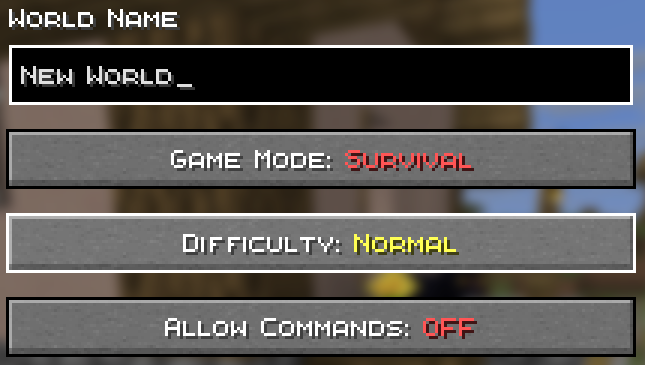
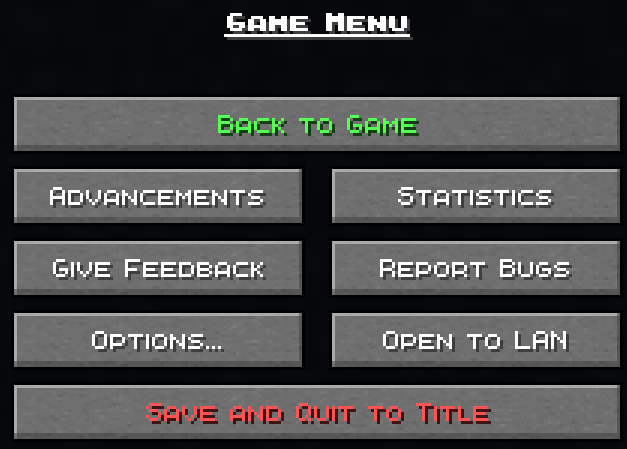
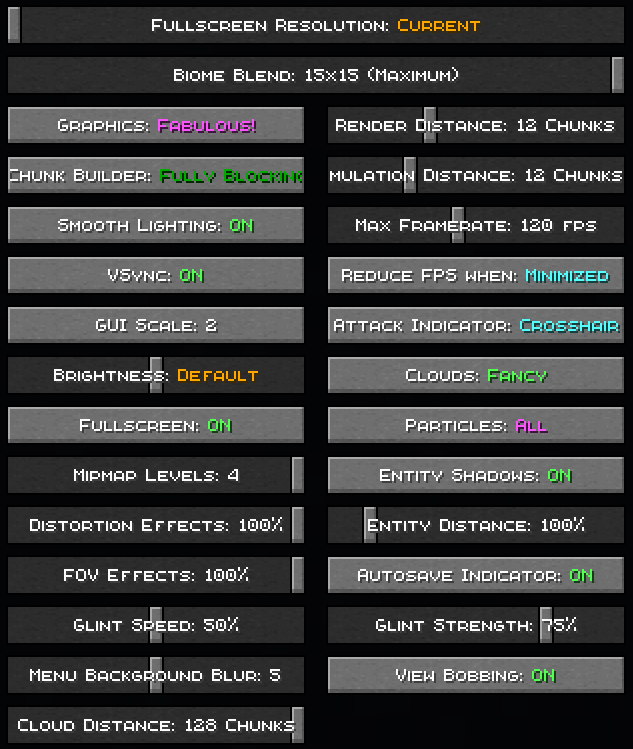





介绍

🎨 ColorCraft — Bring Color to Your Interface
ColorCraft redefines how you see Minecraft’s UI — literally.
It enhances text visibility and adds rich formatting to menus, messages, and UI elements across multiple languages and mods.
Better contrast, better clarity, better vibes. 🌈
✨ What It Does
Tired of dull, unreadable menus or chat text blending into the background?
ColorCraft injects vibrant colors and styles into Minecraft’s interface — making it more intuitive and eye-catching without altering the game’s vanilla spirit.
✅ Improved contrast on menus and buttons
✅ Styled text for game modes, tooltips, effects, and more
✅ Support for mods & multiple languages
✅ Seamless integration with existing UI packs
🖼️ Sneak Peek
| Feature | Preview |
|———-|———-|
| Main Menu |  |
| Create World Menu |  |
| Settings & UI |  |
| Sodium Compatibility |  |
| Keybinds |  |
| Enchantments |  |
| Dye Colors |  |
| Effects |  |
| Pause Menu |  |
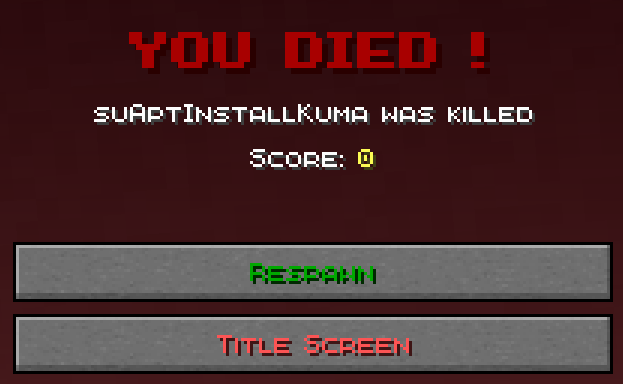
| Death Screen |  |
| Chat Messages |  |
🌍 Supported Languages
Almost all major Minecraft Vanilla languages are supported ! (some mods may not be fully supported yet for all languages)
ru_ru Thanks to YarTom for some of the translations.
🧩 Mod Compatibility
ColorCraft supports a wide variety of mods to ensure every text in your world stays clean and colorful.
✅ Supported mods:
- Alex’s Caves
- Alex’s Mobs
- Alexs Caves: Stuff & Torpedoes
- Better Statistics Screen
- Bobby
- Cave Dust
- Cloth Config
- Create
- Detail Armor Bar Reconstructed
- Durability Tooltip
- Dynamic FPS
- Dynamic Crosshair
- Embeddium
- Enderite Mod
- Enhanced Block Entities
- Extended Enchanting
- Fancy Block Particles – Renewed
- Farmer’s Delight
- Immersive Hotbar
- Inventory Particles
- Inventory Management
- InvMove
- Malilib
- Mod Menu
- Naturally Trimmed
- Nvidium
- oωo
- Physics Mod
- Presence Footsteps
- Shulker Box Tooltip
- Sodium
- Sodium Extra
- Sounds
- Stellar View
- Supplementaries
- TCDCommons API
- Terralith
- VanillaTweaks
- Vein Mining
- Veinminer Enchantments
- Wakes
- Waystones
- Xaero’s Minimap
- Xaero’s World Map
- Yet Another Config Lib (YACL)
🧱 Want your mod supported?
Drop your mod link in the issues tab — compatibility updates are frequent.
🧠 Compatibility Notes
- Works with (maybe) any Minecraft version
- Compatible with all major mod loaders (Fabric, Forge, etc.)
- Can be used alongside other UI enhancement or dark mode packs
- Designed for vanilla readability — no texture changes outside of text
- Some of the UI Texture Pack features may conflict with other UI packs, so make sure to place ColorCraft above them in the resource pack list for best results.
⚙️ Installation
- Download the latest release from Modrinth or your launcher.
- Drop it into your
resourcepacksfolder. - Enable it in-game and place it above any UI pack (for priority).
- Enjoy your clean, colorful Minecraft interface. ✨
❤️ Contribute
Want to translate, tweak, or suggest a new color scheme?
Open a Pull Request or start a Discussion.
Every contribution keeps ColorCraft vibrant — thank you for helping make Minecraft more readable for everyone!
🧡 Stay colorful. Stay creative.
常见问题
ColorCraft 支持哪些 Minecraft 版本?
ColorCraft 支持 Minecraft Java 版 1.0–1.21.11,共 98 个版本。下载时注意选择和你游戏版本一致的文件。
ColorCraft 怎么安装?
把下载的 .zip 文件(不用解压)放进游戏目录的 resourcepacks 文件夹,进游戏后在「选项 → 资源包」里把它移到右边启用。
suAptInstallKuma 的其他作品
查看全部 →
Create: Extra Recipes
Introduces new processing recipes designed to integrate smoothly with Create automation.

Create: Templates & Gears
Allows you to create Smithing Templates using the machines from the Create mod.

Create: Melodies & Mechanisms
Craft and replicate music discs through elegant automation with Create's mechanical wonders.

VanillaCraft
Discover minecraft in a new way
评论
登录后评论和评分