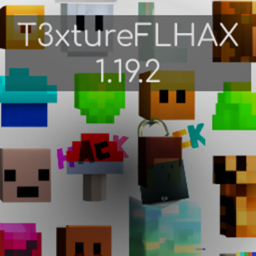
介绍
T3xtureFLHAX Resource Pack
_____________________________________________________________________________________________________________________________
A Resourcepack to improve the minecraft Advanture.
_____________________________________________________________________________________________________________________________
Features:
– Reduced the hight of the “Player is Burning” textureanimation
– Reduced the opacity of the Pumpkinblur texture
“Player is Burning” texture covers half of the view.

“Player is Burning” tesxture 4px smaller.

_____________________________________________________________________________________________________________________________
There are 4 additional levels for the opacity of the Pumpkinblur texture:
Pumpkinblur (default / level 0):

_____________________________________________________________________________________________________________________________
Pumpkinblur (level 1):

_____________________________________________________________________________________________________________________________
Pumpkinblur (level 2) -> recommended:

_____________________________________________________________________________________________________________________________
Pumpkinblur (level 3):
_____________________________________________________________________________________________________________________________
Pumpkinblur (level 4) -> no blur:

_____________________________________________________________________________________________________________________________
Pumpkinblur (off) -> for comparison:

_____________________________________________________________________________________________________________________________
To use a diffrent opacity follow these steps:
1. Open the “T3xtureFLHAX (x16) 1.19.2.zip” with 7-zip.
2. Navigate to “..\T3xtureFLHAX (x16) 1.19.2.zip\assets\minecraft\textures\misc\”.
3. Rename the current “pumpkinblur.png” to “pumpkinblur.png.bak” for backup.
4. Rename your preffered opacity level from “pumpkinblur.png.3” to “pumpkinblur.png”.
5. Select the pack in the “Resource Packs…” menu in Minecraft.
_____________________________________________________________________________________________________________________________
T̵̡̛̛̛̙̘̥̼̜͉̯̩͉̙͍̪̳̬̤͇̫͕̳̜͕̫͇̭͌͑́̄́͐̌̒̍̕͜Ȟ̵̢͇̥̻̦͇͍̠̳͉͖̪̭͔̹̣̱̲̹͕̥̎͊̓̔͌͜͜X̴̧̧̨̨̡͙̮̻̤̞̲̯̩̭͙̝̥͙̰̠̻̜͔̦̳̲͎̗̲̦̑̋̍̈̒̍͌̉̀̇̀͊͋͘͝
常见问题
T3xtureFLHAX 支持哪些 Minecraft 版本?
T3xtureFLHAX 支持 Minecraft Java 版 1.19.2。下载时注意选择和你游戏版本一致的文件。
T3xtureFLHAX 怎么安装?
把下载的 .zip 文件(不用解压)放进游戏目录的 resourcepacks 文件夹,进游戏后在「选项 → 资源包」里把它移到右边启用。
评论
登录后评论和评分