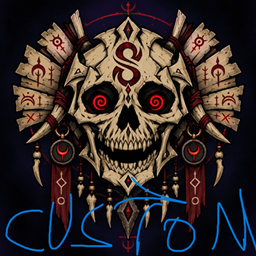
Syez Death Animation Customizable
A customizable resource pack that lets players add their own animations and sounds to Syez Death Animation.
介绍
Customization Guide
This resource pack requires Syez Death Animation 1.2.0 and Fabric API.
Installation
-
Download the resource pack.
-
Place the ZIP file in
.minecraft/resourcepacks. -
Open Minecraft and enable it under Options → Resource Packs.
-
Use
/syezdeath testto preview the animation.
Add your own animation
-
Extract the resource pack ZIP.
-
Open
assets/syezdeath/textures/animation/. -
Replace the existing images with your own PNG frames.
-
Name them in order:
frame_001.png,frame_002.png,frame_003.png, etc. -
Use images with transparent backgrounds and identical dimensions.
-
Replace
assets/syezdeath/sounds/death.oggwith your own OGG audio. -
Open
assets/syezdeath/animation.jsonand update the frame count, FPS, width and height. -
Compress
pack.mcmetaand theassetsfolder into a new ZIP.
Make sure pack.mcmeta is located directly at the root of the ZIP.
Reload resource packs with F3 + T, then run /syezdeath test again.
Each player sees the animation from their currently enabled resource pack. If everyone should see the same animation, every player must install and enable the same pack.
常见问题
Syez Death Animation Customizable 支持哪些 Minecraft 版本?
Syez Death Animation Customizable 支持 Minecraft Java 版 26.1–26.2,共 4 个版本。下载时注意选择和你游戏版本一致的文件。
Syez Death Animation Customizable 怎么安装?
把下载的 .zip 文件(不用解压)放进游戏目录的 resourcepacks 文件夹,进游戏后在「选项 → 资源包」里把它移到右边启用。
zzkkuky 的其他作品
查看全部 →
Syez Death Animation
Displays a customizable full-screen animation and sound to every player whenever someone dies.
syezhardcore
A brutal hardcore overhaul featuring blood moons, deadly bosses, reworked totems, dangerous Nether survival, stronger mobs, and multiplayer command voting.

SyezRoulette
Spin the roulette and unleash unpredictable multiplayer events, challenges, rewards and chaos across your Minecraft world. It is an add-on for the Syezhardcore mod.
SyezSupport
Official support resource pack for SyezHardcore, providing custom textures, skies and visual assets required for the intended experience.
评论
登录后评论和评分