Sword ImmortalEyesColourSet【copper】
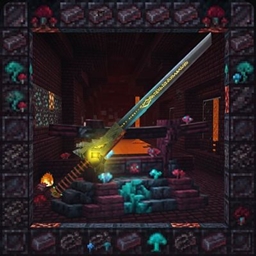
A masterpiece of low-poly artistry that pushes the boundaries of texture detail. This heavy claymore features a meticulously sculpted dragon-head guard and a dark-orange forged hilt.
介绍
Immortal Eyes yellow version (Netherite Sword Replacement)
Transform your ultimate Netherite weapon into a legendary, glowing relic! Immortal Eyes is a custom resource pack/texture replacement that completely redefines the visual presence of the Netherite Sword in Minecraft.
Features
-
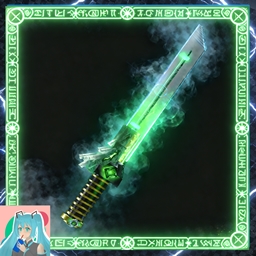
Custom 3D-Style Model & Textures: Replaces the standard Netherite Sword with a sleek, custom-designed blade featuring a dark, obsidian-like finish and glowing cyan accents.
-
Warped Fungus Aesthetic: The hilt is wrapped in textures inspired by the Nether’s Warped stem, complete with vibrant toxic-green segments.
-
The Watchful Core: Features a striking, crystalline “eye” embedded in the hilt that radiates arcane energy and a soft, steady glow.
-
Immersive Atmosphere: Designed to blend seamlessly with custom Nether builds, magical modpacks, or darker resource packs.
Installation
-
Download the resource pack zip file.
-
Place the zip file into your Minecraft
resourcepacksfolder (.minecraft/resourcepacks). -
Launch Minecraft, go to Options > Resource Packs, and move Immortal Eyes to the active column.
-
Equip a Netherite Sword in-game to see the new texture in action!

常见问题
Sword ImmortalEyesColourSet【copper】 支持哪些 Minecraft 版本?
Sword ImmortalEyesColourSet【copper】 支持 Minecraft Java 版 1.12–26.3,共 54 个版本。下载时注意选择和你游戏版本一致的文件。
Sword ImmortalEyesColourSet【copper】 怎么安装?
把下载的 .zip 文件(不用解压)放进游戏目录的 resourcepacks 文件夹,进游戏后在「选项 → 资源包」里把它移到右边启用。
MochiLinesStudio 的其他作品
查看全部 →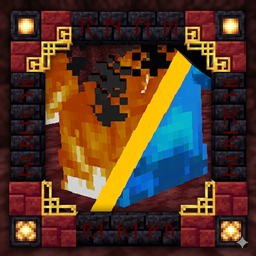
Lower Fire:Blue Fire: Safe & Low Visuals
一个让下界探索更安全的资源包
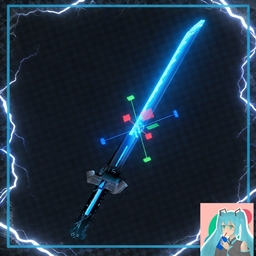
Sword Texture|VoidWalker:katana
Project: AZURE-GLITCH 风格:赛博朋克/科幻风下界合金剑设计
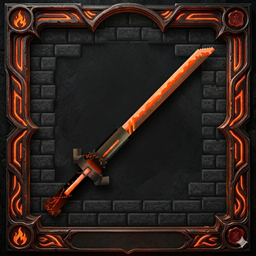
Sword 3D model : FlameDragonOverlord
为下界合金剑更换更好看的皮肤
[512+] Sword Tyrant’s Gaze [3D Weapon Model]
低多边形艺术的杰作,突破了材质细节的极限。这把重型阔剑拥有精心雕刻的龙头护手和暗金色锻造剑柄。
评论
登录后评论和评分