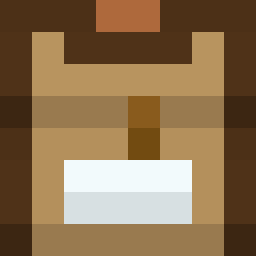
截图


介绍
🎨 Smoube – Cartoon and clean vanilla look in 8×8!
Simplistic texture pack with soft colors and vanilla look, including some of these features:
- Custom model blocks for additional textures
- Custom block states for alternate textures
- Custom connected textures (mod required)
- Custom biome particles (mod required)
- Support for mod interfaces
- And much more!
Join to my Discord server to discuss about this content, get notifications for updates and more
💜 Donations
Donations means a lot for me since I’m from Venezuela, also it gives me motivation to keep working on all of this. If you like this texture pack and you want to support me and the future development of this, please consider donating
⌛ Current progress
This is a work-in-progress texture pack, so there are a plenty of textures that have not been edited yet. However, a large part of the main textures have already been edited, and is +80% completed
✅ Official websites
This content is officially published and available on these websites: Planet Minecraft, CurseForge and Modrinth
If you see this content published anywhere else, it’s because it was stolen to post unofficial, outdated or even malicious content. Please contact me if you see this content published in sites outside of the official ones
📃 License
By downloading this content, you agree with the next terms of use:
- You can modify this content only for personal use without redistribution, commercialization or monetization
- You can port this content to another game versions like Bedrock only for personal use without redistribution, commercialization or monetization,
- You can share this content using any of the official links, not self hosted links like MediaFire
- You can use this content on videos leaving as credits the texture pack name and as download link any of the official ones
常见问题
Smoube (1.21.8 UPDATE OUT!) 支持哪些 Minecraft 版本?
Smoube (1.21.8 UPDATE OUT!) 支持 Minecraft Java 版 1.16–1.21.8,共 18 个版本。下载时注意选择和你游戏版本一致的文件。
Smoube (1.21.8 UPDATE OUT!) 怎么安装?
把下载的 .zip 文件(不用解压)放进游戏目录的 resourcepacks 文件夹,进游戏后在「选项 → 资源包」里把它移到右边启用。
评论
登录后评论和评分