
介绍
❗❗This project has been discontinued. Check out the better and upgraded version: Skull [Portable]❗❗
Obtain Custom and Player Heads in Survival!
You can find the values for custom heads on this site.


📖Features
This Data Pack allows you to get custom heads in vanilla minecraft using a villager and a Book&Quill. To do so, just summon the skull merchant, craft a bunch of heads, choose a head value or a player name, paste it in a Book&Quill (in case of the player head sign the book with the name of the player), and then add the trade to the merchant.
Craft a head
Summon a Skull Merchant
- Summon the Skull Merchant: “Look at a villager and run the command ‘/trigger skull’ in the chat to summon the Merchant”
- To succesfully summon a Skull Merchant the villager must be unemployed.
Add Trades for Custom and Player Heads
- Add custom head: “to add a trade for a custom head simply paste the value of the head you want on a book, then shift and right-click on the villager to teach him the trade”
- Add player head: “to add a trade for a player head simply sign a book with the name of the player, then shift and right-click on the villager to teach him the trade. The book will be consumed and a new one will be given to you”
Remove the Last Trade
- Remove the last trade: “to remove the last trade simply hold an axe (of any type) and shif+right-click on a Skull Merchant “
📤Uninstall the DataPack
To uninstall the Data Pack run the command ‘/function custom_heads:uninstall’. When the uninstallation process is completed a confirmation message will be sent in the chat.
❗️Known Issues❗️
- From the second trade that will be added, at the end of the operation, the not updated villager trading UI will be opened. To see the new added trade, just close the UI and talk again to the villager.
- When removing a trade, at the end of the operation the not updated villager trading UI will be opened. To see the changes (removed trade) just close the UI and talk again to the villager.
常见问题
Skull [Data Pack] 支持哪些 Minecraft 版本?
Skull [Data Pack] 支持 Minecraft Java 版 1.18.2–1.19.3,共 5 个版本。下载时注意选择和你游戏版本一致的文件。
Skull [Data Pack] 怎么安装?
把下载的 .zip 文件(不用解压)放进游戏目录的 resourcepacks 文件夹,进游戏后在「选项 → 资源包」里把它移到右边启用。
Nico4play 的其他作品
查看全部 →
Better Lanterns
改进灯笼和锁链模型,增强3D外观,带来更沉浸的体验。

3D Ladders
更改并改进了梯子的模型,使其变为3D!
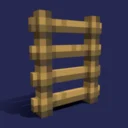
Nico’s 3D Ladders
将梯子的模型改为3D。

MasterCutter
石切机现在比以往更加实用,新增超过 500 个配方,包括木材加工、增强基础石材切割、回收和“拆解合成”。
评论
登录后评论和评分